Wall Gallery Designer Lite
Wall Gallery Designer Lite generates an estimated $6–$30/month in revenue from 2–9 downloads/month on the App Store, according to AppCurrents estimates (updated 2026-06-17).
| Est. revenue / month | $6–$30 |
|---|---|
| Est. downloads / month | 2–9 |
| Estimate confidence | medium |
| Pricing | Paid $3.99 |
| Rating | 3.25 ★ (4 ratings) |
| Category | Photo & Video |
| Released | 21.12.2018 |
| App last updated | 21.06.2023 |
| Platform | iOS |
Modeled monthly estimate · rating velocity · medium confidence
About
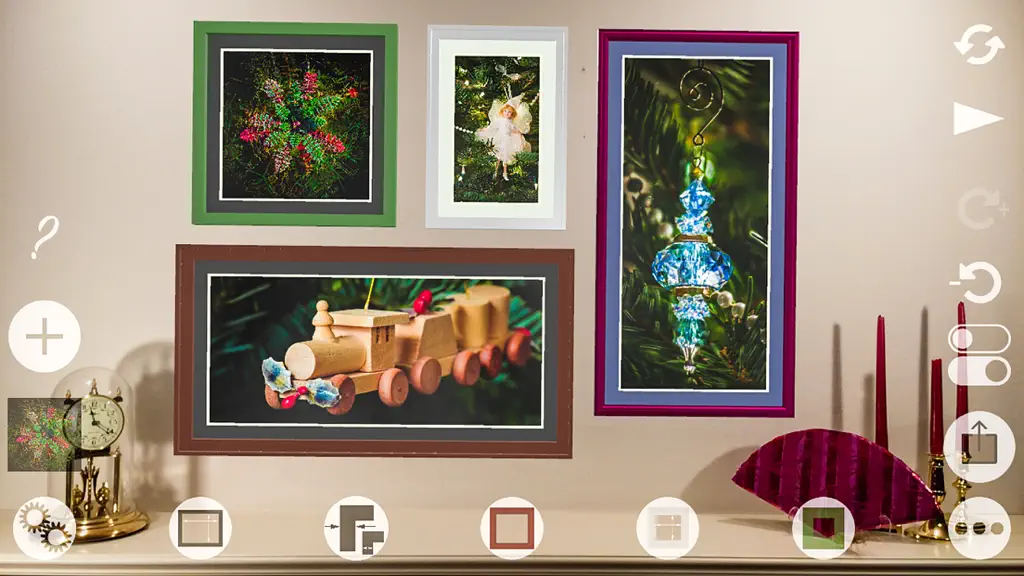
The best gallery melds the decor of the room, its furnishings, and its light with the picture layout, framing materials, and pictures. But there are a zillion possibilities. To find the best. answer these questions with "Wall Gallery Designer Lite" and augmented reality: • How big should my art be for display on my wall? • What is the best color mat for my framed photo that fits the col…
Trends & analysis
Chart rank trend
US · overallWhy it's surfacing
Scout 12Ratings & velocity
Rating distribution
50% positive · 4 ratingsGeographic reach
best rank · 1 storefrontRevenue & downloads trend
ARPU $3Update history
1 update tracked- v2023.023.0y ago
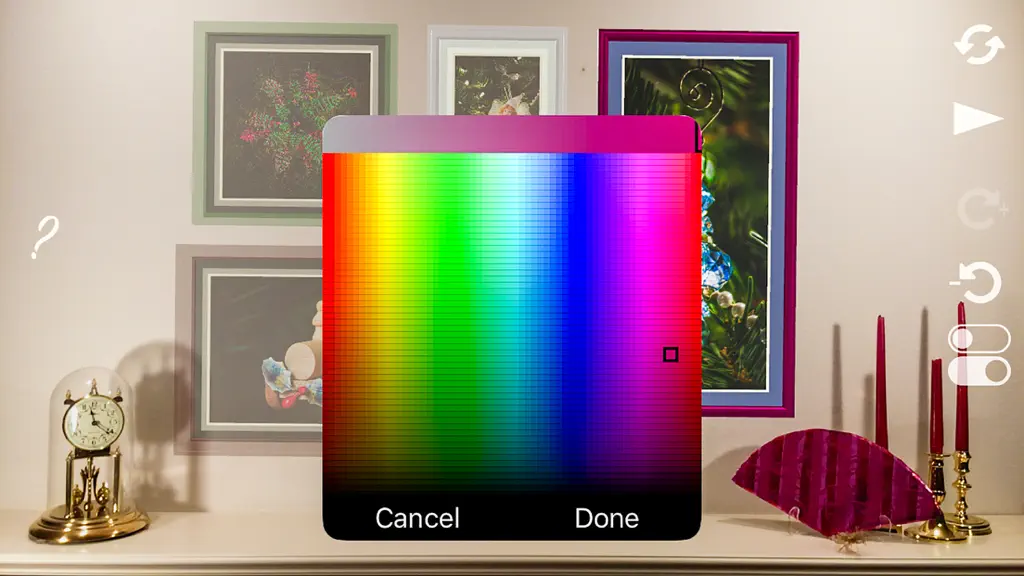
• Mirrored wrap (as "wrap:mirror") and stretched wrap (wrap:stretch) join "wrap:color" as framed picture face width menu items. Mirror and stretch describe the sides of a wrapped picture • Wrapped pictures are now rendered with subtle chamfered edges and corners to mimic wrapping with canvas. • The frame's custom color picker is enhanced to display the sRGB, HSB, Lab, or Lch value of the current color. Tap the blue label to cycle through a color's numbers • To make changing a frame's custom color brightness and saturation easier without changing the hue, two new custom color pickers for interactive HSB or Lch color selection are added. In both the top slider controls the hue. The previous picker for HSB where the top slider controlled saturation is still available. To cycle between the color picker views, tap the blue name of the view in the lower right: H/BxS, S/BxH, H/Lxc. The names have meaning. For example, H/BxS means that hue is the top slider while the grid's vertical axis is brightness and the horizontal axis is saturation • Colors that appear in the black region of the H/Lxc color picker view are colors that are outside of the sRGB colorspace such as "electric blue" • On iPhone in landscape orientation, numbers in the color picker are not editable because the numeric keypad obscures the color picker. Rotate the iPhone to portrait mode to use a keyboard for color value entry • Colors on metallic surfaces are closer to expectations. However, metallic surfaces reflect the environment, so a metallic surface color is strongly affected by its surroundings • Resolves an issue where mat surface texture patterns scaled as the frame window size changed • Selection checkmarks now depend on the operating system's dark mode setting. In dark mode, check marks are white and in white mode, check marks are black • Frame sizes are now strictly sorted by width. The list is no longer ordered with horizontal sizes first followed by vertical and then square • Reduces the number of times that custom mat sizes must be entered from the keyboard by increasing the number of mat windows with uniform borders • Adds a new setting that toggles "ambient intensity swatches" on and off • Improves app launch and startup
Wall Gallery Designer Lite — FAQ
How much money does Wall Gallery Designer Lite make?
According to AppCurrents estimates, Wall Gallery Designer Lite generates approximately $6–$30 per month (medium confidence), modeled from its the App Store chart performance, rating velocity, and monetization signals.
How many downloads does Wall Gallery Designer Lite get?
Wall Gallery Designer Lite sees an estimated 2–9 downloads per month on the App Store, per AppCurrents modeling.
Is Wall Gallery Designer Lite free?
Wall Gallery Designer Lite is a paid app priced at $3.99 on the App Store.
What is Wall Gallery Designer Lite's rating?
Wall Gallery Designer Lite holds a 3.25-star average from 4 ratings on the App Store.
When was Wall Gallery Designer Lite released?
Wall Gallery Designer Lite launched on the App Store on 21.12.2018. Its latest version shipped 21.06.2023.


