Canva: AI Video & Photo Editor
Canva: AI Video & Photo Editor generates an estimated $8.1M–$27M/month in revenue from 1.6M–6.8M downloads/month on the App Store, according to AppCurrents estimates (updated 2026-07-25).
| Est. revenue / month | $8.1M–$27M |
|---|---|
| Est. downloads / month | 1.6M–6.8M |
| Estimate confidence | low |
| Pricing | Free + IAP |
| Rating | 4.88 ★ (3,459,185 ratings) |
| Category | Photo & Video |
| Best chart rank | #4 Photo & Video Grossing |
| Released | 15.10.2014 |
| App last updated | 22.07.2026 |
| Platform | iOS |
Modeled monthly estimate · rating velocity · low confidence
About
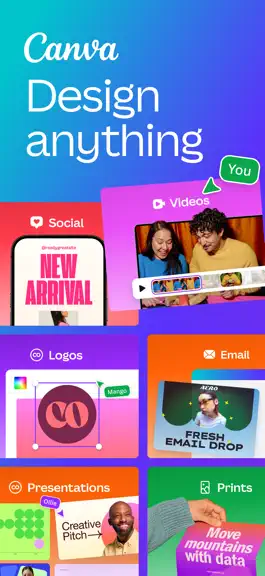
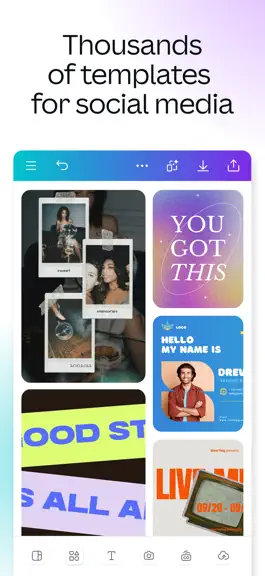
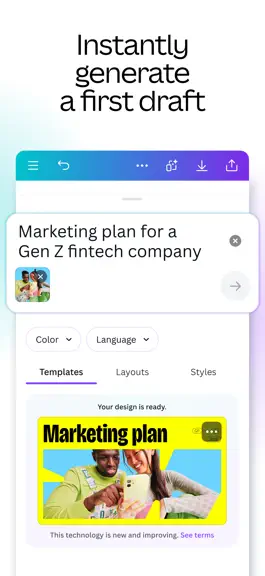
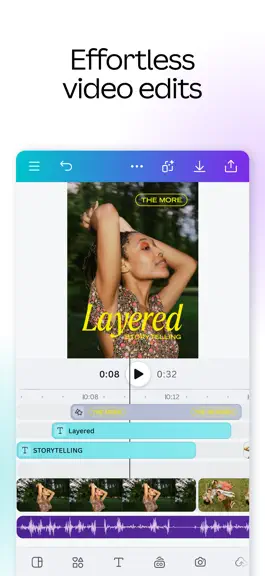
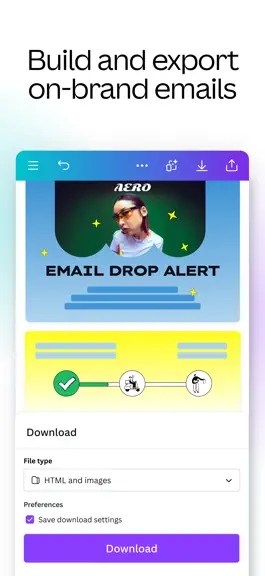
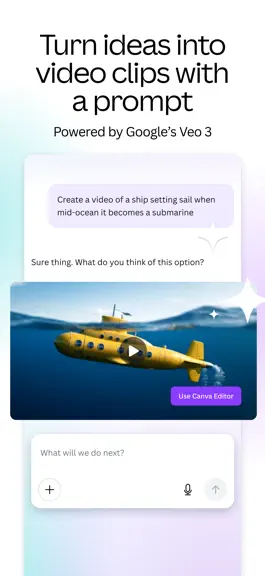
CREATE ANYTHING WITH CANVA Canva is your all-in-one creative platform for stunning graphic design, photo editing, and video creation. From crafting presentations and building visual spreadsheets to designing resumes and creating social media content, Canva empowers everyone to design like a professional. REVOLUTIONARY AI VIDEO WITH VEO 3 Experience next-generation video creation with Veo 3, our a…
Trends & analysis
Chart rank trend
US · overallWhy it's surfacing
Scout 43Ratings & velocity
★ 0 in windowRating distribution
97% positive · 3.4M ratingsGeographic reach
best rank · 12 storefrontsRevenue & downloads trend
ARPU $4In-app purchases
9 tiersUpdate history
9 updates tracked- v4.218.03d ago
• NEW Magic Layers: Split any flat design into editable layers. Try it on generated images you've always wanted to edit. • NEW templates: Get inspiration from our new Winnie the Pooh and Devil Wears Prada 2 collections. • Presenter notes improvements: Write with custom AI prompts and track speaking time per slide. • Accessible PDFs: Designs exported as PDF now meet accessibility standards — readable by screen readers and assistive tools. Need help? Visit canva.com/help Happy designing!
- v4.217.010d ago
• NEW Magic Layers: Split any flat design into editable layers. Try it on generated images you've always wanted to edit. • NEW templates: Get inspiration from our new Winnie the Pooh and Devil Wears Prada 2 collections. • Presenter notes improvements: Write with custom AI prompts and track speaking time per slide. • Accessible PDFs: Designs exported as PDF now meet accessibility standards — readable by screen readers and assistive tools. Need help? Visit canva.com/help Happy designing!
- v4.216.017d ago
• NEW Magic Layers: Split any flat design into editable layers. Try it on generated images you've always wanted to edit. • NEW templates: Get inspiration from our new Winnie the Pooh and Devil Wears Prada 2 collections. • Presenter notes improvements: Write with custom AI prompts and track speaking time per slide. • Accessible PDFs: Designs exported as PDF now meet accessibility standards — readable by screen readers and assistive tools. Need help? Visit canva.com/help Happy designing!
- v4.215.025d ago
• NEW Magic Layers: Split any flat design into editable layers. Try it on generated images you've always wanted to edit. • NEW templates: Get inspiration from our new Winnie the Pooh and Devil Wears Prada 2 collections. • Presenter notes improvements: Write with custom AI prompts and track speaking time per slide. • Accessible PDFs: Designs exported as PDF now meet accessibility standards — readable by screen readers and assistive tools. Need help? Visit canva.com/help Happy designing!
- v4.214.01mo ago
• NEW Magic Layers: Split any flat design into editable layers. Try it on generated images you've always wanted to edit. • NEW templates: Get inspiration from our new Winnie the Pooh and Devil Wears Prada 2 collections. • Presenter notes improvements: Write with custom AI prompts and track speaking time per slide. • Accessible PDFs: Designs exported as PDF now meet accessibility standards — readable by screen readers and assistive tools. Need help? Visit canva.com/help Happy designing!
Canva: AI Video & Photo Editor — FAQ
How much money does Canva: AI Video & Photo Editor make?
According to AppCurrents estimates, Canva: AI Video & Photo Editor generates approximately $8.1M–$27M per month (low confidence), modeled from its the App Store chart performance, rating velocity, and monetization signals.
How many downloads does Canva: AI Video & Photo Editor get?
Canva: AI Video & Photo Editor sees an estimated 1.6M–6.8M downloads per month on the App Store, per AppCurrents modeling.
Is Canva: AI Video & Photo Editor free?
Canva: AI Video & Photo Editor is free to download on the App Store, monetizing through in-app purchases.
What is Canva: AI Video & Photo Editor's rating?
Canva: AI Video & Photo Editor holds a 4.88-star average from 3,459,185 ratings on the App Store. It currently ranks #4 on the Photo & Video grossing chart.
When was Canva: AI Video & Photo Editor released?
Canva: AI Video & Photo Editor launched on the App Store on 15.10.2014. Its latest version shipped 22.07.2026.


