
Trimly — Clip Highlights
Trimly — Clip Highlights generates an estimated $0/month in revenue from 0 downloads/month on the App Store, according to AppCurrents estimates (updated 2026-06-17).
| Est. revenue / month | $0 |
|---|---|
| Est. downloads / month | 0 |
| Estimate confidence | low |
| Pricing | Paid $2.99 |
| Rating | 0.00 ★ (0 ratings) |
| Category | Photo & Video |
| Best chart rank | #73 Photo & Video Paid |
| Released | 03.06.2026 |
| App last updated | 16.06.2026 |
| Platform | iOS |
Modeled monthly estimate · rating velocity · low confidence
About
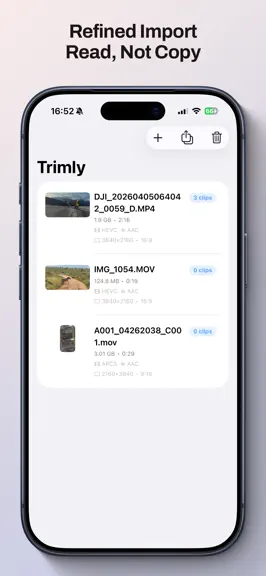
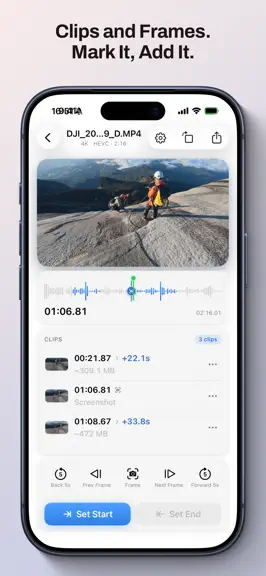
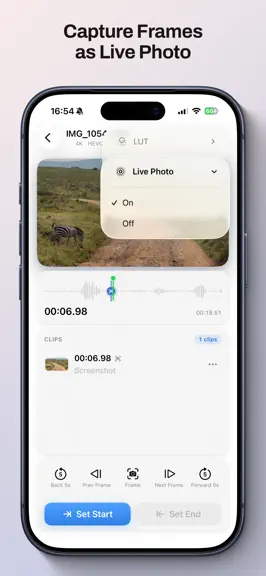
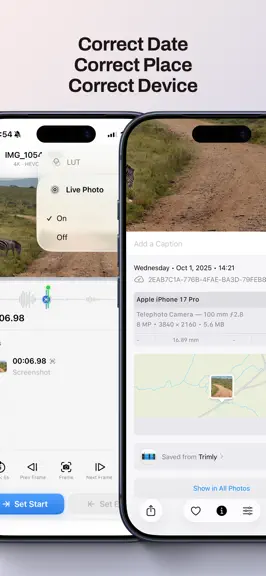
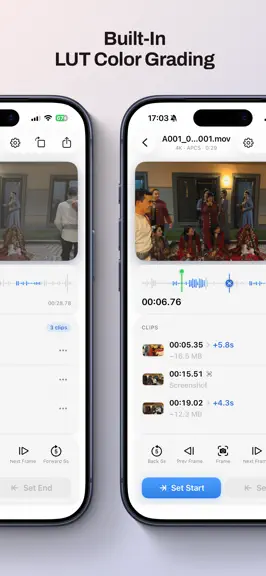
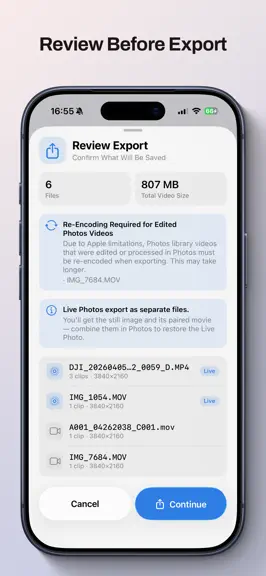
The best moments belong in your Photos app. Not buried in a 1-hour video, or trapped in bloated editing software. Trimly does one thing: finds the highlights, cuts them, and saves them where you look every day. Wedding vows, baby's first steps, or a perfect sunset. Trimly gets it done in minutes. What Trimly Can Do • Cut multiple clips from one video: Export vows, hugs, and flower tosses separat…
Trends & analysis
Chart rank trend
US · categoryWhy it's surfacing
Scout 45Ratings & velocity
★ 0 in windowGeographic reach
best rank · 5 storefrontsRevenue & downloads trend
monthly estimateUpdate history
4 updates tracked- v1.3.11d ago
New Features • Imported List Sync: Your imported file list is now automatically saved and synced across all your devices via iCloud. Managing your footage when switching devices is more seamless than ever. • Dedicated iOS Settings: Added a new Settings page for the iOS app, making it easier and more intuitive to manage your preferences. Improvements • Minor refinements to further improve the cross-device experience and overall app stability.
- v1.3.03d ago
New Features • Cross-Device Seamless Editing: Added automatic saving of editing history, with full support for iCloud synchronization and Handoff. Switch freely between your devices and resume your editing work anytime, anywhere. • LUT Management & Sync: Added a dedicated LUT Manager to easily manage custom and built-in color grading presets. LUTs are now supported via iCloud sync, keeping them consistent across all devices. • AirPlay Support: Added AirPlay streaming mode to easily project your editing screen onto a large display and share your brilliant videos with family and friends. • Landscape Editing: Fully adapted to iPhone landscape mode, offering a wider view for your editing operations. Bug Fixes • Fixed a bug where audio-only files could not be played. • Fixed other known minor issues to improve overall stability.
- v1.2.07d ago
New Features: • Pinch to zoom on the timeline to view every detail with ease • New filmstrip view to browse your clips like a professional editing suite • Color-coded clips on the timeline for easy identification at a glance • Export videos and Live Photos without audio when you need a silent version Bug Fixes: • Fixed playback continuing after closing the window on Mac • Fixed occasional overexposure when pausing HDR videos • Fixed incorrect filenames when exporting images and Live Photos to Photos • Various refinements and stability improvements
- v1.1.29d ago
What's New • Choose from multiple export quality options to balance picture quality and file size • New settings let you control whether Live Photo and compressed export are on by default • HDR LUT support • More LUTs for more devices Bug Fixes • HDR is preserved when exporting Live Photos • Export progress for Live Photos now displays correctly • Fixed issues when canceling an export • Fixed lag when naming clips • Interface improvements and other fixes
Trimly — Clip Highlights — FAQ
How many downloads does Trimly — Clip Highlights get?
Trimly — Clip Highlights sees an estimated 0 downloads per month on the App Store, per AppCurrents modeling.
Is Trimly — Clip Highlights free?
Trimly — Clip Highlights is a paid app priced at $2.99 on the App Store.
When was Trimly — Clip Highlights released?
Trimly — Clip Highlights launched on the App Store on 03.06.2026. Its latest version shipped 16.06.2026.


