
ImageFit: Photo Compressor
ImageFit: Photo Compressor generates an estimated $30–$200/month in revenue from 10–50 downloads/month on the App Store, according to AppCurrents estimates (updated 2026-08-02).
| Est. revenue / month | $30–$200 |
|---|---|
| Est. downloads / month | 10–50 |
| Estimate confidence | low |
| Pricing | Free + IAP |
| Rating | 4.22 ★ (9 ratings) |
| Category | Photo & Video |
| Released | 12.11.2024 |
| App last updated | 23.07.2026 |
| Platform | iOS |
Modeled monthly estimate · rating velocity · low confidence

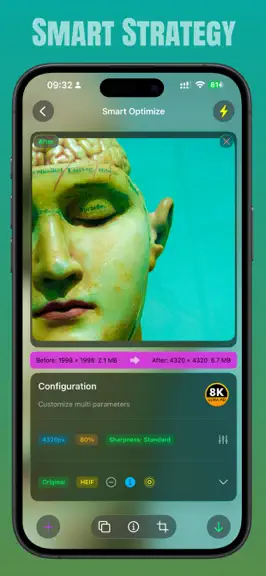
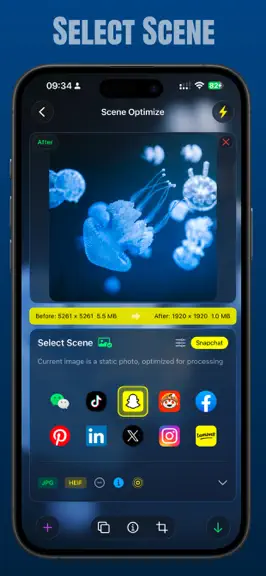
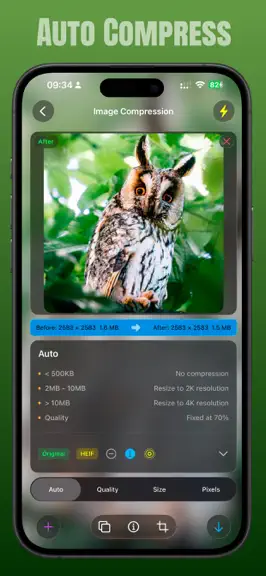
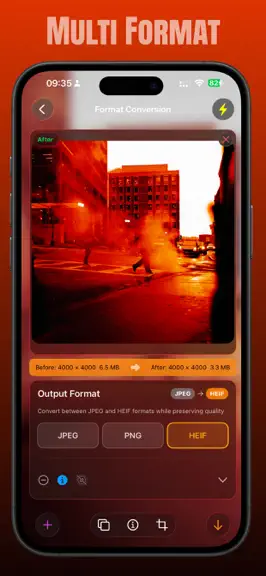
About
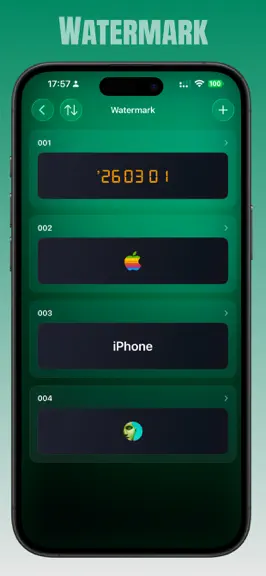
ImageFit - To right size Stop choosing between storage and memories. ImageFit shrinks photos by up to 90% without visible quality loss — fully on-device. Optimized presets for Instagram, TikTok, RedNote & WeChat. ImageFit is a minimalist image resizing tool, which can also be understood as an image compression tool. It is designed for users who pursue efficient image optimization. Through simple…
Trends & analysis
Chart rank trend
US · overallWhy it's surfacing
Scout 10Ratings & velocity
★ -0.28 in windowRating distribution
88% positive · 8 ratingsGeographic reach
best rank · 0 storefrontsRevenue & downloads trend
ARPU $3In-app purchases
3 tiersUpdate history
2 updates tracked- v4.5.013d ago
Mac Refactoring & Upgrades · Custom Resolution Output Support · Multi-language Experience Optimization - New: Mac drag-and-drop processing supports a custom shortest side resolution of 320–4320 px, allowing flexible selection between common presets and precise values. - New: Mac output files support automatic naming or retaining the original filename. - New: Output subfolders can be created directly, supporting custom names, full dates, and month/day naming methods. - Optimized: Integrated output format, metadata, filename, and folder settings on the Mac drag-and-drop page, and automatically saves usage preferences. - Optimized: Improved Mac watermark processing workflow, supporting dragging in custom watermark images to ensure correct watermark application in exported results. - Optimized: Adjusted the Mac settings page, retaining only options applicable to the current workflow. - Optimized: Improved the display and interaction of version update notifications, user manuals, and rating pages. - Optimized: Optimized the entry animation of the lifetime membership page and the layout of the offers page, and adapted to "Reduce Animation Effects" and different screen sizes. - Optimization: Improved app share link previews and fully polished the text in multiple languages including English, Japanese, Korean, German, and French. - Fixed: An issue where active membership status was occasionally downgraded incorrectly during brief StoreKit outages. - Fixed: An issue where free attempts were still deducted or the original image was deleted after an image failed to save. - Fixed: An issue where the processing result of an old image occasionally overwrote a new image or the new image failed to load when quickly switching images. - Fixed: Memory usage issues when processing very large images, and issues such as transparent PNG areas occasionally turning black and metadata writing causing duplicate image encoding. - Fixed: Abnormal navigation and closing process on the Mac purchase page, and language settings not taking effect correctly. - Note: If you encounter any problems during use, please feel free to contact us. I will address them as soon as possible. Thank you for your support.
- v4.4.02mo ago
Expanded Language Support · Comprehensive HDR Polishing - New: ImageFit now supports Korean, German, French, Spanish, Portuguese (Brazil), Russian, Italian, and Arabic — 8 new languages added in one release, so users around the world can use the app in their native language - New: Automatically checks for new App Store versions on launch, with a gentle prompt when an update is available — no more reminders when you're already up to date - New: Live Photos can now be output with HDR — preserving both brightness and color, no longer a choice between the two - Improved: Rewrote the HDR encoding engine to align with Apple's Adaptive HDR specification used by the native camera. Output images are correctly recognized as HDR by Photos, Preview, and other system apps, no longer falling back to plain SDR - Improved: HDR now previews and exports correctly even when Live Photo is turned off — toggling the switch gives instant, what-you-see-is-what-you-get results - Improved: Significantly tightened the review prompt strategy — no more "launch and prompt"; the prompt now only appears after you've saved a certain number of images, with at least 30 days between requests, keeping the app quieter - Improved: Settings page and cross-language wording refined throughout — subscription dates, the rate-app entry, and tutorials now read more naturally in every language - Improved: Added ImageFit and Deepmusic to the "More" works page, with tag colors aligned to the new logos - Improved: The "Before/After" button now uses a more intuitive ⇄ icon - Fixed: Fixed an issue where HDR photos posted to Xiaohongshu (RedNote) were recognized as standard images — when HDR is enabled, output now automatically switches to HEIC for correct HDR recognition - Fixed: Fixed an inconsistency where HDR preview and actual output did not match when Live Photo capture was turned off for a Live Photo source - Fixed: Fixed HDR information being lost when saving as a Live Photo, causing the result to fall back to a standard image - Fixed: Fixed the format label at the bottom of Scene mode not matching the actual output format - Note: If you run into any issues while using the app, please don't worry — feel free to reach out, and I'll fix it as soon as possible. Thank you!
ImageFit: Photo Compressor — FAQ
How much money does ImageFit: Photo Compressor make?
According to AppCurrents estimates, ImageFit: Photo Compressor generates approximately $30–$200 per month (low confidence), modeled from its the App Store chart performance, rating velocity, and monetization signals.
How many downloads does ImageFit: Photo Compressor get?
ImageFit: Photo Compressor sees an estimated 10–50 downloads per month on the App Store, per AppCurrents modeling.
Is ImageFit: Photo Compressor free?
ImageFit: Photo Compressor is free to download on the App Store, monetizing through in-app purchases.
What is ImageFit: Photo Compressor's rating?
ImageFit: Photo Compressor holds a 4.22-star average from 9 ratings on the App Store.
When was ImageFit: Photo Compressor released?
ImageFit: Photo Compressor launched on the App Store on 12.11.2024. Its latest version shipped 23.07.2026.


