
ICMPhotoForge
ICMPhotoForge generates an estimated $0/month in revenue from 10–50 downloads/month on the App Store, according to AppCurrents estimates (updated 2026-08-02).
| Est. revenue / month | $0 |
|---|---|
| Est. downloads / month | 10–50 |
| Estimate confidence | medium |
| Pricing | Free |
| Rating | 5.00 ★ (1 ratings) |
| Category | Photo & Video |
| Best chart rank | #91 Photo & Video Paid |
| Released | 18.05.2026 |
| App last updated | 02.07.2026 |
| Platform | iOS |
Modeled monthly estimate · rating velocity · medium confidence

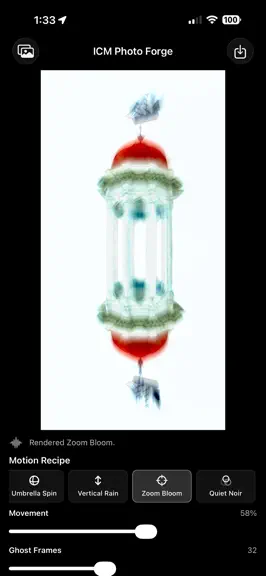
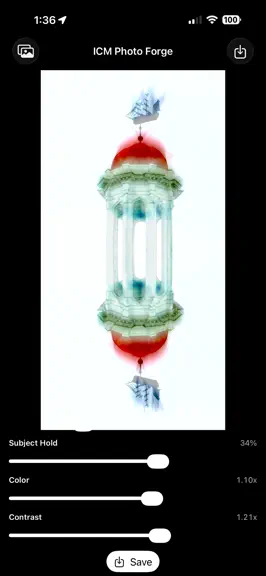
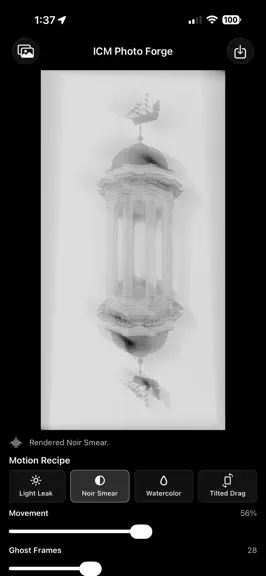
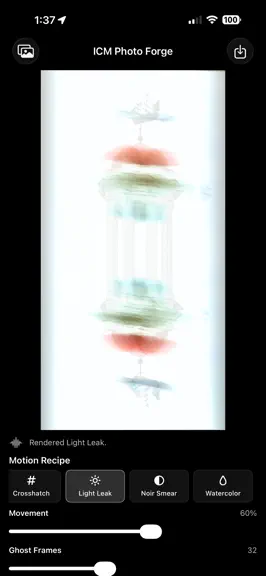

About
ICM Photo Forge transforms still photos into expressive motion-blur artwork inspired by intentional camera movement photography. Choose a photo, select a motion effect, and shape the result with simple controls for movement, ghost frames, softness, subject hold, exposure, color, and contrast. The live preview updates as you work, making it easy to explore painterly blur, abstract trails, radial m…
Trends & analysis
Chart rank trend
US · categoryWhy it's surfacing
Scout 32Ratings & velocity
★ 0 in windowRating distribution
100% positive · 1 ratingsGeographic reach
best rank · 1 storefrontRevenue & downloads trend
ARPU $0Update history
2 updates tracked- v1.11mo ago
- Added draggable crop handles directly on the image - Changed export workflow so users can crop freely instead of choosing from fixed output formats - Made motion effects crop-aware, so effects render from the selected crop area - Improved Radial Swirl, Zoom Bloom, Umbrella Spin, and other center-based effects so they use the crop canvas - Added JPEG and PNG export format choices - Updated previews so the selected export format is reflected before saving - Added export quality choices: Fast, High, and Original - Added upscale-only export handling: smaller outputs are enlarged to 4096 pixels on the longest side, while larger outputs are not downsized - Added long-press compare on the photo to quickly view the original - Improved crop handles with larger touch targets - Fixed cropped exports so the saved image matches the visible crop - Fixed the editor so exporting no longer redraws or shifts the crop unexpectedly - Added an About page explaining controls, effects, crop, export quality, and file formats - Removed saved-settings controls to simplify the editing workflow - Renamed Motion Recipe to Motion Effect for clearer language - Added Undo and Reset controls for tuning changes - Added Cancel during long export renders - Improved iPad layout with a wider editing workspace - Added an optional second image picker for Double Echo - Added Second Image Mix so either the primary or second image can dominate the echo - Aspect-filled second images to avoid squeezing when source orientations differ - Added Exposure control and balanced motion-frame compositing to prevent over-bright motion stacks
- v1.02mo ago
ICMPhotoForge — FAQ
How many downloads does ICMPhotoForge get?
ICMPhotoForge sees an estimated 10–50 downloads per month on the App Store, per AppCurrents modeling.
Is ICMPhotoForge free?
ICMPhotoForge is free to download on the App Store, with no in-app purchases detected.
What is ICMPhotoForge's rating?
ICMPhotoForge holds a 5.00-star average from 1 ratings on the App Store. It currently ranks #91 on the Photo & Video paid chart.
When was ICMPhotoForge released?
ICMPhotoForge launched on the App Store on 18.05.2026. Its latest version shipped 02.07.2026.


