
Flow Speed Control Pro
Flow Speed Control Pro generates an estimated $400–$8k/month in revenue from 100–600 downloads/month on the App Store, according to AppCurrents estimates (updated 2026-08-02).
| Est. revenue / month | $400–$8k |
|---|---|
| Est. downloads / month | 100–600 |
| Estimate confidence | medium |
| Pricing | Paid $9.99 |
| Rating | 4.65 ★ (251 ratings) |
| Category | Photo & Video |
| Released | 06.08.2015 |
| App last updated | 20.10.2018 |
| Platform | iOS |
Modeled monthly estimate · rating velocity · medium confidence
About
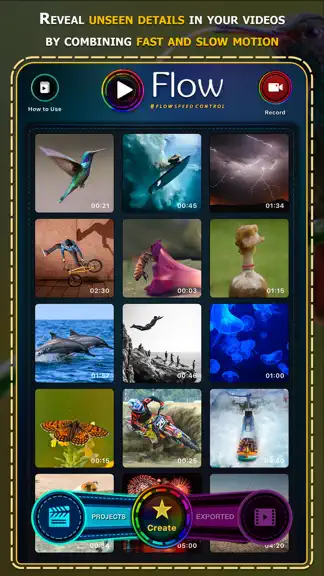
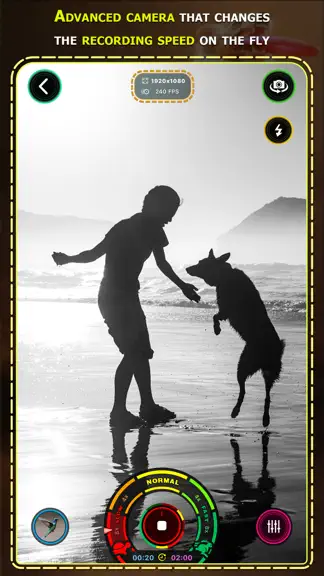
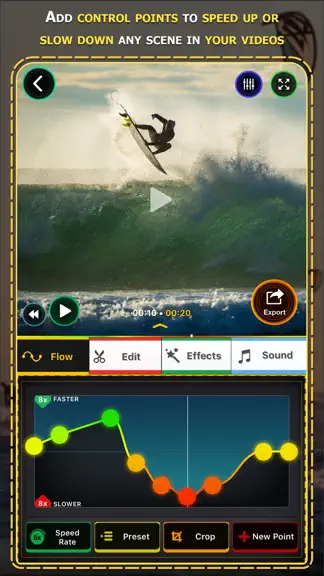
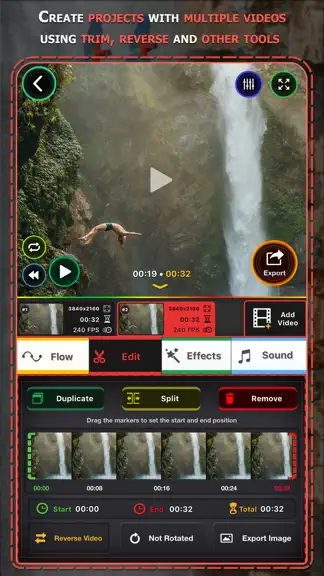
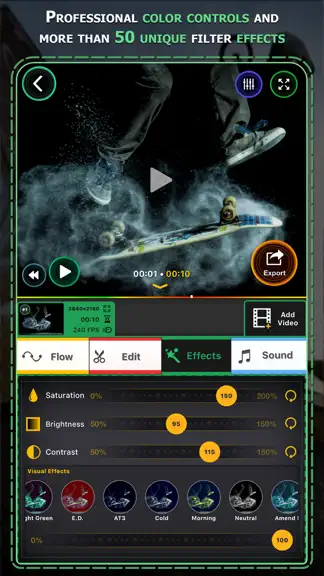
Take control of the speed of your videos. Flow let you manipulate time and give you new perspectives on your recorded moments. You can gradually speed up or slow down segments of your videos creating impressive effects. Flow is intuitive and super easy to use, just add and move the control points up and down so that the video can go gradually faster or slower than its natural speed. FEATURES •…
Trends & analysis
Chart rank trend
US · overallWhy it's surfacing
Scout 15Ratings & velocity
★ 0 in windowRating distribution
92% positive · 253 ratingsGeographic reach
best rank · 0 storefrontsRevenue & downloads trend
ARPU $7Update history
1 update tracked- v2.177.8y ago
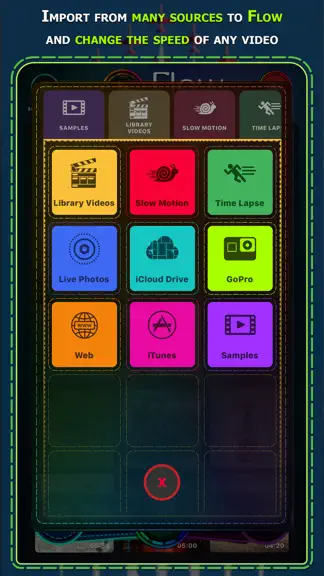
This is a major update for Flow Speed Control! Check out these new amazing features: • #flowspeedcontrol now uses Metal, the newest Apple rendering engine, to playback and export your videos, that means Flow is much faster and more stable than ever. If you have a older iOS device you will be able to export high definition videos without issues now. • Create slo-mo and fast-speed "Live Photos" using few seconds from any video you have recorded. • Major visual redesign using beautiful colors and many new controls. Flow now works in landscape mode and fully supports iPhone X and iPad Pro in all orientations. • Import is improved with support for Live Photos, iCloud Drive, iTunes, Web and much more. Including connecting to your GoPro and editing directly with Flow. • Create elaborated projects with multiple videos, each with their individual speed controls, color effects and other adjustments. • Perfect video colors with the new contrast, brightness and saturation controls. We also included more video effects to stylize your videos. • Duplicate and split video parts to create complex scenes with precise control. • Increase your skills using the new Flow tutorial lessons we designed for you. • Advanced export format settings, control for the resolution, frame rate, quality and much more. • Audio and video content can be added from other apps via Drag and Drop. Our team has spent a lot of time working on this, to bring these great features for you. Support Flow to become even better, by spreading the word and writing a nice review for us at the App Store. Find us at www.flowspeedcontrol.com or on social medias @flowspeedcontrol Thank you and ENJOY!
Flow Speed Control Pro — FAQ
How much money does Flow Speed Control Pro make?
According to AppCurrents estimates, Flow Speed Control Pro generates approximately $400–$8k per month (medium confidence), modeled from its the App Store chart performance, rating velocity, and monetization signals.
How many downloads does Flow Speed Control Pro get?
Flow Speed Control Pro sees an estimated 100–600 downloads per month on the App Store, per AppCurrents modeling.
Is Flow Speed Control Pro free?
Flow Speed Control Pro is a paid app priced at $9.99 on the App Store.
What is Flow Speed Control Pro's rating?
Flow Speed Control Pro holds a 4.65-star average from 251 ratings on the App Store.
When was Flow Speed Control Pro released?
Flow Speed Control Pro launched on the App Store on 06.08.2015. Its latest version shipped 20.10.2018.


