
Photo Frame Calendar & Clock
Photo Frame Calendar & Clock generates an estimated $80–$1k/month in revenue from 20–90 downloads/month on the App Store, according to AppCurrents estimates (updated 2026-08-02).
| Est. revenue / month | $80–$1k |
|---|---|
| Est. downloads / month | 20–90 |
| Estimate confidence | medium |
| Pricing | Paid $11 |
| Rating | 3.98 ★ (42 ratings) |
| Category | Lifestyle |
| Released | 24.06.2009 |
| App last updated | 09.02.2021 |
| Platform | iOS |
Modeled monthly estimate · rating velocity · medium confidence





About
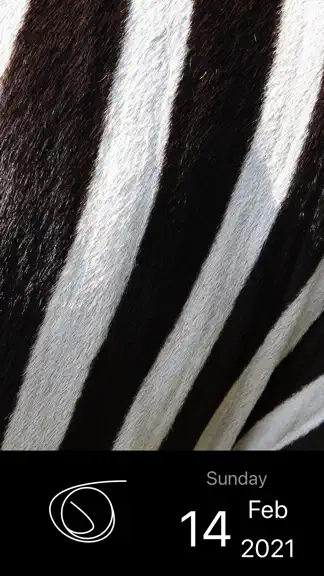
Turn your device into a minimalistic digital photo frame. Think of this as more quality-of-life improvements to a pure productivity tool. Tap the current photo to show the next one from the selected albums. Double-tap the current photo to switch the crop modes for its album. Long-press the current photo to hide / show calendar and clock. Tap calendar or clock to cycle thro…
Trends & analysis
Chart rank trend
US · overallWhy it's surfacing
Scout 14Ratings & velocity
★ 0 in windowRating distribution
76% positive · 42 ratingsGeographic reach
best rank · 3 storefrontsRevenue & downloads trend
ARPU $8In-app purchases
4 tiersUpdate history
1 update tracked- v2.8 (Donna)5.5y ago
• Replaced the First Day option with an enriched Start Week On option • Now you can quickly open in-app albums without pressing the Edit button if you prefer • Fixed rearranging of in-app album photos for latest versions of iOS and iPadOS • Added one more sample clock face into the app’s Clock Faces > Samples folder • A few visual improvements and fixes Previously on 2.8 • Title-tap the app’s albums and settings to scroll to the top / bottom • The ‘i’ button is now located above the current photo • Added an option to flash separators in the 12 / 24-hour digital clock • Added an option to display seconds in the 12 / 24-hour digital clock For lovers of creativity • The PDF vectors of the clock faces for modifications are accessible in Files > On My Device > PhotoFrame > Clock Faces, or from Finder (iTunes) File Sharing. Modify those PDF vectors, or replace them with a few of the existing samples, or put there any transparent PNGs with the same names (preferably 320 x 320 pixels or higher). Feel comfortable experimenting, they are just copies, you can even delete them to get fresh ones. (The free Vectornator app for iOS / iPadOS / macOS, or Adobe Photoshop are ideal for editing and creating your own PDF vectors with shadows under the clock hands.) For lovers of languages • Now you can see the year’s name of the system calendar (e.g. Japanese, Buddhist, etc.). Alternate the year’s name in Settings > General > Language & Region > Calendar. Since iPadOS / iOS 13, if you use more than one language or keyboard on your device, then it becomes possible to select a preferred language for the app’s calendar and clock in Settings > PhotoFrame > Language. For educational purposes and beyond. (Currently available: 日本語, Français, Italiano, Português, Español, Українська, Русский, Deutsch, and English.)
Photo Frame Calendar & Clock — FAQ
How much money does Photo Frame Calendar & Clock make?
According to AppCurrents estimates, Photo Frame Calendar & Clock generates approximately $80–$1k per month (medium confidence), modeled from its the App Store chart performance, rating velocity, and monetization signals.
How many downloads does Photo Frame Calendar & Clock get?
Photo Frame Calendar & Clock sees an estimated 20–90 downloads per month on the App Store, per AppCurrents modeling.
Is Photo Frame Calendar & Clock free?
Photo Frame Calendar & Clock is a paid app priced at $11 on the App Store.
What is Photo Frame Calendar & Clock's rating?
Photo Frame Calendar & Clock holds a 3.98-star average from 42 ratings on the App Store.
When was Photo Frame Calendar & Clock released?
Photo Frame Calendar & Clock launched on the App Store on 24.06.2009. Its latest version shipped 09.02.2021.


