
Parallax Monitor
Parallax Monitor generates an estimated $6k–$97k/month in revenue from 800–4k downloads/month on the App Store, according to AppCurrents estimates (updated 2026-10-02).
| Est. revenue / month | $6k–$97k |
|---|---|
| Est. downloads / month | 800–4k |
| Estimate confidence | medium |
| Pricing | Paid $19.99 |
| Rating | 5.00 ★ (21 ratings) |
| Category | Photo & Video |
| Best chart rank | #31 Photo & Video Paid |
| Released | 29.06.2026 |
| App last updated | 29.09.2026 |
| Platform | iOS |
Modeled monthly estimate · rating velocity · medium confidence
About
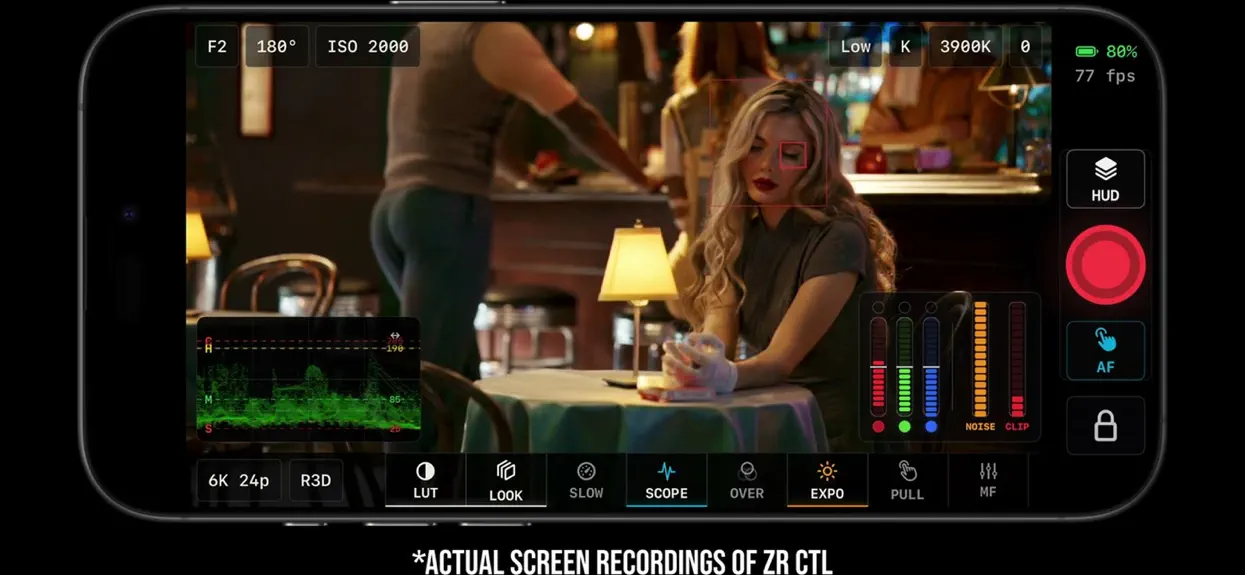
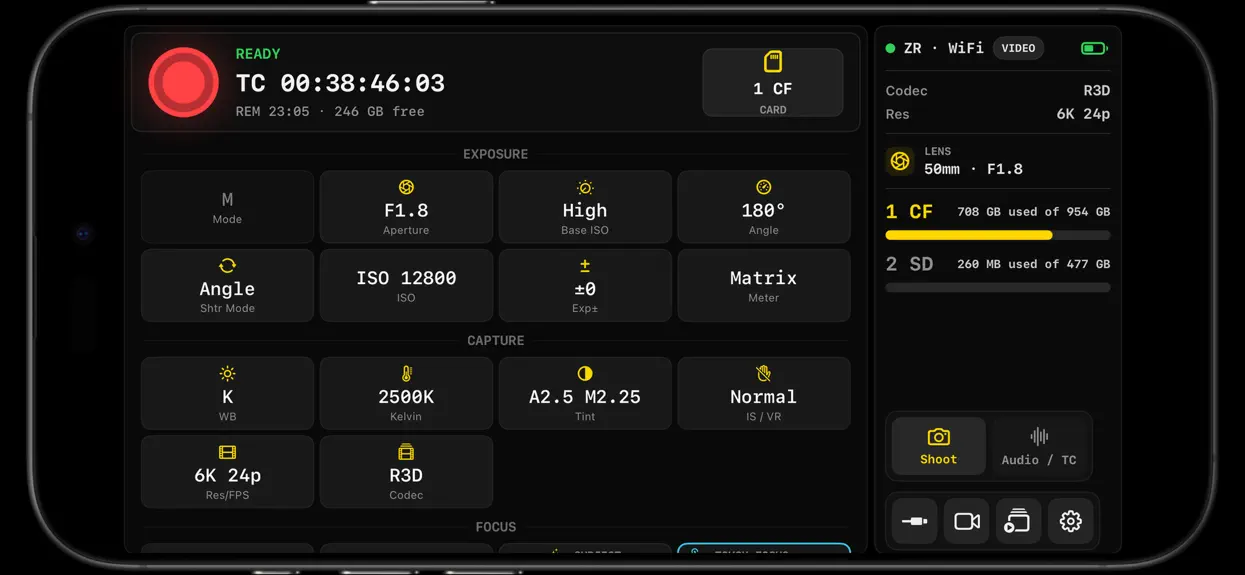
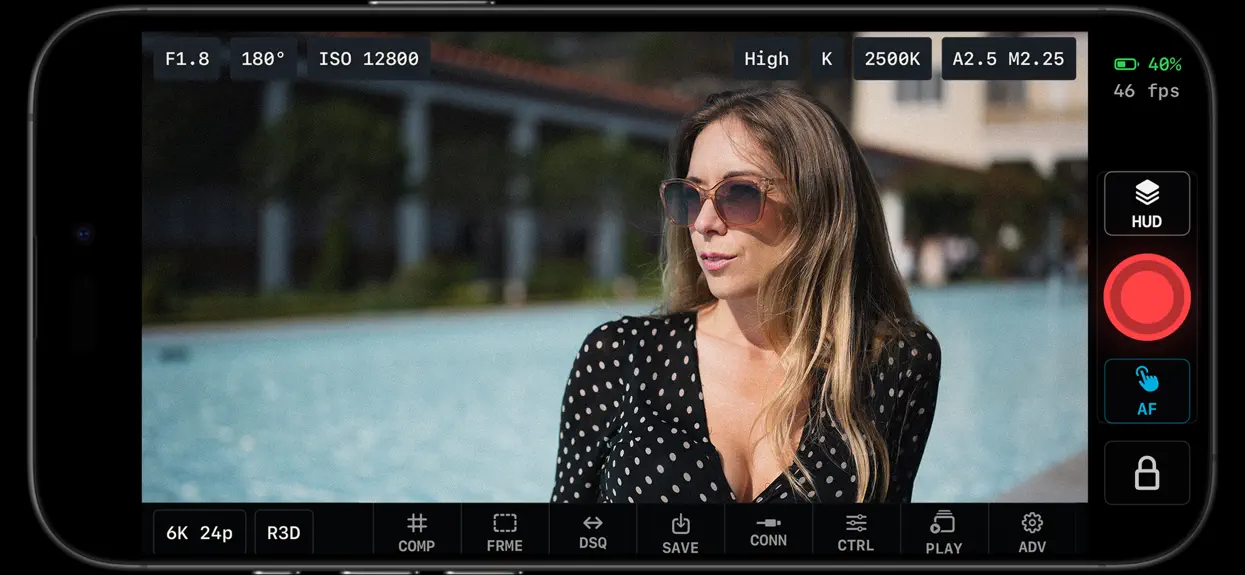
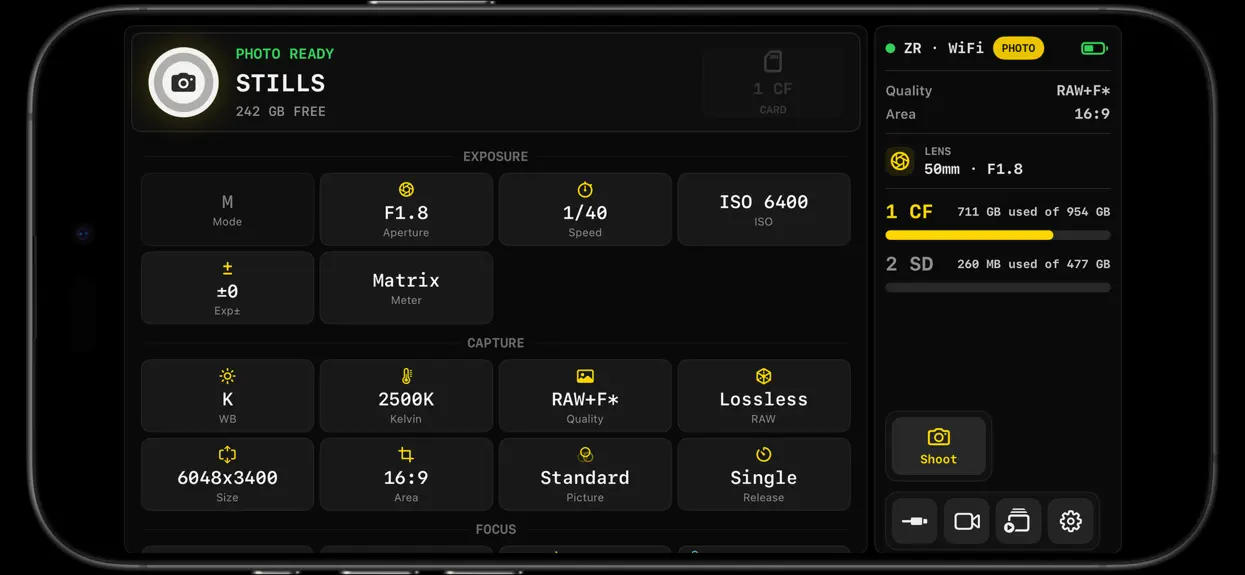
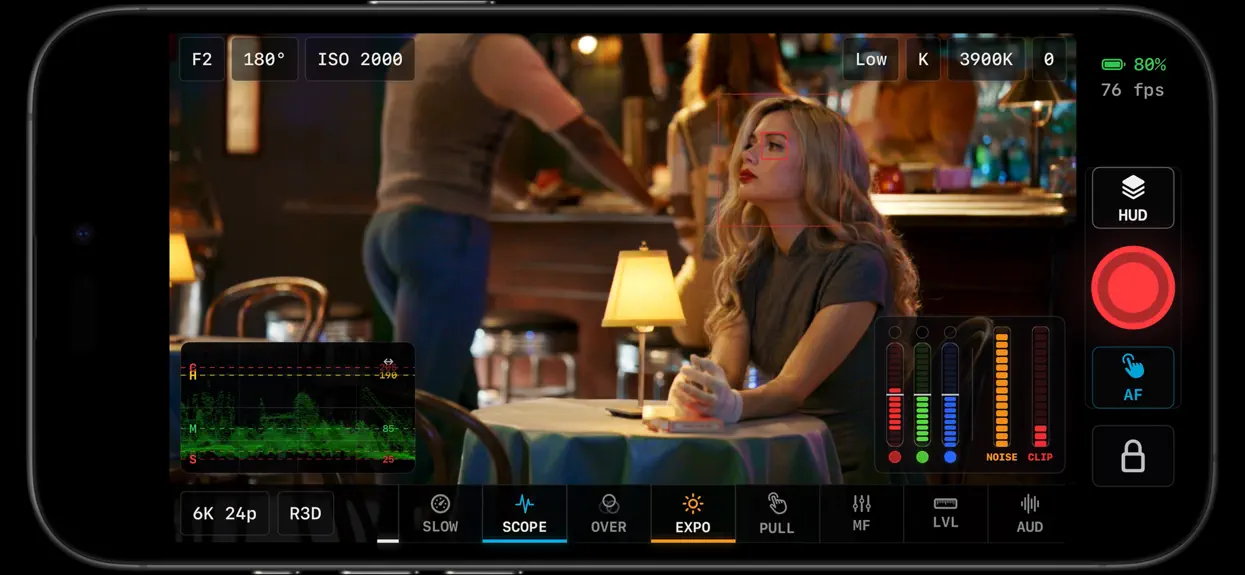
Parallax Monitor is a professional monitoring and camera-control app for Nikon Z and RED cinema cameras. It turns an iPhone or iPad into a field monitor and remote for video, stills, and timelapse, with LUT preview, exposure and focus tools, multi-camera monitoring, and card playback. Designed for the Nikon Z-Series & Modern RED Cameras. Available in 21 languages. EXPOSURE • X-Lights: Parallax'…
Trends & analysis
Chart rank trend
US · categoryWhy it's surfacing
Scout 34Ratings & velocity
★ 0 in windowGeographic reach
best rank · 1 storefrontRevenue & downloads trend
ARPU $14Update history
4 updates tracked- v2.03d ago
Parallax Monitor 2.0 is our biggest update yet! Special thanks to all the support from our beta testers! NEW: RED CAMERA SUPPORT • Control RED KOMODO, KOMODO-X and V-RAPTOR (RCP2) over Wi-Fi or USB-C • ISO, shutter and shutter angle, aperture, ND, white balance and tint, frame rate, codec and record • Full Live View monitoring with LUTs, scopes, false color, zebras and X-Lights • Camera AF boxes with tap and drag autofocus • RED audio meters NEW: MULTICAM EXPANSION • Mix RED and Nikon cameras in one Multicam grid • RED joins group record and the shared ISO, shutter, aperture and white balance rail • USB cameras can now join Multicam alongside Wi-Fi cameras • Battery status and audio meters on every feed • Promote any camera to full-screen Live View and return to the grid • Toggle monitoring tools without interrupting recording • Stalled previews recover automatically NEW: INTERVAL AND TIMELAPSE CAPTURE • New TIME tool in stills mode: start delay, interval, shot count or duration • Bulb and Time exposures where the camera supports them • Build a timelapse MP4 (H.264 or HEVC) right in the app • Sequences live under Playback › Timelapses, with export of the originals NEW: LIVE ACTIVITIES • Recording, long-exposure and timelapse progress on the Lock Screen and Dynamic Island NEW: NON-CPU LENS PROFILES • Save focal length and aperture for manual lenses and write them to the camera's lens slots • Switch lenses from the new LENS pill in Live View NEW: 21 LANGUAGES • English plus Japanese, Spanish, German, French, Chinese, Korean, Portuguese, Italian and 12 more • Pick your language on first launch or anytime in Advanced NEW: CONNECTION SETUP • Redesigned Connect screen: Simple mode with one Connect button, or Pro mode with every connection type • Step-by-step setup guide, plus a dedicated Multicam setup guide • USB permission checklist with built-in help • Optional Auto USB Connect • Card-read speed meter and Test Link Speed to check your cable IMPROVED: PLAYBACK • Rebuilt playback that downloads progressively, far more reliable with large H.265 files • Scrubber shows how much of the clip is ready • Faster USB transfers for clips and photos • Separate gallery for each camera • New filters for RAW video and Timelapses • Choose any LUT for playback A/B comparison IMPROVED: MONITORING TOOLS • Focus peaking rebuilt on the GPU: identical with or without a LUT, adjustable sensitivity, mono background, and now available in stills mode • N-Log–aware false color, zebras and X-Lights, plus N-Log guide lines on waveform, parade and histogram • New GPU-accelerated Live View display • Audio meters and a visible gain rail across Live View • LUT Library: import and delete LUTs • Tools throttle under heat or Low Power Mode to keep Live View running IMPROVED: LAYOUT AND CUSTOMIZATION • Presets can save your whole Live View layout • Customize hot corners, the top bar and the bottom toolbar • New 4×4 composition grid • Compact, hideable stills readouts • Larger tap targets throughout the app CAMERA CONTROL FIXES • One tap sends exactly one record start; starts the camera refuses show a clear notice • ISO picker lists only values the camera accepts, updating for N-Log, HLG and RAW • Fixed ISO 125 on Z8, and a clear notice when the camera is in Auto ISO • Focus Punch uses each camera's own zoom steps (fixes Z8) • U1–U4 user modes show their underlying shooting mode • Volume and Bluetooth shutter presses no longer double-trigger record CONNECTION AND RELIABILITY • More reliable USB discovery, reconnect after unplugging, and recovery • Faster, more dependable Wi-Fi camera search • Wi-Fi Live View recovers when you return to the app • Clearer USB guidance, including Lightning adapter tips • More detailed support logs Designed for the Nikon Z Series & RED Cameras. Available features vary by camera, firmware and connection.
- v1.21mo ago
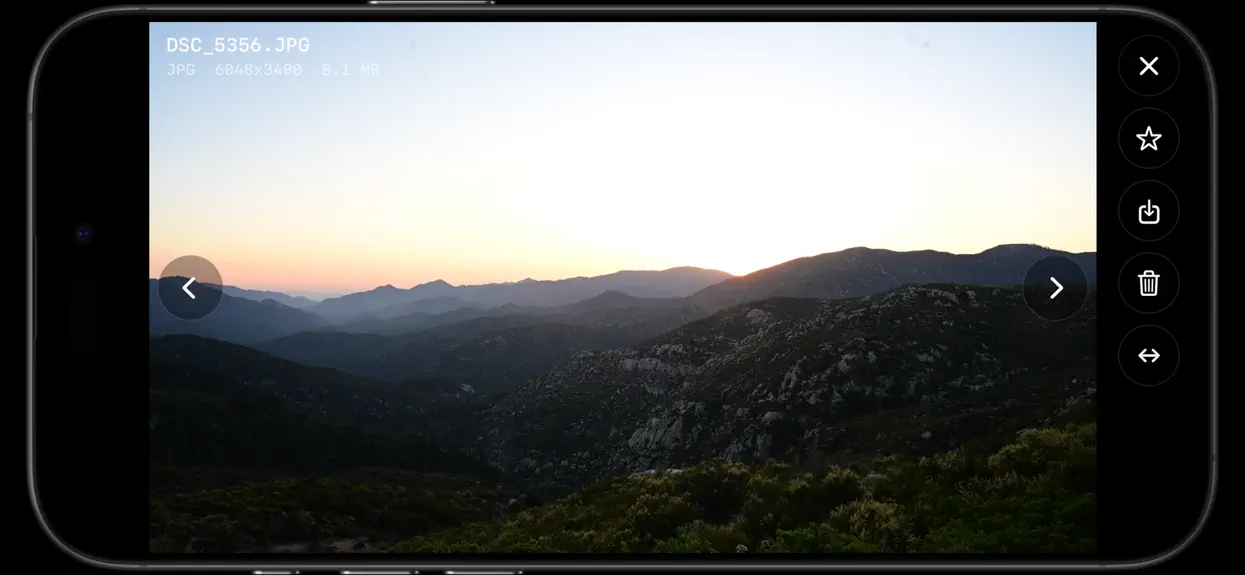
What’s New! Parallax Monitor 1.2 is a huge on-set upgrade. We rebuilt the monitoring and review experience, added powerful new creative tools, expanded stills and Multicam workflows, and made camera sessions far more resilient. A NEW LIVE VIEW • A redesigned, monitor-first interface gives the camera image more room and adapts cleanly across iPhone and iPad, portrait and landscape. • Customizable Hot Corners let you put your favorite tools ready for quick access. • Fully customizable interface, adjust every element of the interface to shape it your way • Add RGB Parade and vectorscope to the existing waveform and histogram tools. • Focus Peaking and Zebras now work independently, with improved peaking algorithms and quicker access to all tools modes. • Compare your look with LUT Wipe, fine-tune it with LUT Match controls, or load a reference frame for opacity and A/B comparisons. • Monitor Punch adds fast 1x, 2x and 4x inspection with drag-to-pan while keeping overlays and touch focus aligned. • Power Zoom controls now compatible with your PTZ lenes for remote zoom control right in the app • Floating scopes, meters, legends and exposure tools can be repositioned, with separate layouts remembered for each orientation. • New Golden Triangle, diagonal, 16:9 and 3:2 guides join expanded framing controls, adjustable safe-area scaling and improved multi-guide workflows. SMARTER STILLS • A persistent self-timer offers Off, 2, 5, 10 or any custom delay from 1–60 seconds. • Still capture responds faster between shots, with more intelligent autofocus behavior that avoids unnecessary refocusing once your subject is sharp. • Photo mode now shows shots remaining where supported. • Immediate review preserves the capture-time exposure settings and AF target, so the information you see belongs to the image you just made. • Burst and multi-file captures flow into a much more organized review experience. PLAYBACK, REBUILT FOR THE SHOOT • Camera- and card-specific gallery mirrors restore cached media quickly and keep available thumbnails and downloaded media reviewable after disconnecting. • Reconnect and continue: Parallax reconciles the card automatically while guarding against stale media after a card change or format. • Burst sequences collapse into expandable stacks, while matching RAW+JPEG files appear as one capture with an easy file toggle. • Add ratings, Pick/Reject decisions and color tags, then filter the gallery to find selects faster. • Navigate clips and photos with smoother swipes, filmstrips and persistent review controls. • Preview high-frame-rate clips conformed to 24p, and enjoy refined clip and photo layouts across iPhone and iPad. • Photo review now includes a real image-sampled RGB histogram plus cleaner metadata and controls. • Playback caching, media loading, large-file handling and gallery performance received extensive upgrades. MORE POWER, MORE RELIABILITY • Expanded Multicam adds coordinated group recording, setting and LUT matching, timecode jam tools, saved camera identities and improved record-start synchronization. • Remote Viewer discovery and compatibility are more robust across app versions. • USB startup is faster and more reliable with populated cards because media browsing waits until you actually open Playback. • Camera commands are now serialized through a safer queue, helping prevent controls, Live View and playback from competing with one another. • Router Wi-Fi Live View can recover from a timed-out frame connection, with smoother background camera updates during monitoring. • Unsupported, read-only and recording-locked controls now explain why they are unavailable instead of looking broken. • Hundreds of interface, layout, playback, focus, camera-control and support improvements are included throughout.
- v1.13mo ago
-Full Multicam control center for up to 8 cameras via WiFi -X-zone and other requested false color updates -Multiscreen casting, send your monitor feed to all of your devices via Wifi -Playback file management controls including delete and bulk delete of files -Stills mode updates -Tons of bug fixes and stability improvements
- v1.03mo ago
Parallax Monitor — FAQ
How much money does Parallax Monitor make?
According to AppCurrents estimates, Parallax Monitor generates approximately $6k–$97k per month (medium confidence), modeled from its the App Store chart performance, rating velocity, and monetization signals.
How many downloads does Parallax Monitor get?
Parallax Monitor sees an estimated 800–4k downloads per month on the App Store, per AppCurrents modeling.
Is Parallax Monitor free?
Parallax Monitor is a paid app priced at $19.99 on the App Store.
What is Parallax Monitor's rating?
Parallax Monitor holds a 5.00-star average from 21 ratings on the App Store. It currently ranks #31 on the Photo & Video paid chart.
When was Parallax Monitor released?
Parallax Monitor launched on the App Store on 29.06.2026. Its latest version shipped 29.09.2026.


