
Nitro Photo
Nitro Photo generates an estimated $100–$800/month in revenue from 50–300 downloads/month on the App Store, according to AppCurrents estimates (updated 2026-10-03).
| Est. revenue / month | $100–$800 |
|---|---|
| Est. downloads / month | 50–300 |
| Estimate confidence | low |
| Pricing | Free + IAP |
| Rating | 4.82 ★ (60 ratings) |
| Category | Photo & Video |
| Released | 12.03.2024 |
| App last updated | 24.09.2026 |
| Platform | iOS |
Modeled monthly estimate · rating velocity · low confidence

About
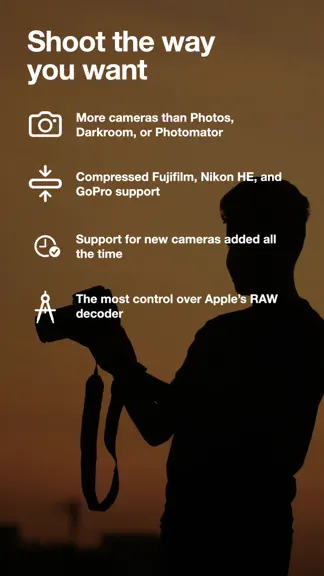
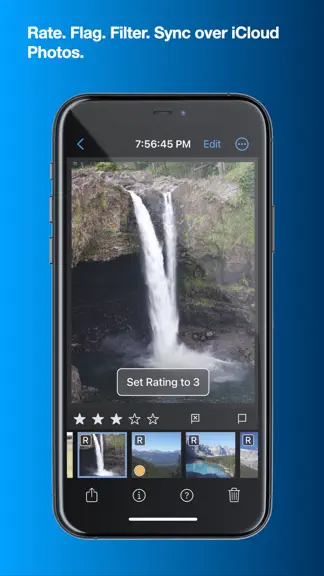
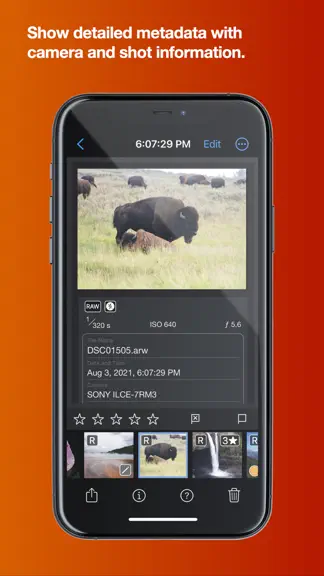
Introducing Nitro, the brand new photo editor and manager from the developer of RAW Power. Nitro is designed for every photographer and every photograph. Try Nitro for free for 7 days without any obligation. No subscription signup, no nonsense. Requires iOS 16 or later. Easy, Powerful, Fast. Built with the latest technologies, Nitro has exceptional integration with iOS, including the most control…
Trends & analysis
Chart rank trend
US · overallWhy it's surfacing
Scout 8Ratings & velocity
★ +0.02 in windowRating distribution
95% positive · 55 ratingsGeographic reach
best rank · 0 storefrontsRevenue & downloads trend
ARPU $3In-app purchases
8 tiersUpdate history
5 updates tracked- v2026.088d ago
NEW FEATURES: * RAW v9: Nitro now supports Apple's new RAW decoder (requires macOS 27, iOS 27, or iPadOS 27). * You can write captions in both the file system (XMP) and Photo Library. Photo Library captions require OS 27. * You can add keywords to the Photo Library on OS 27. * Support storing and reading ratings in the Photo Library when running OS 27. Because you may have existing ratings in Nitro, Nitro will detect when ratings are out of sync and help you resolve the issue. USABILITY: * Rearranged the Info Panel to improve readability and support editable captions. * Add Show Subfolders to the menu bar on the Mac. * Add "Unrated" to the list of filters that are easy to make (Quick Filter and in the menus). * Add alert when clicking the trash button in the window. If you hold down the option key on the Mac, it will not alert you. * Add preference to hide tool overlays. This does not affect point pickers like HSL Target mode, White Balance and Curves. * Add preference when single tapping on the image. On iOS, the default is to hide all panels. On macOS, the default is to do nothing. * Increase range of the RAW Sharpen and RAW Contrast sliders to improve their usefulness. BUG FIXES: * Work around OS bug when masking RAW images, in which the masked area would be rendered incorrectly when the same adjustment was used in both the mask and in the global sliders. * Fix bugs with color range masks on iPhone - now setting up a mask and picking the color works properly. * Fix Follow Edges for brushing when perspective has been applied. * Add preference to let people decide if ratings are synced to the Photo Library (it used to only be in the rating sync dialog box). * Fix bug with keywords, where the app would sometimes write the keywords to the wrong image. * Fix bug with Single File Editor showing the wrong buttons on the right side. * iOS 27 broke Move to Trash, so the error is detected, and the app will offer to delete the item immediately. * Fix bugs with key repeat and speed it up too. * Fix bug on iPhone when masking - the masking options in landscape screen orientation could not be scrolled so they were not accessible. * Fix bug where edits would not be saved if you had a filter for rating and changed the rating so that the image disappeared from view. * Fix bug where XMP files could be deleted when using Revert to Original, even if the preference to not delete them was set. CAMERA SUPPORT: * GoPro Mission 1
- v2026.07.021mo ago
* 新增对索尼 RX10 V 的支持。 * 修复了“恢复高光”滑块数值无法保存的错误。 * 修复了在网格中滚动时图像有时会被同时选中的错误。 * 解决了 macOS 中重新排列关键词时的错误。 * 解决了 macOS 中导出时的错误。 * 解决了 macOS 中重新排列调整项时的错误。
- v2026.07.012mo ago
Fix crash with AI Eraser on iPhones when used in portrait screen orientation.
- v2026.072mo ago
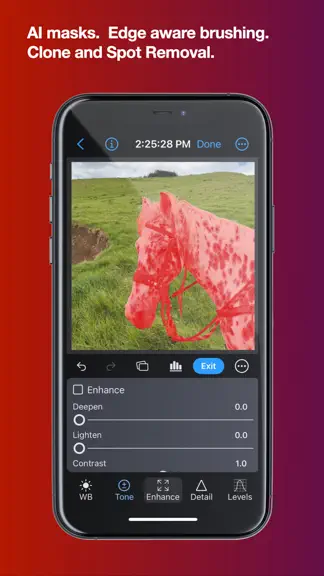
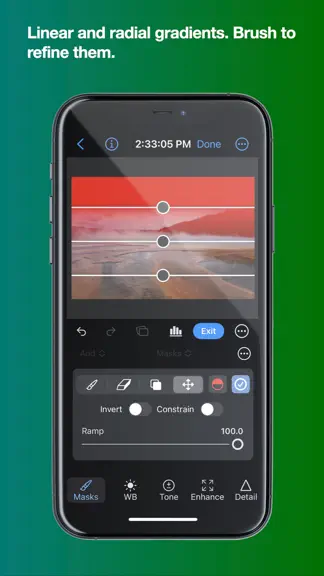
NEW FEATURES * The masking interface is easier to use and much more powerful. * Masks can be disabled and rearranged. * Create Luminance or Color Range Masks directly. * Feather any mask, including AI Subject masks and luminance/color masks. * Add or subtract an AI mask from a linear or radial gradient mask. * Control the threshold when using the edge-following brush. * Bracket keys ( ‘]’ and ‘[‘ ) change the brush parameters. Shift-] adjusts softness, Option-] adjusts strength. * Improvements to masking overlay management. * More on-screen controls for gradients, including shift-key to constrain. * Brushes have both Flow and Strength, and strokes overlap more naturally. * See the help, which includes a detailed video on the new features. BUG FIXES * Fix bug where RAW Tuning sometimes appeared without any sliders. * Fix bug when exporting originals when the image was edited with an app other than Nitro. * Show a message when a camera preset is applied. * Fix bug on iPhone when rotating with keywords visible. * Fix bug when using the numeric text fields on Mac to change adjustment parameters. * When using straighten tool, include any existing straightening in the calculation, so you can combine the slider and the tool now. * Add support for Sony A7R VI. * Fix hang when deleting images from external drives. * Fix issues with perspective and masking. * Improve undo in Edit mode. * Improve support for smaller screens and windows. * Fix several crashes. * Fix bug when scrolling editing panel.
- v2026.54mo ago
USABILITY AND PERFORMANCE * Improve performance when arrowing through images especially outside of Edit. * Improve performance of metadata display and Exif display. * Arrowing through images now scrolls to keep the next image visible to provide better context. * Thumbnail size icons in the grid have been updated. * Split Toning color circles now scale up when the panel is wider. * ExifTool now runs on a background thread for better responsiveness. * Right-click (Mac) or tap and hold (iPhone/iPad) on the Info or ExifTool panel to change the font size. * You can now drag multiple items from the grid to the Photo Library sidebar. * Drag and drop in the Photo Library on Mac will display multiple small thumbnails to make it easier to use. * Watermark and Border setup options have moved into their respective export popups. * iPhone/iPad: the file name and date are now shown at the top of the screen. * iPhone: the Edit button is now an icon to give more room for the file name. * Curves pop-out on iPhone has been improved — the curve and image are larger and the layout is cleaner. * In vertical orientation on iPhone, the Curves panel gives more space to the curve itself, and the In/Out controls can be hidden. * Keyword filtering is now significantly faster. * You can now zoom past 100% on tightly cropped images. * Reduce memory use. BUG FIXES * Fixed: masks on RAW images were incorrectly positioned after applying perspective correction. * Fixed: adding an image to a file system folder placed it in the wrong position in the grid when sorted by File Creation Date. * Fixed: pressing two arrow keys at the same time would cause repeated keypresses and could not be cancelled. * Fixed: a color profile was incorrectly shown for RAW images, which do not have one. * Fixed: the histogram would sometimes not update while zoomed in. * Fixed: filtering in grid view did not always indicate the item number correctly. * Fixed: purchase status was not correctly reported when both a lifetime purchase and subscription were active. * Fixed: changes to the Photo Library did not always update the sidebar. * Fixed: sometimes when arrowing in Edit, a previous image would appear briefly. * Fixed: sometimes ISO was not written out during export. * Other fixes and improvements.
Nitro Photo — FAQ
How much money does Nitro Photo make?
According to AppCurrents estimates, Nitro Photo generates approximately $100–$800 per month (low confidence), modeled from its the App Store chart performance, rating velocity, and monetization signals.
How many downloads does Nitro Photo get?
Nitro Photo sees an estimated 50–300 downloads per month on the App Store, per AppCurrents modeling.
Is Nitro Photo free?
Nitro Photo is free to download on the App Store, monetizing through in-app purchases.
What is Nitro Photo's rating?
Nitro Photo holds a 4.82-star average from 60 ratings on the App Store.
When was Nitro Photo released?
Nitro Photo launched on the App Store on 12.03.2024. Its latest version shipped 24.09.2026.


