
NaviFin
NaviFin generates an estimated $0/month in revenue from 0 downloads/month on the App Store, according to AppCurrents estimates (updated 2026-10-02).
| Est. revenue / month | $0 |
|---|---|
| Est. downloads / month | 0 |
| Estimate confidence | low |
| Pricing | Paid $6.99 |
| Rating | 0.00 ★ (0 ratings) |
| Category | Photo & Video |
| Best chart rank | #70 Photo & Video Paid |
| Released | 01.09.2026 |
| App last updated | 21.09.2026 |
| Platform | iOS |
Modeled monthly estimate · rating velocity · low confidence
About
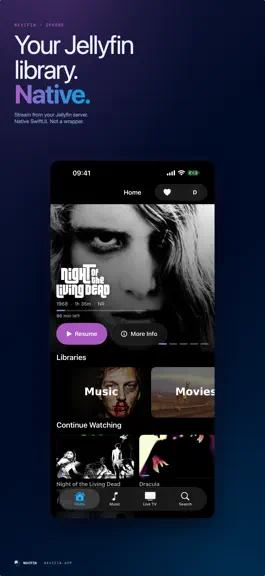
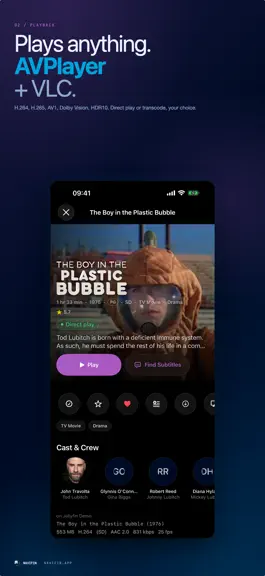
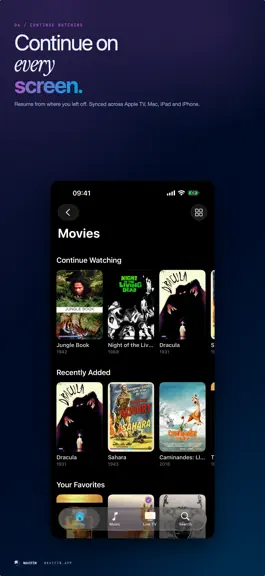
NaviFin is a native client for your own Jellyfin server, built separately for Apple TV, Mac, iPad and iPhone. It is video first, it plays what your library actually holds, and it asks nothing of you beyond your server address. PLAYS ANYTHING A hybrid engine pairs Apple's AVPlayer for pristine native playback with VLC for the exotic formats Jellyfin libraries are full of. MKV, HEVC, surround audio…
Trends & analysis
Chart rank trend
US · categoryWhy it's surfacing
Scout 36Ratings & velocity
★ 0 in windowGeographic reach
best rank · 1 storefrontRevenue & downloads trend
monthly estimateUpdate history
5 updates tracked- v1.2.110d ago
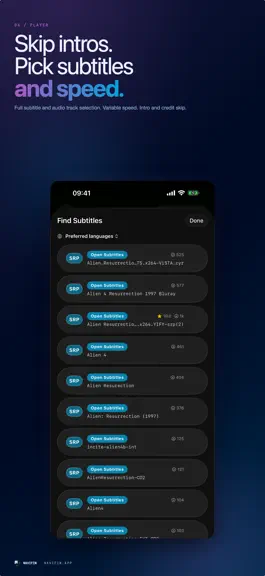
Profiles, and a long list of playback fixes. WHO IS WATCHING NaviFin can ask which profile is watching when the app opens, the way a television app should. Turn it on in Settings, under "Ask who is watching at launch". It appears from the second profile you sign in on a device. PROFILE PICTURES Sixteen built-in faces to choose from, in Settings under "Profile Picture". The picture is saved to your Jellyfin profile, so every device shows it, and so does Jellyfin in a browser. If your profile already has a picture, that is the one you keep, and the app keeps a copy of the picture it replaces so you can put it back. SWITCH USER The Apple TV screen is opaque, centred, and the profiles are twice the size. Every profile icon in the app now shows your picture, and profiles whose names start with the same letter no longer draw the same circle. CANCEL MEANS CANCEL Adding a user, or connecting to a different server, used to end the session you were in with no way back. Both can be cancelled now, and the profile you were using is still signed in when you do. MUSIC Music would not play at all on servers that refuse the older way of passing a token, which is the default on a new Jellyfin. Fixed. Audiobooks opened as an album list their chapters. The Apple TV music sections can be reached from the search field again. SUBTITLES AND AUDIO An external subtitle file that was ticked in the menu now actually starts. Subtitle languages are listed with English first and then alphabetically. The audio track you pick is held after a pause. SERVERS BEHIND A GATEWAY Custom headers now travel with images and with playback, not just with the first request, so NaviFin works behind Cloudflare Access, Authelia and similar gateways. ELSEWHERE Album artwork fills its column instead of sitting in empty space. The iPhone player can be held in landscape while the phone stays upright. A sign-in that could not be saved now says so instead of quietly asking for the password again next time. On the Mac, the troubleshooting log can finally be written.
- v1.219d ago
Version 1.2 is mostly bug fixes. PLAYBACK Some files played sound with a black screen. Apple requires HEVC video in an .mp4 to carry one particular tag, and a great many x265 releases use the other legal one. Apple's player then plays the audio and silently never draws a picture, with no error of any kind. Those files now open in the other engine, which does not care about the tag. Pause, then play, no longer jumps backwards. If you had skipped an intro or scrubbed anywhere, pressing play after a pause could throw you back to that spot. Audio stays on the language you picked. It used to fall back to the file default after a long pause, and again on the next episode of a series, while the menu still showed your choice. The preferred subtitle language in Settings now decides which embedded track a file opens on. Scrub previews on iPhone, iPad and Mac for files your server has not processed, decoded on the device while you scrub. The preview also stays while you look at it instead of vanishing on its own. The timeline runs the full width of the screen or window. A MENU ON EVERYTHING Hold the centre button on the Apple TV, long tap on iPhone and iPad, right click on the Mac, on any film, episode or series, anywhere one is shown. It offers Information, Resume, Play from Beginning, Go to Series, Mark as Watched, Mark as Not Watched, Remove from Continue Watching, Add to List and Favourite. Mark as Not Watched is always there, which matters when your server thinks you finished something you did not. Remove from Continue Watching clears the resume position without marking anything watched. Those are different statements and only the second one existed before. READABILITY AND REACH Skip Intro, Skip Credits and Next Episode were white text on a white button. They are legible now. Now Playing is reachable again as a tab on the Apple TV, and opening it no longer strands you there. Watch lists count what you have actually seen. A series with 39 episodes and 3 watched used to read 0 of 36. Lyrics follow word by word where your file carries the timing, and grow with the panel on the Mac. WHEN SOMETHING GOES WRONG Settings, About, Troubleshooting prepares a redacted log you can send. An Apple TV can hand it over as QR codes or numbered pages, so there is no need to photograph a screen. Server errors name their status instead of reading JellyfinAPIError error 0. Quick Connect asks your server whether it is switched on and reports the real reason. The app finally tells your server which build it is, so a device in your dashboard stops reporting 1.0.0 forever.
- v1.125d ago
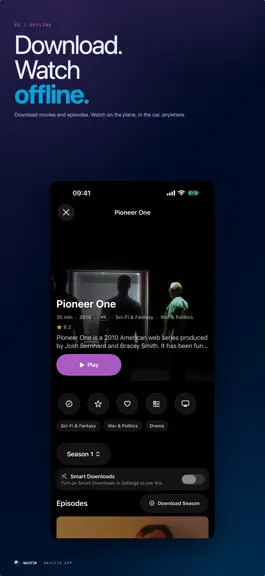
New in this version Offline downloads. Download films and episodes to the device and watch them with the server switched off. A downloads screen shows what you have, what is still arriving and how much space it takes, and the episodes of a series stay together under one heading. Settings rebuilt. Everything is grouped into Server and Profiles, Playback and Subtitles, Appearance, Downloads and Storage, Services, and About, with a search field across all of it. Sign in to a different server straight from the login screen. Fixed The search field on iPhone takes typing again. The filter field inside a library now searches the whole library instead of coming back empty. An embedded subtitle no longer comes up oversized with a size control that does nothing, on large files. Downloading a subtitle while a film is playing no longer breaks the subtitles that were already in the file. Disconnect and Delete All Downloads ask for confirmation again. The switches for Kids Mode and for the library filters can be tapped anywhere on their row, not only on the switch itself. VoiceOver reads the library tiles and the scrobble switches properly. The open-source license notices for VLCKit are in the app.
- v1.0.126d ago
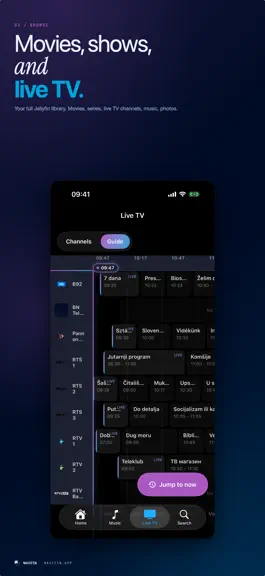
The picture staying frozen after a long pause on Apple TV is fixed. The sound came back and the picture stayed on the frame you paused on until you left the film and came back in. It is fixed in the code and proven in testing, and not yet confirmed on a real television, so if you still see it after this update, write to [email protected] and say which film. A library no longer stops at the first hundred titles, whether you scroll slowly or hold the remote down. Confirmed by the person who reported it, on his Apple TV. Library search now asks the server, so a title beyond the pages already loaded is found. If a page fails to load, the app retries and then offers Try Again instead of ending in silence. The Music and Live TV tabs hide themselves on a server that has neither. A server that has them sees no change. Music playlists your server leaves unlabelled are no longer hidden from the Music tab.
- v1.01mo ago
NaviFin — FAQ
How many downloads does NaviFin get?
NaviFin sees an estimated 0 downloads per month on the App Store, per AppCurrents modeling.
Is NaviFin free?
NaviFin is a paid app priced at $6.99 on the App Store.
When was NaviFin released?
NaviFin launched on the App Store on 01.09.2026. Its latest version shipped 21.09.2026.


