
Imaging Console
Imaging Console generates an estimated $600–$11k/month in revenue from 100–600 downloads/month on the App Store, according to AppCurrents estimates (updated 2026-07-25).
| Est. revenue / month | $600–$11k |
|---|---|
| Est. downloads / month | 100–600 |
| Estimate confidence | medium |
| Pricing | Paid $14.99 |
| Rating | 5.00 ★ (3 ratings) |
| Category | Photo & Video |
| Best chart rank | #85 Photo & Video Paid |
| Released | 02.07.2026 |
| App last updated | 25.07.2026 |
| Platform | iOS |
Modeled monthly estimate · rating velocity · medium confidence
About
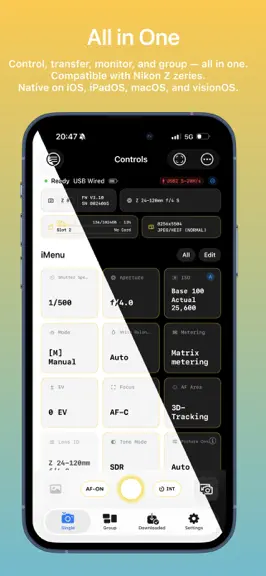
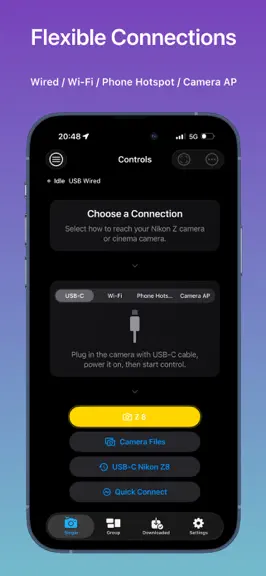
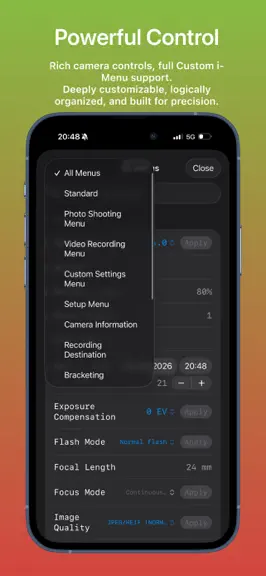
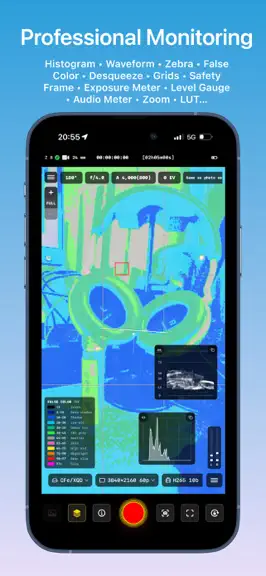
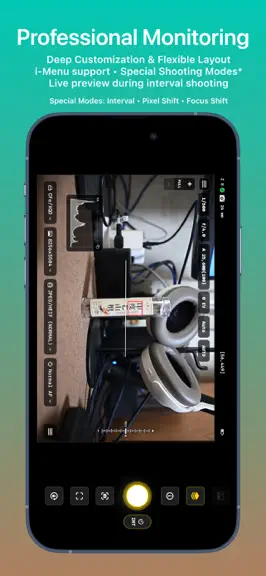
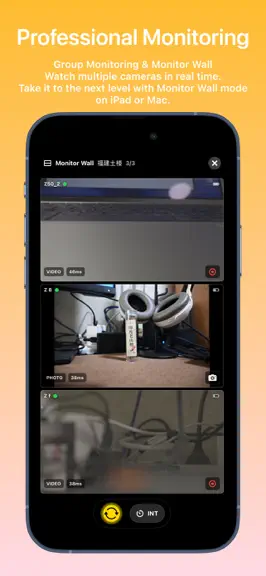
Imaging Console is a professional third-party camera control, monitoring, and file transfer application compatible with Nikon Z series mirrorless cameras and cinema cameras. **Compatibility** Expeed 7 models (Z9, Z8, ZR, Z6III, Z5II, Zf, Z50II) are fully compatible and support all app features. Expeed 6 models (Z5, Z6, Z7, Z6II, Z7II, Z50, Z30, Zfc) do not support group functions. For wirele…
Trends & analysis
Chart rank trend
US · categoryWhy it's surfacing
Scout 50Ratings & velocity
★ +5 in windowGeographic reach
best rank · 8 storefrontsRevenue & downloads trend
ARPU $10Update history
8 updates tracked- v1.3.0today
This update: - Improved connection stability. - Resolved several connection-related issues. - *Added Menu Preset module (works with the camera's "Save/Load Menu Settings" feature). - Added GPS attachment option — Camera GPS (requires "Connect to Smart Device" connection method). - Optimized the status area UI on the connection home page for better landscape display. - Added IPTC module with management and auto‑attachment support. - Improved copyright info editing and auto‑attachment. - App Gallery now supports importing from Files, enabling file import from external storage devices such as card readers. - Optimized App menu page. - Other bug fixes and optimizations. - Fed the cat three meals. *Supports these models: Z9 (firmware 4.00 or later), Z8 (firmware 2.00 or later), Z6III, Z5II, Zf (firmware 2.00 or later), Z50II, ZR. 1.2.5 Update: - Optimized in‑camera file browsing performance. - Refined the in‑camera file preview interface. - Added support for tapping date headers to quickly jump to that date while browsing. - Multi‑select now supports selecting all files from a specific date with one tap. - Improved large file download stability. - Browsing of downloaded in‑camera files is now possible while downloads are in progress (requires cached data). - Optimized the download progress bar for in‑camera files. - Improved Live Activity display for in‑camera file downloads. - Added numerical display and custom value/range adjustment for Zebra monitoring. - Fixed an issue where the bottom control bar on the single‑camera control page sometimes displayed in the wrong position.
- v1.2.53d ago
- Optimized in-camera file browsing performance — now buttery smooth. - Refined the in-camera file preview interface. - Added support for tapping date headers to quickly jump to that date while browsing. - Multi‑select now supports selecting all files from a specific date with one tap. - Improved large file download stability. - Browsing of downloaded in‑camera files is now possible while downloads are in progress (requires cached data). - Optimized the download progress bar for in‑camera files. - Improved Live Activity display for in‑camera file downloads. - Added numerical display and custom value/range adjustment for Zebra monitoring. - Fixed an issue where the bottom control bar on the single‑camera control page sometimes displayed in the wrong position. - Other bug fixes and optimizations. - Gave my cat a treat stick as a reward.
- v1.2.35d ago
- Improved browsing smoothness when switching between in‑camera files. - Optimized Quick Preview performance. - Self‑timer mode now supports setting the number of shots. - Improved compatibility with the oldest models such as Z6. - Fixed an issue where the status at the top of the connection page sometimes displayed incorrectly. - Fixed an issue where the ZR could incorrectly show a recording status during interval shooting. - Fixed incorrect orientation for vertical photos when applying filters in Quick Preview or in‑camera file preview. - Optimized date‑based grouping for in‑camera files. - Other bug fixes. - Gave my cat a bath and took a break.
- v1.2.09d ago
- Added compatible camera option "Connect to Smart Device". - Deeply optimized connection flow and user experience. - Improved compatibility with older camera models; for wireless in‑camera file access, please use the "Connect to Smart Device" option. - Auto‑connect now supports all connection methods. - Optimized auto‑download experience. - Optimized burst auto‑download experience. - Improved self‑timer experience with large‑digit countdown and audible feedback. - Self‑timer is now supported in Live Preview. - Added support for custom save folders (including macOS). - Added quick‑open target folder support on macOS. - Added storage management feature. - Fixed an issue where FHD files could not be downloaded when Tone Mode was set to HLG. - Improved HDR display support for .HIF files. - Added combined display for in‑camera RAW+JPEG/HEIF files. - Added combined display for in‑camera burst photos (supported on select models such as Z9 and Z8; if not combined, the model does not support this feature). - Added date‑based grouping for in‑camera files. - Batch downloads of multiple in‑camera files now support applying filters (non‑RAW images only). - Refined connection flow UI. - Refined preview pages for in‑camera files, post‑capture Quick Preview, and Gallery files. - Added single‑tap to enter clean preview mode on file preview pages. - Optimized file preview window sizing on iPadOS and macOS. - Other UI tweaks, detail improvements, and bug fixes.
- v1.1.117d ago
This update: - Fixed several known issues.
Imaging Console — FAQ
How much money does Imaging Console make?
According to AppCurrents estimates, Imaging Console generates approximately $600–$11k per month (medium confidence), modeled from its the App Store chart performance, rating velocity, and monetization signals.
How many downloads does Imaging Console get?
Imaging Console sees an estimated 100–600 downloads per month on the App Store, per AppCurrents modeling.
Is Imaging Console free?
Imaging Console is a paid app priced at $14.99 on the App Store.
What is Imaging Console's rating?
Imaging Console holds a 5.00-star average from 3 ratings on the App Store. It currently ranks #85 on the Photo & Video paid chart.
When was Imaging Console released?
Imaging Console launched on the App Store on 02.07.2026. Its latest version shipped 25.07.2026.


