
Halide Mark III - Pro Camera
Halide Mark III - Pro Camera generates an estimated $12k–$69k/month in revenue from 5k–19k downloads/month on the App Store, according to AppCurrents estimates (updated 2026-10-03).
| Est. revenue / month | $12k–$69k |
|---|---|
| Est. downloads / month | 5k–19k |
| Estimate confidence | medium |
| Pricing | Free + IAP |
| Rating | 4.45 ★ (13,472 ratings) |
| Category | Photo & Video |
| Released | 30.05.2017 |
| App last updated | 11.07.2026 |
| Platform | iOS |
Modeled monthly estimate · rating velocity · medium confidence


About
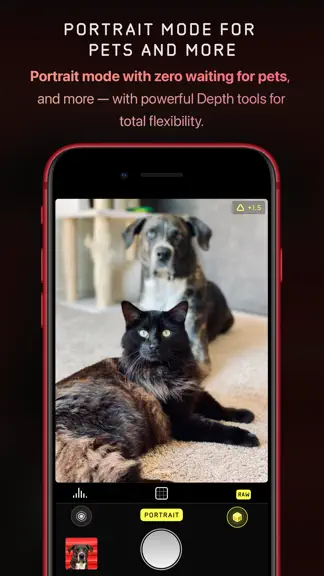
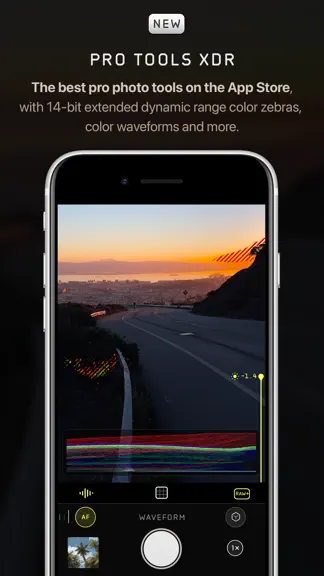
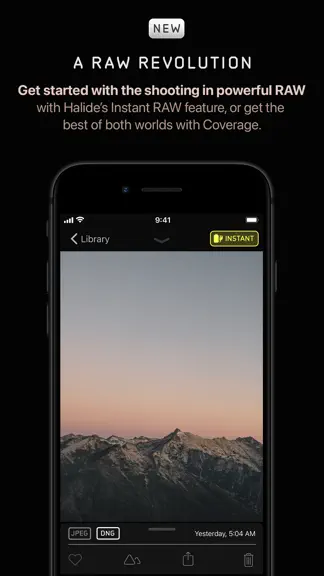
Halide unleashes your iPhone’s camera. Disable iPhone processing for natural photos, apply powerful film situations, access manual controls, and more. Halide has over 24,000 5-star ratings and is an App Store Editors’ Choice and Apple Design Award winner. Halide’s Looks are built into the camera itself, changing how your photo is captured and processed - not just a color filter applied after the…
Trends & analysis
Chart rank trend
US · categoryWhy it's surfacing
Scout 13Ratings & velocity
★ 0 in windowRating distribution
86% positive · 13k ratingsGeographic reach
best rank · 0 storefrontsRevenue & downloads trend
ARPU $3In-app purchases
3 tiersUpdate history
8 updates tracked- v3.1.22mo ago
Welcome to Halide 3.1! This update includes a bunch of enhancements from our big 3.0 we launched six weeks ago. Let's dig in. SCARLET For more warmth, richness, and medium-high contrast try our new "Scarlet" look. It features high saturations, particularly around reds. Try it with summer sunsets! MORE FRAME CONTROLS In the "Frame" tab of the editor, you can now rotate and flip your photo, and even make perspective corrections-- perfect for architecture shots. COMPRESSION CONTROL We've added a capture setting to tweak the exact level of compression to apply. This is great for finding the right balance between texture and file size. EXPOSURE BIAS RESET We've added a button in our exposure menu to reset exposure bias to zero. There's also a long-press shortcut. When in manual mode, instead of resetting the bias, This feature re-meters exposure. ALWAYS-ON FOCUS TOOLS In 3.0, focus tools were only enabled when adjust focus. With 3.1, you can just leave them on all the time when in manual focus mode. RAW-ONLY LOOK You can now enable a "RAW-Only" mode within capture settings. This enables a specific look that does not save a JPEG. Because RAWs can render dramatically different in other apps, we recommend you only enable this feature if you know what you're getting into. EXPOSURE/FOCUS LOCK When in manual focus or manual exposure, tapping the viewfinder will not adjust either setting. There's other small polish improvements and bug fixes. If we missed something, let us know in our Discord or send us an email at [email protected]. We read every message! -- Team Halide
- v3.1.12mo ago
Welcome to Halide 3.1! This update includes a bunch of enhancements from our big 3.0 we launched six weeks ago. Let's dig in. SCARLET For more warmth, richness, and medium-high contrast try our new "Scarlet" look. It features high saturations, particularly around reds. Try it with summer sunsets! MORE FRAME CONTROLS In the "Frame" tab of the editor, you can now rotate and flip your photo, and even make perspective corrections-- perfect for architecture shots. COMPRESSION CONTROL We've added a capture setting to tweak the exact level of compression to apply. This is great for finding the right balance between texture and file size. EXPOSURE BIAS RESET We've added a button in our exposure menu to reset exposure bias to zero. There's also a long-press shortcut. When in manual mode, instead of resetting the bias, This feature re-meters exposure. ALWAYS-ON FOCUS TOOLS In 3.0, focus tools were only enabled when adjust focus. With 3.1, you can just leave them on all the time when in manual focus mode. RAW-ONLY LOOK You can now enable a "RAW-Only" mode within capture settings. This enables a specific look that does not save a JPEG. Because RAWs can render dramatically different in other apps, we recommend you only enable this feature if you know what you're getting into. EXPOSURE/FOCUS LOCK When in manual focus or manual exposure, tapping the viewfinder will not adjust either setting. There's other small polish improvements and bug fixes. If we missed something, let us know in our Discord or send us an email at [email protected]. We read every message! -- Team Halide
- v3.1.02mo ago
Welcome to Halide 3.1! This update includes a bunch of enhancements from our big 3.0 we launched six weeks ago. Let's dig in. SCARLET For more warmth, richness, and medium-high contrast try our new "Scarlet" look. It features high saturations, particularly around reds. Try it with summer sunsets! MORE FRAME CONTROLS In the "Frame" tab of the editor, you can now rotate and flip your photo, and even make perspective corrections-- perfect for architecture shots. COMPRESSION CONTROL We've added a capture setting to tweak the exact level of compression to apply. This is great for finding the right balance between texture and file size. EXPOSURE BIAS RESET We've added a button in our exposure menu to reset exposure bias to zero. There's also a long-press shortcut. When in manual mode, instead of resetting the bias, This feature re-meters exposure. ALWAYS-ON FOCUS TOOLS In 3.0, focus tools were only enabled when adjust focus. With 3.1, you can just leave them on all the time when in manual focus mode. RAW-ONLY LOOK You can now enable a "RAW-Only" mode within capture settings. This enables a specific look that does not save a JPEG. Because RAWs can render dramatically different in other apps, we recommend you only enable this feature if you know what you're getting into. EXPOSURE/FOCUS LOCK When in manual focus or manual exposure, tapping the viewfinder will not adjust either setting. There's other small polish improvements and bug fixes. If we missed something, let us know in our Discord or send us an email at [email protected]. We ready every message! -- Team Halide
- v3.0.53mo ago
We're hard at work on our next major Halide update. In the mean time, we're releasing this small update to fix our top crash. If you have any suggestions, please let us know in the Discord or by emailing [email protected]. - Team Halide
- v3.0.43mo ago
We're hard at work on our next major Halide update. In the mean time, we're releasing these smaller updates to fix a crash, and polish some interactions. If you have any suggestions, please let us know in the Discord or by emailing [email protected]. - Team Halide
Halide Mark III - Pro Camera — FAQ
How much money does Halide Mark III - Pro Camera make?
According to AppCurrents estimates, Halide Mark III - Pro Camera generates approximately $12k–$69k per month (medium confidence), modeled from its the App Store chart performance, rating velocity, and monetization signals.
How many downloads does Halide Mark III - Pro Camera get?
Halide Mark III - Pro Camera sees an estimated 5k–19k downloads per month on the App Store, per AppCurrents modeling.
Is Halide Mark III - Pro Camera free?
Halide Mark III - Pro Camera is free to download on the App Store, monetizing through in-app purchases.
What is Halide Mark III - Pro Camera's rating?
Halide Mark III - Pro Camera holds a 4.45-star average from 13,472 ratings on the App Store.
When was Halide Mark III - Pro Camera released?
Halide Mark III - Pro Camera launched on the App Store on 30.05.2017. Its latest version shipped 11.07.2026.


