
DaVinci Resolve Studio
DaVinci Resolve Studio generates an estimated $0/month in revenue from 0 downloads/month on the App Store, according to AppCurrents estimates (updated 2026-10-02).
| Est. revenue / month | $0 |
|---|---|
| Est. downloads / month | 0 |
| Estimate confidence | low |
| Pricing | Paid $299.99 |
| Rating | 0.00 ★ (0 ratings) |
| Category | Photo & Video |
| Released | 17.12.2015 |
| App last updated | 11.09.2026 |
| Platform | iOS |
Modeled monthly estimate · rating velocity · low confidence

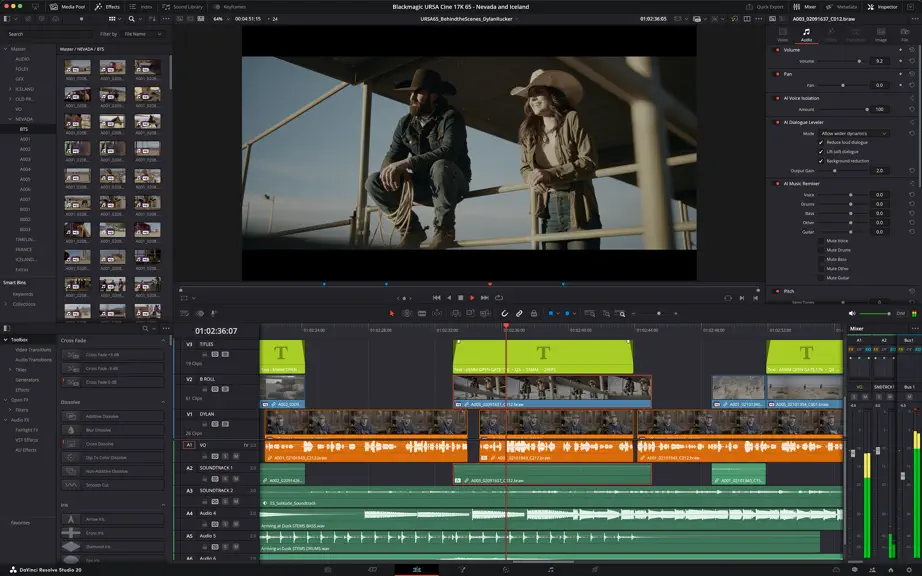
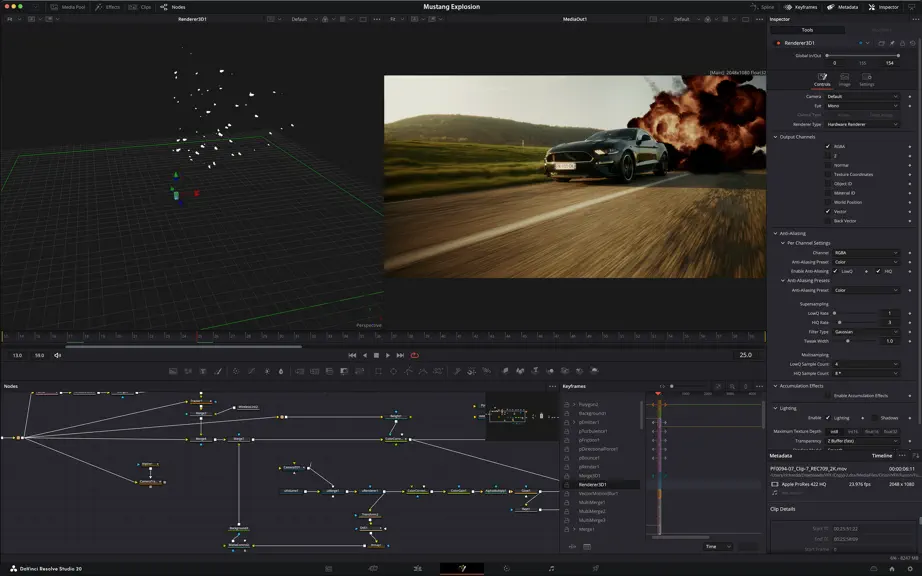
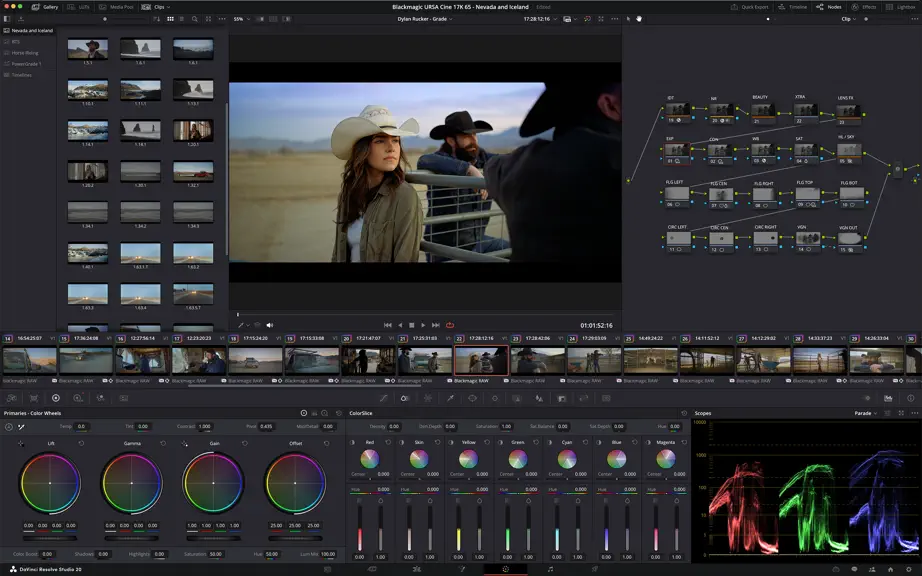

About
DaVinci Resolve Studio 21 Hollywood’s most powerful tools for professional editing, color correction, audio post and visual effects! DaVinci Resolve Studio is the world’s only solution that combines professional editing, color correction, visual effects and audio post production all in one software tool! You can instantly move between editing, color, effects, and audio with a single click. Whethe…
Trends & analysis
Chart rank trend
US · overallWhy it's surfacing
Scout 11Ratings & velocity
★ 0 in windowGeographic reach
best rank · 0 storefrontsRevenue & downloads trend
monthly estimateUpdate history
5 updates tracked- v21.122d ago
• Editable media pool list view text and checkbox fields. • Media search includes sub bins and supports exact text matching. • AI tools option to use proxy media if originals are offline. • Source viewer supports original aspect ratios and interlaced media previews. • Preview geometry assets. • Rename faces in the IntelliSearch Manage Faces window. • Change starting timecode for multiple selected clips. • Delete selected media pool list view markers. • Created/modified dates for multicams, compound clips and timelines. • Delete clip attribute audio tracks with mouse drag. • Multiple VR180 and stereoscopic improvements. • Camera control for Fujifilm, Leica and Sony Alpha 7R VI cameras. • Change photo inspector settings from color panels. • Improved post decode sharpening for RAW images. • DNG file support for lens distortion, aberration and shading. • Resolve FX Sky Replacement supports photos. • Support for inspector presets. • Multicam editing mode is now a timeline viewer property. • Option to split multicams at gaps when using timecode sync. • Switching multicam grid size retains page with selected angle. • Multicam key shortcuts now work with timeline or source focus. • Edit Fusion properties for multiple selected clips in inspector. • All new compare timeline workflow with greater control. • Data Burn can show clip metadata from a specified video track. • Presentation markers support annotations, replies and status. • Marker annotation support for drawing ellipses. • Zoom audio waveform actions in the edit timeline. • Playhead indicator for current clip in inspector and viewer. • New dynamic trim and trim editor workflows with trim mode, mouse actions and looping. • Cut, copy and paste gaps on the edit timeline. • Timeline view options to scale waveforms and display durations. • Two Cut page timer options for source tape and multiview. • Apply transitions to adjustment clips. • Export marker list from edit index as a PDF. • Restored timeline backups retain backup history. • Options to stop playback on scrub, play audio on move and select right clip after blade. • Fusion effect color picker support in viewer. • Font browser option to display text preview from title. • AI music editor retains more content, avoids repetition and offers better mix choices. • New Fusion Krokodove shape and 3D tools. • Support for OpenPBR material shaders. • Improved MultiText layer align behavior. • Calibrate lens distort from user drawn lines on viewer. • Multiple Macro Editor improvements. • Fairlight Animator adjustable low and high pass filters. • Import track results in Camera Tracker. • Tracker controls to trim tracks, view and change reference frame. • Support for hard mix blend mode in Fusion tools. • Faster Deep Renderer3D with support for matte objects and deep motion blur. • Per MultiMaster trim for Dolby Vision, HDR10+ and HDR Vivid. • Per trim caches and output sizing override option. • Support for Resolve FX Panomap. • Retain playhead when navigating between tracks. • Missing DCTLs show as viewer overlay, can be linked from the LUT Manager. • Support for DJI D-Gamut2 and D-Log2, GoPro Log, Leica L-Log IDT and LUT, Vivo Wide Gamut and Log. • New controls in Resolve FX Beauty, CineFocus and Film Grain. • Improved effect scaling for Resolve FX with Gaussian blur. • Extras download manager offline package support. • Render EXR with HTJ2K compression. • Decode USAC audio. • Presentation export option to include subtitles. • QuickTime and MXF renders support multiple embedded captions. • Growing file improvements for TS, QuickTime and MXF formats. • Improved media management error handling and reporting. • Apple Immersive options for edge blending and render presets. • Multiple actions can now be assigned key shortcuts. • General performance and stability improvements.
- v21.0.41mo ago
• Relink clips can now relink proxies with different formats. • DRT imports automatically relink to existing nested clips if present. • Selected clip stays in view with clip filter changes in the Color page. • Support for importing Affinity legacy file formats. • Support for Sony FX-5 X-OCN clips. • Addressed realtime playback issues on large cached timelines. • Addressed power bin navigation bar issue in media pool windows. • Addressed segment clip suffixes in media management. • Addressed issue with edit index ordering. • Addressed source viewer audio issue when pasting timecode. • Addressed multiple retime speed curve editing issues. • Addressed missing marker notes tag for data burn in. • Addressed issue with decoding some DPX files. • Addressed issue with decoding some CR2 stills. • General performance and stability improvements.
- v21.0.32mo ago
• New legacy speed mode retime curve option. • DNG pre tone curve is enabled by default in new projects. • Addressed issue with adding keyframe at a subframe. • Addressed issue with pasting keyframes to linked audio clips. • Added configurable keyframe ease actions. • Inspector frame display for interlaced transition durations. • Addressed interlaced generator and transition duration interpretation. • Addressed audio duration for inserted segment of interlaced media. • Addressed field dominance detection issue for some interlaced clips. • Addressed Fusion issue with importing PSDs with disabled layers. • Addressed issue with rendered Magic Mask for photos in album. • Addressed bezier window move when adjusting vertex smoothness. • Addressed issue with decoding some Sony BURANO X-OCN clips. • Addressed preview issue with HDR still exports on some browsers. • Addressed wrong audio mapping scripting results in some scenarios. • Updated DaVinci Resolve 21 reference manual. • Replay SDI output now always shows selected camera. • General performance and stability improvements.
- v21.0.23mo ago
• Addressed thumbnail preview when bypassing color or Fusion. • Improved display of retime speed curve. • Addressed issue with pasting copied keyframes between clips. • Addressed issue with video inspector zoom minimum values. • Addressed issue with slower IntelliSearch performance. • Addressed bit depth when exporting current frame as TIFF still. • Addressed inconsistent selection of source tape. • Addressed inspector unicode display issue with spell check. • Addressed some Fusion transition defaults for vertical timelines. • Addressed media pool custom sort persistence issue. • General performance and stability improvements.
- v21.03mo ago
Photo Page • New photo image editing now fully integrated within DaVinci Resolve. • Native Canon, Fujifilm, Nikon, Panasonic and Sony RAW format support. • Direct image capture via Sony or Canon tethered cameras. • Use all native color controls, AI tools, looks, LUTs and effects. AI Tools • AI IntelliSearch lets you easily search for people or objects. • AI Speech Generator transforms written text to spoken voice. • AI CineFocus allows refocus with realistic bokeh and lens effects. • AI Face Age Transformer lets you age or de-age a face. • AI Face Reshaper for flexible reshape and resize of facial features. • AI Blemish Removal to repair facial and skin blemishes. • AI SlateFinder automatically detects slates and marks position. • AI SlateID to read slate and populate clip metadata. • AI UltraSharpen for high fidelity sharpening of moving images. • AI Motion Deblur enables removal of common motion blur artifacts. • Improved AI UltraNR, Speed Warp Metal and Motion Blur Metal. Cut and Edit Page • Keyframes and curves support 4-point bezier retimes, editing multiple selected clips and Fusion effects. • Resolve FX Picture in Picture effect. • Font browser, font preview, spell check and emoji support. • Preview multicams in clean feed and source tape. • Replay improvements to view last 5 minutes, add favorite titles and independent start and end stingers. • Compare timelines with timeline backup snapshots. • Search and replace in subtitles. • Hide video tracks from edit index. • Import Affinity .af files with group and layer control. • IntelliScript supports Final Draft or plain text imports. • Transcription and subtitle timing improvements. • Edit page timecode options for frames, subframes or audio samples. • Resolve FX Video Collage with separate tile fill and border controls. • Subtitle support for fade in and out. Media Pool • Support for tabbed layouts. • Thumbnail, list and metadata views can be set for each bin. • Star rating support for clips. • Cut page supports smart bin views. • Export media bin thumbnails as a PDF. • Automatic smart bin and clip filter for offline clips. • Custom metadata for smart bins, filters, data burn and naming tags. • Reset audio clip attributes to source. Color Page • MultiMaster trim pass to grade single timeline to many deliverables. • Render Magic Mask in place as an external matte. • Clip groups now support grade versions. • View node graphs as a layer list. • Node stacks now support up to 8 layers. • Film Look Creator improvements. • Customizable HDR and nit scopes ranges. • Adobe RGB colorspace and gamma support. Fairlight Page • Folder tracks to group and expand audio tracks. • Go to mouse pointer using the C key. Fusion Page • Over 100 new motion graphics effects and tools including Krokodove effects. • New Macro Editor. • New Fairlight animator modifier. • Support for USD SDK 25.11. • USD support for 3D matte objects and textures. • Support for USD Texture Projector and Catcher. • 3D Renderer support for Cryptomatte. • Native Relief Map support. • Change inspector properties for multiple tool or layer selections. • Multilayer supports vector channels, stereo 3D and deep images. • Color correct deep images. • User defined metadata variables in paths, expressions and scripts. • Lens Distort offers checkerboard calibration. • Open keyframes and spline as a new window. • Faster Relight and Depth Map. Codecs and I/O • Decode Apple ProRAW images. • HDR support for HEIC, JPEG, PNG and TIFF images. • HEIC encode support. • Support for Insta360 I-Log in color management. • Improved EXIF metadata support for stills. • Support for Sony Burano V3 clips. • Per render job option to override RCM or ACES outputs. General Improvements • Improved data burn-ins. • Preferences and project settings can now be searched. • Up to 3x faster file sync performance to Blackmagic Cloud. • General performance and stability improvements.
DaVinci Resolve Studio — FAQ
How many downloads does DaVinci Resolve Studio get?
DaVinci Resolve Studio sees an estimated 0 downloads per month on the App Store, per AppCurrents modeling.
Is DaVinci Resolve Studio free?
DaVinci Resolve Studio is a paid app priced at $299.99 on the App Store.
When was DaVinci Resolve Studio released?
DaVinci Resolve Studio launched on the App Store on 17.12.2015. Its latest version shipped 11.09.2026.


