
Converto: File Converter
Converto: File Converter generates an estimated $10–$60/month in revenue from 4–20 downloads/month on the App Store, according to AppCurrents estimates (updated 2026-10-02).
| Est. revenue / month | $10–$60 |
|---|---|
| Est. downloads / month | 4–20 |
| Estimate confidence | low |
| Pricing | Free + IAP |
| Rating | 3.00 ★ (2 ratings) |
| Category | Photo & Video |
| Released | 31.07.2025 |
| App last updated | 09.09.2026 |
| Platform | iOS |
Modeled monthly estimate · rating velocity · low confidence
About
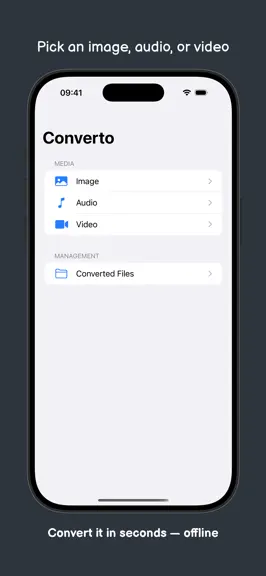
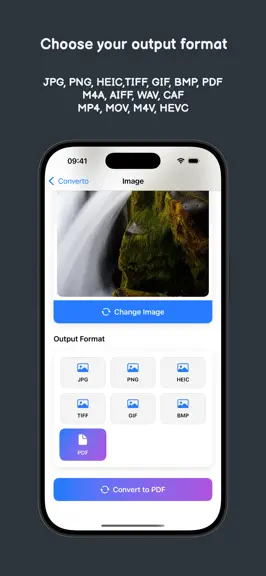
Convert MKV and WebM to MP4, HEIC to JPG, video to GIF or MP3, PDF to images and images to PDF — on your iPhone, iPad and Mac, with no uploads, no account and no file-size limits. Converto is a fast, private media converter. Every conversion runs on your device: your files never leave it, and it works offline. VIDEO Open MKV, WebM, MP4, MOV and M4V and convert to: – MP4 1080p — plays everywhere…
Trends & analysis
Chart rank trend
US · overallWhy it's surfacing
Scout 9Ratings & velocity
★ +3 in windowGeographic reach
best rank · 0 storefrontsRevenue & downloads trend
ARPU $3In-app purchases
2 tiersUpdate history
4 updates tracked- v1.122d ago
– New: MP3 output — convert audio to MP3, or extract MP3 from any video – New: video to animated GIF, with frame rate, width and length settings – New: PDF to images (one per page) and images to PDF; merge several photos into one PDF from the queue (Pro) – New: Live Photo — save it as photo + video (JPG + MOV), or turn the clip into a GIF or an MP4 – New: WebM files with VP9, AV1 and Opus now open too (VP9 and Opus require a recent iOS) – New: Converto Pro lifetime — pay once, keep it forever – MKV: unsupported video is now reported clearly, and MP3 audio inside MKV works – Error messages are now localised – Stability and quality improvements
- v1.0.53mo ago
This update includes bug fixes and performance improvements.
- v1.0.43mo ago
– New: WebP image output — convert your photos to WebP, fully on device – New on iPhone and iPad: import images from the Files app too, not just Photos – FLAC lossless audio output (also when extracting audio from a video) – More image formats on Mac: JPEG 2000, PSD, TGA, OpenEXR and GPU textures (KTX, KTX2, ASTC) – On Mac: a built-in local MCP server lets AI agents (Claude Desktop, Cursor, …) convert your files through Converto — on device, loopback only, off until you enable it – Stability and quality improvements
- v1.0.33mo ago
Bug fixes and performance improvements
Converto: File Converter — FAQ
How much money does Converto: File Converter make?
According to AppCurrents estimates, Converto: File Converter generates approximately $10–$60 per month (low confidence), modeled from its the App Store chart performance, rating velocity, and monetization signals.
How many downloads does Converto: File Converter get?
Converto: File Converter sees an estimated 4–20 downloads per month on the App Store, per AppCurrents modeling.
Is Converto: File Converter free?
Converto: File Converter is free to download on the App Store, monetizing through in-app purchases.
What is Converto: File Converter's rating?
Converto: File Converter holds a 3.00-star average from 2 ratings on the App Store.
When was Converto: File Converter released?
Converto: File Converter launched on the App Store on 31.07.2025. Its latest version shipped 09.09.2026.


