
content — RSS feed reader
content — RSS feed reader generates an estimated $30–$500/month in revenue from 40–200 downloads/month on the App Store, according to AppCurrents estimates (updated 2026-10-02).
| Est. revenue / month | $30–$500 |
|---|---|
| Est. downloads / month | 40–200 |
| Estimate confidence | medium |
| Pricing | Paid $2 |
| Rating | 4.00 ★ (1 ratings) |
| Category | News |
| Best chart rank | #18 News Paid |
| Released | 09.07.2026 |
| App last updated | 27.08.2026 |
| Platform | iOS |
Modeled monthly estimate · rating velocity · medium confidence
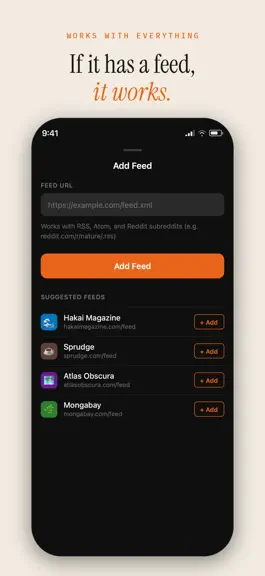
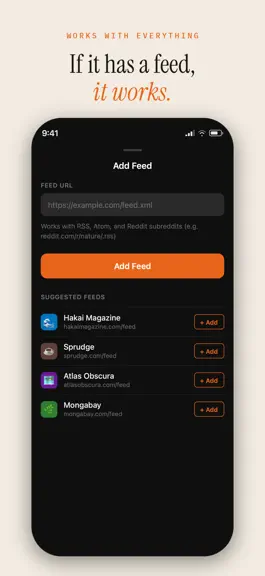
About
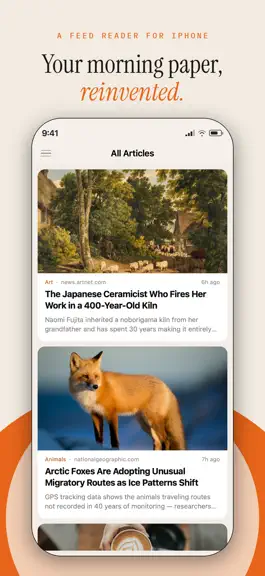
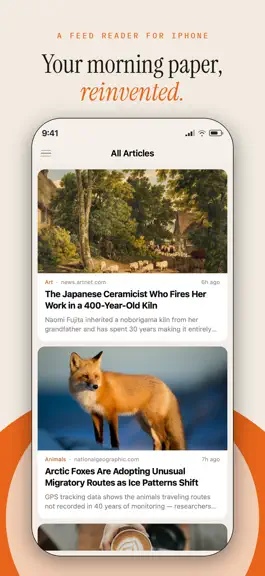
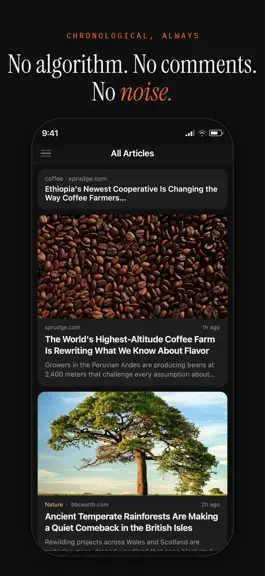
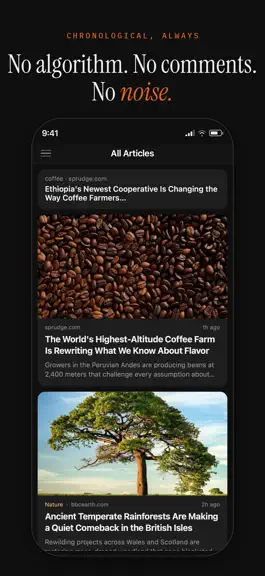
The internet used to feel different. You picked the sites you loved, and you read them. content brings that back. content is a calm, beautiful RSS reader for people who want to read articles — not scroll comments, fight algorithms, or chase engagement metrics. NO ALGORITHM. NO COMMENTS. NO NOISE. Your feeds appear in one place, in the order they were published. Chronological, always. No ranking,…
Trends & analysis
Chart rank trend
US · categoryWhy it's surfacing
Scout 40Ratings & velocity
★ 0 in windowGeographic reach
best rank · 1 storefrontRevenue & downloads trend
ARPU $1Update history
5 updates tracked- v1.3.21mo ago
Mute a phrase you'd rather not read. Swipe any article to mute a word or phrase from its headline — a daily horoscope, a weekly sale post, a subject you're tired of. It applies to that feed by default, or to everything if you'd rather. You see how many articles it hides before you commit, every rule is listed in Settings, and deleting one brings its articles straight back. Nothing is guessed and nothing is thrown away. You write the rule, you can see exactly what it does, and you can undo it. Swiping an article also saves it now. Reading view: set the text size directly from the article, alongside the font. It applies on top of your system text size rather than instead of it. The navigation bar is translucent, so the article passes underneath as you scroll, and the scroll indicator appears briefly when an article opens to show how long it is.
- v1.3.01mo ago
Your categories are places you can read now. Tap one in the sidebar and you get everything in it, newest first — so a category you built out of a few cycling feeds reads like a single publication. Categories fold away too, so a long library stays a short list. Search searches where you are. Open it inside a feed and it looks in that feed; inside a category, that category; from All Articles, everywhere. The field opens above the list rather than covering it, so it's clear what's being searched. Saved articles keep their pictures. Save something before a flight and it reads whole with no connection — text and images both. Articles that can't load a picture no longer leave a broken box behind; the text simply closes up around it. If you have feeds you never got round to sorting, Content will suggest where they might go, and point out groups of feeds that look like a category you haven't made yet. Nothing moves unless you say so. Also in this release: Content was using far more storage than it needed — several gigabytes on a well-used library, most of it files it had finished with and never cleared. It now keeps only what it's using, and clears the rest as it goes. Articles older than two months are removed unless you saved them, so the app stops growing without limit. Anything you've saved is kept regardless of age. On iPad, the article list shows pictures again, sized for a column beside the reader rather than a full screen.
- v1.2.01mo ago
Content now runs on iPad. The list sits beside the article, so finishing one and starting the next doesn't change the screen. Your library opens as a sidebar. With a keyboard attached, the arrow keys or j and k move through the list and / searches. Your library also syncs across your devices now, over iCloud. Feeds, categories, tags, the order you arranged them in, and what you've read or saved all arrive on every device signed in to the same Apple Account. There's nothing to turn on and no account to create. Articles themselves stay on each device, because any device can fetch them again. Reddit feeds work properly again. Subreddits were failing to load for reasons outside the app; that's fixed. Adding one is simpler too — type r/bikes and Content finds the feed, no address or /.rss suffix needed. Photo posts open as photos. Tap the picture on a card and it grows to fill the screen, where you can pinch to zoom. Tap the headline instead and you get the article, as before. Posts with several pictures can be swiped through. Also in this release: Fixes a problem that could leave the app unable to open your library after updating. If you saw an error instead of your feeds, this release repairs it on the next launch — nothing was lost. Opening an article that contained an embedded video, post or map would throw a browser window over the top of it, and again if you dismissed it. Embedded content now appears in place within the article, where it belongs. Article titles in the list are back to their previous size. If you'd like them larger, Content now follows the text size set in iOS Settings.
- v1.1.01mo ago
Content has been rebuilt from the ground up as a native app. Everything is faster — opening articles, scrolling lists, moving between feeds — and the delays and stutters are gone. Also in this update: • Articles are extracted natively, so the reader opens in well under a second instead of pausing on a blank screen • Publishers that previously refused to load in the reader now work • Swipe from the left edge to open your library, and flick down from the top of an article to close it • Reorder your categories and the feeds inside them • Share a page from Safari to add its feed • Reader, list and search text now follows your system text size • Your feeds, saved articles, tags and reading positions all carry over
- v1.0.02mo ago
content — RSS feed reader — FAQ
How much money does content — RSS feed reader make?
According to AppCurrents estimates, content — RSS feed reader generates approximately $30–$500 per month (medium confidence), modeled from its the App Store chart performance, rating velocity, and monetization signals.
How many downloads does content — RSS feed reader get?
content — RSS feed reader sees an estimated 40–200 downloads per month on the App Store, per AppCurrents modeling.
Is content — RSS feed reader free?
content — RSS feed reader is a paid app priced at $2 on the App Store.
What is content — RSS feed reader's rating?
content — RSS feed reader holds a 4.00-star average from 1 ratings on the App Store. It currently ranks #18 on the News paid chart.
When was content — RSS feed reader released?
content — RSS feed reader launched on the App Store on 09.07.2026. Its latest version shipped 27.08.2026.


