Clock Widget+
Clock Widget+ generates an estimated $600–$4k/month in revenue from 200–900 downloads/month on the App Store, according to AppCurrents estimates (updated 2026-10-02).
| Est. revenue / month | $600–$4k |
|---|---|
| Est. downloads / month | 200–900 |
| Estimate confidence | low |
| Pricing | Free + IAP |
| Rating | 4.28 ★ (32 ratings) |
| Category | Lifestyle |
| Released | 30.09.2024 |
| App last updated | 20.09.2026 |
| Platform | iOS |
Modeled monthly estimate · rating velocity · low confidence

About
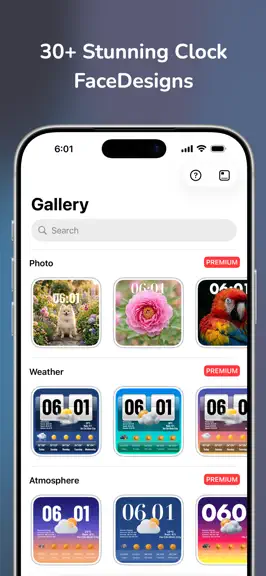
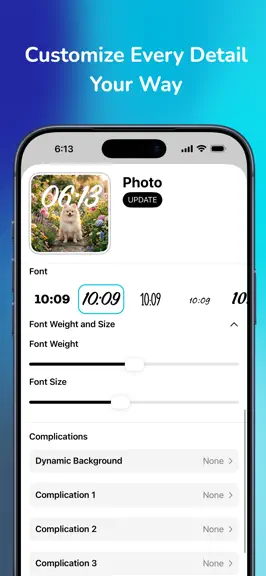
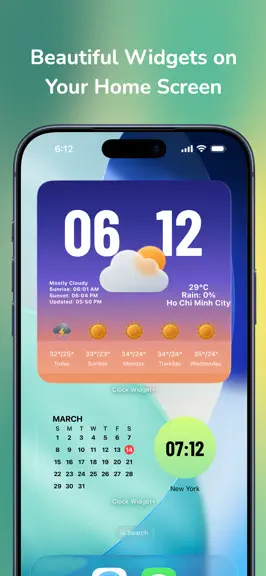
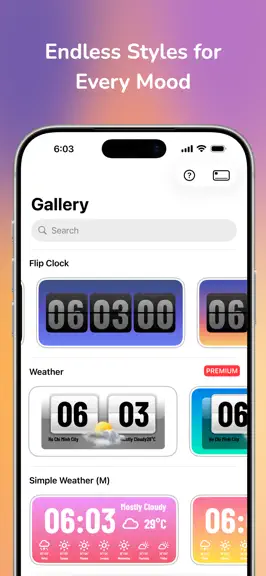
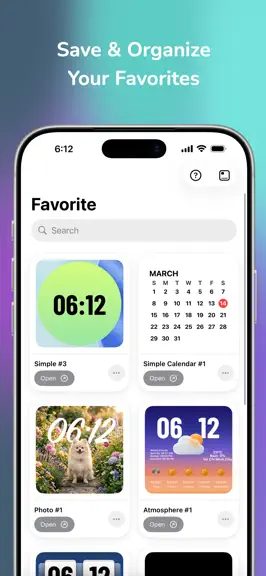
Transform your home screen with the ultimate Clock Widget Gallery app! Easily create stunning, customizable clock widgets in various colors and styles. From sleek minimalist aesthetics to retro and vibrant themes, personalize your device with powerful timepieces, world clocks, built-in alarms, and timers right at your fingertips. Simple to use, beautifully designed, and deeply customizable—enhance…
Trends & analysis
Chart rank trend
US · overallWhy it's surfacing
Scout 9Ratings & velocity
★ +0.07 in windowRating distribution
78% positive · 23 ratingsGeographic reach
best rank · 0 storefrontsRevenue & downloads trend
ARPU $4In-app purchases
4 tiersUpdate history
4 updates tracked- v3.012d ago
Version 3.0 — The World Time & Widget Interaction Update! • World Time & 24-Hour Dial: Explore global time with an astronomical 24-hour dial, 3D daylight globe, and live day/night sky. • Time Zone Timeline: Scrub time with 5-minute precision to compare work hours across 900+ world cities. • Widget Tap Actions: Launch Apple Shortcuts or open websites directly from your home screen widgets, in addition to apps. • Solid & Glass Finishes: Personalize widgets with solid colors or translucent glass textures that blend with your wallpaper. • Desk Collection & 5 Demos: Station, Paper Calendar, and World Desk faces, now with 5 hand-crafted presets per template. • Performance improvements, smoother clock hand animations, and bug fixes. Enjoying Clock Widget+? A quick review helps us continue improving!
- v2.4.01mo ago
New in 2.4 • New clock faces — more styles to match your home screen • Alarm & Timer, built right into your widget — set them without leaving your home screen • Performance improvements and bug fixes Enjoying Clock Widget+? A quick rating helps more than you'd think.
- v2.3.02mo ago
사용자 정의 글꼴 지원: 자신만의 .ttf 또는 .otf 글꼴 파일을 가져와서 사용하세요. 사용자 정의 날씨 아이콘: 맞춤형 아이콘 세트 또는 새로운 실사 테마를 사용하세요. 캘린더 이벤트: 예정된 약속을 시계 페이스에 직접 표시하세요. 새로운 시계 모양: 하트, 쿠키, 클로버 등 37가지 새로운 모양. 새로운 컴플리케이션: 캘린더 진행률, 태양 이벤트, 달 위상, 카운트다운.
- v2.2.45mo ago
Bug fixes and performance improvements
Clock Widget+ — FAQ
How much money does Clock Widget+ make?
According to AppCurrents estimates, Clock Widget+ generates approximately $600–$4k per month (low confidence), modeled from its the App Store chart performance, rating velocity, and monetization signals.
How many downloads does Clock Widget+ get?
Clock Widget+ sees an estimated 200–900 downloads per month on the App Store, per AppCurrents modeling.
Is Clock Widget+ free?
Clock Widget+ is free to download on the App Store, monetizing through in-app purchases.
What is Clock Widget+'s rating?
Clock Widget+ holds a 4.28-star average from 32 ratings on the App Store.
When was Clock Widget+ released?
Clock Widget+ launched on the App Store on 30.09.2024. Its latest version shipped 20.09.2026.


