Aperture - Light Meter
Aperture - Light Meter generates an estimated $0/month in revenue from 0 downloads/month on the App Store, according to AppCurrents estimates (updated 2026-10-02).
| Est. revenue / month | $0 |
|---|---|
| Est. downloads / month | 0 |
| Estimate confidence | low |
| Pricing | Paid $3.99 |
| Rating | 0.00 ★ (0 ratings) |
| Category | Photo & Video |
| Best chart rank | #96 Photo & Video Paid |
| Released | 20.03.2025 |
| App last updated | 01.09.2026 |
| Platform | iOS |
Modeled monthly estimate · rating velocity · low confidence


About
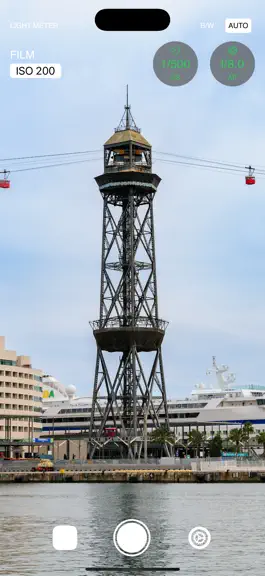
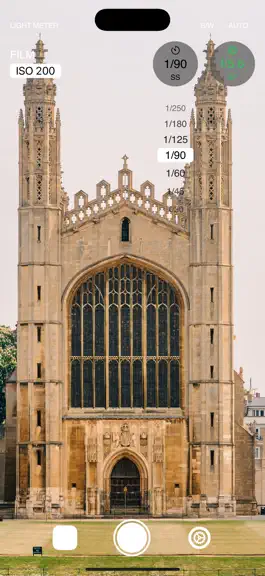
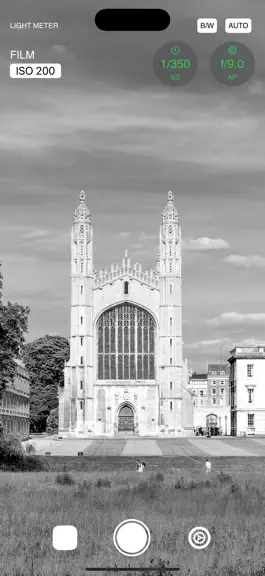
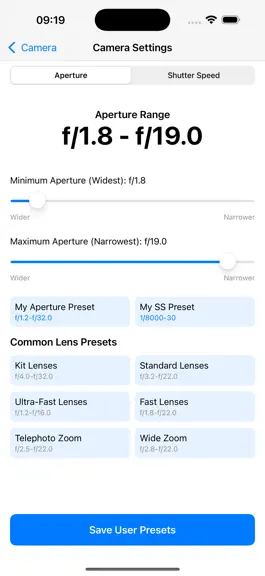
Aperture - Light Meter: Simplifying Film Photography with Precision Aperture - Light Meter is a minimalist, intuitive tool designed to help film photographers achieve perfect exposure and document their creative process. By calculating the ideal aperture and shutter speed based on your film’s ISO sensitivity, the app ensures every shot is perfectly balanced. Featuring integrated Zone System meter…
Trends & analysis
Chart rank trend
US · categoryWhy it's surfacing
Scout 14Ratings & velocity
★ 0 in windowGeographic reach
best rank · 1 storefrontRevenue & downloads trend
monthly estimateUpdate history
4 updates tracked- v2.51mo ago
Track your roll like a real film camera! Version 2.5 introduces an all-new continuous Film Frame Counter so you always know exactly which shot you’re on. Automatic Film Frame Counter: Keeps track of your roll from frame 0 to 36. Counting automatically wraps with each new roll, or extends linearly beyond 36 if you shoot longer rolls or bulk-loaded film. Smart Counter Sync: Manually editing a frame number resynchronizes the counter so your next shot seamlessly continues from frame + 1. Refined Photo Layout: ISO, aperture, and shutter speed are now clean and top-centered in the photo detail view, putting your technical exposure data right where you need it. Reliable EXIF & Frame Saving: Fixed an issue where black-and-white images dropped EXIF metadata. Your exposure settings and frame numbers are now preserved reliably across restarts and updates. Crafted to perfection to keep your analog workflow clean, accurate, and effortless. Happy shooting!
- v2.42mo ago
Browsing your photo references is now even easier! Capture Dates in the Gallery See exactly when each photo was taken without opening it. Capture dates now appear directly on your gallery thumbnails, making it easier to find the shot you're looking for. Swipe Between Photos Review your reference photos more naturally. Simply swipe left or right while viewing a photo to move to the previous or next image without returning to the gallery. Improvements & Fixes We've also made several under-the-hood improvements and fixed bugs to keep Aperture running smoothly. Thank you for using Aperture - Light Meter, and happy shooting!
- v2.33mo ago
Big improvements for film photographers! Cooler, Longer Shooting Sessions We've completely redesigned the camera preview to make Aperture more efficient. Your iPhone now stays cooler and uses less battery, especially during long photo walks and shooting sessions. Faster and Smoother Light Metering The light meter is now even more efficient, delivering smooth and responsive exposure readings without unnecessary battery drain. Better Gallery Experience When browsing your reference photos, Aperture now fully pauses the camera in the background. This helps keep your device cool while reviewing previous shots. Low-Light Shot Indicators Wondering which photos were taken under difficult lighting conditions? Photos captured while the Low Light warning was active are now clearly marked: • A red metadata row in the gallery. • A new LOW LIGHT label in the photo details. Quickly identify challenging scenes and learn from every frame. Thank you for supporting Aperture - Light Meter!
- v2.24mo ago
We’ve added a powerful new way to control your shots, along with some performance tune-ups to keep your analog photography workflow seamless. Zone System Exposure: Take full creative control! You can now calculate exposure based on specific zone selection. Just like a pro, you can "place" your shadows and highlights exactly where you want them for perfect tonal range in every 35mm or medium format shot. Refined Performance: We’ve squashed some minor bugs and improved overall stability. Your light meter is now even faster and more reliable on iOS 26. Stop guessing and start creating with confidence. Happy shooting!
Aperture - Light Meter — FAQ
How many downloads does Aperture - Light Meter get?
Aperture - Light Meter sees an estimated 0 downloads per month on the App Store, per AppCurrents modeling.
Is Aperture - Light Meter free?
Aperture - Light Meter is a paid app priced at $3.99 on the App Store.
When was Aperture - Light Meter released?
Aperture - Light Meter launched on the App Store on 20.03.2025. Its latest version shipped 01.09.2026.


