
Adobe Premiere AI Video Editor
Adobe Premiere AI Video Editor generates an estimated $230k–$1.3M/month in revenue from 82k–330k downloads/month on the App Store, according to AppCurrents estimates (updated 2026-09-08).
| Est. revenue / month | $230k–$1.3M |
|---|---|
| Est. downloads / month | 82k–330k |
| Estimate confidence | medium |
| Pricing | Free + IAP |
| Rating | 4.82 ★ (24,168 ratings) |
| Category | Photo & Video |
| Best chart rank | #83 Photo & Video Free |
| Released | 30.09.2025 |
| App last updated | 05.09.2026 |
| Platform | iOS |
Modeled monthly estimate · rating velocity · medium confidence


About
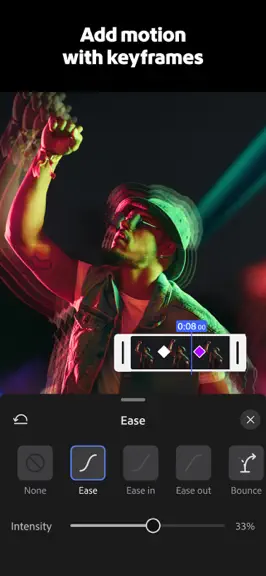
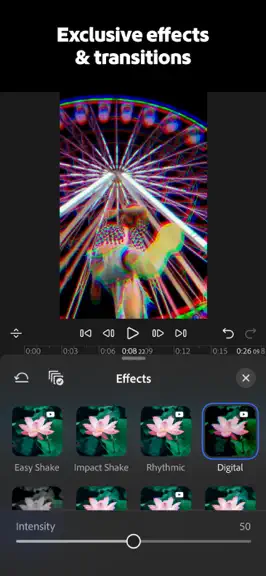
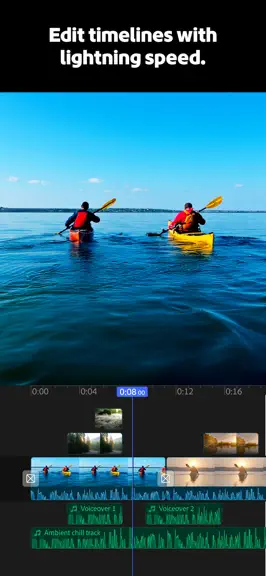
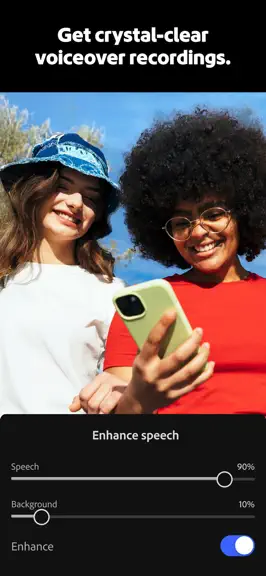
Adobe Premiere mobile brings you effortless video editing with total control. Meet the fast, free, and focused AI video editor that's powerful enough for any idea, yet simple enough for anyone to use. Enjoy a video editor without ads or watermarks for quick and seamless content creation. Get unmatched speed on a precise multi-track timeline, and studio-quality audio with crystal clear voice record…
Trends & analysis
Chart rank trend
US · categoryWhy it's surfacing
Scout 28Ratings & velocity
★ +0.01 in windowRating distribution
96% positive · 18k ratingsGeographic reach
best rank · 11 storefrontsRevenue & downloads trend
ARPU $3In-app purchases
2 tiersUpdate history
11 updates tracked- v26.19.13d ago
Bug fixes and improvements
- v26.19.05d ago
• Make your edits stand out with the new Draw tool. Record your sketches and designs in Adobe Fresco, then in one click add as a layer to your video in Premiere. • We've also fixed bugs and made performance improvements across editing, export, and playback to keep things running smoothly. Plus, here's what launched this past month: • Speed Curves: ramp clip speed up and down with smooth, custom curves for cinematic effects and more • More volume control: dial in volume and mute right inside the templates editor, plus levels all the way up to 500% across the app • Better VoiceOver & reduced motion support across the timeline and export
- v26.18.114d ago
Bug fixes and improvements
- v26.18.020d ago
• Speed Curves: ramp clip speed up and down with smooth, custom curves for cinematic effects and more • More volume control: dial in volume and mute right inside the templates editor, plus levels all the way up to 500% across the app • Better VoiceOver & reduced motion support across the timeline and export • Bug fixes and improvements Plus, here's what launched this past month: • Titles on the main track: Now you can simplify your timeline by moving titles to your main track. Reorder titles however you want & animate with keyframes • Safety Zones: Guides light up warning you the moment a clip drifts past the safe areas for social media, with a haptic nudge so nothing important gets covered up or cut off • New app setting: Now you can set a default duration for imported photos so new edits start exactly how you like them
- v26.17.127d ago
Bug fixes and improvements
Adobe Premiere AI Video Editor — FAQ
How much money does Adobe Premiere AI Video Editor make?
According to AppCurrents estimates, Adobe Premiere AI Video Editor generates approximately $230k–$1.3M per month (medium confidence), modeled from its the App Store chart performance, rating velocity, and monetization signals.
How many downloads does Adobe Premiere AI Video Editor get?
Adobe Premiere AI Video Editor sees an estimated 82k–330k downloads per month on the App Store, per AppCurrents modeling.
Is Adobe Premiere AI Video Editor free?
Adobe Premiere AI Video Editor is free to download on the App Store, monetizing through in-app purchases.
What is Adobe Premiere AI Video Editor's rating?
Adobe Premiere AI Video Editor holds a 4.82-star average from 24,168 ratings on the App Store. It currently ranks #83 on the Photo & Video free chart.
When was Adobe Premiere AI Video Editor released?
Adobe Premiere AI Video Editor launched on the App Store on 30.09.2025. Its latest version shipped 05.09.2026.


