VAL: Voice, alarm & chimes
VAL: Voice, alarm & chimes generates an estimated $500–$8k/month in revenue from 200–900 downloads/month on the App Store, according to AppCurrents estimates (updated 2026-08-02).
| Est. revenue / month | $500–$8k |
|---|---|
| Est. downloads / month | 200–900 |
| Estimate confidence | medium |
| Pricing | Paid $6.99 |
| Rating | 4.82 ★ (11 ratings) |
| Category | Utilities |
| Best chart rank | #63 Utilities Paid |
| Released | 04.05.2026 |
| App last updated | 03.07.2026 |
| Platform | iOS |
Modeled monthly estimate · rating velocity · medium confidence
About
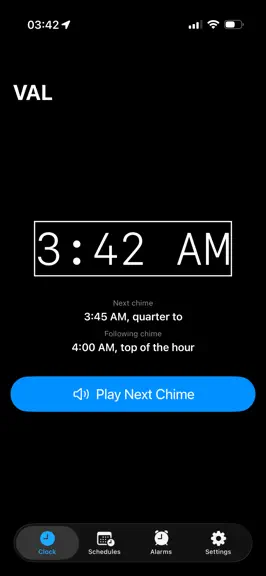
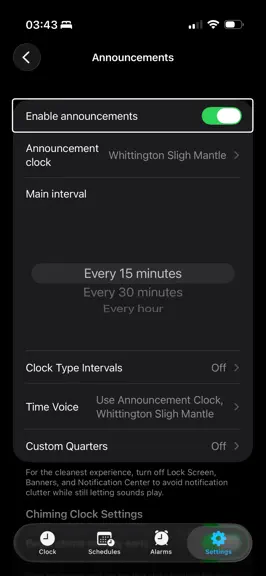
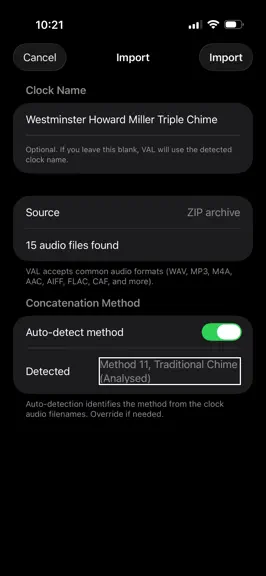
If you’ve ever tried to find a clock app that actually works the way you want, you’ve probably had to settle for less than ideal solutions. VAL changes that. VAL is a fully customizable talking and chiming clock for iPhone and Mac. Make Time Your Own VAL supports a wide range of clock types, from spoken time announcements to traditional chimes. The app includes high-quality recordings from real…
Trends & analysis
Chart rank trend
US · categoryWhy it's surfacing
Scout 32Ratings & velocity
★ -0.18 in windowRating distribution
100% positive · 8 ratingsGeographic reach
best rank · 7 storefrontsRevenue & downloads trend
ARPU $5In-app purchases
3 tiersUpdate history
4 updates tracked- v1.51mo ago
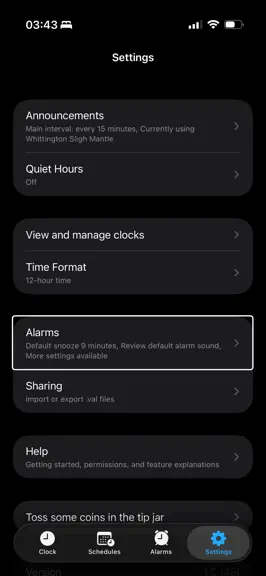
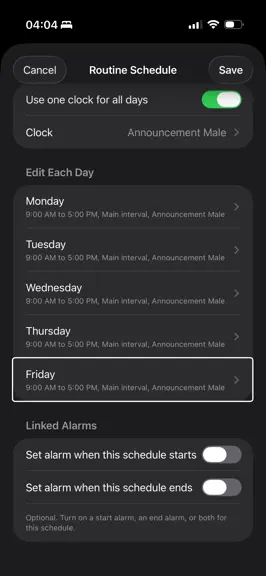
bug fixes. Only kidding, here's what's new. :) New: You can now set favorites, which you can cycle through with three-finger swipes (one-finger swipes for non-VoiceOver users) on the main clock tab. These can also be reordered when using custom sorting instead of alphabetical sorting, which is the default. New: Each clock can have its own settings beyond the per-method settings - for example announcement style, announcement interval, and more. New: Per-clock settings can travel with a clock when you share it, so it sounds exactly as you intended. You can disable this in Announcement Settings if you'd prefer to use your existing settings. New: Time Voice can now always use your last-used talking clock. Handy if you'd used a talking clock before but never set a dedicated Time Voice, then switched your announcement clock to a non-speaking one. This can also be adjusted in announcement settings. New: You can optionally have your Time Voice follow a schedule's talking clock - when a schedule with a talking clock is active, that clock is used for the Time Voice, then it returns to your usual setting once the schedule ends. New: All methods have been renamed and slimmed down from 13 to 10, with an entirely rewritten Methods Reference under Help - great if you'd ever like to build your own clocks. A massive shout out and thank you to Dan Parker for the rewrite and names New: You can now report bugs directly in the app, settings>report a bug. Reports will go straight to me and make it much easier to fix things. New: Chiming clocks now support alarm sounds. New: You can now edit the individual files inside a clock, including the Additional Info section - under View and Manage Clocks in Settings, as a rotor action. This includes duplicate, rename, and delete actions for individual audio files. New: Share, delete, and duplicate individual or multiple files at once on this screen, just like you can with multiple clocks. Tap Edit, select the files you want, and the buttons appear at the bottom of the screen. New: You can now customize swipe / VoiceOver actions - remove, add, and reorder them to your heart's content. New: Assign three-finger swipe-left and swipe-right gestures to frequently used actions (for example Export, or Adjust Chime Splits). This lets you remove actions from the rotor while keeping the ones you use most only a swipe away. New: Foreground Play mode. When the app is open, clock files play directly through the audio player instead of via notifications - so chiming and musical clocks play fully, without gaps or splits. New: British-style "past/to" support. Clocks using it announce the traditional way - "it's quarter past 3," "it's ten minutes to midnight." All talking methods support this format; see the Methods Reference for more information. new: The app now has a proper share extension. This means finding the option to import .zip and .val files will be significantly easier and won't be buried under the "more" section. Fixed: Standard alarms (non quiet hours or schedule end) not reactivating after being skipped. Fixed: The "Switch to imported clock?" dialog not appearing after importing. I hope you enjoy this update - and stay tuned, there's much more to come. Stay cool, and happy timekeeping. Last note, If you'd like to join the app's WhatsApp community, the link is below. https://chat.whatsapp.com/EJf5dQh5uw8JO4V2KqXGCx
- v1.0.81mo ago
Hi all, and happy Summer! This update fixes a bug where schedules were not behaving correctly. You'll also now be notified upon opening the app when there's a new update available. Stay tuned for some exciting new updates in the next couple of weeks. Thank you for your support, and happy timekeeping.
- v1.0.71mo ago
Hello, fellow timekeepers.This update aims to make the app more resilient for surviving updates. Several people have reported sounds and notifications and alarm sounds not working properly after updating. Thank you to everyone who has been helping catch and squash bugs. Westminster sligh mantle will once again play the correct chime for half past. Happy timekeeping!
- v1.0.62mo ago
This update contains several fixes which should improve the overall experience. The "always use chime splits" option should now work as intended. Selecting an alarm sound will no longer dismiss the screen, instead requiring you to go back which mirrors iOS behavior. Diagnostics have also been improved to handle non speaking clocks. The westminster sligh mantle and StMichaels sligh mantle have been adjusted to match whittington's volume (a volume adjustment is coming). When cycling between hourly only clocks and back to quarter based ones with clock type intervals turned off, the app will remember the main interval you've set and revert accordingly. That's about it for this update, but keep an eye out for 1.1 A lot of exciting changes coming. Have a good week, and happy timekeeping!
VAL: Voice, alarm & chimes — FAQ
How much money does VAL: Voice, alarm & chimes make?
According to AppCurrents estimates, VAL: Voice, alarm & chimes generates approximately $500–$8k per month (medium confidence), modeled from its the App Store chart performance, rating velocity, and monetization signals.
How many downloads does VAL: Voice, alarm & chimes get?
VAL: Voice, alarm & chimes sees an estimated 200–900 downloads per month on the App Store, per AppCurrents modeling.
Is VAL: Voice, alarm & chimes free?
VAL: Voice, alarm & chimes is a paid app priced at $6.99 on the App Store.
What is VAL: Voice, alarm & chimes's rating?
VAL: Voice, alarm & chimes holds a 4.82-star average from 11 ratings on the App Store. It currently ranks #63 on the Utilities paid chart.
When was VAL: Voice, alarm & chimes released?
VAL: Voice, alarm & chimes launched on the App Store on 04.05.2026. Its latest version shipped 03.07.2026.


