
Timeshare+
Timeshare+ generates an estimated $0–$6/month in revenue from 1–2 downloads/month on the App Store, according to AppCurrents estimates (updated 2026-08-02).
| Est. revenue / month | $0–$6 |
|---|---|
| Est. downloads / month | 1–2 |
| Estimate confidence | medium |
| Pricing | Paid $1.99 |
| Rating | 5.00 ★ (1 ratings) |
| Category | Finance |
| Best chart rank | #91 Finance Paid |
| Released | 02.11.2011 |
| App last updated | 17.05.2026 |
| Platform | iOS |
Modeled monthly estimate · rating velocity · medium confidence
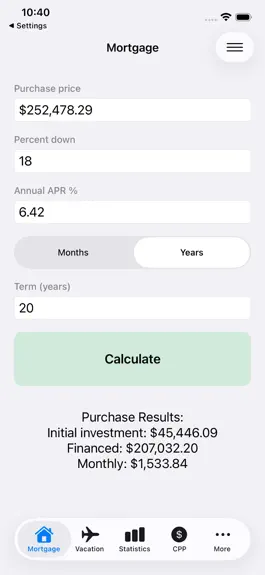
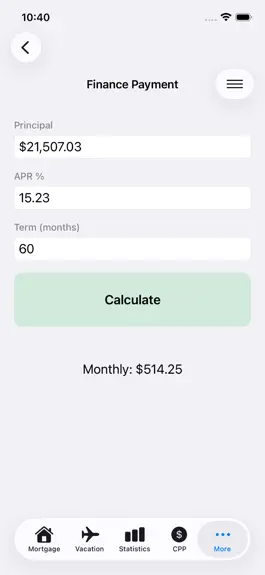
About
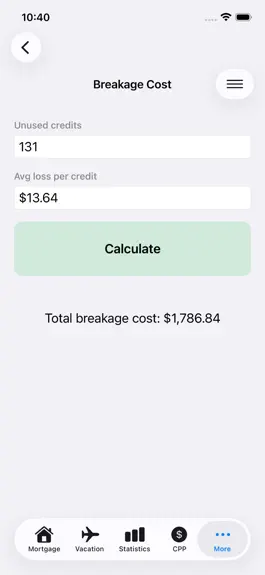
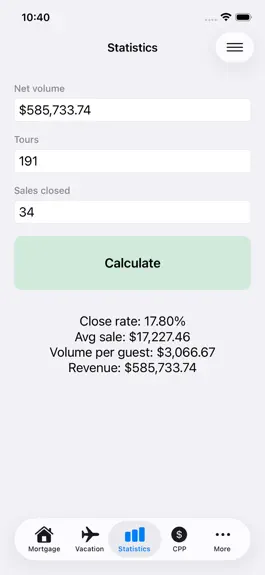
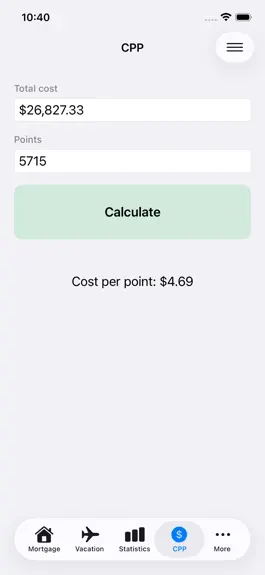
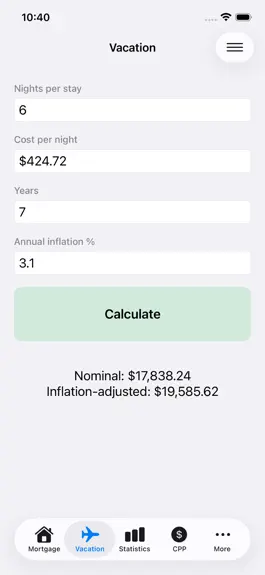
Make smarter timeshare decisions with a calculator app built for real ownership questions, not vague guesses. Whether you are comparing a developer deal, looking at resale, reviewing annual costs, or trying to understand what your points are really worth, this app helps you slow down, run the numbers, and see the tradeoffs clearly. Timeshare Value Planner Pro brings together practical calculators…
Trends & analysis
Chart rank trend
US · categoryWhy it's surfacing
Scout 12Ratings & velocity
★ 0 in windowRating distribution
100% positive · 1 ratingsGeographic reach
best rank · 1 storefrontRevenue & downloads trend
ARPU $1Update history
1 update tracked- v8.42mo ago
This update makes the app feel much better on larger screens and improves the way everyday calculations behave. On iPad, the app now feels more like a proper planning tool instead of a stretched phone layout. You can browse every section from a dedicated sidebar on the left and keep the calculator you are using open on the right. It is faster to move between purchase planning, ownership cost checks, resale analysis, trip budgeting, help, settings, and about information without losing your place. This release also improves the layout inside the calculators themselves: - Calculator content now sits in a more comfortable reading width on iPad - Forms no longer sprawl across the full screen - Labels, fields, and controls have been enlarged for easier reading - Buttons and results have more space to breathe The navigation has been cleaned up across the app: - Every screen now has a consistent menu in the top-right corner - Help is easier to reach from both calculators and app sections - Calculator actions are grouped in one place for a tidier layout The in-app help has been expanded in a more useful way: - Each calculator now includes a dedicated help view - Help screens explain what the calculator is for - Formulas used by the app are shown in plain language - General app sections such as Settings, Help, and About now have their own guided help as well Several calculators also received behind-the-scenes fixes to make the numbers more dependable: - Improved handling for formatted numeric input - Better support for different input styles and number formats - Safer validation for values that should never divide by zero - Stronger checks around cost, resale, and nights-based calculations - Cleaner handling of edge cases that could produce misleading results This update also improves the way the app responds when you change preferences: - Help content refreshes more reliably after language changes - Settings updates flow through the app more cleanly - Shared state handling has been tightened up for better stability For people who use the app often, a few quality-of-life improvements stand out right away: - Large-screen navigation is far easier - Results are easier to scan at a glance - Inputs feel more comfortable during longer planning sessions - The app is simpler to use while comparing multiple scenarios in a row For iPad users in particular, this is a major quality jump. Instead of hunting through a crowded top tab area, you can move through the app from a stable left-hand list, much like a traditional planning or reference tool. That makes it easier to review one calculator, switch to another, and come right back to where you were. The updated forms are also friendlier during real use: - Larger targets make repeated edits less tiring - Wider spacing makes screens easier to scan - The detail pane keeps the important content centered - Results are easier to read from a normal seated distance This release also improves the day-to-day flow of running multiple scenarios: - Move from purchase planning to annual cost review without losing momentum - Check a payment, switch to resale, then jump back into trip budgeting quickly - Review help without leaving the screen you are working on for long - Share results more easily after you have finished a calculation The overall feel is calmer and more practical, especially when you are using the app the way most owners actually do: comparing one option against another, changing a few values, and deciding whether the numbers still make sense. If you use the app to pressure-test a purchase, compare annual costs, estimate financing, or understand the real value of a reservation, this version makes those tasks smoother and easier to trust. Thanks for using Timeshare Value Planner Pro.
Timeshare+ — FAQ
How much money does Timeshare+ make?
According to AppCurrents estimates, Timeshare+ generates approximately $0–$6 per month (medium confidence), modeled from its the App Store chart performance, rating velocity, and monetization signals.
How many downloads does Timeshare+ get?
Timeshare+ sees an estimated 1–2 downloads per month on the App Store, per AppCurrents modeling.
Is Timeshare+ free?
Timeshare+ is a paid app priced at $1.99 on the App Store.
What is Timeshare+'s rating?
Timeshare+ holds a 5.00-star average from 1 ratings on the App Store. It currently ranks #91 on the Finance paid chart.
When was Timeshare+ released?
Timeshare+ launched on the App Store on 02.11.2011. Its latest version shipped 17.05.2026.
Apps like Timeshare+
See all alternatives → Experian®Finance · $290k–$1.6M/mo
 Credit Sesame: Grow Your ScoreFinance · $260k–$1.4M/mo
 Rocket Money - Bills & BudgetsFinance · $200k–$1.2M/mo
 TradingView: Track All MarketsFinance · $150k–$800k/mo
 MileIQ: Mileage Tracker & LogFinance · $120k–$680k/mo
 Monarch: Budget & Track MoneyFinance · $110k–$630k/mo