Screnly - Screenshoot Cleaner
Screnly - Screenshoot Cleaner generates an estimated $0/month in revenue from 0 downloads/month on the App Store, according to AppCurrents estimates (updated 2026-08-02).
| Est. revenue / month | $0 |
|---|---|
| Est. downloads / month | 0 |
| Estimate confidence | low |
| Pricing | Free |
| Rating | 0.00 ★ (0 ratings) |
| Category | Utilities |
| Released | 12.01.2026 |
| App last updated | 01.07.2026 |
| Platform | iOS |
Modeled monthly estimate · rating velocity · low confidence
About
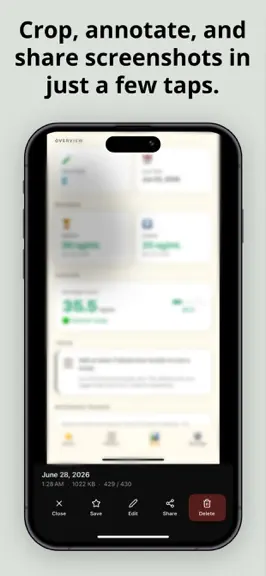
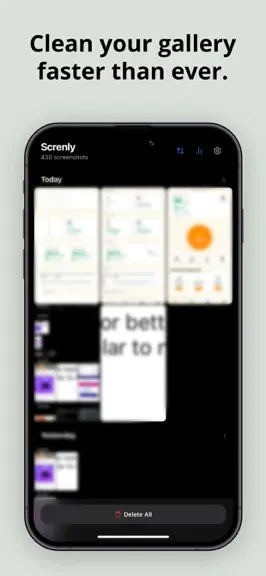
Your screenshots pile up. Screnly cleans them. Screnly is a lightweight screenshot cleaner designed to help you quickly organize and delete unwanted screenshots, without touching your personal photos. Key Features - Automatically detect screenshots - Delete all screenshots in one tap - Remove old screenshots (30+ days) - Fast, simple, and easy to use - Privacy first. Everything stays on your dev…
Trends & analysis
Chart rank trend
US · overallWhy it's surfacing
Scout 14Ratings & velocity
★ 0 in windowGeographic reach
best rank · 0 storefrontsRevenue & downloads trend
monthly estimateUpdate history
1 update tracked- v1.41mo ago
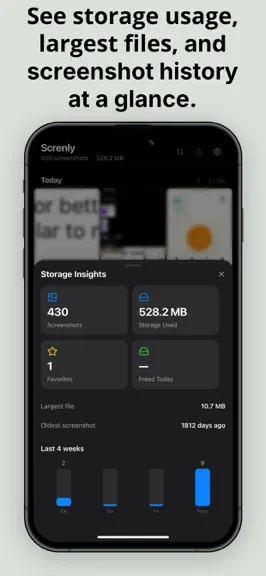
This update is a complete overhaul. Here's everything that's new: Smarter browsing Screenshots are now grouped by date — Today, Yesterday, This Week, This Month, and Older — so you can instantly see what's recent and what's been sitting there for months. Sort by newest or oldest with one tap. Full-screen preview Tap any screenshot to open it full screen. Swipe left and right to browse through your library. Swipe down to close. No buttons in your way. Edit before you share Brand new stamp editor lets you add a date stamp, a custom text label, or draw redact boxes over anything sensitive — then save or share the edited version directly. Favorites Star any screenshot to protect it. Favorites are never deleted by bulk actions — only you can remove them manually. Undo everything Every delete now gives you 5 seconds to change your mind. A toast slides up from the bottom — tap Undo and everything comes back exactly as it was. Storage Insights A new analytics sheet shows how much space your screenshots are using, how many you've saved as favorites, and how much you've freed this session. Includes a 4-week activity chart. Delete Old — your rules Choose exactly how old is "old": 7, 14, 30, 60, or 90 days. Favorites are always excluded. Face ID lock Enable Face ID in Settings to lock the app on every open. Your screenshots stay private even if someone else picks up your phone. Weekly reminder Opt in to a weekly notification that nudges you to clean up. Pick the day that works for you. Dark mode Full dark mode support throughout the entire app, following your system setting automatically. Smoother everything All bottom sheets now open and close with spring physics — the same feel as native iOS. The entire UI has been tightened up to feel faster and more premium.
Screnly - Screenshoot Cleaner — FAQ
How many downloads does Screnly - Screenshoot Cleaner get?
Screnly - Screenshoot Cleaner sees an estimated 0 downloads per month on the App Store, per AppCurrents modeling.
Is Screnly - Screenshoot Cleaner free?
Screnly - Screenshoot Cleaner is free to download on the App Store, with no in-app purchases detected.
When was Screnly - Screenshoot Cleaner released?
Screnly - Screenshoot Cleaner launched on the App Store on 12.01.2026. Its latest version shipped 01.07.2026.


