ScreenDoctor PRO
ScreenDoctor PRO generates an estimated $3–$60/month in revenue from 5–20 downloads/month on the App Store, according to AppCurrents estimates (updated 2026-08-02).
| Est. revenue / month | $3–$60 |
|---|---|
| Est. downloads / month | 5–20 |
| Estimate confidence | medium |
| Pricing | Paid $0.99 |
| Rating | 5.00 ★ (1 ratings) |
| Category | Utilities |
| Released | 18.02.2026 |
| App last updated | 11.07.2026 |
| Platform | iOS |
Modeled monthly estimate · rating velocity · medium confidence
About
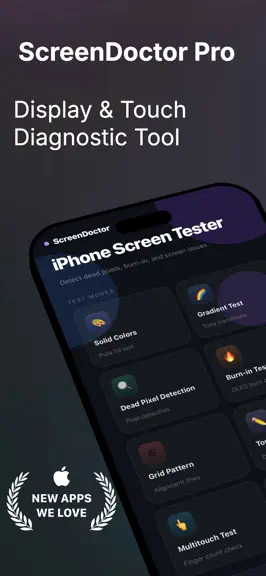
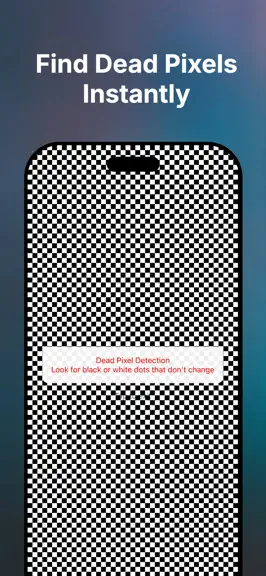
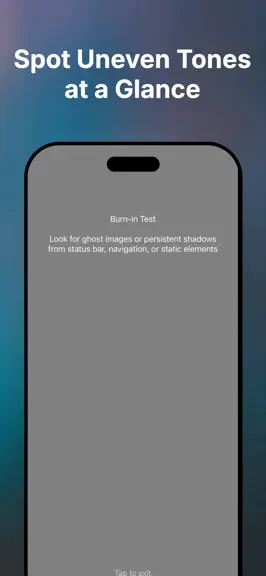
PROFESSIONAL SCREEN DIAGNOSTICS FOR YOUR iPHONE Is your iPhone screen acting strange? Dead pixels? Touch not responding? Before visiting an Apple Store, test your display yourself with Screen Tester - the most comprehensive screen diagnostic tool available. WHAT YOU CAN TEST: Solid Color Tests Display pure colors (white, black, red, green, blue, yellow, magenta, cyan) to detect stuck or dead pix…
Trends & analysis
Chart rank trend
US · overallWhy it's surfacing
Scout 29Ratings & velocity
★ 0 in windowRating distribution
100% positive · 1 ratingsGeographic reach
best rank · 0 storefrontsRevenue & downloads trend
ARPU $1Update history
2 updates tracked- v1.526d ago
Added several new tests and screens to help you check your display more thoroughly: - Tap Game — a fast-paced dot-tapping game that doubles as a fun dead-pixel & touch-response check - Flicker Test — spot PWM/refresh flicker at different speeds - Notch & Sensor Housing Test — check alignment and symmetry around the notch/Dynamic Island - Sunlight Readability Test — see how legible your screen is at max brightness - Flashlight, Speaker & Multi-Touch tests - Motion Sensors Test — accelerometer, gyroscope & magnetometer - Tips & Tricks — quick advice to get more life out of your screen - Device Info screen — battery, storage, and display specs at a glance - New Settings screen — theme and language options, plus test history Plus general performance improvements and bug fixes.
- v1.42mo ago
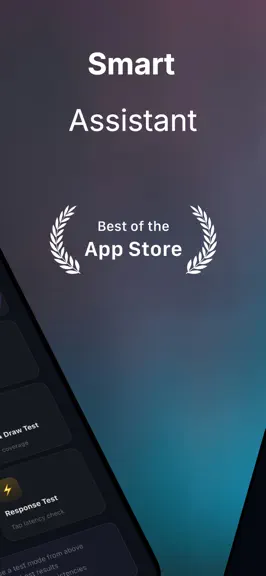
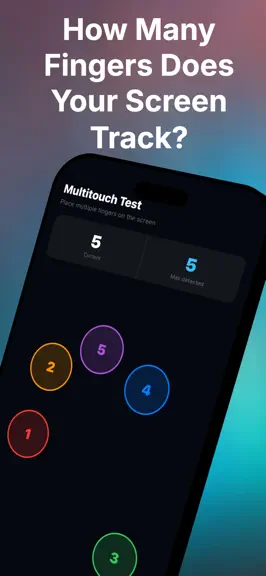
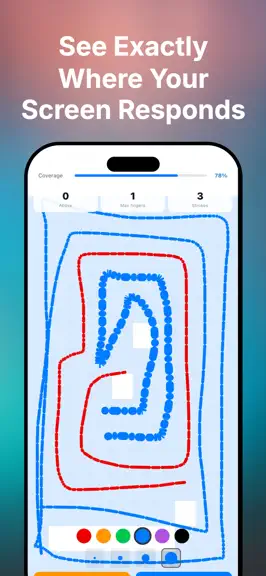
What's New in Version 1.0.7 -Brand New Design Complete visual redesign with a premium dark theme inspired by modern app aesthetics. The app now features a deep navy background with ambient glow effects, glassmorphism cards, and a clean typographic hierarchy that makes navigation feel effortless. - Upgraded Touch Draw Test The touch drawing test has been completely rebuilt from the ground up: - Live coverage grid — the screen divides into cells that highlight as you draw, showing exactly which areas you've tested - Coverage percentage bar — tracks how much of your screen surface you've covered in real time - Color picker — choose from 6 brush colors to draw with - Brush size selector — 4 thickness levels from fine to thick - Live stats — active finger count, maximum fingers detected, and total stroke count - New: Multitouch Test A dedicated test to verify your screen's multitouch capability. Place multiple fingers simultaneously and see each one tracked with a numbered, color-coded circle. Displays both the current finger count and the maximum number of simultaneous touches detected — ideal for confirming 5 or 10-point multitouch support. - New: Response Test Measures touch latency with every tap. See your last tap time in milliseconds, a running average, and a live bar chart of your last 10 taps color-coded by speed — green for fast, yellow for moderate, red for slow. Great for spotting screen responsiveness issues. - Under the Hood Removed third-party ad dependencies for a leaner, faster app. All tests now use only built-in Expo and React Native components, improving stability and compatibility across all devices.
ScreenDoctor PRO — FAQ
How much money does ScreenDoctor PRO make?
According to AppCurrents estimates, ScreenDoctor PRO generates approximately $3–$60 per month (medium confidence), modeled from its the App Store chart performance, rating velocity, and monetization signals.
How many downloads does ScreenDoctor PRO get?
ScreenDoctor PRO sees an estimated 5–20 downloads per month on the App Store, per AppCurrents modeling.
Is ScreenDoctor PRO free?
ScreenDoctor PRO is a paid app priced at $0.99 on the App Store.
What is ScreenDoctor PRO's rating?
ScreenDoctor PRO holds a 5.00-star average from 1 ratings on the App Store.
When was ScreenDoctor PRO released?
ScreenDoctor PRO launched on the App Store on 18.02.2026. Its latest version shipped 11.07.2026.


