
Remote, Mouse & Keyboard Pro
Remote, Mouse & Keyboard Pro generates an estimated $14k–$240k/month in revenue from 1k–4k downloads/month on the App Store, according to AppCurrents estimates (updated 2026-10-02).
| Est. revenue / month | $14k–$240k |
|---|---|
| Est. downloads / month | 1k–4k |
| Estimate confidence | medium |
| Pricing | Paid $39.99 |
| Rating | 4.74 ★ (5,421 ratings) |
| Category | Utilities |
| Best chart rank | #66 Utilities Paid |
| Released | 07.06.2014 |
| App last updated | 02.10.2026 |
| Platform | iOS |
Modeled monthly estimate · rating velocity · medium confidence
About
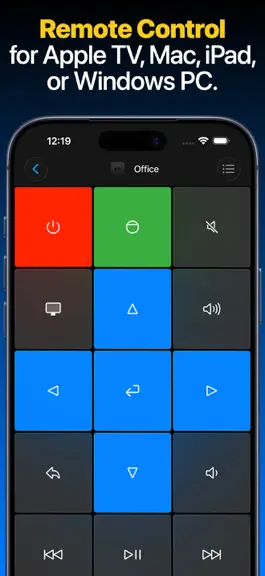
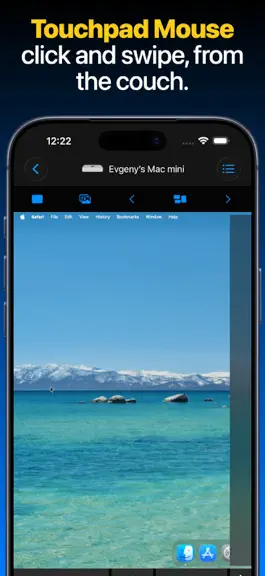
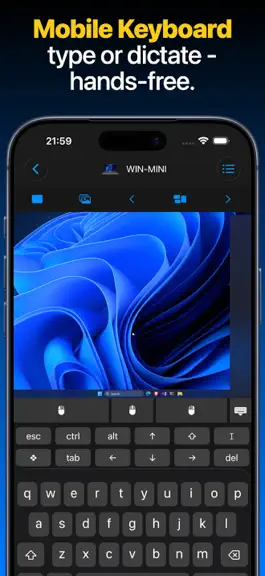
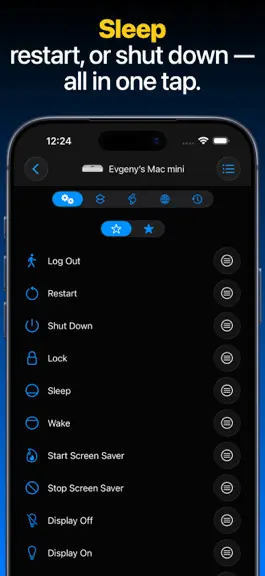
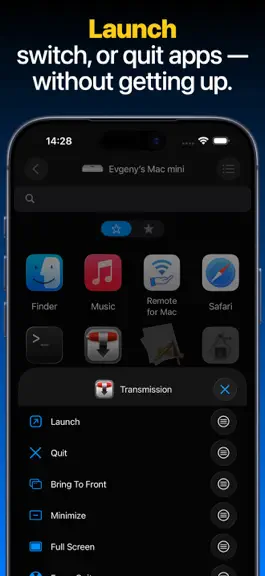
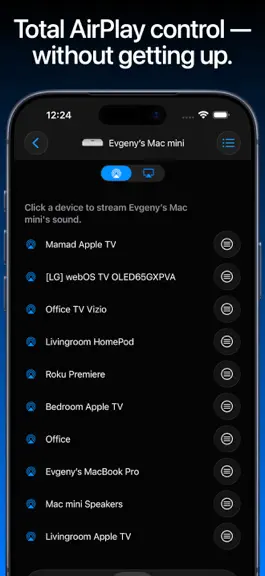
Remote, Mouse & Keyboard Control more from one app - now on iPhone, iPad, and Mac. Remote, Mouse & Keyboard turns your Apple devices into a simple, powerful remote for TVs, streaming devices, Apple TV, Mac, Windows PC, and iPad. Use it from the couch, at your desk, during a presentation, or anywhere you want faster control. TV and Streaming Remote Use your iPhone, iPad, or Mac as a remote for…
Trends & analysis
Chart rank trend
US · categoryWhy it's surfacing
Scout 18Ratings & velocity
★ 0 in windowRating distribution
94% positive · 5k ratingsGeographic reach
best rank · 1 storefrontRevenue & downloads trend
ARPU $28Update history
12+ updates tracked- v2026.50today
- Add and manage custom app shortcuts for Samsung and Android TV. - Create TV keypads from fresh premade layouts. - Reset a built-in TV keypad to its original layout while preserving your other TVs' layouts and custom keypads. - Siri and Shortcuts remember previously loaded TV apps, inputs, and channels between app launches, without reconnecting while you browse suggestions. - Keypad colors now support opacity, including transparent button backgrounds. - Keypad imports now keep the app responsive while files load, with an option to cancel. - Fixed TV app icons in widgets and on Apple Watch. Icons now fill widget buttons and have rounded corners on the watch. - Fixed custom TV keypad actions in widgets and on Apple Watch, including app launches, input switching, and channel selection. - Improved Apple TV connection stability and recovery, including when loading apps. - Fixed a crash that could occur when completing Apple TV pairing. - Added error messages when launching a TV app, switching inputs, or changing channels fails. - Improved reconnection to Mac and Windows computers after network interruptions or network address changes, with fixes for stuck mouse buttons and interrupted trackpad gestures. - App lists, AirPlay options, shortcuts, and custom actions now refresh automatically after reconnecting to a computer. - Fixed freezes during app launch and improved iCloud syncing of saved devices. - Improved onboarding with an updated screen order and a close button to skip the introduction.
- v2026.494d ago
- Add and manage custom app shortcuts for Samsung and Android TV. - Create TV keypads from fresh premade layouts. - Reset a built-in TV keypad to its original layout while preserving your other TVs' layouts and custom keypads. - Siri and Shortcuts remember previously loaded TV apps, inputs, and channels between app launches, without reconnecting while you browse suggestions. - Keypad colors now support opacity, including transparent button backgrounds. - Fixed TV app icons in widgets and on Apple Watch. Icons now fill widget buttons and have rounded corners on the watch. - Fixed custom TV keypad actions in widgets and on Apple Watch, including app launches, input switching, and channel selection. - Improved Apple TV connection stability and recovery, including when loading apps. - Fixed a crash that could occur when completing Apple TV pairing. - Added error messages when launching a TV app, switching inputs, or changing channels fails. - Improved reconnection to Mac and Windows computers after network interruptions, with fixes for stuck mouse buttons and interrupted trackpad gestures.
- v2026.477d ago
- Add and manage custom app shortcuts for Samsung and Android TV. - Create TV keypads from fresh premade layouts. - Reset a built-in TV keypad to its original layout while preserving your other TVs' layouts and custom keypads. - Siri and Shortcuts remember previously loaded TV apps, inputs, and channels between app launches, without reconnecting while you browse suggestions. - Improved Apple TV connection stability and recovery, including when loading apps. - Added error messages when launching a TV app, switching inputs, or changing channels fails. - Improved reconnection to Mac and Windows computers after network interruptions, with fixes for stuck mouse buttons and interrupted trackpad gestures.
- v2026.4611d ago
- Added Back and Home controls from your selected keypad to the TV touchpad screen. - Improved handling of rapid TV remote taps, held buttons, and multi-step commands, including actions from Siri and Shortcuts. - Fixed TV touchpad gestures to avoid accidental selections after swiping and keep long presses active until you lift your finger. - Improved reliability when controlling multiple TVs from custom keypads. - Improved device discovery and TV connection stability, including Apple TV, Android TV, Samsung, and older LG TVs. - Improved custom keypad colors, icons, and haptic feedback, and added an option to save keyboard sequences for Siri and Shortcuts from the editor.
- v2026.4513d ago
- Fixed a crash that could occur while pairing with Sony BRAVIA TVs. - Redesigned the upgrade experience with clearer plan and free-trial information. - Improved Add Device with smoother transitions and clearer labels for experimental TV support. - Refined wallpaper and background rendering across remote sections, and simplified the Apple TV text-input layout. - Added further stability, accessibility, and interface improvements.
Remote, Mouse & Keyboard Pro — FAQ
How much money does Remote, Mouse & Keyboard Pro make?
According to AppCurrents estimates, Remote, Mouse & Keyboard Pro generates approximately $14k–$240k per month (medium confidence), modeled from its the App Store chart performance, rating velocity, and monetization signals.
How many downloads does Remote, Mouse & Keyboard Pro get?
Remote, Mouse & Keyboard Pro sees an estimated 1k–4k downloads per month on the App Store, per AppCurrents modeling.
Is Remote, Mouse & Keyboard Pro free?
Remote, Mouse & Keyboard Pro is a paid app priced at $39.99 on the App Store.
What is Remote, Mouse & Keyboard Pro's rating?
Remote, Mouse & Keyboard Pro holds a 4.74-star average from 5,421 ratings on the App Store. It currently ranks #66 on the Utilities paid chart.
When was Remote, Mouse & Keyboard Pro released?
Remote, Mouse & Keyboard Pro launched on the App Store on 07.06.2014. Its latest version shipped 02.10.2026.


