Remote, Mouse and Keyboard
Remote, Mouse and Keyboard generates an estimated $2k–$11k/month in revenue from 5k–20k downloads/month on the App Store, according to AppCurrents estimates (updated 2026-10-02).
| Est. revenue / month | $2k–$11k |
|---|---|
| Est. downloads / month | 5k–20k |
| Estimate confidence | medium |
| Pricing | Free + IAP |
| Rating | 4.46 ★ (14,349 ratings) |
| Category | Utilities |
| Released | 13.04.2013 |
| App last updated | 02.10.2026 |
| Platform | iOS |
Modeled monthly estimate · rating velocity · medium confidence

About
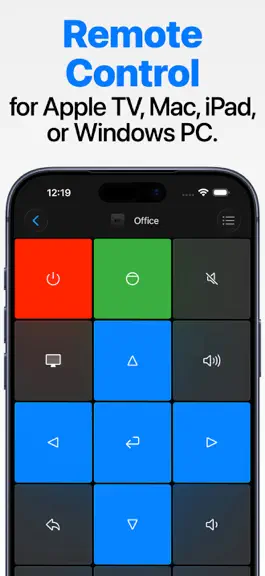
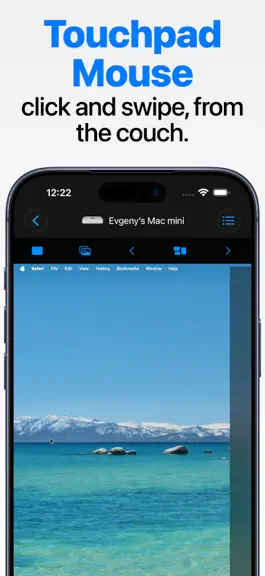
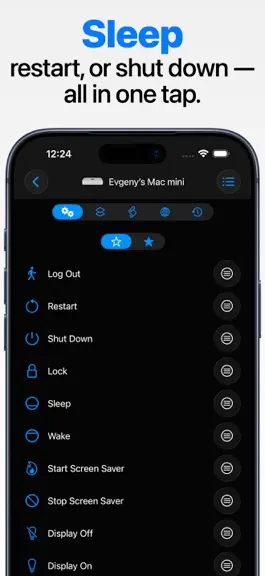
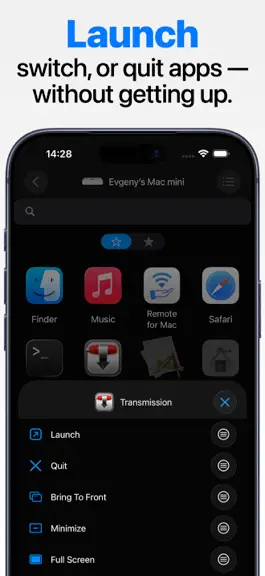
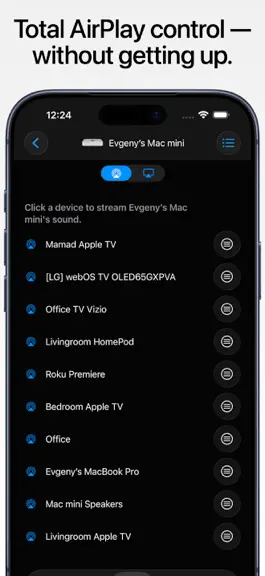
Remote, Mouse & Keyboard Control more from one app - now on iPhone, iPad, and Mac. Remote, Mouse & Keyboard turns your Apple devices into a simple, powerful remote for TVs, streaming devices, Apple TV, Mac, Windows PC, and iPad. Use it from the couch, at your desk, during a presentation, or anywhere you want faster control. TV and Streaming Remote Use your iPhone, iPad, or Mac as a remote for…
Trends & analysis
Chart rank trend
US · overallWhy it's surfacing
Scout 14Ratings & velocity
★ -0.01 in windowRating distribution
87% positive · 14k ratingsGeographic reach
best rank · 0 storefrontsRevenue & downloads trend
ARPU $0In-app purchases
8 tiersUpdate history
12+ updates tracked- v2026.50today
- Add and manage custom app shortcuts for Samsung and Android TV. - Create TV keypads from fresh premade layouts. - Reset a built-in TV keypad to its original layout while preserving your other TVs' layouts and custom keypads. - Siri and Shortcuts remember previously loaded TV apps, inputs, and channels between app launches, without reconnecting while you browse suggestions. - Keypad colors now support opacity, including transparent button backgrounds. - Keypad imports now keep the app responsive while files load, with an option to cancel. - Fixed TV app icons in widgets and on Apple Watch. Icons now fill widget buttons and have rounded corners on the watch. - Fixed custom TV keypad actions in widgets and on Apple Watch, including app launches, input switching, and channel selection. - Improved Apple TV connection stability and recovery, including when loading apps. - Fixed a crash that could occur when completing Apple TV pairing. - Added error messages when launching a TV app, switching inputs, or changing channels fails. - Improved reconnection to Mac and Windows computers after network interruptions or network address changes, with fixes for stuck mouse buttons and interrupted trackpad gestures. - App lists, AirPlay options, shortcuts, and custom actions now refresh automatically after reconnecting to a computer. - Fixed freezes during app launch and improved iCloud syncing of saved devices. - Improved onboarding with an updated screen order and a close button to skip the introduction.
- v2026.493d ago
- Add and manage custom app shortcuts for Samsung and Android TV. - Create TV keypads from fresh premade layouts. - Reset a built-in TV keypad to its original layout while preserving your other TVs' layouts and custom keypads. - Siri and Shortcuts remember previously loaded TV apps, inputs, and channels between app launches, without reconnecting while you browse suggestions. - Keypad colors now support opacity, including transparent button backgrounds. - Fixed TV app icons in widgets and on Apple Watch. Icons now fill widget buttons and have rounded corners on the watch. - Fixed custom TV keypad actions in widgets and on Apple Watch, including app launches, input switching, and channel selection. - Improved Apple TV connection stability and recovery, including when loading apps. - Fixed a crash that could occur when completing Apple TV pairing. - Added error messages when launching a TV app, switching inputs, or changing channels fails. - Improved reconnection to Mac and Windows computers after network interruptions, with fixes for stuck mouse buttons and interrupted trackpad gestures.
- v2026.486d ago
- Add and manage custom app shortcuts for Samsung and Android TV. - Create TV keypads from fresh premade layouts. - Reset a built-in TV keypad to its original layout while preserving your other TVs' layouts and custom keypads. - Siri and Shortcuts remember previously loaded TV apps, inputs, and channels between app launches, without reconnecting while you browse suggestions. - Keypad colors now support opacity, including transparent button backgrounds. - Fixed TV app icons in widgets and on Apple Watch. Icons now fill widget buttons and have rounded corners on the watch. - Fixed custom TV keypad actions in widgets and on Apple Watch, including app launches, input switching, and channel selection. - Improved Apple TV connection stability and recovery, including when loading apps. - Added error messages when launching a TV app, switching inputs, or changing channels fails. - Improved reconnection to Mac and Windows computers after network interruptions, with fixes for stuck mouse buttons and interrupted trackpad gestures.
- v2026.478d ago
- Add and manage custom app shortcuts for Samsung and Android TV. - Create TV keypads from fresh premade layouts. - Reset a built-in TV keypad to its original layout while preserving your other TVs' layouts and custom keypads. - Siri and Shortcuts remember previously loaded TV apps, inputs, and channels between app launches, without reconnecting while you browse suggestions. - Improved Apple TV connection stability and recovery, including when loading apps. - Added error messages when launching a TV app, switching inputs, or changing channels fails. - Improved reconnection to Mac and Windows computers after network interruptions, with fixes for stuck mouse buttons and interrupted trackpad gestures.
- v2026.4611d ago
- Refreshed app icons, including the Apple Watch app. - Added Back and Home controls from your selected keypad to the TV touchpad screen. - Improved handling of rapid TV remote taps, held buttons, and multi-step commands, including actions from Siri and Shortcuts. - Fixed TV touchpad gestures to avoid accidental selections after swiping and keep long presses active until you lift your finger. - Improved reliability when controlling multiple TVs from custom keypads. - Improved device discovery and TV connection stability, including Apple TV, Android TV, Samsung, and older LG TVs. - Improved custom keypad colors, icons, and haptic feedback, and added an option to save keyboard sequences for Siri and Shortcuts from the editor.
Remote, Mouse and Keyboard — FAQ
How much money does Remote, Mouse and Keyboard make?
According to AppCurrents estimates, Remote, Mouse and Keyboard generates approximately $2k–$11k per month (medium confidence), modeled from its the App Store chart performance, rating velocity, and monetization signals.
How many downloads does Remote, Mouse and Keyboard get?
Remote, Mouse and Keyboard sees an estimated 5k–20k downloads per month on the App Store, per AppCurrents modeling.
Is Remote, Mouse and Keyboard free?
Remote, Mouse and Keyboard is free to download on the App Store, monetizing through in-app purchases.
What is Remote, Mouse and Keyboard's rating?
Remote, Mouse and Keyboard holds a 4.46-star average from 14,349 ratings on the App Store.
When was Remote, Mouse and Keyboard released?
Remote, Mouse and Keyboard launched on the App Store on 13.04.2013. Its latest version shipped 02.10.2026.


