
Quanto: Expense Tracker
Quanto: Expense Tracker generates an estimated $100–$1k/month in revenue from 400–2k downloads/month on the App Store, according to AppCurrents estimates (updated 2026-08-02).
| Est. revenue / month | $100–$1k |
|---|---|
| Est. downloads / month | 400–2k |
| Estimate confidence | low |
| Pricing | Free + IAP |
| Rating | 4.79 ★ (28 ratings) |
| Category | Finance |
| Released | 21.01.2026 |
| App last updated | 30.07.2026 |
| Platform | iOS |
Modeled monthly estimate · rating velocity · low confidence

About
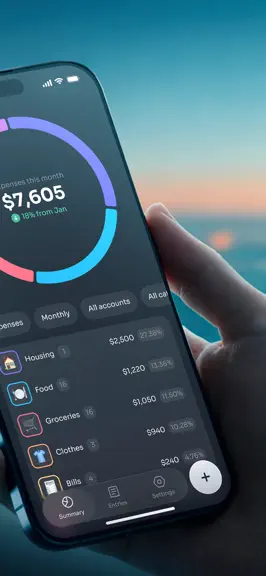
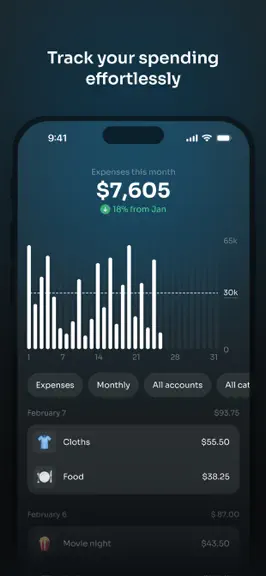
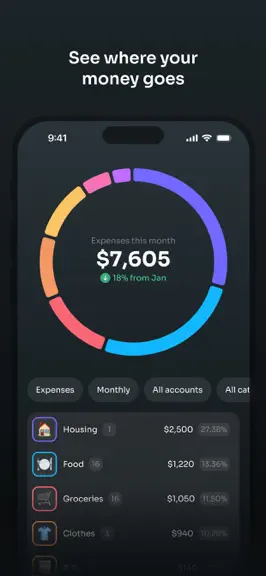
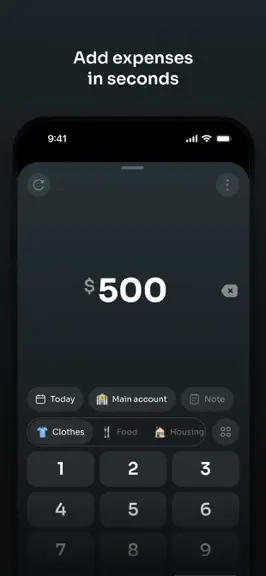
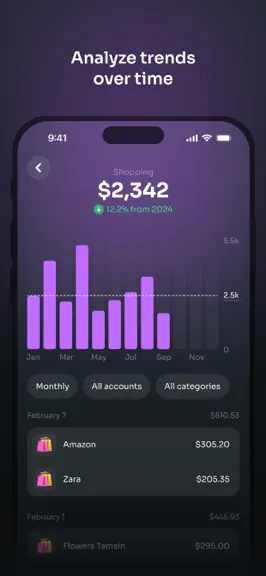
Quanto is a simple expense tracker designed to help you understand your money, without stress, ads, or unnecessary complexity. Track your daily spending, see where your money goes, and build better habits over time. Quanto focuses on clarity and control, so you can make smarter decisions with confidence. Key features: • Fast, effortless expense and income entry • Weekly, monthly, quarterly and…
Trends & analysis
Chart rank trend
US · overallWhy it's surfacing
Scout 19Ratings & velocity
★ -0.21 in windowRating distribution
100% positive · 4 ratingsGeographic reach
best rank · 7 storefrontsRevenue & downloads trend
ARPU $1In-app purchases
3 tiersUpdate history
8 updates tracked- v1.7.05d ago
New Features Flexible Cloud & Local Backups: Never lose your data again! You can now back up your information using Google Drive, iCloud, or keep it stored locally. Redesigned Interface: We’ve repositioned several key UI elements to give you a smoother, more intuitive, and overall better experience. Bug Fixes & Performance Improvements Squashed various bugs and made behind-the-scenes tweaks to keep things running fast and smooth.
- v1.6.215d ago
Fixed the negative amounts bug
- v1.6.117d ago
Bug Fixes & Improvements - Resolved an issue that caused a white screen to appear upon launching the app. - Fixed a sorting bug that affected the chronological ordering of AI-generated transactions. - Addressed various budgeting calculation errors to ensure complete accuracy. What’s New - Quanto Widgets: Access your financial insights directly from your home screen with our newly introduced widgets. - Control Center Integration: You can now quickly add transactions right from the Control Center for seamless expense tracking. - Expanded Language Support: Quanto is now available in multiple languages to better serve our global user base.
- v1.6.01mo ago
New feature - AI Voice: Introduced AI voice capabilities for seamlessly creating transactions. New feature - Currency & Localization: Added automatic currency pre-selection based on the user's country. Expanded support by adding multiple new currencies. New feature - Calendar Settings: Added the ability to customize the starting day of the week. UI enhancements Re-arranged the settings list to improve navigation and readability. Enhancement - Performance: Optimized overall app performance for a smoother user experience. Bug Fixes Fix - Resolved a decimal formatting issue affecting shortcut amounts.
- v1.5.31mo ago
Fixes and performance enhancements
Quanto: Expense Tracker — FAQ
How much money does Quanto: Expense Tracker make?
According to AppCurrents estimates, Quanto: Expense Tracker generates approximately $100–$1k per month (low confidence), modeled from its the App Store chart performance, rating velocity, and monetization signals.
How many downloads does Quanto: Expense Tracker get?
Quanto: Expense Tracker sees an estimated 400–2k downloads per month on the App Store, per AppCurrents modeling.
Is Quanto: Expense Tracker free?
Quanto: Expense Tracker is free to download on the App Store, monetizing through in-app purchases.
What is Quanto: Expense Tracker's rating?
Quanto: Expense Tracker holds a 4.79-star average from 28 ratings on the App Store.
When was Quanto: Expense Tracker released?
Quanto: Expense Tracker launched on the App Store on 21.01.2026. Its latest version shipped 30.07.2026.
Apps like Quanto: Expense Tracker
See all alternatives → Experian®Finance · $290k–$1.6M/mo
 Credit Sesame: Grow Your ScoreFinance · $260k–$1.4M/mo
 Rocket Money - Bills & BudgetsFinance · $200k–$1.2M/mo
 TradingView: Track All MarketsFinance · $150k–$800k/mo
 MileIQ: Mileage Tracker & LogFinance · $120k–$680k/mo
 Monarch: Budget & Track MoneyFinance · $110k–$630k/mo