
Network Connection Monitor
Network Connection Monitor generates an estimated $0/month in revenue from 0 downloads/month on the App Store, according to AppCurrents estimates (updated 2026-10-02).
| Est. revenue / month | $0 |
|---|---|
| Est. downloads / month | 0 |
| Estimate confidence | low |
| Pricing | Paid $2.99 |
| Rating | 0.00 ★ (0 ratings) |
| Category | Utilities |
| Released | 21.05.2013 |
| App last updated | 02.08.2026 |
| Platform | iOS |
Modeled monthly estimate · rating velocity · low confidence
About
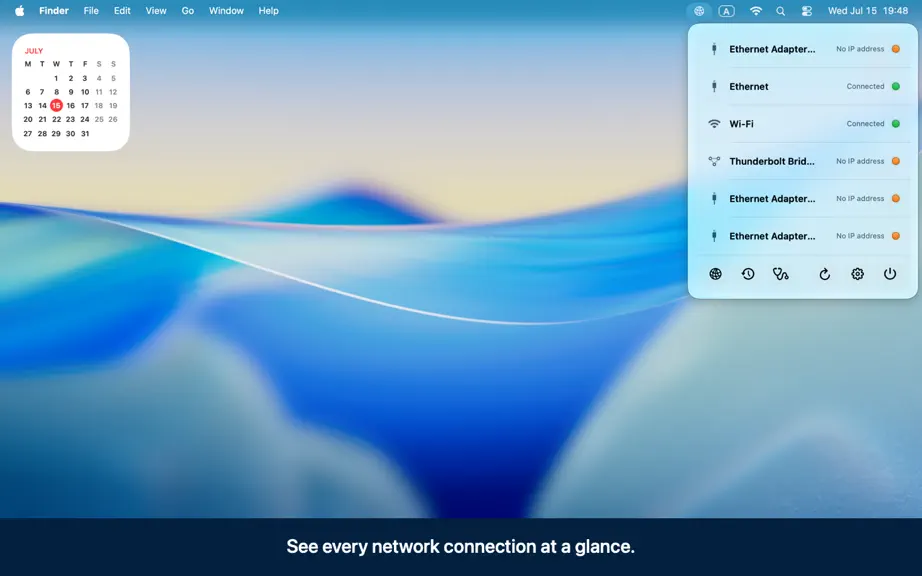
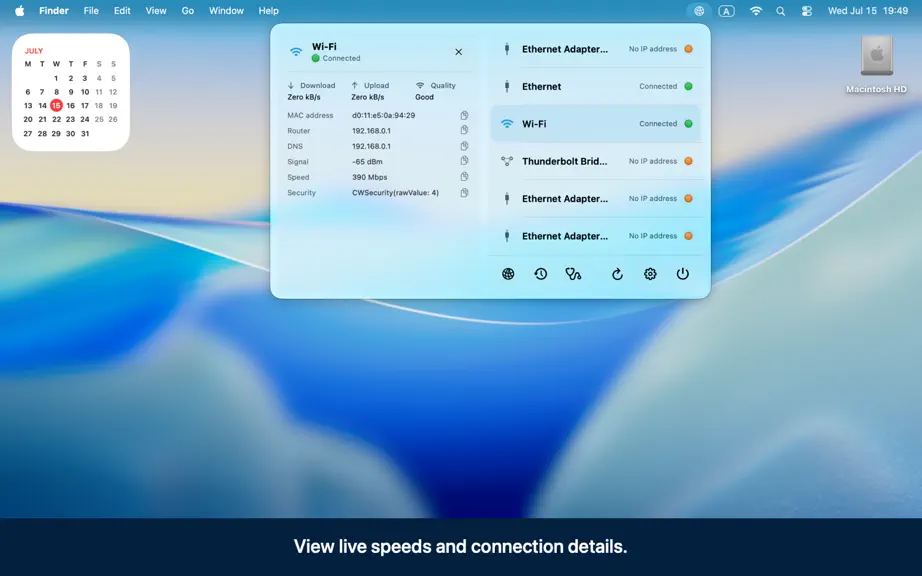
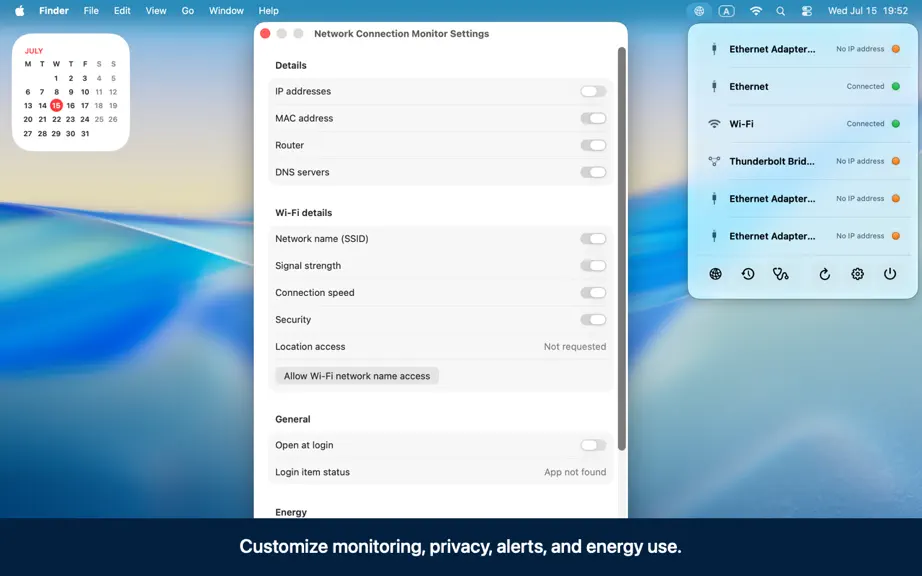
Network Connection Monitor is a lightweight menu bar utility that keeps your Mac's network status visible and easy to understand. See every configured network connection at a glance, including Ethernet, Wi-Fi, Thunderbolt Bridge, and other network services. Expand any connection to view useful details such as IP addresses, MAC address, router, DNS servers, Wi-Fi signal strength, connection speed,…
Trends & analysis
Chart rank trend
US · overallWhy it's surfacing
Scout 11Ratings & velocity
★ 0 in windowGeographic reach
best rank · 0 storefrontsRevenue & downloads trend
monthly estimateUpdate history
2 updates tracked- v2.0.22mo ago
• Custom status icon colors Pick your own colors for the connected and disconnected menu-bar icon states. Choices save automatically, with one-click restore to the default green and orange. Icon frames stay readable on both light and dark menu bars. • Richer widgets Small and medium widgets now show each interface's IP and MAC address, with a compact header that fits two connected adapters. The globe is replaced by the two-display status artwork, using the same connected/disconnected colors you set in the app. Wi-Fi and Ethernet icons follow your color choices too. Removed the refresh control and added more spacing between interfaces. • Live traffic chart Optional 60-second traffic chart in interface details, with thin incoming/outgoing bars and exact values on hover. Energy-aware, and it keeps history for all interfaces while enabled, so switching adapters shows data immediately instead of starting from zero.
- v2.0.12mo ago
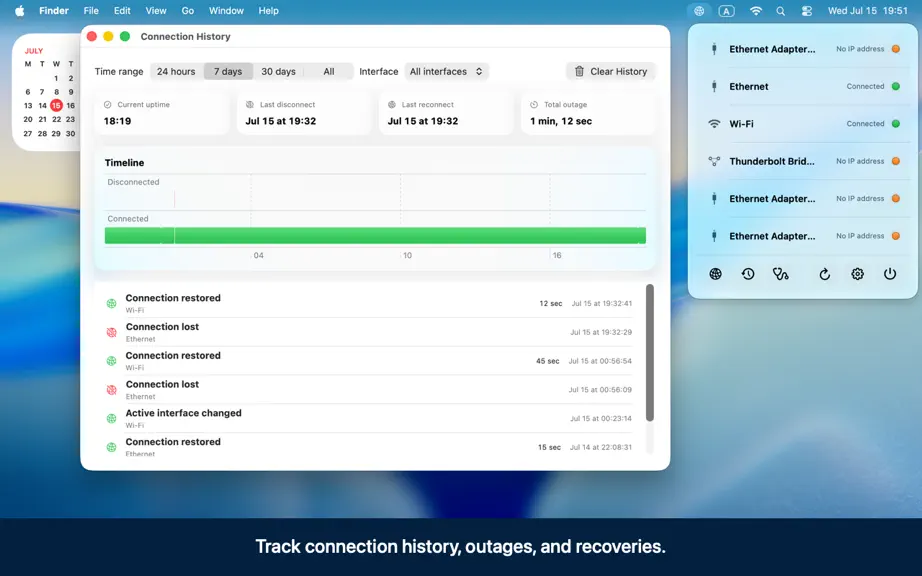
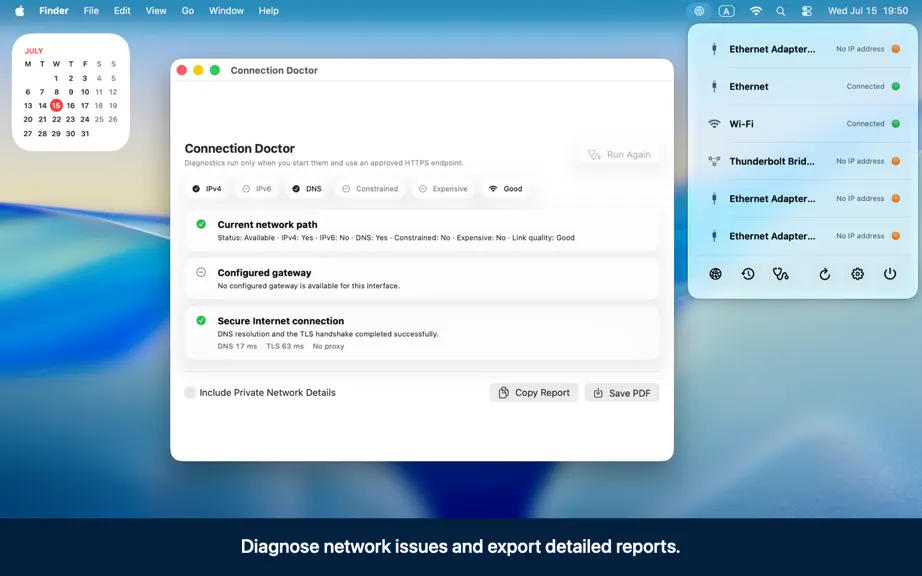
+ Monitored-adapter selection + Consistent filtering across app features + False transition prevention + Widget refresh fix + New adaptive menu-bar icons Network Connection Monitor 2.0.0 (build 200) - Rewritten in Swift 6 and SwiftUI for macOS 26. - Universal 2 support for Apple Silicon and Intel. - Native menu-bar window and Settings scene with macOS 26 Liquid Glass treatment. - Restored compact all-service dashboard with interface symbols, status lamps, and click/keyboard expandable details. - Adaptive menu-bar status symbols with a brief checking pulse. - Event-driven path monitoring, configured network-service details, IPv4/IPv6, router, DNS, MAC address, and public CoreWLAN metrics. - English and Russian localization. - Launch at login through `SMAppService`. - Typed preference storage and one-time migration of legacy display settings. - Persistent connection history with outage duration, retention controls, filters, summaries, and an accessible timeline. - Opt-in, debounced connection-lost/restored and active-interface notifications. - Visibility-driven download/upload rates and macOS 26 link-quality presentation. - User-triggered Connection Doctor with gateway-route, DNS, TLS, and proxy diagnostics. - Copyable text, versioned JSON, and paginated PDF diagnostic reports with private details redacted by default. - App Intents for status, refresh, active-IP copy, and Network Settings, plus two common App Shortcuts. - Small and medium macOS widgets with circular refresh controls, connected-adapter summaries in small, and a wider all-adapter status column in medium; both highlight the primary route. - Battery saving with Automatic macOS Low Power Mode integration, an Always On option, paused live-rate sampling, and coalesced widget updates while core monitoring remains active. - More precise Connection Doctor failure classification for local-link, DNS, TLS, timeout, and generic remote-connection failures. - Sleep-aware monitoring that ignores network teardown while macOS sleeps, cancels pending loss alerts, and allows the network to stabilize after wake before reporting a real outage. - A more informative widget with semantic status-symbol colors and compact per-adapter statuses in the medium family. - Time Sensitive connection-loss and restoration alerts so an allowed connectivity alert is not silently delayed by an active Focus mode; interface-change alerts keep normal priority. - Settings reliably activates and returns its existing window to the foreground when opened from the menu bar.
Network Connection Monitor — FAQ
How many downloads does Network Connection Monitor get?
Network Connection Monitor sees an estimated 0 downloads per month on the App Store, per AppCurrents modeling.
Is Network Connection Monitor free?
Network Connection Monitor is a paid app priced at $2.99 on the App Store.
When was Network Connection Monitor released?
Network Connection Monitor launched on the App Store on 21.05.2013. Its latest version shipped 02.08.2026.


