
Flight Calcs: Pilot Toolkit
Flight Calcs: Pilot Toolkit generates an estimated $0–$2/month in revenue from 1–4 downloads/month on the App Store, according to AppCurrents estimates (updated 2026-08-02).
| Est. revenue / month | $0–$2 |
|---|---|
| Est. downloads / month | 1–4 |
| Estimate confidence | low |
| Pricing | Free + IAP |
| Rating | 5.00 ★ (1 ratings) |
| Category | Utilities |
| Released | 27.06.2011 |
| App last updated | 29.07.2026 |
| Platform | iOS |
Modeled monthly estimate · rating velocity · low confidence
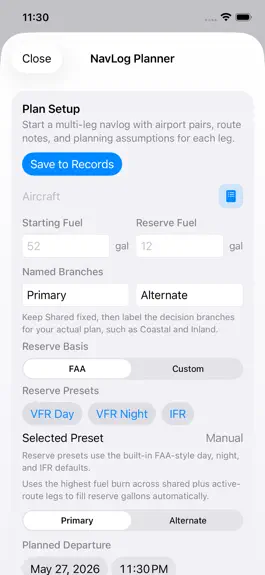
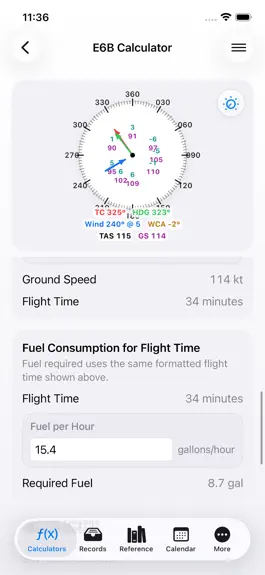
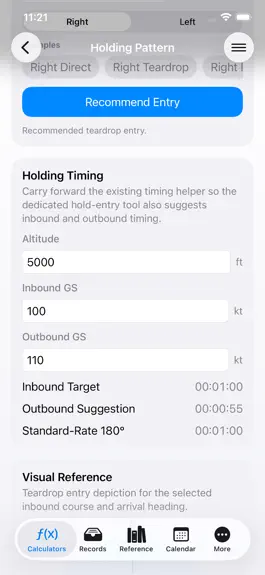
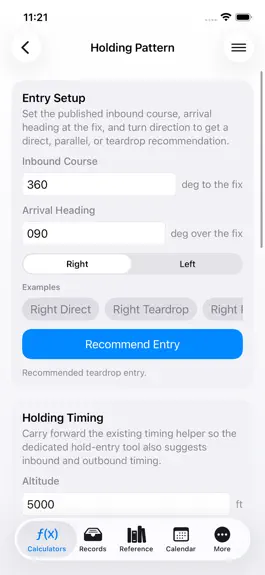
About
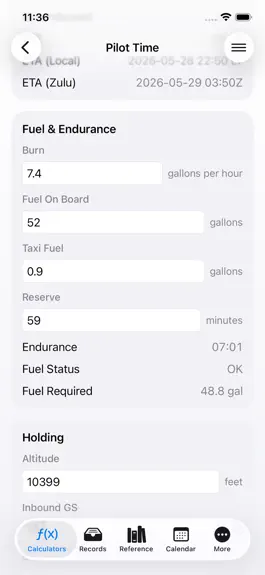
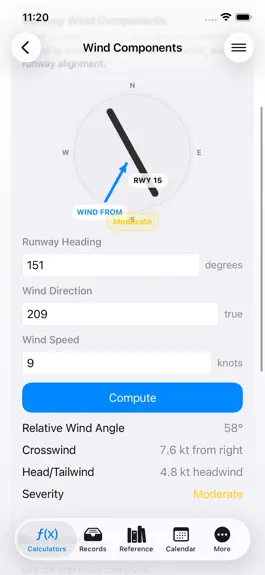
Thank you for using Flight Calcs. Careful pilots like you deserve planning tools that respect your time, keep the important numbers readable, and make a solid cross-check easier. Flight Calcs brings aviation calculators, weather decoding, records, airport data, and time tools together for student pilots, private pilots, CFIs, aircraft owners, and working crews. PLAN WITH ONE PRACTICAL TOOLKIT: -…
Trends & analysis
Chart rank trend
US · overallWhy it's surfacing
Scout 5Ratings & velocity
★ +0.5 in windowRating distribution
100% positive · 2 ratingsGeographic reach
best rank · 0 storefrontsRevenue & downloads trend
ARPU $1In-app purchases
2 tiersUpdate history
2 updates tracked- v7.56d ago
Thank you for using Flight Calcs and for bringing the careful habits of a good pilot to every plan. Your attention to clear inputs, readable answers, and reliable records helped shape this update. It delivers a stronger iPad workspace, easier saving, clearer sharing, safer purchase status, and a more complete Weight & Balance workflow. A BETTER WORKSPACE: - Calculators now use a true list and detail layout on iPad. - Keep the searchable calculator list visible while working in the selected tool. - Reference now places airport and FAA material beside the selected detail. - iPhone keeps familiar compact navigation for the same tools. AUTOSAVE FOR RECORDS: - Flight, duty, NavLog, and Weight & Balance editors save after you pause. - Clear status text tells you when changes are saving and when they are saved. - Returning to the list no longer depends on remembering a separate Save tap. - Shared records use labeled inputs and outputs so the result is easier to understand. - iPad Records keeps the master list beside the selected detail. QUICKER CALCULATOR ACTIONS: - Common actions are easier to find at the top of supported calculators. - Help opens guidance for the tool you are using. - Share prepares a readable summary of the current calculation. - Reset clears the current scenario without changing unrelated saved records. - Sample Data fills believable aviation examples for faster learning and demonstrations. - Supported results update automatically as inputs change. WEIGHT AND BALANCE EXPANSION: - Review Load, Sheet, and Envelope views without leaving the calculation. - See zero-fuel, ramp, takeoff, and landing phase results. - Ground and trip fuel burn now flow through the saved phase calculation. - The Sheet presents weight, arm, moment, and phase subtotals for easier auditing. - The Envelope combines a visual plot with a complete text alternative. - Status wording now reflects only the checks configured by the selected template. - Fuel capacity display avoids overstating the station limit. - Sharing includes basic empty data and station weight, arm, and moment lines. - Saved records retain versioned calculation details for later review.
- v7.42mo ago
If you're the kind of pilot who notices the little things, checks the numbers again, and cares whether a tool feels dependable on a busy day, this update was built for you. This release tightens the app across planning, weather, and scheduling so common calculations feel quicker, clearer, and more consistent from one screen to the next. What feels better right away: - Cleaner movement between calculators. - Better continuity between planning, weather, and duty tools. - Less friction when you revise values quickly. - Results that are easier to scan at a glance. - A steadier feel when comparing one scenario against another. Flight planning improvements: - E6B workflows feel tighter when you're running heading, groundspeed, time, and fuel checks back to back. - Wind, fuel burn, and true airspeed tools are easier to use in sequence. - Density altitude and performance checks read more cleanly on repeat use. - Weight and balance review is easier to follow when passenger, bag, or fuel numbers change. - Time, speed, and distance math is quicker to verify during preflight planning. Weather workflow improvements: - METAR and TAF results are easier to scan when you only need the important answer fast. - Decoded weather output reads more naturally and feels less crowded. - Live weather checks fit better into the rest of the app instead of feeling separate. - NOTAM review is easier to sort when you are deciding what matters operationally. - SNOWTAM decoding remains ready for winter ops and unusual runway-condition checks. Scheduling and time-tool improvements: - Countdown planning is more useful when you need a clear backward plan from a report time, event, or deadline. - Business-day calculations are easier to trust for planning around real work windows. - Duty and block-time review is cleaner after long days with several moving parts. - Date and time utilities are easier to move through when checking several scenarios in a row. - Related planning tools now feel more consistent as a group. Input and readability refinements: - Better spacing around key result groups. - Clearer separation between entry areas and answers. - Less clutter on screens that carry a lot of information. - Improved field flow when entering and revising values. - Better rhythm when you clear a number, replace it, and move on. Everyday use improvements pilots will notice: - Quicker ramp checks when a wind, fuel, or loading number changes. - Smoother lesson use when a student asks for one more scenario. - Faster cross-checks when comparing a manual answer against the app. - Cleaner handoff from preflight planning into records or duty review. - Less second-guessing about where to look first on each screen. This release also improves the overall tone of the app. The calculators feel more closely related, the layout feels more settled, and the answers are presented with less visual noise. That matters when you're trying to make a sensible check between other tasks instead of sitting down for a long session with no interruptions. Why this update matters: - It saves time on the small checks that add up during a flying day. - It reduces the friction between question and answer. - It makes repeated planning work less annoying. - It helps the app feel dependable instead of merely feature-heavy. You may notice the difference most when: - Rechecking wind and fuel after an updated weather briefing. - Running another loading scenario before departure. - Comparing two timing options for a report or duty window. - Cleaning up numbers after a long day and wanting the app to stay organized. Thanks for using Flight Calcs the way good pilots use tools: carefully, repeatedly, and with enough attention to notice rough edges. That use keeps shaping the app into something more useful in real flying.
Flight Calcs: Pilot Toolkit — FAQ
How much money does Flight Calcs: Pilot Toolkit make?
According to AppCurrents estimates, Flight Calcs: Pilot Toolkit generates approximately $0–$2 per month (low confidence), modeled from its the App Store chart performance, rating velocity, and monetization signals.
How many downloads does Flight Calcs: Pilot Toolkit get?
Flight Calcs: Pilot Toolkit sees an estimated 1–4 downloads per month on the App Store, per AppCurrents modeling.
Is Flight Calcs: Pilot Toolkit free?
Flight Calcs: Pilot Toolkit is free to download on the App Store, monetizing through in-app purchases.
What is Flight Calcs: Pilot Toolkit's rating?
Flight Calcs: Pilot Toolkit holds a 5.00-star average from 1 ratings on the App Store.
When was Flight Calcs: Pilot Toolkit released?
Flight Calcs: Pilot Toolkit launched on the App Store on 27.06.2011. Its latest version shipped 29.07.2026.


