
CUStats - AI Usage Tracker
CUStats - AI Usage Tracker generates an estimated $0/month in revenue from 0 downloads/month on the App Store, according to AppCurrents estimates (updated 2026-10-02).
| Est. revenue / month | $0 |
|---|---|
| Est. downloads / month | 0 |
| Estimate confidence | low |
| Pricing | Paid $9.99 |
| Rating | 0.00 ★ (0 ratings) |
| Category | Utilities |
| Released | 19.12.2025 |
| App last updated | 15.09.2026 |
| Platform | iOS |
Modeled monthly estimate · rating velocity · low confidence
About
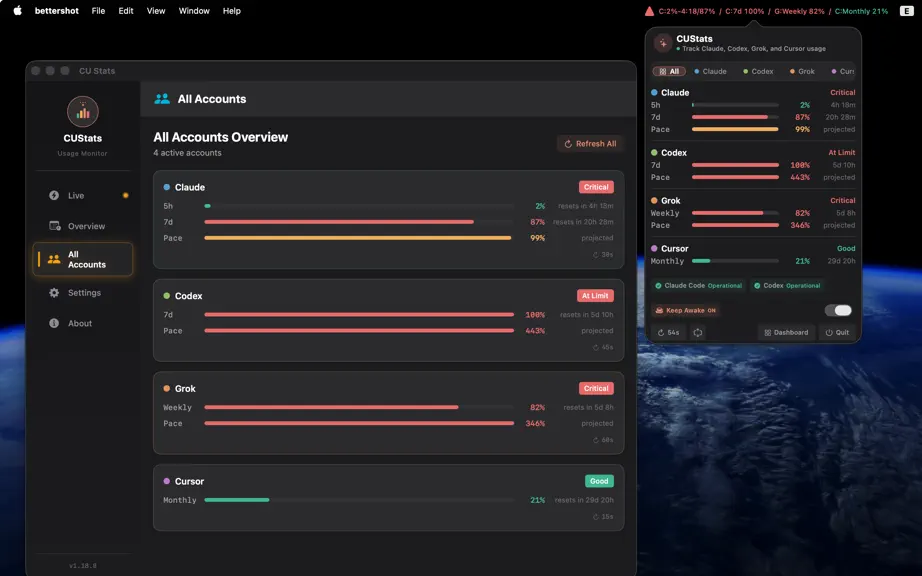
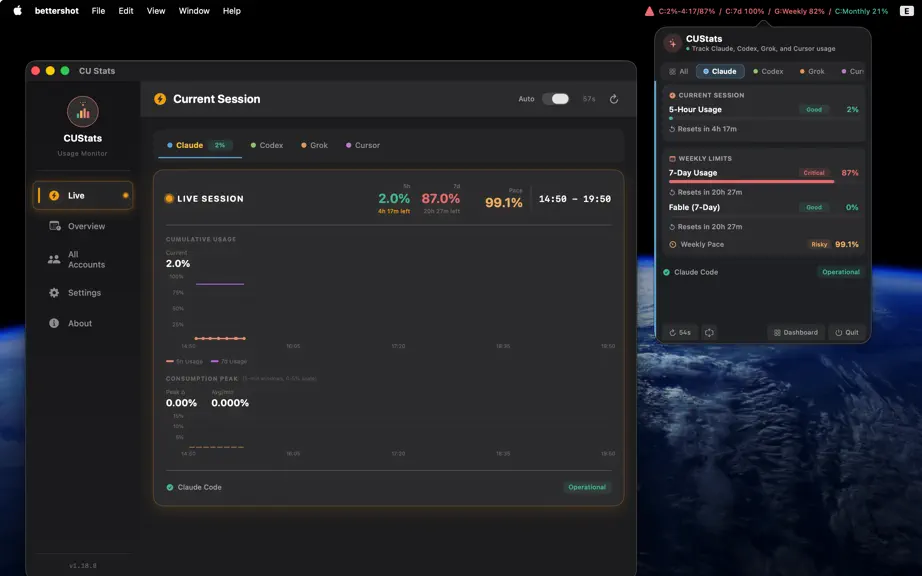
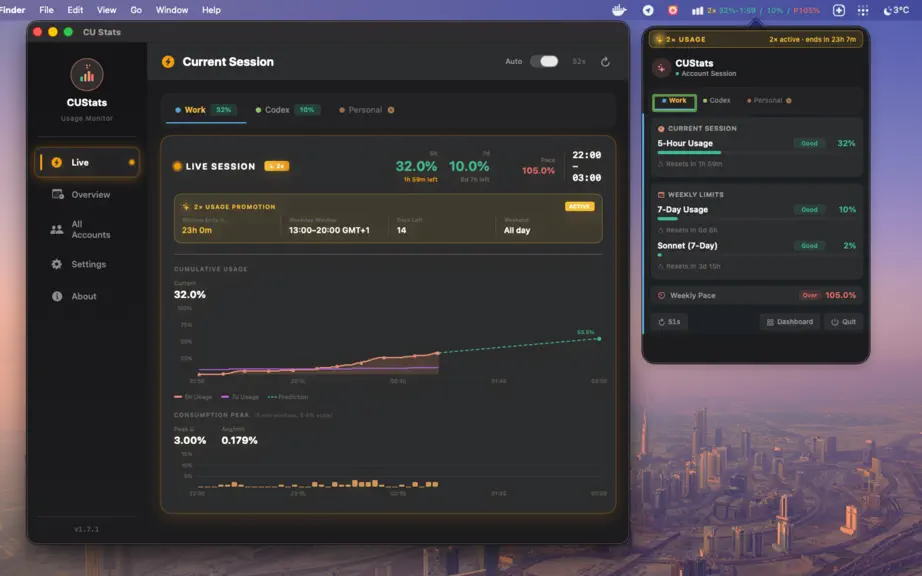
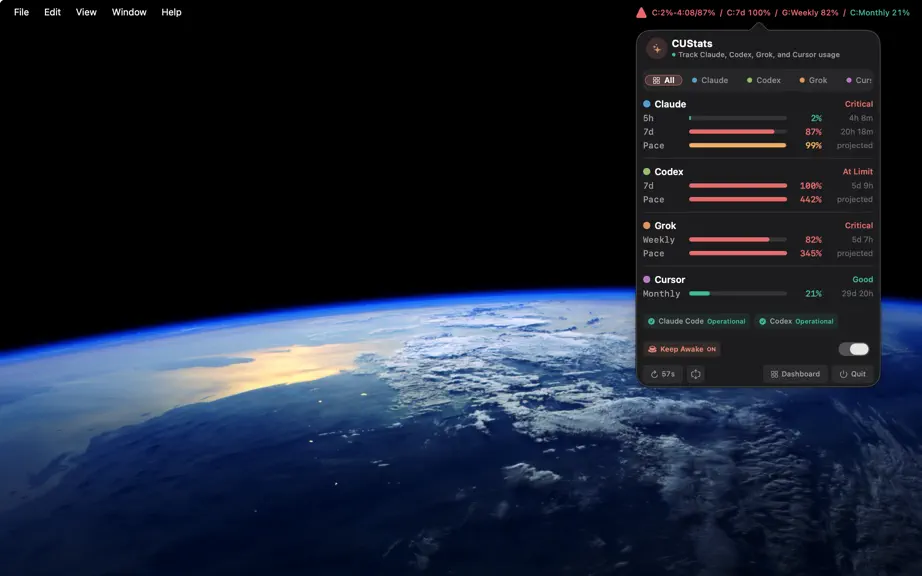
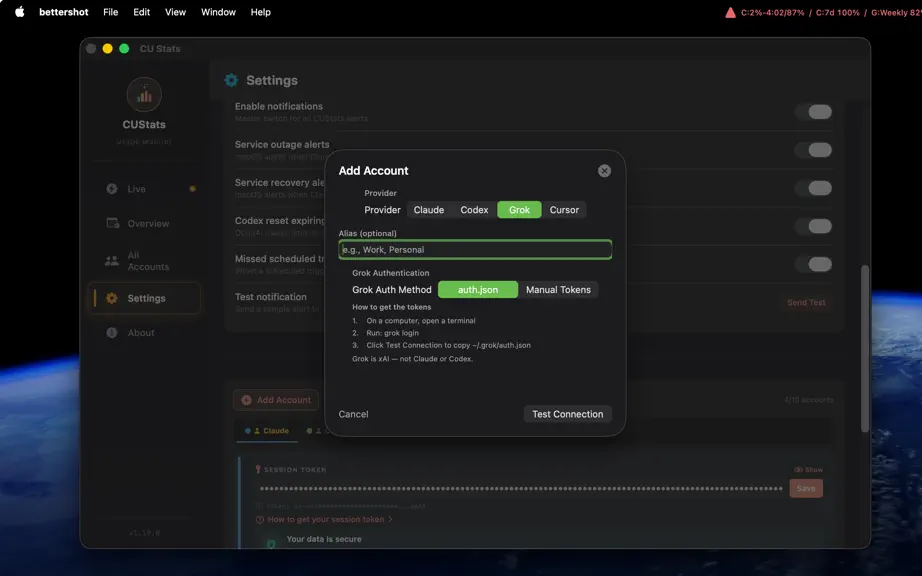
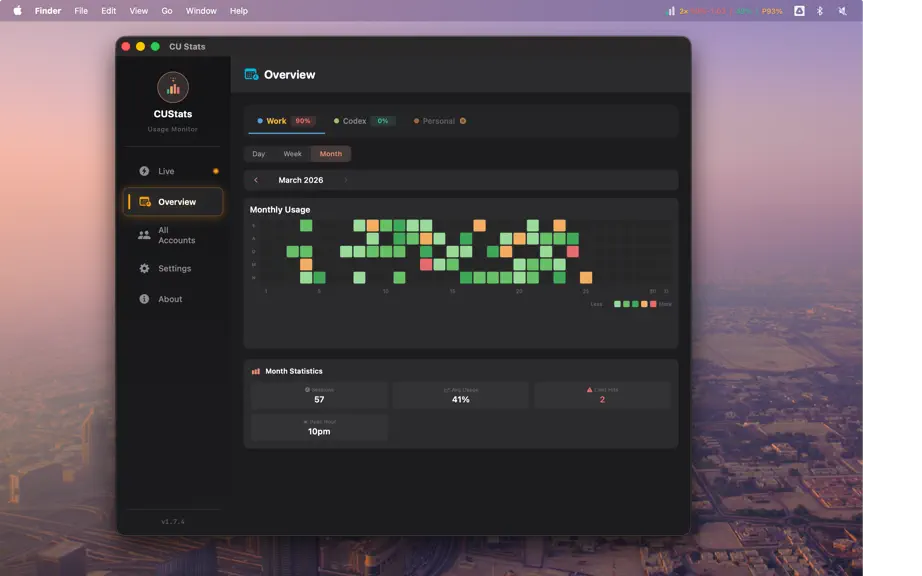
Track Claude, Codex, Grok, Cursor, and Devin AI limits right from your menubar. Stop wondering if you're about to hit a limit — one glance shows usage, live reset countdowns, and weekly pace. WHY CUSTATS? • Stop Wondering. Just Glance. Eliminate the mental load of wondering "am I close to my limit?" Your usage is always visible in the menu bar — no need to open settings pages or provider dashboa…
Trends & analysis
Chart rank trend
US · overallWhy it's surfacing
Scout 21Ratings & velocity
★ 0 in windowGeographic reach
best rank · 0 storefrontsRevenue & downloads trend
monthly estimateUpdate history
6 updates tracked- v1.23.017d ago
• Track Devin usage limits: connect with your Devin CLI sign-in or a pasted token and see your weekly quota (plus daily quota and extra-usage balance where your plan shows them). • With more than three accounts, the account tabs now wrap onto extra rows so every account stays one click away.
- v1.20.01mo ago
NEW • Codex cookie login — Add a Codex account by pasting a chatgpt.com session cookie. No CLI required. ~/.codex/auth.json remains a fallback. • In-app Add Account how-tos — Numbered steps in Settings for Claude, Codex, Grok, and Cursor. • Keep working at the limit — The usage popup and dashboard link to free tokens and free LLM models. FIXED • Grok can read ~/.grok/auth.json in the App Sandbox. Test Connection no longer rotates the grok CLI token.
- v1.16.01mo ago
NEW • Weekly usage graph in Live session — When an account has only a weekly usage limit (for example Codex weekly-only), Live session now shows a weekly progress chart so you can track how much of the 7-day limit you have used during an active session. Accounts that still have a 5-hour window keep the existing short-window live chart.
- v1.15.02mo ago
NEW • Keep your Mac awake — A new optional toggle stops your Mac from going to sleep on its own while long-running coding agents work unattended. Flip it in Settings, or right from the all-accounts overview in the usage popup. It is off by default and remembers your choice between launches. Only automatic idle sleep is prevented — your display can still sleep, and closing the lid or choosing Sleep from the Apple menu works as usual. • Service recovery alerts — CUStats now tells you when Claude or Codex is healthy again after an outage or slowdown, not just when the trouble starts. Recovery alerts have their own switch in Settings, so you can keep them on while outage alerts stay off, or the other way around. FIXED • Duplicate outage alert — A brief unrecognized status reading during an outage no longer triggers a second alert for the same problem.
- v1.13.03mo ago
NEW • Service status in All Accounts — each account in the multi-account overview now shows provider service health next to usage, so you can spot outages without opening every tab. • Codex reset alerts — optional notifications when Codex limits reset and usage is available again. • Notifications settings — new section to manage notification permission and turn individual alert types on or off. IMPROVED • Version labels in the app now always match the build you installed — no more stale hardcoded version text.
CUStats - AI Usage Tracker — FAQ
How many downloads does CUStats - AI Usage Tracker get?
CUStats - AI Usage Tracker sees an estimated 0 downloads per month on the App Store, per AppCurrents modeling.
Is CUStats - AI Usage Tracker free?
CUStats - AI Usage Tracker is a paid app priced at $9.99 on the App Store.
When was CUStats - AI Usage Tracker released?
CUStats - AI Usage Tracker launched on the App Store on 19.12.2025. Its latest version shipped 15.09.2026.


