
Conduit Bend Calculator Pro
Conduit Bend Calculator Pro generates an estimated $3–$20/month in revenue from 7–30 downloads/month on the App Store, according to AppCurrents estimates (updated 2026-08-02).
| Est. revenue / month | $3–$20 |
|---|---|
| Est. downloads / month | 7–30 |
| Estimate confidence | low |
| Pricing | Free + IAP |
| Rating | 5.00 ★ (1 ratings) |
| Category | Utilities |
| Released | 14.04.2026 |
| App last updated | 22.07.2026 |
| Platform | iOS |
Modeled monthly estimate · rating velocity · low confidence
About
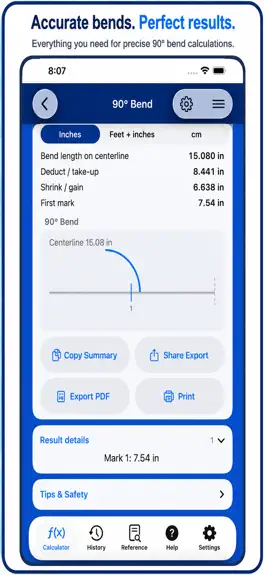
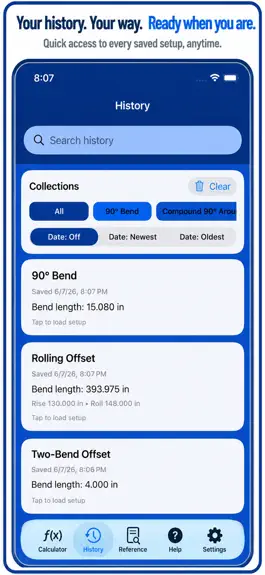
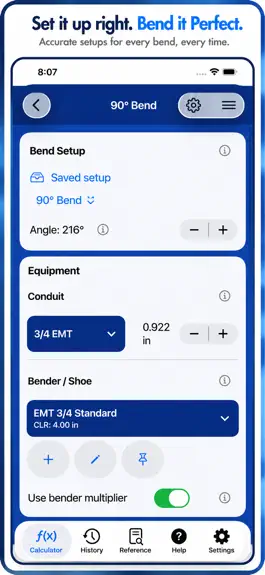
Thank you for using Conduit Bend Calculator Pro. You are doing skilled work where every mark matters, and this app is built to respect that work with fast conduit bend math, clean layout guidance, and practical tools for the shop, truck, and jobsite. Conduit Bend Calculator Pro helps electricians, apprentices, foremen, and installers calculate common conduit bends without digging through notes or…
Trends & analysis
Chart rank trend
US · overallWhy it's surfacing
Scout 23Ratings & velocity
★ 0 in windowRating distribution
100% positive · 1 ratingsGeographic reach
best rank · 0 storefrontsRevenue & downloads trend
ARPU $1In-app purchases
2 tiersUpdate history
2 updates tracked- v1.313d ago
Thank you for using Conduit Bend Calculator Pro and for bringing a high standard to every conduit run you lay out. This update is focused on making the app clearer, steadier, and easier to trust when you are moving through offsets, saddles, kicks, 90s, references, saved setups, and field handoffs. New and improved in this release: - Added an Appearance setting with System, Light, and Dark options - System appearance now follows your device setting - Light and Dark options let you keep the app in the look you prefer - Settings now keeps unit preferences and appearance choices together - Calculator, History, Reference, Help, and Settings feel more consistent - Tips and safety notes now focus on checking before bending - Conduit OD guidance is clearer and easier to act on - Bend measurement guidance now points users back to the displayed units - Backup actions use clearer labels for export and import choices This release is about confidence and clarity. You should see fewer rough edges in the words on screen, a more complete Settings area, and stronger purchase-state handling when the app launches or restores purchases. For daily use, that means: - Less confusion in Help and About - Clearer choices in Settings - Better appearance control in bright or dark work areas - More reliable Pro status after launch - Cleaner backup and restore language - A field-focused tone throughout the app - Fewer places where technical wording gets in the way Thanks again for using the app and for doing the careful work that conduit bending demands. This update keeps the app focused on practical field layout: enter the measurements, confirm the conduit and bender setup, calculate the marks, save what matters, and keep the job moving.
- v1.21mo ago
You know what matters in the field, and this release is tuned for that standard. - Cleaner calculator switching keeps the active bend type easier to follow when you move between offsets, saddles, kicks, and 90s. - Angle handling is stricter, so a bad value is less likely to slip into a layout before you catch it. - Conduit size fields stay tied to the material you are actually working with, which makes the result feel more grounded. - Bender profile selection reads more clearly when a job calls for a different centerline radius or multiplier. - Result screens are grouped more logically, with centerline, deduct, gain, and mark positions easier to scan together. - Mark output stays front and center, because the fastest answer in the field is the one you can trust without extra checking. - Reference pages connect more naturally to the calculator, especially when a section is meant to open with a prefilled route. - Search and bookmarks in the reference area are easier to return to when you keep using the same formulas all week. - History recall keeps the original bend kind, parameters, and bender snapshot intact, so repeat jobs need fewer taps. - Saved entries are more useful later, because the setup you used the first time is the setup you get back. - Export text has been cleaned up for sharing, so summaries read better in Messages, Notes, and email threads. - PDF output and print-ready guides have been tightened for handoff, shop use, and field packets. - Backup and restore work more naturally when you need to move data between devices or recover a setup later. - Measurement formatting is steadier across inches, feet/inches, and metric, which makes handoff between crews less annoying. - iPhone and iPad layouts feel more consistent, so the app behaves like one workflow instead of two separate ones. - Help copy and prompts are more direct, which makes the app easier to hand to someone else without a long explanation. - Visual spacing has been cleaned up in the calculator, history, and reference areas so the app feels easier to scan. - Performance tuning reduces the small pauses that add up when you are stepping through multiple bends in a row. - Premium messaging is clearer, so the upgrade path reads in plain language when you hit a calculator you have not unlocked yet. - The calculator defaults are better aligned with the selected bend family, so you spend less time correcting the setup before you work the numbers. - Field data entry feels less brittle when you are moving quickly, which helps when the next bend needs to be set up right after the last one. - The reference book is easier to treat like a real companion, with clearer links between guidance, search, and the calculator itself. - Saved history and bender data are easier to trust as a repeatable starting point when you return to the same job later in the week. - The app's pacing is calmer, with smoother transitions and less visual noise as you move between calculator, history, and reference screens. - These changes are aimed at the practical parts of the day: fewer taps, fewer surprises, and a clearer path from first input to final mark. - Under the hood, the calculation engine keeps focusing on predictable numbers, repeatable layouts, and fewer surprises. - This release is meant to feel quieter, faster, and easier to trust when the job is moving.
Conduit Bend Calculator Pro — FAQ
How much money does Conduit Bend Calculator Pro make?
According to AppCurrents estimates, Conduit Bend Calculator Pro generates approximately $3–$20 per month (low confidence), modeled from its the App Store chart performance, rating velocity, and monetization signals.
How many downloads does Conduit Bend Calculator Pro get?
Conduit Bend Calculator Pro sees an estimated 7–30 downloads per month on the App Store, per AppCurrents modeling.
Is Conduit Bend Calculator Pro free?
Conduit Bend Calculator Pro is free to download on the App Store, monetizing through in-app purchases.
What is Conduit Bend Calculator Pro's rating?
Conduit Bend Calculator Pro holds a 5.00-star average from 1 ratings on the App Store.
When was Conduit Bend Calculator Pro released?
Conduit Bend Calculator Pro launched on the App Store on 14.04.2026. Its latest version shipped 22.07.2026.


