
Checkbook - Budget & Expenses
Checkbook - Budget & Expenses generates an estimated $2k–$8k/month in revenue from 3k–14k downloads/month on the App Store, according to AppCurrents estimates (updated 2026-08-02).
| Est. revenue / month | $2k–$8k |
|---|---|
| Est. downloads / month | 3k–14k |
| Estimate confidence | low |
| Pricing | Free + IAP |
| Rating | 4.45 ★ (5,654 ratings) |
| Category | Finance |
| Released | 15.06.2011 |
| App last updated | 22.07.2026 |
| Platform | iOS |
Modeled monthly estimate · rating velocity · low confidence
About
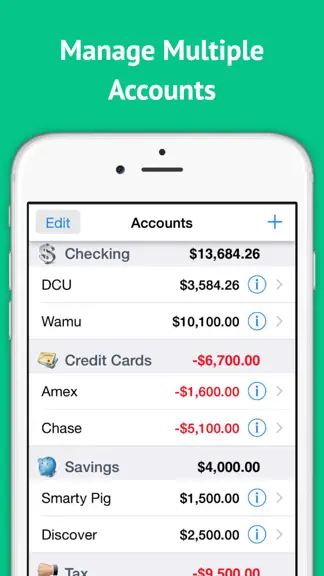
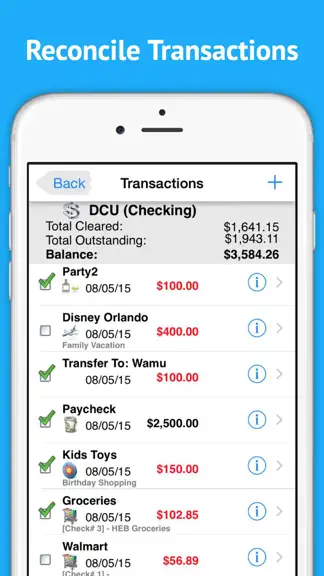
The smartest way to balance your checkbook and reconcile your accounts — a modern check register and accounts tracker trusted since 2011. No ads. No data collection. Checkbook replaces your paper register with a clean, fast app for iPhone, iPad, and Mac. Track every transaction, reconcile against your bank statement with a tap, and see your true outstanding balance — not just what the bank shows.…
Trends & analysis
Chart rank trend
US · overallWhy it's surfacing
Scout 13Ratings & velocity
★ +0.03 in windowRating distribution
86% positive · 5k ratingsGeographic reach
best rank · 0 storefrontsRevenue & downloads trend
ARPU $1In-app purchases
4 tiersUpdate history
6 updates tracked- v5.1.813d ago
BUG FIXES & IMPROVEMENTS • The Dashboard now credits split transactions to their real categories instead of lumping them into "Uncategorized," and your savings rate reflects it. • A category you add now shows up at the top of the list right away, instead of being tucked away at the very bottom. • After using "Mark All Cleared" with reconciled transactions hidden, the toolbar stays usable — just tap the eye button to bring your transactions back into view. • Automatic iCloud backups keep your data safe and easy to restore across devices(Premium) • Added memo field to transfer screen • Various stability and performance improvements. Love Checkbook? A quick App Store review helps us reach more people who want simple, private money tracking. Thank you for your support!
- v5.1.719d ago
What's New in Checkbook SEARCH ALL YOUR ACCOUNTS Tap the new search button on the Accounts screen to search across every account at once. Each match shows the amount and which account it belongs to, and you can tap any result to open it — with the same category, cleared status, and filters as in-account search. FASTER SHOW/HIDE RECONCILED Every account now has a quick eye button in the bottom toolbar to show or hide reconciled transactions in a single tap — perfect when you're hunting for a past transaction. No more digging through Settings. BROWSE A CATEGORY'S TRANSACTIONS Curious where all your "Utilities" or "Groceries" went? In Settings, open Account Categories or Transaction Categories and tap any category to see every transaction filed under it, across all accounts, with a running total. SMARTER CATEGORY MEMORY When you enter a description, Checkbook now fills in the category you last used for that exact description — not a global default, and not a category from a different payee. Each payee remembers its own category. TRANSFERS WITH CHECK NUMBERS When creating a transfer, you can now add a check number that's applied to both accounts, so it matches on each side automatically. MEET RECEIPTHQ — OUR FREE COMPANION APP Snap, store, and instantly find every receipt with ReceiptHQ, our new companion app. Look for it in Settings under "More apps from the developer," and on a few screens around the app. MORE RELIABLE ACCOUNT SHARING • New "Force Re-Sync" option in a shared account (tap the share button) re-sends your transactions and, if anything can't sync, tells you exactly why — handy if a partner's entries aren't showing up. • Fixed an issue where a shared account could stop updating or disappear from a partner's device after a temporary connection hiccup. • Re-sharing an account no longer creates a duplicate copy on the other person's device. BUG FIXES & IMPROVEMENTS • The bottom toolbar no longer disappears on a fully reconciled account, so Share and Transfer stay available. • Swiping a transaction no longer deletes it by accident — a fast swipe just reveals the buttons, and deleting now asks you to confirm. • Description suggestions now select on the first tap instead of sometimes needing two. • Automatic iCloud backups keep your data safe and easy to restore across devices. • Various stability and performance improvements. Love Checkbook? A quick App Store review helps us reach more people who want simple, private money tracking. Thank you for your support!
- v5.1.61mo ago
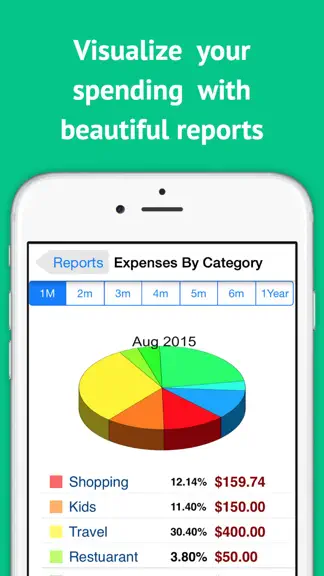
Smarter insights and safer backups in this update: NEW: Compare Spending See whether you're spending more than before — at a glance. Compare this month, quarter, or year against the period before it, broken down by category or by payee, with the dollar change and percentage for each. NEW: Spend by Payee report A fresh report that totals your spending and income by who you paid, so you can spot exactly where your money goes. Automatic iCloud Backups Your data now backs up to iCloud automatically, so it's safe and ready to restore on a new device. You can turn this on or off anytime in iCloud settings. Plus a batch of fixes and improvements: • Budgets now correctly include split transactions • Sharing an account no longer affects your other shared accounts • Categories are now optional when adding or editing a transaction • More reliable account sharing, with safety backups before major changes • Cleaner, easier-to-read Premium feature list • Various stability and performance improvements Love Checkbook? A quick App Store review helps us reach more people who want simple, private money tracking. Thank you for your support!
- v5.1.41mo ago
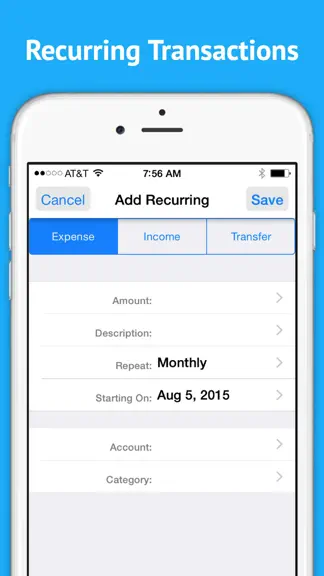
PRINT YOUR RECORDS Need a paper trail or a PDF for your records? Tap the new Print button to send a beautifully formatted statement straight to your printer, or save it as a PDF to email or file away. • Transactions — From any account, tap the share button in the bottom toolbar and pick "Print Transactions." Choose a date range (All, Last 30/90 Days, Last 12 Months), and we'll print a landscape statement with cleared marks, dates, descriptions, memos, categories, signed amounts, and the running balance at every line — plus totals at the bottom. • Recurring — Open Recurring and tap the new printer icon next to the +. Get a tidy list of every recurring item, grouped by cycle (One Time, Daily, Weekly, Monthly, Yearly, …), with start dates, next-run dates, accounts, categories, and a summary of your monthly recurring income, expenses, and net. Works with any AirPrint printer, or use "Save to Files" to keep a PDF copy on your iPhone or iPad. Love Checkbook? A quick App Store review helps us reach more people who want simple, private money tracking. Thank you for your support!
- v5.1.31mo ago
SUBSCRIPTION AUDIT — PREMIUM PLUS Discover every recurring charge hiding in your transactions. We scan your history for charges that repeat each week, month, or year (streaming, gym, software, magazines, app subscriptions) and show you the monthly total — plus the yearly equivalent — so you know exactly what you're paying. • Tap any row to see every charge with date and amount • Swipe left to add a 5-day-ahead calendar reminder to cancel before the next billing • Swipe to Ignore false positives (rent, regular grocery trips) so they stay hidden • Pull down to refresh after editing transactions • Share your total to social, group chats, or your partner EDIT FROM SEARCH Search now lets you tap any result, edit it, and return to the same search — the list refreshes automatically so you can fix typos across many transactions without leaving the search screen. Love Checkbook? A quick App Store review helps us reach more people who want simple, private money tracking. Thank you for your support!
Checkbook - Budget & Expenses — FAQ
How much money does Checkbook - Budget & Expenses make?
According to AppCurrents estimates, Checkbook - Budget & Expenses generates approximately $2k–$8k per month (low confidence), modeled from its the App Store chart performance, rating velocity, and monetization signals.
How many downloads does Checkbook - Budget & Expenses get?
Checkbook - Budget & Expenses sees an estimated 3k–14k downloads per month on the App Store, per AppCurrents modeling.
Is Checkbook - Budget & Expenses free?
Checkbook - Budget & Expenses is free to download on the App Store, monetizing through in-app purchases.
What is Checkbook - Budget & Expenses's rating?
Checkbook - Budget & Expenses holds a 4.45-star average from 5,654 ratings on the App Store.
When was Checkbook - Budget & Expenses released?
Checkbook - Budget & Expenses launched on the App Store on 15.06.2011. Its latest version shipped 22.07.2026.
Apps like Checkbook - Budget & Expenses
See all alternatives → Experian®Finance · $290k–$1.6M/mo
 Credit Sesame: Grow Your ScoreFinance · $260k–$1.4M/mo
 Rocket Money - Bills & BudgetsFinance · $200k–$1.2M/mo
 TradingView: Track All MarketsFinance · $150k–$800k/mo
 MileIQ: Mileage Tracker & LogFinance · $120k–$680k/mo
 Monarch: Budget & Track MoneyFinance · $110k–$630k/mo