
AnySearch Pro generates an estimated $0/month in revenue from 0 downloads/month on the App Store, according to AppCurrents estimates (updated 2026-08-02).
| Est. revenue / month | $0 |
|---|---|
| Est. downloads / month | 0 |
| Estimate confidence | low |
| Pricing | Free + IAP |
| Rating | 0.00 ★ (0 ratings) |
| Category | Utilities |
| Released | 19.04.2026 |
| App last updated | 16.07.2026 |
| Platform | iOS |
Modeled monthly estimate · rating velocity · low confidence

About
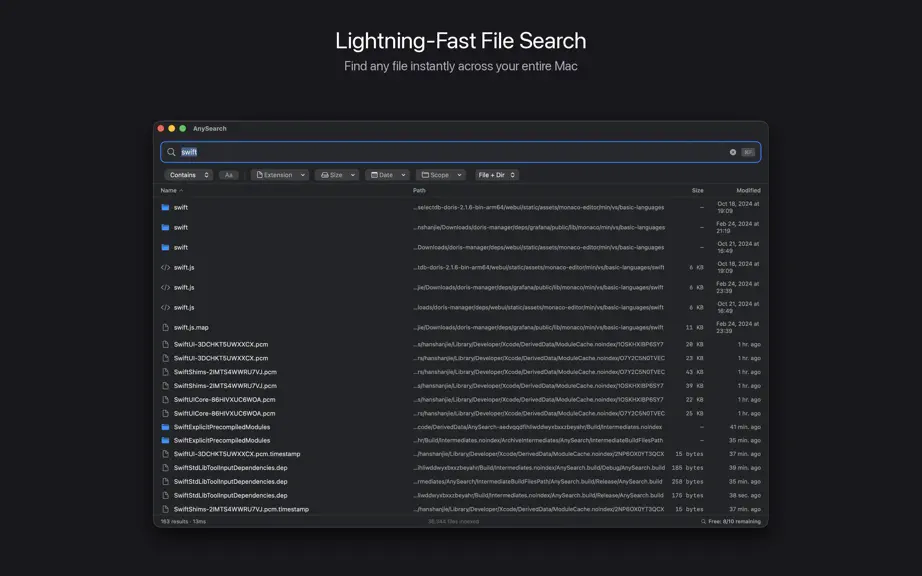
AnySearch is a blazing-fast file search tool built for macOS. Powered by smart indexing and full-text search, it finds what you need instantly across hundreds of thousands of files. Key Features: - Lightning Search: results in milliseconds - Global Hotkey: Press Option+Space to summon the search window anytime - Multiple Search Modes: Contains, Prefix, Suffix, and Exact match - Advanced…
Trends & analysis
Chart rank trend
US · overallWhy it's surfacing
Scout 21Ratings & velocity
★ 0 in windowGeographic reach
best rank · 0 storefrontsRevenue & downloads trend
monthly estimateIn-app purchases
3 tiersUpdate history
3 updates tracked- v2.5.019d ago
AnySearch 2.5.0 — What’s New File Landscape See your whole Mac at a glance — no rescan required. Built from your existing index: • File & folder counts, total size • Breakdown by type (PDFs, images, videos, code…) and extension • Largest folders and files • Activity over the last 12 months, plus files untouched for a year • Possible duplicates • Per-disk view (This Mac / external / offline) Click any item to jump straight into search. Open via toolbar, Window → File Landscape, or ⌘⇧L.
- v2.3.01mo ago
You can now hide the recent files list. When the search bar is empty, AnySearch shows your 20 most recent files — handy for some, clutter for others. Turn it off under Settings → General → Results → Show recent files for a clean, empty start. It stays on by default, so nothing changes unless you want it to. Also in this release: • The help icon next to the Content toggle now opens its explanation on click, so the tip is easy to find instead of relying on hover.
- v2.0.02mo ago
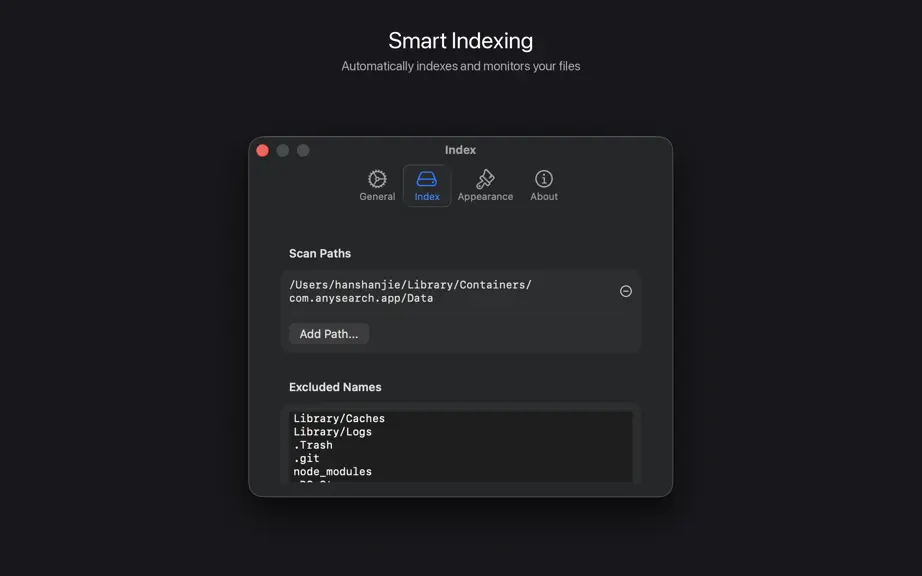
This major release adds full search support for external drives and fixes a long-standing issue where custom index folders were lost after restarting the app. External Disk Search • USB and Thunderbolt drives are detected automatically — authorize once and the drive is indexed in the background • Local and external files appear together; the toolbar lets you switch between All, Local Only, and a specific drive • Indexes are kept when a drive is unplugged and incrementally refreshed when it returns • Renamed or remounted drives are recognized and the index is migrated automatically • Settings › Index now has an External Disks section for per-drive rescan and remove Fixes • Custom index folders now persist across app restarts. If you lost folders in an earlier version, please re-add them in Settings › Index — they will stick from now on.• External-drive search is available immediately on launch instead of waiting for the home scan to finish • Volume list and file counts in Settings load faster and update more smoothly • Default exclusions extended to common dev caches: .docker, .npm, .cargo, .gradle, .cocoapods Other • "Choose Folder..." in the filter toolbar now persists across restarts • Stability improvements around drive mount, unmount, and authorization
AnySearch Pro — FAQ
How many downloads does AnySearch Pro get?
AnySearch Pro sees an estimated 0 downloads per month on the App Store, per AppCurrents modeling.
Is AnySearch Pro free?
AnySearch Pro is free to download on the App Store, monetizing through in-app purchases.
When was AnySearch Pro released?
AnySearch Pro launched on the App Store on 19.04.2026. Its latest version shipped 16.07.2026.


