
YAML Tools
YAML Tools generates an estimated $10–$300/month in revenue from 40–200 downloads/month on the App Store, according to AppCurrents estimates (updated 2026-10-02).
| Est. revenue / month | $10–$300 |
|---|---|
| Est. downloads / month | 40–200 |
| Estimate confidence | medium |
| Pricing | Paid $0.99 |
| Rating | 5.00 ★ (1 ratings) |
| Category | Developer Tools |
| Best chart rank | #91 Developer Tools Paid |
| Released | 17.02.2026 |
| App last updated | 14.07.2026 |
| Platform | iOS |
Modeled monthly estimate · rating velocity · medium confidence
About
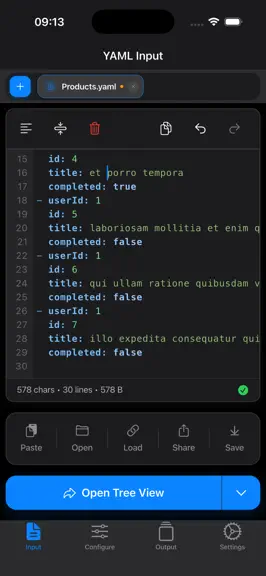
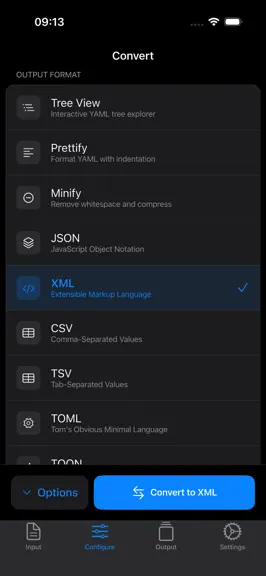
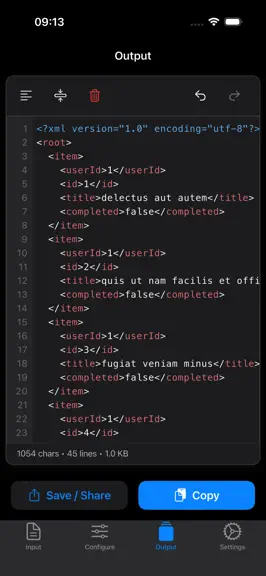
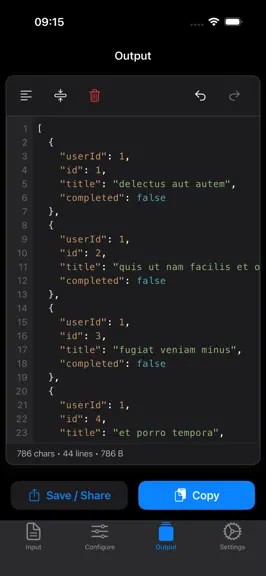
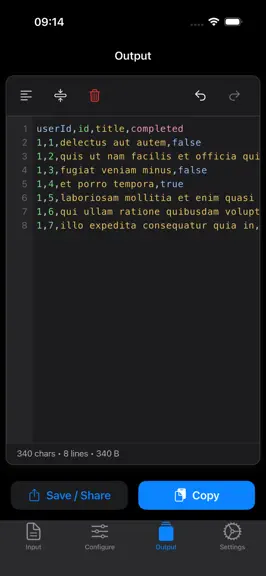
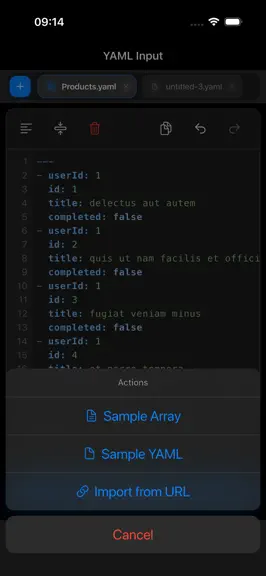
The ultimate YAML toolkit for developers. Visualize, validate, convert, and generate code - all in one powerful, beautifully designed iOS app. YAML Tools is the professional-grade YAML utility built for developers who demand speed, precision, and versatility. Whether you're editing Kubernetes configs, debugging CI/CD pipelines, or generating type-safe model classes, YAML Tools handles it all nati…
Trends & analysis
Chart rank trend
US · categoryWhy it's surfacing
Scout 26Ratings & velocity
★ 0 in windowRating distribution
100% positive · 1 ratingsGeographic reach
best rank · 1 storefrontRevenue & downloads trend
ARPU $1Update history
4 updates tracked- v4.12mo ago
Find & Replace - A built-in find-and-replace bar (⌘F) Templates - Jump-start any session with 5+ curated starter YAML templates Table View Revamp - Content-aware auto-sizing columns, theme-aware, and a view state that remembers your filters, sort, and frozen columns across edits. Compare Mode - Diff any two documents side by side with color-coded additions, deletions, and edits, deep nested-object comparison, and one-tap navigation between changes. Tree View Revamp - Cleaner, calmer rows that stay put when selected, GitHub-style type colors, a focused-node accent, and a streamlined inspector that keeps every action one tap away.
- v4.03mo ago
Find & Replace - A built-in find-and-replace bar (⌘F) Templates - Jump-start any session with 5+ curated starter YAML templates Table View Revamp - Content-aware auto-sizing columns, theme-aware, and a view state that remembers your filters, sort, and frozen columns across edits. Compare Mode - Diff any two documents side by side with color-coded additions, deletions, and edits, deep nested-object comparison, and one-tap navigation between changes. Tree View Revamp - Cleaner, calmer rows that stay put when selected, GitHub-style type colors, a focused-node accent, and a streamlined inspector that keeps every action one tap away.
- v3.03mo ago
Version 3.0 is the biggest update yet, bringing schema validation, a redesigned file workflow, and a faster, more polished editor. • JSON Schema Validation: Validate YAML against JSON Schema right inside the app. Pick a schema once and it stays attached to your file with live error reporting. • Open YAML files directly from anywhere: Tap any .yaml or .yml file in Mail, Files, Safari, or other apps to open it instantly in YAML Tools. Explore, format, and transform your YAML without extra steps. • Recent Files: A new jump-list sheet remembers the last files you opened. Tap to reopen, even files stored outside the app on iOS. • Native iOS Document Picker: All-new native file open/save experience with proper security-scoped bookmarks, so files from iCloud Drive, the Files app, and external providers just work. • Redesigned Action Toolbars: Grouped floating action clusters on every screen for cleaner reachability and a more focused workspace. • Sharper Code Editor: JetBrains Mono for code, refined line numbers, a streamlined keyboard toolbar, and a cleaner syntax highlighter across all formats. • Polished iOS Theme: Refreshed light and dark themes with better contrast, smoother surfaces, and tighter visual rhythm. • Performance: Schema validation runs off the main thread, so larger files validate without freezing the UI.
- v2.04mo ago
Multi-Tab Support: Work with multiple YAML files simultaneously without switching windows. Open and edit files side by side in dedicated tabs, keeping your workflow smooth and organized. Direct File Access: Open YAML files directly from your device storage or file manager. No more import/export. Refreshed UI: A cleaner, more intuitive interface that gets out of your way. Improved layout, better readability, and a polished look.
YAML Tools — FAQ
How much money does YAML Tools make?
According to AppCurrents estimates, YAML Tools generates approximately $10–$300 per month (medium confidence), modeled from its the App Store chart performance, rating velocity, and monetization signals.
How many downloads does YAML Tools get?
YAML Tools sees an estimated 40–200 downloads per month on the App Store, per AppCurrents modeling.
Is YAML Tools free?
YAML Tools is a paid app priced at $0.99 on the App Store.
What is YAML Tools's rating?
YAML Tools holds a 5.00-star average from 1 ratings on the App Store. It currently ranks #91 on the Developer Tools paid chart.
When was YAML Tools released?
YAML Tools launched on the App Store on 17.02.2026. Its latest version shipped 14.07.2026.


