
XpenseTracker Pro
XpenseTracker Pro generates an estimated $100–$800/month in revenue from 300–1k downloads/month on the App Store, according to AppCurrents estimates (updated 2026-10-02).
| Est. revenue / month | $100–$800 |
|---|---|
| Est. downloads / month | 300–1k |
| Estimate confidence | low |
| Pricing | Free + IAP |
| Rating | 4.68 ★ (701 ratings) |
| Category | Finance |
| Best chart rank | #99 Finance Grossing |
| Released | 22.04.2021 |
| App last updated | 07.01.2026 |
| Platform | iOS |
Modeled monthly estimate · rating velocity · low confidence
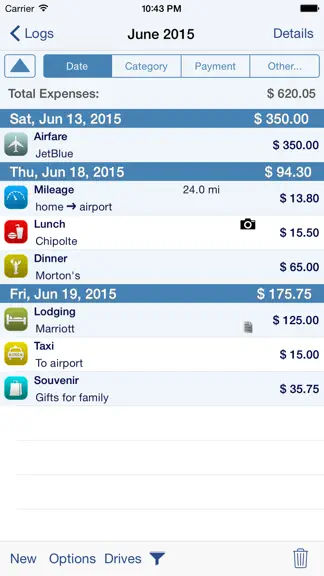
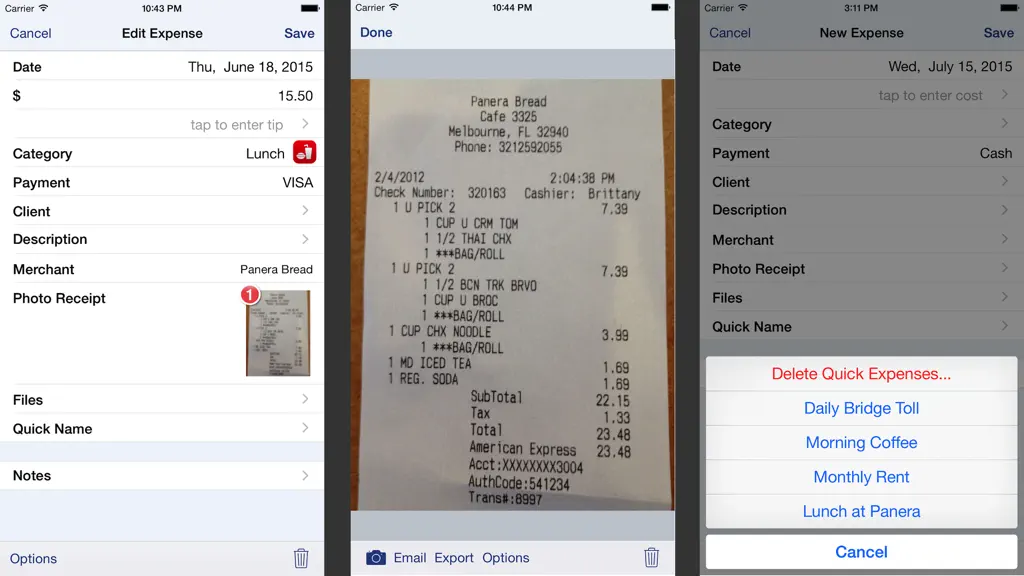


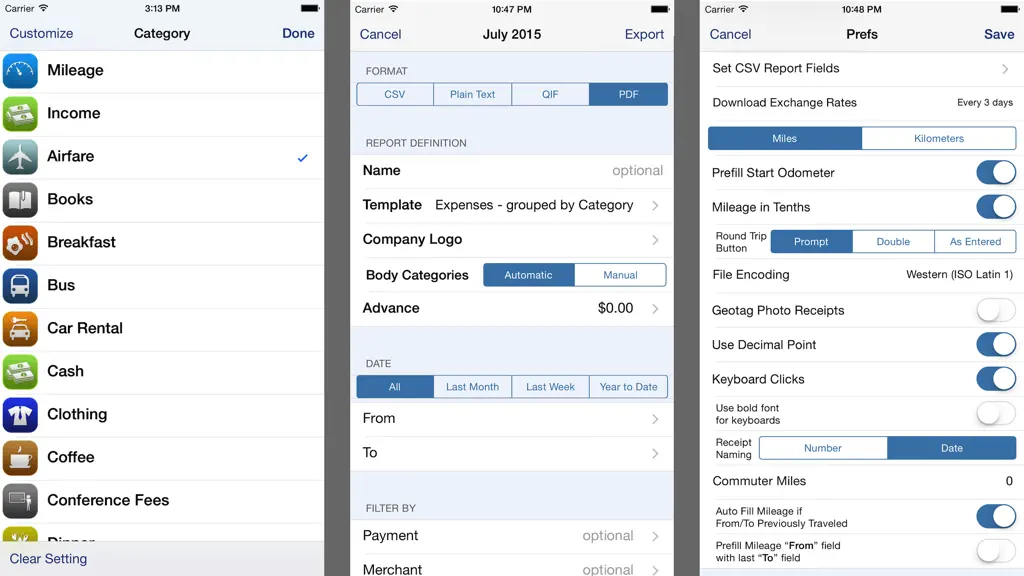
About
Save time & money! Track your MILEAGE and EXPENSES with the most powerful expense app available! A comprehensive, full featured app that's easy to use and extends to your desktop. XpenseTracker has been a customer favorite on the App Store since 2008. *March 2017- "BEST FINANCE APP" http://www.creditdonkey.com/finance-apps.html *XpenseTracker named "must have tax app" by H & R Block** http:…
Trends & analysis
Chart rank trend
US · categoryWhy it's surfacing
Scout 9Ratings & velocity
★ 0 in windowRating distribution
93% positive · 689 ratingsGeographic reach
best rank · 1 storefrontRevenue & downloads trend
ARPU $1In-app purchases
8 tiersUpdate history
1 update tracked- v1.8.58mo ago
**** Version 1.8.5 (early January 2026) *** * minor bug fix. **** Version 1.8.4 (early January 2026) *** * fixes bug where new IRS mileage allowance might not be updated * fixes a rare crash when searching for currencies. * fixes a bug where the time picker is not visible when editing drive times on iPad * added new "expense time" that can be included in CSV reports. * fixes a bug in OCR when including tip. * added ability to show total time worked in days (rather than hours) in PDF reports. We are always updating and improving XpenseTracker Pro. If you have any comments, compliments or complaints please go into XpenseTracker Pro's Preferences screen and tap the "Email the Author" link. We always respond in a timely manner. Author Recommendation: Try the"Share" photo feature. Go into the Photos app and select a photo. Tap the icon that looks like a box with an arrow pointing up. From the horizontal scrolling list of apps tap on XpenseTracker icon and the next time you launch the app you will find out. Enjoy !! Actually you can do this wherever you find that same sharing icon for images or PDF files. SOME RECENT UPDATES ( ** Please note that some updates are not listed because of limited space allowed **) *** Version 1.8.3 (early November 2025) *** * Fixes an issue with sharing a photo under iOS 26 * Fixes a rare issue that caused AutoTrack to be enabled after being disabled * Other minor bug fixes *** Version 1.8.2 (mid October 2025) *** * Fixes an issue with OCR photo receipt feature * Fixes an issue where the custom keyboard displayed when entering amounts would sometimes have the last row of keys hidden when on an iPad in landscape mode * Other minor bug fixes *** Version 1.8.1 (early September 2025) *** * Minor bug fix when using Quick Action menu (tap and hold on the app icon) to disable AutoTrack * Minor bug fix when syncing entries with a custom exchange rate * Other minor bug fixes *** Version 1.8.0 (early August 2025) *** * When travelling outside your home country, in addition to entering an expense in the local currency you can NOW also enter the amount in your home/default currency as provided to you by credit card (or other source). This way the exact amount that appears on a bank statement will exactly match the amount used in the app. This allows for precise reconciling of your statements and reports. Thanks to Robert T. for suggesting this. * Fixes a subtle bug on how the app decides what downloaded exchange rate to use. Thanks to Sander U for reporting this bug. * Now if your default home/default currency is yens and you record an expense in a different currency the amount converted to yens will be rounded to the nearest yen (as yens are always in whole numbers, as are Indonesian Rupiah) * Changes some alert screens to make them clearer * Some behind the scenes improvements and enhancements *** Version 1.7.0 (early July 2025) *** * Improves OCR for skewed photo receipts and improves Tip detection * Improves photo receipt preview screen when cropping * Other minor user interface improvements *** Version 1.6.2 (mid June 2025) *** * Fixes syncing of new categories when using Device Sync feature * Support for @WeekNumber in report title to add ISO 8601 week number of the year *** Version 1.6.0 (early May 2025) *** * You can now designate an expense category as being "vehicle related" so if you are using the Multiple Vehicle preference you can associate the expense to a particular vehicle. * App now asks if you wish to alphabetically sort the client list after you add a new client * The "Share" photo feature now allows you to select a Category for a new Expense entry *** Version 1.2.6 (mid Dec 2023) *** * AutoTrack customers can see many more options to controlling the scheduling of "when to track" by tapping on the title bar of the Logs View or Entry List screens * Several PDF report templates added to the available list
XpenseTracker Pro — FAQ
How much money does XpenseTracker Pro make?
According to AppCurrents estimates, XpenseTracker Pro generates approximately $100–$800 per month (low confidence), modeled from its the App Store chart performance, rating velocity, and monetization signals.
How many downloads does XpenseTracker Pro get?
XpenseTracker Pro sees an estimated 300–1k downloads per month on the App Store, per AppCurrents modeling.
Is XpenseTracker Pro free?
XpenseTracker Pro is free to download on the App Store, monetizing through in-app purchases.
What is XpenseTracker Pro's rating?
XpenseTracker Pro holds a 4.68-star average from 701 ratings on the App Store. It currently ranks #99 on the Finance grossing chart.
When was XpenseTracker Pro released?
XpenseTracker Pro launched on the App Store on 22.04.2021. Its latest version shipped 07.01.2026.
Apps like XpenseTracker Pro
See all alternatives → Experian®Finance · $270k–$1.5M/mo
 Credit Sesame: Grow Your ScoreFinance · $260k–$1.4M/mo
 Rocket Money - Bills & BudgetsFinance · $170k–$920k/mo
 TradingView: Track All MarketsFinance · $160k–$880k/mo
 MileIQ: Mileage Tracker & LogFinance · $120k–$680k/mo
 Lenme: Borrowing and LendingFinance · $100k–$560k/mo