
WeightDiary - Track better you
WeightDiary - Track better you generates an estimated $5k–$27k/month in revenue from 2k–7k downloads/month on the App Store, according to AppCurrents estimates (updated 2026-08-02).
| Est. revenue / month | $5k–$27k |
|---|---|
| Est. downloads / month | 2k–7k |
| Estimate confidence | low |
| Pricing | Free + IAP |
| Rating | 4.89 ★ (62 ratings) |
| Category | Health & Fitness |
| Released | 11.01.2023 |
| App last updated | 05.08.2026 |
| Platform | iOS |
Modeled monthly estimate · rating velocity · low confidence
About
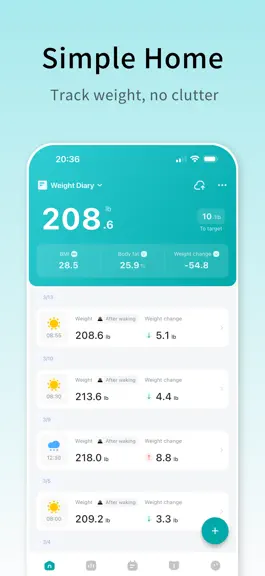
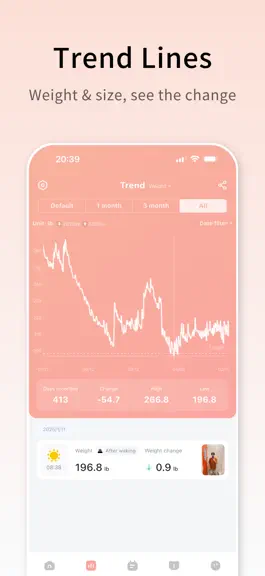
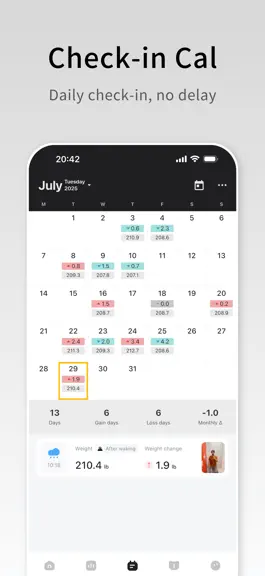
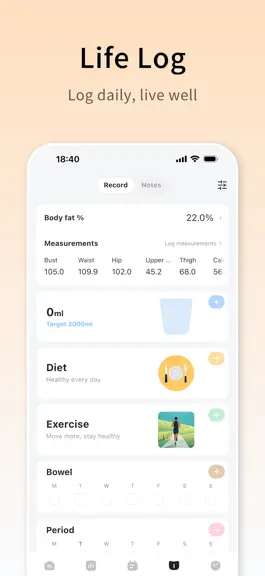
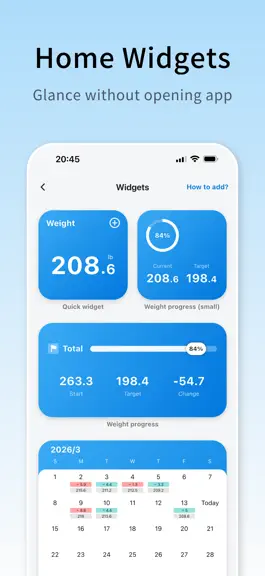
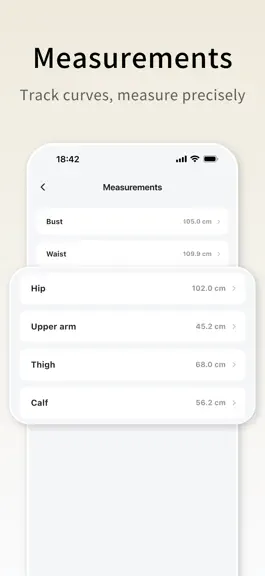
#Chosen by millions #Weight management app Weight Diary is a beautiful, simple, and full-featured weight tracking app. We focus on clear design and easy use—no anxiety, just the numbers that matter. ◆ Weight Diary works with Apple Health: sync weight and body fat data in both directions. Weight Diary is built around weight logging, with body fat, measurements, diet, exercise, and private notes…
Trends & analysis
Chart rank trend
US · overallWhy it's surfacing
Scout 11Ratings & velocity
★ +0.02 in windowRating distribution
97% positive · 31 ratingsGeographic reach
best rank · 1 storefrontRevenue & downloads trend
ARPU $4In-app purchases
1 tiersUpdate history
11 updates tracked- v3.8.21d ago
Here's what's new in this update: - New: Added a Trend Chart widget - Improved: Refined the logic and design of calorie details - Fixed: Sleep home screen cards could not be tapped - Fixed: Calendar widget content was being clipped - Fixed: Steps frequently appeared as unauthorized on the Record screen - Fixed: Decimal-place issues for weight and body fat percentage during Health sync - Fixed: Known usability issues and bugs If you have any questions or suggestions, go to 【Profile】-【About】-【Contact us】 and let us know!
- v3.8.13d ago
What’s New in This Update - New: Calorie overview - New: Step tracking - New: Fully upgraded bowel movement tracking - New: Goal progress card - New: Meal combos - New: 4 widgets (AI Assistant, Calorie Scan, All-in-One Logging, and Calorie Overview) - New: 8 new weight emojis - New: 16 soft-color themes - New: Notes for body measurements - New: Utility toolbox (BMI Calculator, BMR Calculator, kJ/kcal Converter, and Weight Unit Converter) - New: Diary word count - New: Kilojoules for custom food entries - New: Daily nutrient totals on the food list - New: Food editing button on the meal logging screen - New: Custom ordering for food and exercise entries - New: Quantities and multiple units for custom food entries - New: More intermittent fasting plans - New: Default display settings for trend charts - New: Share text log cards as images - New: Home screen content and quick record popup options in Settings - Improved: Support for decimal height entries - Improved: Transparent backgrounds for iOS widgets - Improved: Expanded food database - Improved: Food serving sizes now support two decimal places - Improved: AI can log content to dates other than today - Improved: AI can recognize nutrients in meals - Improved: Calendar widget features and design - Improved: Updated goal management card design - Improved: Dish names can now be scrolled on the recognition results screen - Improved: Food and exercise calendars are expanded by default for new users - Improved: Moved the AI correction button higher on the image recognition results screen - Improved: Expanded the tap area for the date delete button in goal management - Fixed: Incorrect text in the bottom-right corner of the Start Fasting popup - Fixed: Text recognition issues when importing weight data - Fixed: Sleep cards could not be tapped - Fixed: Incorrect date display below body measurements in trend charts - Fixed: Other known issues and bugs If you have any questions or suggestions, go to Me → About → Contact Us and let us know!
- v3.8.07d ago
What’s New in This Update - New: Calorie overview - New: Step tracking - New: Fully upgraded bowel movement tracking - New: Goal progress card - New: Meal combos - New: 4 widgets (AI Assistant, Calorie Scan, All-in-One Logging, and Calorie Overview) - New: 8 new weight emojis - New: 16 soft-color themes - New: Notes for body measurements - New: Utility toolbox (BMI Calculator, BMR Calculator, kJ/kcal Converter, and Weight Unit Converter) - New: Diary word count - New: Kilojoules for custom food entries - New: Daily nutrient totals on the food list - New: Food editing button on the meal logging screen - New: Custom ordering for food and exercise entries - New: Quantities and multiple units for custom food entries - New: More intermittent fasting plans - New: Default display settings for trend charts - New: Share text log cards as images - New: Home screen content and quick record popup options in Settings - Improved: Support for decimal height entries - Improved: Transparent backgrounds for iOS widgets - Improved: Expanded food database - Improved: Food serving sizes now support two decimal places - Improved: AI can log content to dates other than today - Improved: AI can recognize nutrients in meals - Improved: Calendar widget features and design - Improved: Updated goal management card design - Improved: Dish names can now be scrolled on the recognition results screen - Improved: Food and exercise calendars are expanded by default for new users - Improved: Moved the AI correction button higher on the image recognition results screen - Improved: Expanded the tap area for the date delete button in goal management - Fixed: Incorrect text in the bottom-right corner of the Start Fasting popup - Fixed: Text recognition issues when importing weight data - Fixed: Sleep cards could not be tapped - Fixed: Incorrect date display below body measurements in trend charts - Fixed: Other known issues and bugs If you have any questions or suggestions, go to Me → About → Contact Us and let us know!
- v3.7.626d ago
What’s New in This Update - New: AI can now log weight status - New: ml unit for drinks in photo calorie recognition - New: Custom goal names - New: Drag to reorder goals - New: Sleep and fasting added to data deletion - New: Dairy and beverage categories for diet - New: ml unit for beverages - New: 6 new themes - New: Default water intake setting - Improved: Voice input recognition accuracy - Improved: Smarter AI - Improved: AI water intake recognition - Improved: Unified diet feedback between photo calorie recognition and AI - Improved: Exercise & diet calendar refinements - Fixed: Custom food animation and unit issues - Fixed: Keyboard dismissal on calorie recognition result page - Fixed: Known issues and bugs If you have any questions or suggestions, go to Me → About → Contact Us and let us know!
- v3.7.51mo ago
What’s New in This Update - New: AI can now log weight status - New: ml unit for drinks in photo calorie recognition - New: Custom goal names - New: Drag to reorder goals - New: Sleep and fasting added to data deletion - New: Dairy and beverage categories for diet - New: ml unit for beverages - New: 6 new themes - New: Default water intake setting - Improved: Voice input recognition accuracy - Improved: Smarter AI - Improved: AI water intake recognition - Improved: Unified diet feedback between photo calorie recognition and AI - Improved: Exercise & diet calendar refinements - Fixed: Custom food animation and unit issues - Fixed: Keyboard dismissal on calorie recognition result page - Fixed: Known issues and bugs If you have any questions or suggestions, go to Me → About → Contact Us and let us know!
WeightDiary - Track better you — FAQ
How much money does WeightDiary - Track better you make?
According to AppCurrents estimates, WeightDiary - Track better you generates approximately $5k–$27k per month (low confidence), modeled from its the App Store chart performance, rating velocity, and monetization signals.
How many downloads does WeightDiary - Track better you get?
WeightDiary - Track better you sees an estimated 2k–7k downloads per month on the App Store, per AppCurrents modeling.
Is WeightDiary - Track better you free?
WeightDiary - Track better you is free to download on the App Store, monetizing through in-app purchases.
What is WeightDiary - Track better you's rating?
WeightDiary - Track better you holds a 4.89-star average from 62 ratings on the App Store.
When was WeightDiary - Track better you released?
WeightDiary - Track better you launched on the App Store on 11.01.2023. Its latest version shipped 05.08.2026.
Apps like WeightDiary - Track better you
See all alternatives → Planet FitnessHealth & Fitness · $3.9M–$22M/mo
 Strava: Run, Bike, WalkHealth & Fitness · $3.3M–$11M/mo
 MyFitnessPal: Calorie CounterHealth & Fitness · $930k–$5.0M/mo
 Simple: AI Weight Loss CoachHealth & Fitness · $900k–$4.8M/mo
 Workout for Women: Home & GymHealth & Fitness · $890k–$4.8M/mo
 Flo Cycle & Period TrackerHealth & Fitness · $780k–$4.9M/mo