
VocaBox - Full Version
VocaBox - Full Version generates an estimated $7–$200/month in revenue from 2–6 downloads/month on the App Store, according to AppCurrents estimates (updated 2026-08-02).
| Est. revenue / month | $7–$200 |
|---|---|
| Est. downloads / month | 2–6 |
| Estimate confidence | medium |
| Pricing | Paid $11.99 |
| Rating | 5.00 ★ (3 ratings) |
| Category | Education |
| Released | 05.12.2015 |
| App last updated | 20.07.2026 |
| Platform | iOS |
Modeled monthly estimate · rating velocity · medium confidence
About
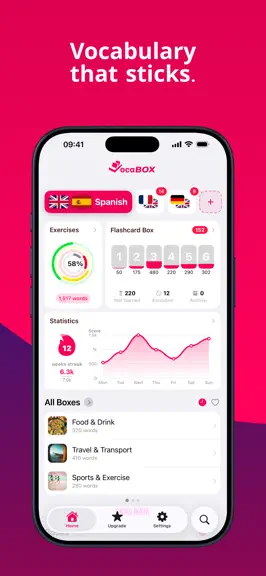
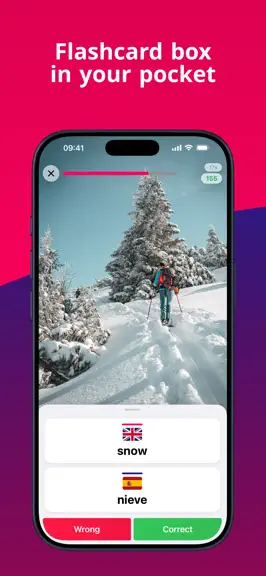
VocaBox – Vocabulary that actually sticks. VocaBox is the vocabulary trainer for students and anyone learning a new language. At its heart sits the proven Flashcard Box – but digital, intelligent, and always with you. THE FLASHCARD BOX, REIMAGINED The Flashcard Box is the heart of VocaBox. It brings words back exactly when you'd otherwise forget them – not more often, not less. Its 6 compartmen…
Trends & analysis
Chart rank trend
US · overallWhy it's surfacing
Scout 12Ratings & velocity
★ 0 in windowRating distribution
100% positive · 3 ratingsGeographic reach
best rank · 1 storefrontRevenue & downloads trend
ARPU $9Update history
12+ updates tracked- v6.0.2415d ago
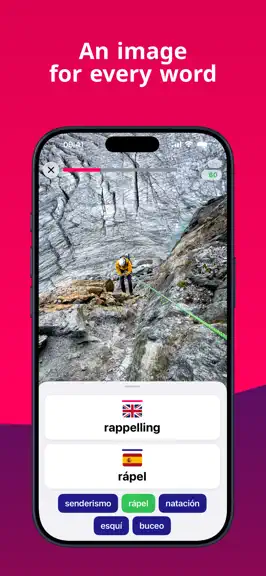
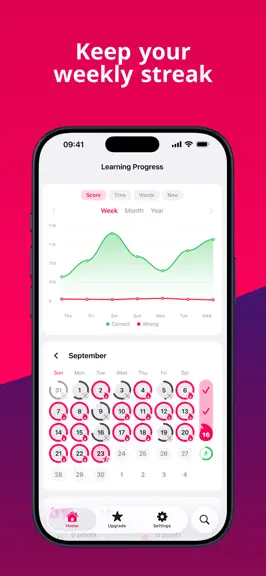
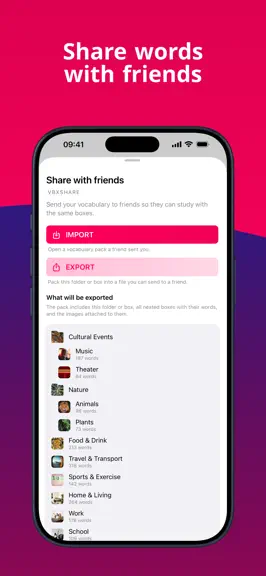
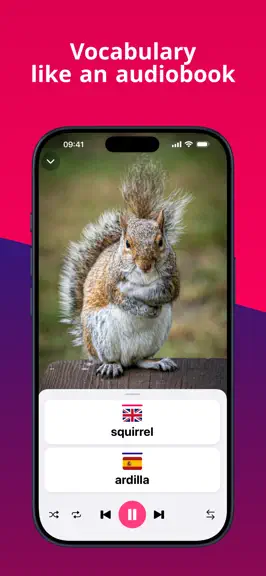
New in VocaBox 6.0: • An image for every word — words stick better when you can see them. • Create images with AI — now possible on devices that support Apple Image Playground. • Stats and weekly streak — see how many words you nailed this week and keep your streak alive. • Listen to your word lists — your vocabulary like an audiobook, perfect for long car rides. • Share lists via .vbxshare file — with classmates, study groups, or your own students. • Now optimized for iPad and large screens. • Smarter vocabulary search — find a word by any part of it. • Move several words or boxes at once — pick multiple and move them in one go. • Word-list readout now keeps playing in the background, with lock-screen controls. • Choose the text size for exercises. • Fixed occasional freezes when opening the exercise start screen. • Optional length hint in write exercises — the input line matches the word's exact length. • Choose which boxes to drill — tap the number under a box to include or skip it in your sessions. • Swipe for quick actions — slide any word or box to edit, move, or read it out, right where it is. • Set a default for new boxes — choose how new boxes start collecting words, per language. • Faster app launch. • New widgets — see your due words, streak, and progress right on your home screen. • Starter pack included — ready-made folders with essential words and images for your language pair. • Test settings are now saved per language pair. • Press and hold to keep a word on screen — now works in every exercise. • Fixed: the screen froze when opening a box or starting an exercise on iOS 18. • Bug fixes and stability improvements.
- v6.0.2320d ago
New in VocaBox 6.0: • An image for every word — words stick better when you can see them. • Create images with AI — now possible on devices that support Apple Image Playground. • Stats and weekly streak — see how many words you nailed this week and keep your streak alive. • Listen to your word lists — your vocabulary like an audiobook, perfect for long car rides. • Share lists via .vbxshare file — with classmates, study groups, or your own students. • Now optimized for iPad and large screens. • Smarter vocabulary search — find a word by any part of it. • Move several words or boxes at once — pick multiple and move them in one go. • Word-list readout now keeps playing in the background, with lock-screen controls. • Choose the text size for exercises. • Fixed occasional freezes when opening the exercise start screen. • Optional length hint in write exercises — the input line matches the word's exact length. • Choose which boxes to drill — tap the number under a box to include or skip it in your sessions. • Swipe for quick actions — slide any word or box to edit, move, or read it out, right where it is. • Set a default for new boxes — choose how new boxes start collecting words, per language. • Faster app launch. • New widgets — see your due words, streak, and progress right on your home screen. • Starter pack included — ready-made folders with essential words and images for your language pair. • Test settings are now saved per language pair. • Press and hold to keep a word on screen — now works in every exercise. • Bug fixes and stability improvements.
- v6.0.2225d ago
New in VocaBox 6.0: • An image for every word — words stick better when you can see them. • Create images with AI — now possible on devices that support Apple Image Playground. • Stats and weekly streak — see how many words you nailed this week and keep your streak alive. • Listen to your word lists — your vocabulary like an audiobook, perfect for long car rides. • Share lists via .vbxshare file — with classmates, study groups, or your own students. • Now optimized for iPad and large screens. • Smarter vocabulary search — find a word by any part of it. • Move several words or boxes at once — pick multiple and move them in one go. • Word-list readout now keeps playing in the background, with lock-screen controls. • Choose the text size for exercises. • Fixed occasional freezes when opening the exercise start screen. • Optional length hint in write exercises — the input line matches the word's exact length. • Choose which boxes to drill — tap the number under a box to include or skip it in your sessions. • Swipe for quick actions — slide any word or box to edit, move, or read it out, right where it is. • Set a default for new boxes — choose how new boxes start collecting words, per language. • Faster app launch. • New widgets — see your due words, streak, and progress right on your home screen. • Starter pack included — ready-made folders with essential words and images for your language pair. • Test settings are now saved per language pair. • Bug fixes and stability improvements.
- v6.0.2128d ago
New in VocaBox 6.0: • An image for every word — words stick better when you can see them. • Create images with AI — now possible on devices that support Apple Image Playground. • Stats and weekly streak — see how many words you nailed this week and keep your streak alive. • Listen to your word lists — your vocabulary like an audiobook, perfect for long car rides. • Share lists via .vbxshare file — with classmates, study groups, or your own students. • Now optimized for iPad and large screens. • Smarter vocabulary search — find a word by any part of it. • Move several words or boxes at once — pick multiple and move them in one go. • Word-list readout now keeps playing in the background, with lock-screen controls. • Choose the text size for exercises. • Fixed occasional freezes when opening the exercise start screen. • Optional length hint in write exercises — the input line matches the word's exact length. • Choose which boxes to drill — tap the number under a box to include or skip it in your sessions. • Swipe for quick actions — slide any word or box to edit, move, or read it out, right where it is. • Set a default for new boxes — choose how new boxes start collecting words, per language. • Faster app launch. • New widgets — see your due words, streak, and progress right on your home screen. • Starter pack included — ready-made folders with essential words and images for your language pair. • Bug fixes and stability improvements.
- v6.0.191mo ago
New in VokabelBox 6.0: • An image for every word — words stick better when you can see them. • Create images with AI — now possible on devices that support Apple Image Playground. • Stats and weekly streak — see how many words you nailed this week and keep your streak alive. • Listen to your word lists — your vocabulary like an audiobook, perfect for long car rides. • Share lists via .vbxshare file — with classmates, study groups, or your own students. • Now optimized for iPad and large screens. • Smarter vocabulary search — find a word by any part of it. • Move several words or boxes at once — pick multiple and move them in one go. • Word-list readout now keeps playing in the background, with lock-screen controls. • Choose the text size for exercises. • Fixed occasional freezes when opening the exercise start screen. • Optional length hint in write exercises — the input line matches the word's exact length. • Choose which boxes to drill — tap the number under a box to include or skip it in your sessions. • Swipe for quick actions — slide any word or box to edit, move, or read it out, right where it is. • Set a default for new boxes — choose how new boxes start collecting words, per language. • Faster app launch. • New widgets — see your due words, streak, and progress right on your home screen. • Bug fixes and stability improvements.
VocaBox - Full Version — FAQ
How much money does VocaBox - Full Version make?
According to AppCurrents estimates, VocaBox - Full Version generates approximately $7–$200 per month (medium confidence), modeled from its the App Store chart performance, rating velocity, and monetization signals.
How many downloads does VocaBox - Full Version get?
VocaBox - Full Version sees an estimated 2–6 downloads per month on the App Store, per AppCurrents modeling.
Is VocaBox - Full Version free?
VocaBox - Full Version is a paid app priced at $11.99 on the App Store.
What is VocaBox - Full Version's rating?
VocaBox - Full Version holds a 5.00-star average from 3 ratings on the App Store.
When was VocaBox - Full Version released?
VocaBox - Full Version launched on the App Store on 05.12.2015. Its latest version shipped 20.07.2026.


