
Uzu, An Interactive Light Show
Uzu, An Interactive Light Show generates an estimated $400–$8k/month in revenue from 300–2k downloads/month on the App Store, according to AppCurrents estimates (updated 2026-10-02).
| Est. revenue / month | $400–$8k |
|---|---|
| Est. downloads / month | 300–2k |
| Estimate confidence | medium |
| Pricing | Paid $3.99 |
| Rating | 4.81 ★ (262 ratings) |
| Category | Entertainment |
| Best chart rank | #52 Entertainment Paid |
| Released | 12.06.2010 |
| App last updated | 02.07.2026 |
| Platform | iOS |
Modeled monthly estimate · rating velocity · medium confidence
About
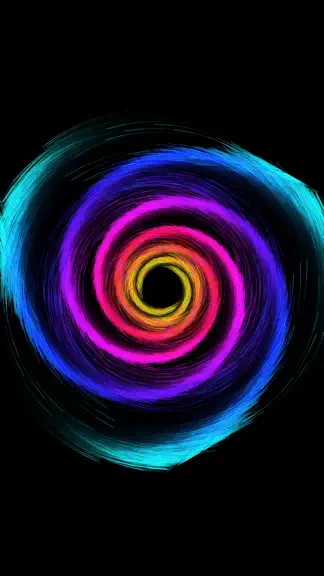
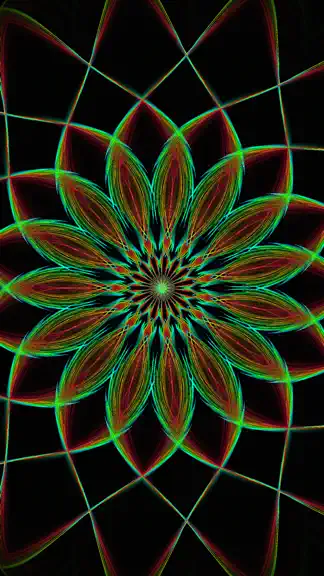
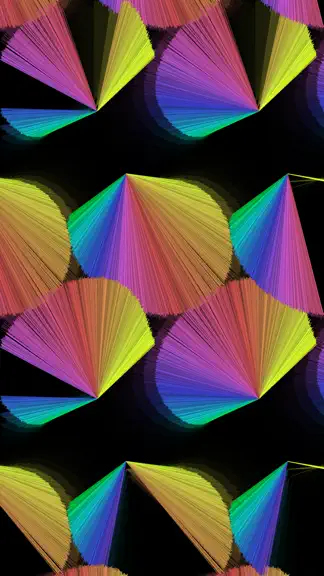
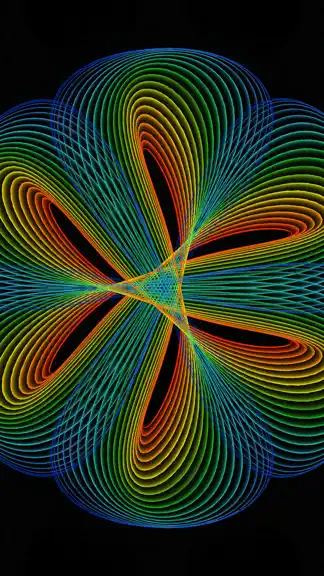
"This is doodling for digital natives . . . mind blowing." — Wired Magazine "Uzu for iPad is endlessly complicated, simply fun." — Ars Technica Uzu is a generative design playground — a math-physics-art toy for anyone who ever loved spirographs, fireworks, planetariums, lava lamps, light painting, kaleidoscopes, or graphing calculators. Touch the screen and watch thousands of particles swirl, sp…
Trends & analysis
Chart rank trend
US · categoryWhy it's surfacing
Scout 16Ratings & velocity
★ -0.01 in windowRating distribution
95% positive · 255 ratingsGeographic reach
best rank · 1 storefrontRevenue & downloads trend
ARPU $3Update history
4 updates tracked- v4.23mo ago
Uzu 4.2 is here — and it’s a colorful one. Meet the new Colors panel: your dedicated space for Simple mode, custom palettes, randomization, and palette animation. ———— Version 4.2 ———— • New Colors panel with Simple color mode • Save, load, and animate your own color palettes • Color randomization for fresh looks in one tap • Favorite presets now appear at the top of the list • Choose which preset category autoplay uses • 22 new factory presets • New Gradient effect • Glow effect: additional parameters • Kaleidoscope: new Radial mode, plus pinch and rotate gestures • Improved tunnel warp parameters • Better macOS (Designed for iPad) support • Improved line rendering at reduced quality • Various UI improvements ———— Version 4.1 ———— • Added 45 factory presets • Added all 55 legacy factory Presets • You can now tap the Preset section header to quickly jump to a specific section • Added grid mode to the preset panel - access it by tapping the preset section header ———— Version 4.0 ———— Uzu has been completely rebuilt from the ground up — faster, more beautiful, and more powerful than ever. • All-new Metal rendering engine for smoother, richer particle visuals • Redesigned SwiftUI interface that's cleaner and easier to use • 9 new shader effects: Glow, Warp, Kaleidoscope, Sparkle, Feedback, Color, Pixelate, Scanlines, and Vignette • 67 refreshed factory presets, ready to explore • Export and import presets — share your creations or back them up • Fast preset switching — jump between presets from the screen edges • Shake to show or hide the interface for an uninterrupted light show • Choose render quality from Low to Ultra • Reorder your user presets • Save over the current preset when tweaking a favorite look
- v4.13mo ago
Based on user feedback, I have brought back all the factory presets from version 3.0. There is now a section in the preset list called 'Legacy Presets' that contains all of the presets from version 3.0. The 'Factory Presets' section has the new presets from version 4.0. ---------------------- Version 4.1 ---------------------- • Added 45 factory presets • Added all 55 legacy factory Presets • You can now tap the Preset section header to quickly jump to a specific section • Added grid mode to the preset panel - access it by tapping the preset section header ---------------------- Version 4.0 ---------------------- Uzu has been completely rebuilt from the ground up — faster, more beautiful, and more powerful than ever. • All-new Metal rendering engine for smoother, richer particle visuals • Redesigned SwiftUI interface that's cleaner and easier to use • 9 new shader effects: Glow, Warp, Kaleidoscope, Sparkle, Feedback, Color, Pixelate, Scanlines, and Vignette • 67 refreshed factory presets, ready to explore • Export and import presets — share your creations or back them up • Fast preset switching — jump between presets from the screen edges • Shake to show or hide the interface for an uninterrupted light show • Choose render quality from Low to Ultra • Reorder your user presets • Save over the current preset when tweaking a favorite look Thank you for being part of Uzu's journey since 2010. We hope you love this new chapter.
- v4.03mo ago
Uzu has been completely rebuilt from the ground up — faster, more beautiful, and more powerful than ever. • All-new Metal rendering engine for smoother, richer particle visuals • Redesigned SwiftUI interface that's cleaner and easier to use • 9 new shader effects: Glow, Warp, Kaleidoscope, Sparkle, Feedback, Color, Pixelate, Scanlines, and Vignette • 67 refreshed factory presets, ready to explore • Export and import presets — share your creations or back them up • Fast preset switching — jump between presets from the screen edges • Shake to show or hide the interface for an uninterrupted light show • Choose render quality from Low to Ultra • Reorder your user presets • Save over the current preset when tweaking a favorite look Thank you for being part of Uzu's journey since 2010. We hope you love this new chapter.
- v3.2.16.2y ago
--- VERSION 3.2.1 - Fixed bug where mic input wasn't working correctly on some devices --- VERSION 3.2 This update includes high frame rates, slow motion, and microphone audio responsiveness. In order to make high frame rates possible I had to rewrite all of the animation modes to support a variable time scale. I was then able to use this variable time scale to respond to audio from the microphone. There is a slider in the options panel that allow you to adjust the microphone sensitivity. Thank you so much to all the people who continue to download and support this app. - Support for high frame rates. Uzu will now use the maximum frame rate of the device. This means 60fps for iPhone and iPad and 120fps for iPad Pro. - Introduced "Time Scale" property slider that allows you to adjust the speed of the animations without changing the overall shape. See Uzu in slow mo! - Renamed "Speed" to "Energy". This was done to help differentiate the two properties for affecting the overall speed. - Uzu now reacts to audio from the microphone. When this mode is enabled, Uzu maps the mic levels to the "Time Scale" property. - Added mic button to quick action menu. - The quick action menu now hides when touching the screen. - The quick action menu hides after a shorter period when not touching the screen. - Added a slider in the options panel to adjust microphone sensitivity. - Fixed a number of UI bugs where text would be the wrong color.
Uzu, An Interactive Light Show — FAQ
How much money does Uzu, An Interactive Light Show make?
According to AppCurrents estimates, Uzu, An Interactive Light Show generates approximately $400–$8k per month (medium confidence), modeled from its the App Store chart performance, rating velocity, and monetization signals.
How many downloads does Uzu, An Interactive Light Show get?
Uzu, An Interactive Light Show sees an estimated 300–2k downloads per month on the App Store, per AppCurrents modeling.
Is Uzu, An Interactive Light Show free?
Uzu, An Interactive Light Show is a paid app priced at $3.99 on the App Store.
What is Uzu, An Interactive Light Show's rating?
Uzu, An Interactive Light Show holds a 4.81-star average from 262 ratings on the App Store. It currently ranks #52 on the Entertainment paid chart.
When was Uzu, An Interactive Light Show released?
Uzu, An Interactive Light Show launched on the App Store on 12.06.2010. Its latest version shipped 02.07.2026.


