
TypeIt4Me 7
TypeIt4Me 7 generates an estimated $0/month in revenue from 0 downloads/month on the App Store, according to AppCurrents estimates (updated 2026-08-02).
| Est. revenue / month | $0 |
|---|---|
| Est. downloads / month | 0 |
| Estimate confidence | low |
| Pricing | Paid $19.99 |
| Rating | 0.00 ★ (0 ratings) |
| Category | Productivity |
| Released | 18.04.2025 |
| App last updated | 12.05.2026 |
| Platform | iOS |
Modeled monthly estimate · rating velocity · low confidence


About
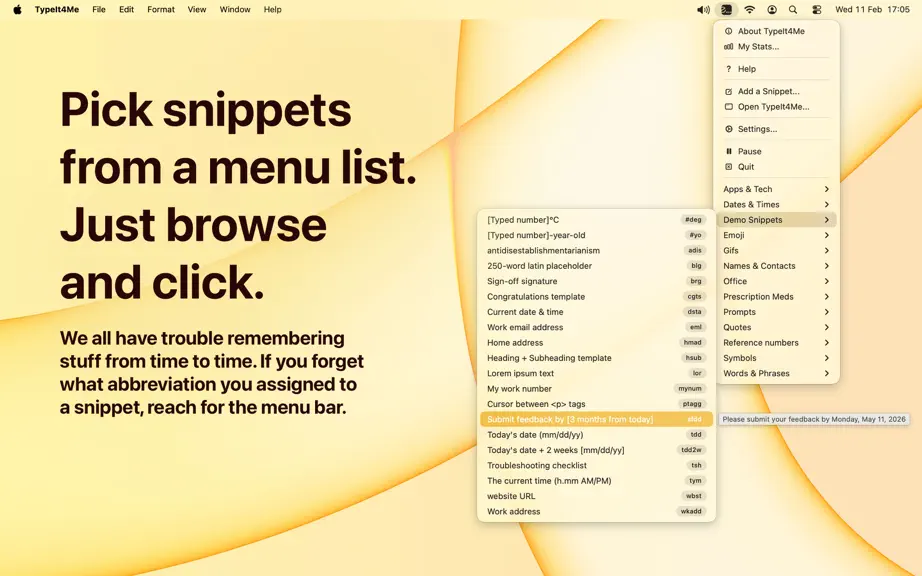
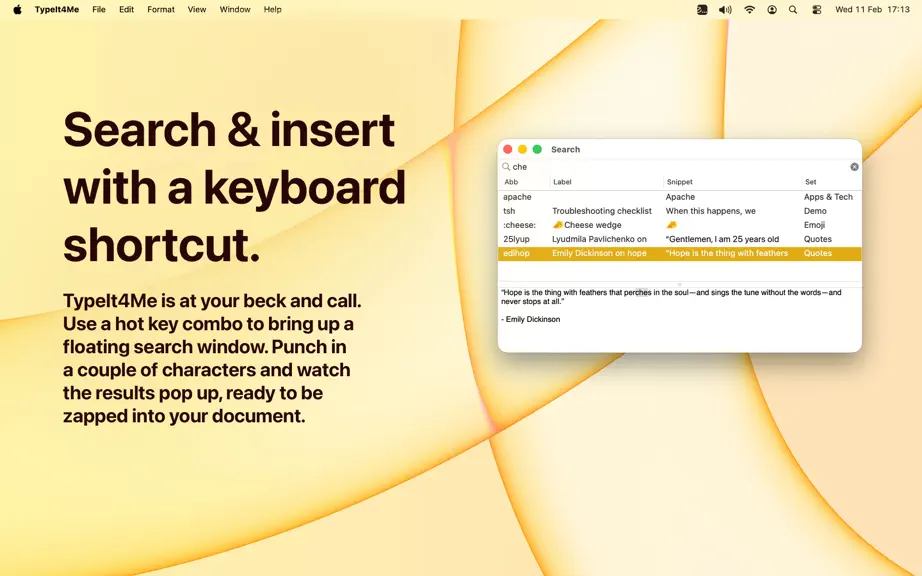
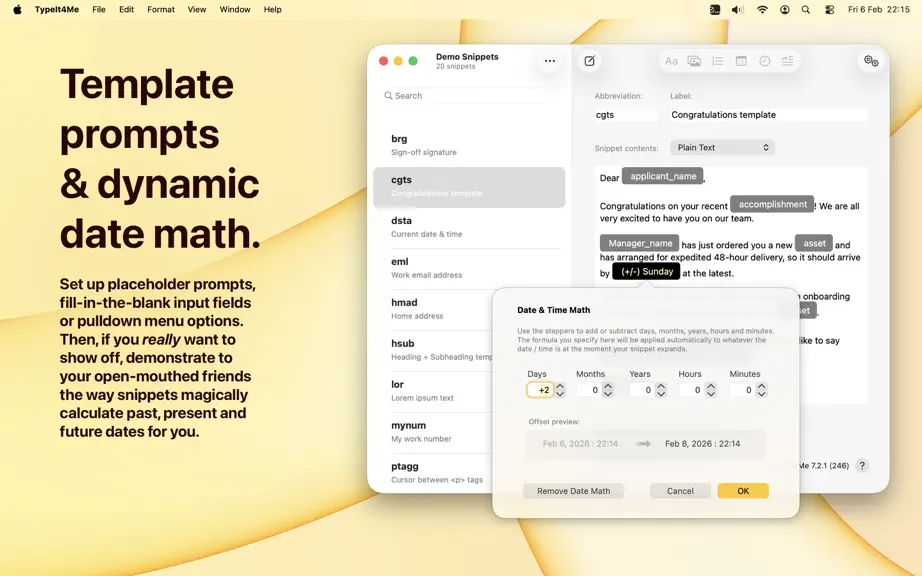
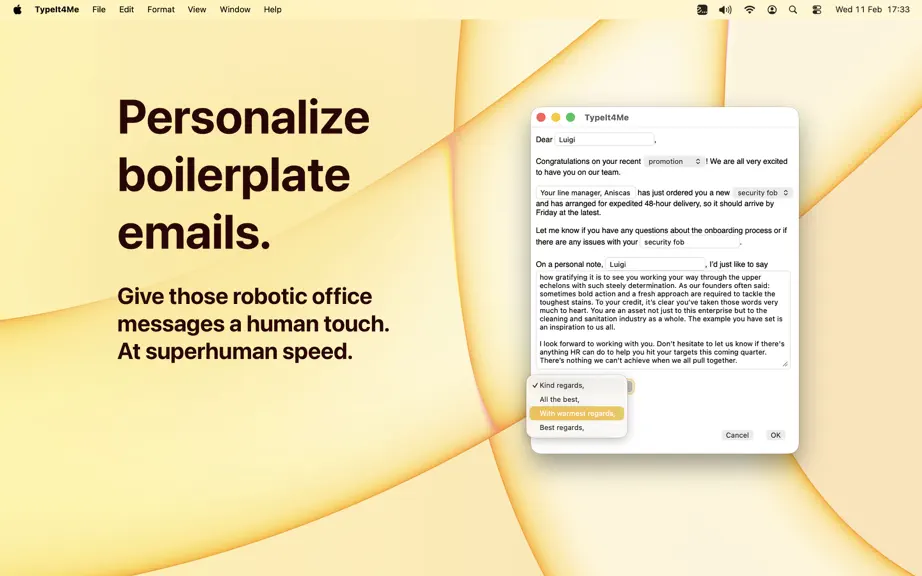
Boost your typing speed and accuracy with TypeIt4Me, the original text expander for Mac. It'll help you blaze through writing tasks with fewer keystrokes, using a library of your personal shorthand abbreviations. When typed almost anywhere on your Mac these shortcuts will instantly expand to become longer ‘snippets’ of content. These might range from gifs to emoji to reams of boilerplate or code.…
Trends & analysis
Chart rank trend
US · overallWhy it's surfacing
Scout 14Ratings & velocity
★ 0 in windowGeographic reach
best rank · 0 storefrontsRevenue & downloads trend
monthly estimateUpdate history
1 update tracked- v7.2.22mo ago
Fixed: * When you specify a language that a dynamic date should expand in, a selection tick correctly shows in the menu next to the selected date language to reflect your choice. The tick went AWOL in a previous update, but it’s back now. * Deleting snippets by swiping left now immediately updates the snippet count in the sidebar and the list header. Before it was only updating after switching away to another set and back. * After deleting a snippet, selection now moves correctly to the next snippet in the list. * There was a bug that would cause the TypeIt4Me menu to instantly close again the very first time it was opened by clicking the icon in the menu bar, if “Hide window on launch” was selected in the app’s Settings. That bug is a hazy memory now. * Template snippets that contain 'greater than' and 'less than' characters now expand correctly with no missing chunks of content before the prompts / variable input fields. * Some snippets combining both pictures and dynamic dates would not include the picture when expanded in the Pages app. That’s fixed now. * A bug crept into an earlier build that would cause the search window to expand rich snippets as plain text with part of the content missing. We sent that bug away to live on a farm in the countryside and now the search-and-insert window correctly expands rich snippets again. * When the app has not been granted accessibility permission, selecting a rich formatted snippet from the menu to paste manually now correctly places the full RTF content on the clipboard. In previous builds, the snippet was erroneously being converted to plain text first. * Rich formatted template snippets containing both variable input fields (prompts) and embedded images should now expand correctly without losing the images. * Any command-key combo (e.g. a ⌘V paste action) now correctly resets the keyboard buffer again. This means you can have (for example) a snippet with an abbreviation that’s just two apostrophes and it won’t trigger accidentally if what you want to do is just type an apostrophe, paste something then type a closing apostrophe. * A few minor issues affecting the rich formatting popover menu have been resolved. It now behaves itself and won’t misapply certain attributes when there’s lots of mixed formatting in a snippet. Also, the labels on the B, I and U segmented controls now properly turn white when selected, so they can clearly be seen against the selection highlight background colour. * In a previous build a bug snuck in that would fail to expand animated GIFs inline in Mail messages on Macs running Tahoe. They would become TIFF attachments instead. This has now been corrected, but you may need to recreate or update any existing snippets you have that contain GIFs in order for them to work in Mail on Tahoe. * Remapping ⌘V to something else with a third party app is no longer a barrier to expanding typed abbreviations or pasting them from the point-and-click menu. Please contact us if you’ve had trouble and need help with this.
TypeIt4Me 7 — FAQ
How many downloads does TypeIt4Me 7 get?
TypeIt4Me 7 sees an estimated 0 downloads per month on the App Store, per AppCurrents modeling.
Is TypeIt4Me 7 free?
TypeIt4Me 7 is a paid app priced at $19.99 on the App Store.
When was TypeIt4Me 7 released?
TypeIt4Me 7 launched on the App Store on 18.04.2025. Its latest version shipped 12.05.2026.


