
Texty Copy: Fields & OCR
Texty Copy: Fields & OCR generates an estimated $0/month in revenue from 0 downloads/month on the App Store, according to AppCurrents estimates (updated 2026-06-18).
| Est. revenue / month | $0 |
|---|---|
| Est. downloads / month | 0 |
| Estimate confidence | low |
| Pricing | Free |
| Rating | 0.00 ★ (0 ratings) |
| Category | Productivity |
| Released | 20.04.2026 |
| App last updated | 23.04.2026 |
| Platform | iOS |
Modeled monthly estimate · rating velocity · low confidence
About
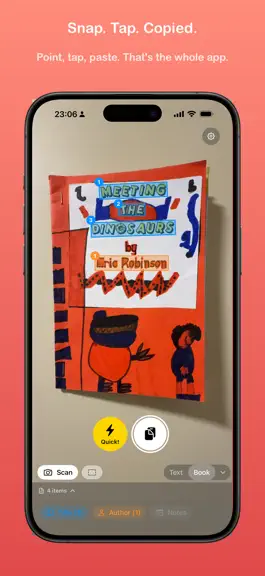
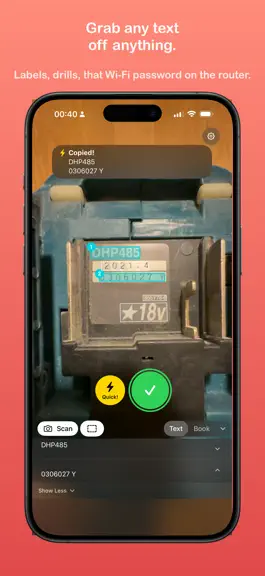
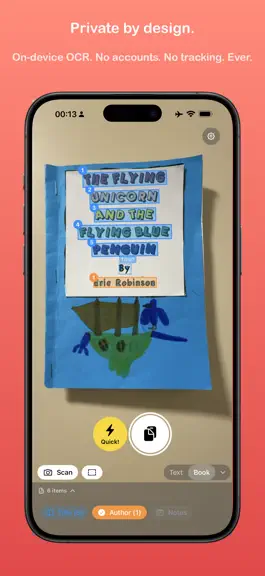
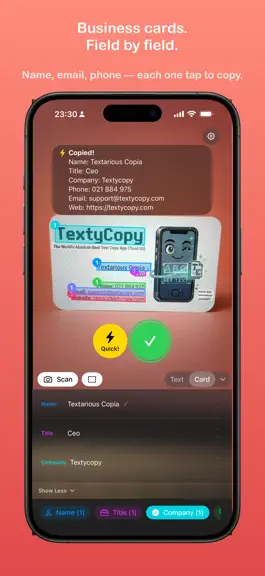
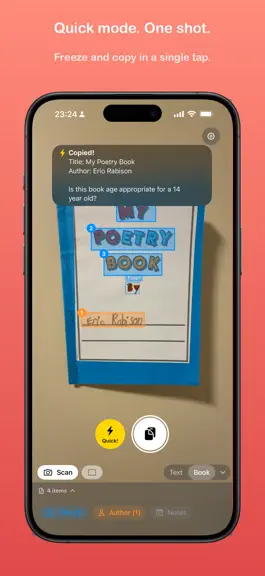
Snap. Tap. Structured. Point your camera at text. Tap the words you want. They're on your clipboard. That's the whole app (apart from the rest of it). Not just plain text — Texty Copy captures structured fields for books, business cards, addresses, quotes, receipts, or any mode you build yourself. No sign-ups. No tutorials. No "upgrade to unlock." You open it, it works. Quick mode Quick mode…
Trends & analysis
Chart rank trend
US · overallWhy it's surfacing
Scout 29Ratings & velocity
Geographic reach
best rank · 0 storefrontsRevenue & downloads trend
monthly estimateUpdate history
1 update tracked- v1.1.11mo ago
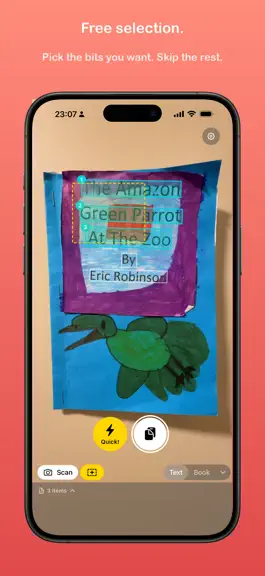
Translated into 9 languages • Full UI translation: German, Spanish, French, Italian, Japanese, Korean, Portuguese (Brazil), Swedish, and Simplified Chinese • Every label, button, tip, and tutorial lesson translated — not just the App Store listing • App automatically uses your device language Multilingual OCR • Scan text in 20+ languages — Chinese, Japanese, Korean, Hindi, and more • Pick which languages to recognise in Settings > Scanning Languages • Device language enabled by default so it works out of the box • English is always on; add or remove any other supported language with a tap Power Mode • Create custom scan modes with any combination of fields • Add fields to built-in modes (want Currency on Card? Just add it) • Five smart detectors: Date, Currency, Phone, Link, Address — add to any mode • Custom fields with regex patterns and a live tester • Dramatic Power Mode entrance animation because why not Free selection • Tap individual OCR blocks to cherry-pick exactly what you want • Drag the dashed-rect marquee across a wall of blocks to grab them all at once • Long-press the marquee button to select every block on screen • Landscape: scan and marquee buttons always anchored to the shutter side Learn tab • Three-tier in-app tutorial: GO, GO HARDER, GO TO FULL POWER • Hands-on demos react like the real app — tap and long-press, no reading required • Every lesson has a Try it live shortcut that drops you into the real flow Snappier than ever • Quick! to copy-ready pipeline now runs in single-digit milliseconds • Vision + NLTagger prewarmed at launch so first-capture lag is gone • Shutter-to-overlays feedback is effectively instant Settings overhaul • Reorganised settings with labelled portrait/landscape picker controls • Text Wrap previews now show the full applied result • Camera pauses when settings is open (smoother text fields) Under the hood • Auto-suggest only runs on the high-quality frozen capture (quieter live preview, better accuracy) • Tray bar flashes on copy so you know where to find what was captured
Texty Copy: Fields & OCR — FAQ
How many downloads does Texty Copy: Fields & OCR get?
Texty Copy: Fields & OCR sees an estimated 0 downloads per month on the App Store, per AppCurrents modeling.
Is Texty Copy: Fields & OCR free?
Texty Copy: Fields & OCR is free to download on the App Store, with no in-app purchases detected.
When was Texty Copy: Fields & OCR released?
Texty Copy: Fields & OCR launched on the App Store on 20.04.2026. Its latest version shipped 23.04.2026.


