TDLiDAR
TDLiDAR generates an estimated $100–$800/month in revenue from 400–2k downloads/month on the App Store, according to AppCurrents estimates (updated 2026-08-02).
| Est. revenue / month | $100–$800 |
|---|---|
| Est. downloads / month | 400–2k |
| Estimate confidence | low |
| Pricing | Free + IAP |
| Rating | 4.20 ★ (10 ratings) |
| Category | Developer Tools |
| Best chart rank | #38 Developer Tools Grossing |
| Released | 29.03.2026 |
| App last updated | 24.07.2026 |
| Platform | iOS |
Modeled monthly estimate · rating velocity · low confidence
About
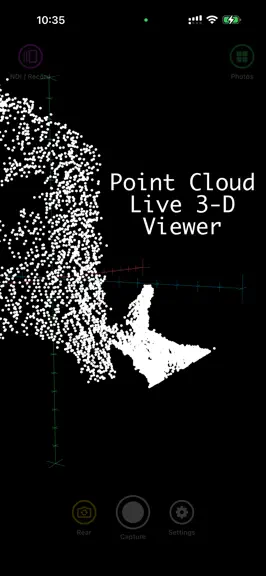
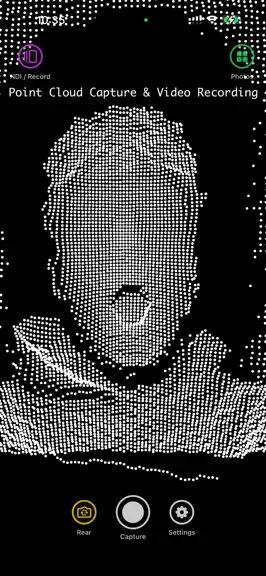
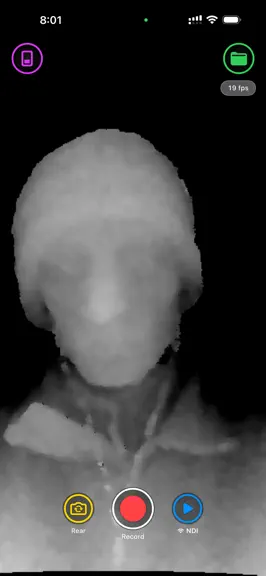
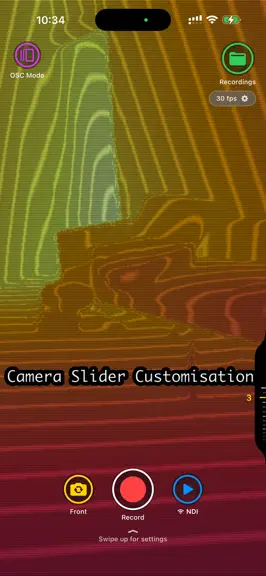
Capture depth. Sense everything. Stream it to TouchDesigner. TDLidar turns your iPhone into a live depth camera and 40-sensor streaming hub for TouchDesigner, OBS, Resolume and any NDI-aware tool — no capture card or tether. Tap Start NDI and it appears as a 1080p/60fps source on the network. DEPTH MODES • NDI Depth — front TrueDepth or rear LiDAR, live, with 15 colormaps, depth clipping and HD…
Trends & analysis
Chart rank trend
US · categoryWhy it's surfacing
Scout 43Ratings & velocity
★ -0.3 in windowRating distribution
100% positive · 2 ratingsGeographic reach
best rank · 11 storefrontsRevenue & downloads trend
ARPU $0In-app purchases
1 tiersUpdate history
10 updates tracked- v9.4.111d ago
This is a small maintenance update. • LiDAR Depth: fixed the depth image dropping the background on default settings, which could make the scene look like a floating foreground cutout. The depth stabilizer responsible now defaults to off, so LiDAR Depth shows the full scene again — you can switch the stabilizer back on any time in LiDAR settings. • Updated in-app help and community links. Thanks for using TDLidar.
- v9.413d ago
9.4 — Two new depth modes, Person Only point clouds, full remote control New mode: LiDAR + Monocular Depth (Pro) The rear LiDAR's real, metric depth is fed into an on-device neural depth model every frame — the sensor supplies true distance, the network supplies the fine edges the 256×192 LiDAR grid can't resolve. Output is real metres on a fixed near/far range, so a given grey always means the same distance in every room and the image never "breathes". Per-pixel trust blending (Damp / Hold / Fill), a frame-level health gate that disregards a globally bad sensor reading, and a self-healing capture watchdog. Needs LiDAR. New mode: ARKit Point Cloud (Beta, Pro) Scan human figures as live, world-locked point-cloud silhouettes — person segmentation × LiDAR depth, fully replaced on each scan. Trails, echo, light-paint, sculpt, riptide, vanish and gravity effects, 13 point shapes, spectrum / static / RGB colour. Pause freezes the last frame while the camera stays live so you can walk around it; tap for a photo, hold to record video. Marked Beta — the in-app help links to the docs, where a new feedback form takes bug reports and feature requests. Monocular Depth, rebuilt Three model tiers — Small, Medium, High — at a locked 60 fps. What you see is now exactly what streams and records: one processed frame drives the preview, NDI and recording. New live camera ↔ depth view (Pro), a Sharpen that actually sharpens, auto-adjust you can scope to a region of the frame with a live lattice overlay, and instant return from the menu. Point Cloud: Person Only A person matte gates point emission so the cloud is only the people in frame, with a Fast / Balanced / Accurate quality picker. Plus whole-cloud tilt, a movement lock, and Off / Spin / Sway orbit modes. Show Control: everything is remote now Every LiDAR, Monocular Depth and Point Cloud setting — over 140 parameters — can be driven over OSC and MIDI (normalized 0–1), with a remote factory reset and a show blackout: screen fully dark while streaming keeps running, triple-tap to wake. Note: Show Control and persistent NDI now ship OFF by default (this update turns them off once — re-enable them any time in the main-menu gear → Network sheet). Hardware shutter The volume buttons — and Camera Control on supported iPhones — take a photo; hold to record. Plus Photos follow the screen orientation, "saved to gallery" captions, and a large round of stability and performance work across LiDAR, Monocular Depth and Point Cloud.
- v9.3.120d ago
New: Show Control (remote trigger) Drive TDLidar hands-free from a lighting desk, QLab, Bitfocus Companion or any OSC controller on the same Wi-Fi. Turn on Show Control and the app listens for OSC to switch modes, start/stop recording, recall Look Presets and ride live faders — brightness, contrast, gamma, colormap and depth clip. It shows this iPhone's IP right in Settings (tap to copy) and can send a once-a-second status heartbeat — battery, thermal, current mode — back to your controller. New: Look Presets Save a complete LiDAR or Monocular "look" — colormap, invert, brightness/contrast/gamma, depth mode and clip — then recall any of them instantly by number, over OSC or MIDI. Build a cue list of looks and step through them live. New: MIDI in (Network + Bluetooth) Receive MIDI over Wi-Fi (Network MIDI connects automatically) or pair a Bluetooth MIDI controller through Apple's standard pairing sheet. A Note On recalls a Look Preset by note number; CC faders ride gamma, contrast, brightness and depth clip out of the box. Incoming MIDI Time Code is shown live on screen. New: One persistent NDI source across modes NDI now stays locked. Switch between LiDAR, Point Cloud and Monocular Depth and your single "TDLiDAR" source keeps streaming without dropping — your TouchDesigner / OBS / Resolume receiver never loses the feed on a mode change. On by default; toggle it off to go back to per-mode sources. Also new: Monocular "Metric" depth A second on-device depth model sits beside the existing "Relative" one — metric-scaled depth from the plain RGB camera, with stronger temporal smoothing to kill edge flicker, plus a front → 1x → 0.5x camera cycle. Also new: 3-Day Pro Pass Try every Pro feature for 3 days with a one-time $2.99 pass, alongside the existing one-time lifetime unlock. Non-renewing — nothing auto-charges. Show Control, Look Presets, MIDI input and persistent NDI are free. Everything else — Mesh Cloud, Cue Deck, Align, Sensors mode, Monocular Depth, TouchDesigner point clouds, Point Cloud Photos and NDI depth streaming — carries over.
- v9.3.026d ago
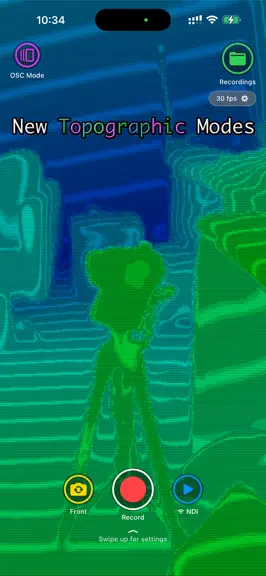
New: Mesh Cloud mode Scan a room or object with the LiDAR scanner and watch a live point cloud build on a black background as you move. When you're done, walk your scan in a full-screen 3D viewer — on-screen joystick to move, dial to zoom, swipe to look, and a recenter button to reframe. Clean it up like a mini point-cloud editor: box-select stray points and delete them, with undo/redo. Then export to PLY or send the whole cloud into TouchDesigner as POP geometry over a fast local connection. • Adjustable point density (quantization) up to 200,000 points • Live clean-up: remove floating points, keep the largest connected surface, highlight incomplete areas • Your finished scan is kept when you switch modes — jump back in and it reopens to the 3D viewer New: Main Menu A redesigned home screen — pick a mode from one central hub instead of switching modes mid-session. Nothing runs until you pick a mode, so the camera and sensors stay off until you need them. New: Cue Deck A MIDI-pad-style grid of on-screen trigger buttons for TouchDesigner. Each pad sends its own OSC address on press and release — build a hands-free wireless trigger surface for cues, transport, or any bang/toggle in your patch, no cables or extra hardware. New: Align Point the phone at a wall or projection surface and Align finds it for you — tap to lock it in, then fine-tune its corners by hand. Streams the surface's corners live over OSC as a quick starting point for TouchDesigner's own projector-warping tools. Also new: Point Cloud Motion FX Live, motion-driven effects on the LiDAR point cloud, right in the slide-up settings bar — trails, velocity colour, age-fade, sculpt, riptide, vanishing and gravity fall, plus Light Paint options. Everything updates as you drag. Improvements & fixes • New slide-up live settings bar for LiDAR/Depth (controls change the image as you drag) • Confidence and depth-line (topographic) views added alongside the existing 15 colormaps • Face "Detail" boosted (higher default + range) and depth-quality fixes (edge shadow on Face Detail, over-bright environment after a camera flip) • The old "AR Mesh" sensor is replaced by the new Mesh Cloud mode Mesh Cloud, Cue Deck and Align are Pro features; Mesh Cloud and Align need a LiDAR iPhone. Everything else — Sensors mode, Monocular Depth, point clouds in TouchDesigner, Point Cloud Photos, and NDI depth streaming — carries over.
- v9.2.01mo ago
New: Mesh Cloud mode Scan a room or object with the LiDAR scanner and watch a live point cloud build on a black background as you move. When you're done, walk your scan in a full-screen 3D viewer — on-screen joystick to move, dial to zoom, swipe to look, and a recenter button to reframe. Clean it up like a mini point-cloud editor: box-select stray points and delete them, with undo/redo. Then export to PLY or send the whole cloud into TouchDesigner as POP geometry over a fast local connection. • Adjustable point density (quantization) up to 200,000 points • Live clean-up: remove floating points, keep the largest connected surface, highlight incomplete areas • Your finished scan is kept when you switch modes — jump back in and it reopens to the 3D viewer Also new: Point Cloud Motion FX Live, motion-driven effects on the LiDAR point cloud, right in the slide-up settings bar — trails, velocity colour, age-fade, sculpt, riptide, vanishing and gravity fall, plus Light Paint options. Everything updates as you drag. Improvements & fixes • New slide-up live settings bar for LiDAR/Depth (controls change the image as you drag) • Face "Detail" boosted (higher default + range) and depth-quality fixes (edge shadow on Face Detail, over-bright environment after a camera flip) • The old "AR Mesh" sensor is replaced by the new Mesh Cloud mode Mesh Cloud is a Pro feature and needs a LiDAR iPhone. Everything else — Sensors mode, Monocular Depth, point clouds in TouchDesigner, Point Cloud Photos, and NDI depth streaming — carries over.
TDLiDAR — FAQ
How much money does TDLiDAR make?
According to AppCurrents estimates, TDLiDAR generates approximately $100–$800 per month (low confidence), modeled from its the App Store chart performance, rating velocity, and monetization signals.
How many downloads does TDLiDAR get?
TDLiDAR sees an estimated 400–2k downloads per month on the App Store, per AppCurrents modeling.
Is TDLiDAR free?
TDLiDAR is free to download on the App Store, monetizing through in-app purchases.
What is TDLiDAR's rating?
TDLiDAR holds a 4.20-star average from 10 ratings on the App Store. It currently ranks #38 on the Developer Tools grossing chart.
When was TDLiDAR released?
TDLiDAR launched on the App Store on 29.03.2026. Its latest version shipped 24.07.2026.