
Taculator 84 Graphing Calc
Taculator 84 Graphing Calc generates an estimated $1k–$7k/month in revenue from 2k–8k downloads/month on the App Store, according to AppCurrents estimates (updated 2026-10-02).
| Est. revenue / month | $1k–$7k |
|---|---|
| Est. downloads / month | 2k–8k |
| Estimate confidence | medium |
| Pricing | Free + IAP |
| Rating | 4.51 ★ (7,590 ratings) |
| Category | Education |
| Released | 08.05.2019 |
| App last updated | 11.09.2026 |
| Platform | iOS |
Modeled monthly estimate · rating velocity · medium confidence

About
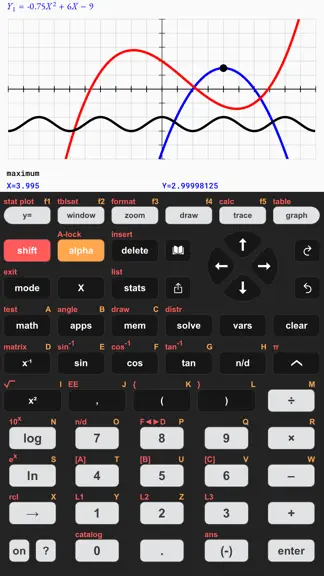
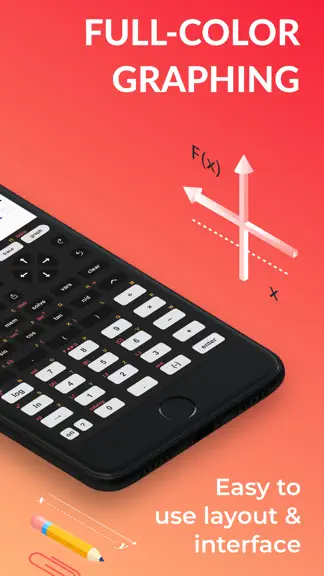
TACULATOR 84 GRAPHING CALCULATOR • Your graphing calculator for high school and college students. • All the commands you know: advanced math, lists, statistics, distributions, stat plots and more. • Covers everything you need: Pre-Algebra, Algebra 1 & 2, Pre-Calculus, Calculus, Statistics... IT'S EVEN BETTER THAN AN ACTUAL CALCULATOR • 100X faster than a handheld, using the full calculation power…
Trends & analysis
Chart rank trend
US · overallWhy it's surfacing
Scout 12Ratings & velocity
★ 0 in windowRating distribution
88% positive · 8k ratingsGeographic reach
best rank · 0 storefrontsRevenue & downloads trend
ARPU $1In-app purchases
4 tiersUpdate history
6 updates tracked- v2.0.021d ago
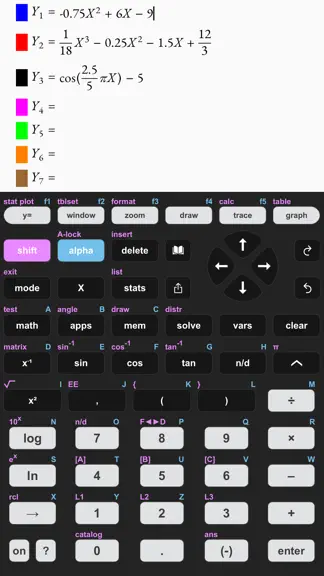
FOUR WAYS TO GRAPH • Polar, Parametric and Sequence graphing join Function mode. Switch in MODE and everything follows: window variables, trace, tables, CALC values like dy/dx and dr/dθ, and zoom • Sequences u, v, w with TIME plots, WEB cobwebs and phase plots A NEW FACE • Press ⌂ for the icon home screen: every tool one tap away • Every menu and settings screen has been redesigned, with a cleaner look and pill-style choices • Optional status line shows NORMAL FLOAT AUTO REAL RADIAN at a glance, plus a canvas switcher for side-by-side calculations CONICS & LINES, REBUILT • Pick an equation template (E1 to E6) and type the values right into the equation • Lines join the conics, including the vertical line X=C that Y= can never draw • Graph several equations at once in their own colors. SOLVE still prints center, foci, vertices, directrix and asymptote slopes STATISTICS THAT GUIDE YOU • Every test, interval and distribution wizard got clear input fields and a real CALCULATE button • Manual-Fit: fit your own line with the cursor. QuickPlot & Fit-EQ: drop points on the graph and fit a model right there SMALL THINGS YOU'LL FEEL EVERY DAY • Error messages appear right under your input line, with the exact spot highlighted • A smarter cursor: placeholder boxes in templates, and the arrow keys walk fraction and integral fields • Points of Interest appear while you trace, so the plain graph stays clean • Prefer French key labels? MODE ▸ KEYCAPS: FRANÇAIS Previous update: • The graph screen learned to see: Points of Interest trace, one-finger graph scrolling, the complete ZOOM and DRAW menus, pictures and background images
- v1.7.11mo ago
THE GRAPH SCREEN LEARNED TO SEE • Points of Interest trace: zeros, maxima, minima and intersections snap right under your crosshair while you trace — asymptotes too. Turn it on under FORMAT ▸ DETECT • Scroll the graph with one finger — drag the window wherever you like, and the GRAPH key snaps it right back home • The complete ZOOM menu: ZBox, Zoom In/Out, ZSquare, ZDecimal, ZTrig, ZInteger, ZoomFit, ZoomStat and fraction presets — plus zoom factors, ZPrevious, ZoomSto and ZoomRcl on the new MEMORY tab • FORMAT grew from 3 to 8 settings: grid, axes, labels, coordinates, expressions and more • Full support for piecewise functions. A COMPLETE DRAW MENU • Write Text( on the graph, doodle with Pen, set points and pixels, drag an interactive Circle( • Store and recall ten pictures (Pic1–Pic0) — or put any photo behind your graph as a background image • Shade( fills the region between two curves, and the distribution menu gained a DRAW tab: ShadeNorm, Shade_t, Shadeχ², ShadeF DEEPER STATISTICS • Three new regression models: PropReg, RecipReg and eBASEReg SMALL THINGS YOU'LL FEEL EVERY DAY • Fraction results now show little blue ◄► arrows — tap them to flip between fraction and decimal • New MODE options: ANSWERS (auto/decimal/fraction), FRACTION TYPE (n/d or Un/d) and the GRADIAN angle mode • New commands: seq(, ΔList(, augment(, ClrAllLists, storing to dim( • VARS menu now covers window, zoom and statistics variables, GDBs, pictures and Y-VARS • Every zoom command is in the Catalog with a description of how it sets your window Previous update: • The apps key went live — Geometry, Polynomial Root Finder, Finance, Probability Simulation, Science Tools, Transformation Graphing, Conics, Inequality Graphing and the Periodic Table
- v1.7.01mo ago
THE GRAPH SCREEN LEARNED TO SEE • Points of Interest trace: zeros, maxima, minima and intersections snap right under your crosshair while you trace — asymptotes too. Turn it on under FORMAT ▸ DETECT • The complete ZOOM menu: ZBox, Zoom In/Out, ZSquare, ZDecimal, ZTrig, ZInteger, ZoomFit, ZoomStat and fraction presets — plus zoom factors, ZPrevious, ZoomSto and ZoomRcl on the new MEMORY tab • FORMAT grew from 3 to 8 settings: grid, axes, labels, coordinates, expressions and more • Full support for piecewise functions. A COMPLETE DRAW MENU • Write Text( on the graph, doodle with Pen, set points and pixels, drag an interactive Circle( • Store and recall ten pictures (Pic1–Pic0) — or put any photo behind your graph as a background image • Shade( fills the region between two curves, and the distribution menu gained a DRAW tab: ShadeNorm, Shade_t, Shadeχ², ShadeF DEEPER STATISTICS • Three new regression models: PropReg, RecipReg and eBASEReg SMALL THINGS YOU'LL FEEL EVERY DAY • Fraction results now show little blue ◄► arrows — tap them to flip between fraction and decimal • New MODE options: ANSWERS (auto/decimal/fraction), FRACTION TYPE (n/d or Un/d) and the GRADIAN angle mode • New commands: seq(, ΔList(, augment(, ClrAllLists, storing to dim( • VARS menu now covers window, zoom and statistics variables, GDBs, pictures and Y-VARS • Every zoom command is in the Catalog with a description of how it sets your window Previous update: • The apps key went live — Geometry, Polynomial Root Finder, Finance, Probability Simulation, Science Tools, Transformation Graphing, Conics, Inequality Graphing and the Periodic Table
- v1.6.11mo ago
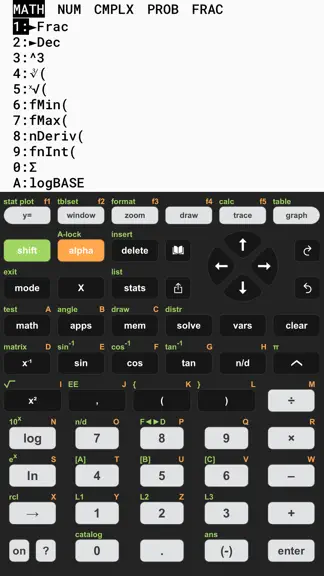
THE APPS KEY IS NOW LIVE Press [apps] for a whole suite of new built-in apps — free for everyone for a limited time: • Geometry — draw points, lines, circles and polygons, measure lengths, angles and areas, explore transformations, animations and loci • Polynomial Root Finder & Simultaneous Equation Solver • Finance — Time-Value-of-Money solver, NPV, IRR, amortization • Probability Simulation — toss coins, roll dice, pick marbles, spin spinners, draw cards • Science Tools — sig-fig calculator, unit converter, data/graphs wizard, vector calculator • Transformation Graphing — animate function families with coefficient sliders • Conics — circles, ellipses, parabolas, hyperbolas • Inequality Graphing — shade solution regions, including vertical X= inequalities • Periodic Table — every element with detailed properties NUMERIC SOLVER • Solve any equation for any variable — now in the MATH menu and on the solve key MORE IMPROVEMENTS • Fresh new app icon • Arrow keys auto-repeat while held down • Better layout on iPad in landscape — the display stays visible • Shared graph images now match your Light/Dark mode • Saving an image now only asks for add-to-photos permission — the app never gets access to your photo library • Median and quartiles with frequency lists, logBASE with list arguments, and many more fixes Previous versions: • Dark Mode for the calculator display — history, math editor, and every submenu adapt • Redesigned Catalog and Tutorial in modern iOS style • Big theme selection (Classic, Graphite, Silver, Gold, Rose, Mint …) with a fine-tuning color picker
- v1.6.01mo ago
CLAVIER FRANÇAIS • Nouvelle option : les touches adoptent la disposition française (matrice, résol, fraction, verr A) avec le thème Silver — activée automatiquement si votre appareil est en français, réglable dans le menu MODE. LA TOUCHE APPS EST LÀ Appuyez sur [apps] : une suite complète de nouvelles applications intégrées — gratuites pour tous pendant une durée limitée : • Géométrie — points, droites, cercles et polygones ; mesures de longueurs, d'angles et d'aires ; transformations, animations et lieux géométriques • Racines de polynômes & systèmes d'équations • Finance — solveur TVM, VAN, TRI, amortissement • Simulation de probabilités — pièces, dés, billes, roues, cartes • Outils scientifiques — chiffres significatifs, convertisseur d'unités, assistant données/graphiques, calcul vectoriel • Transformations de fonctions — animez des familles de fonctions avec des curseurs • Coniques — cercles, ellipses, paraboles, hyperboles • Inéquations — hachurez les régions solutions, y compris les inéquations verticales X= • Tableau périodique — tous les éléments avec leurs propriétés SOLVEUR NUMÉRIQUE • Résolvez n'importe quelle équation pour n'importe quelle variable — dans le menu MATH et sur la touche solve AUTRES AMÉLIORATIONS • Nouvelle icône d'application • Les flèches se répètent tant qu'on les maintient • Meilleure disposition sur iPad en mode paysage — l'écran reste visible • Les graphiques partagés respectent votre mode clair/sombre • L'enregistrement d'une image ne demande plus que l'autorisation d'ajouter des photos — l'app n'accède jamais à votre photothèque • Médiane et quartiles avec listes d'effectifs, logBASE avec des listes, et de nombreux autres correctifs Versions précédentes : • Mode sombre pour l'écran de la calculatrice — historique, éditeur et tous les menus s'adaptent • Catalogue et tutoriel repensés dans un style iOS moderne • Grand choix de thèmes (Classic, Graphite, Silver, Gold, Rose, Mint…) avec réglage fin des couleurs
Taculator 84 Graphing Calc — FAQ
How much money does Taculator 84 Graphing Calc make?
According to AppCurrents estimates, Taculator 84 Graphing Calc generates approximately $1k–$7k per month (medium confidence), modeled from its the App Store chart performance, rating velocity, and monetization signals.
How many downloads does Taculator 84 Graphing Calc get?
Taculator 84 Graphing Calc sees an estimated 2k–8k downloads per month on the App Store, per AppCurrents modeling.
Is Taculator 84 Graphing Calc free?
Taculator 84 Graphing Calc is free to download on the App Store, monetizing through in-app purchases.
What is Taculator 84 Graphing Calc's rating?
Taculator 84 Graphing Calc holds a 4.51-star average from 7,590 ratings on the App Store.
When was Taculator 84 Graphing Calc released?
Taculator 84 Graphing Calc launched on the App Store on 08.05.2019. Its latest version shipped 11.09.2026.


