
Supershift Work Shift Calendar
Supershift Work Shift Calendar generates an estimated $19k–$130k/month in revenue from 4k–16k downloads/month on the App Store, according to AppCurrents estimates (updated 2026-08-02).
| Est. revenue / month | $19k–$130k |
|---|---|
| Est. downloads / month | 4k–16k |
| Estimate confidence | low |
| Pricing | Free + IAP |
| Rating | 4.86 ★ (5,186 ratings) |
| Category | Productivity |
| Released | 21.04.2016 |
| App last updated | 27.07.2026 |
| Platform | iOS |
Modeled monthly estimate · rating velocity · low confidence
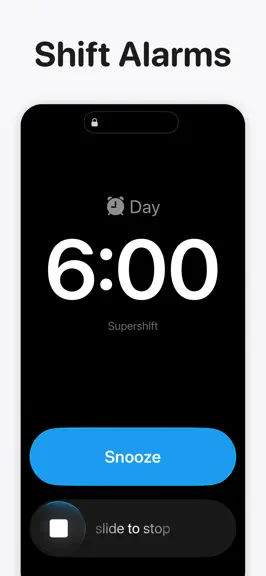
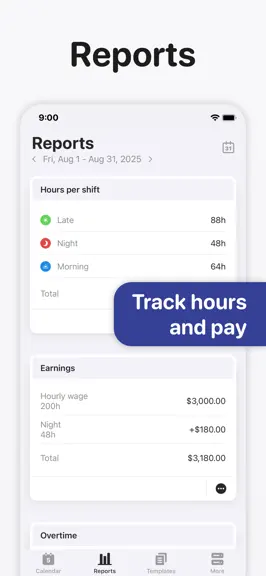
About
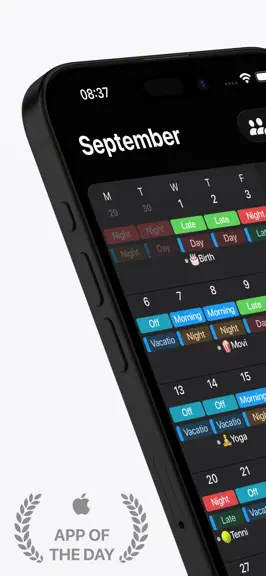
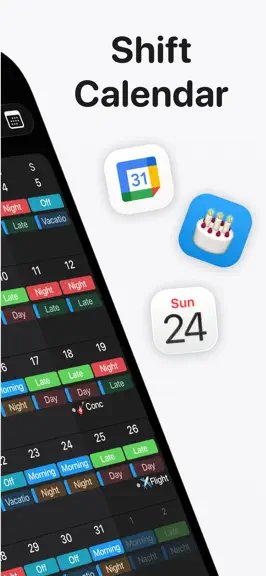
Supershift is the world's most downloaded and highest-rated shift calendar app on iOS. It is built specifically for nurses, doctors, paramedics, police officers, firefighters, factory and manufacturing workers, retail staff, airport crew, and bus, train, and tram drivers. No account required. No internet required. Open the app and start planning immediately - your schedule is yours, stored entire…
Trends & analysis
Chart rank trend
US · overallWhy it's surfacing
Scout 13Ratings & velocity
★ 0 in windowRating distribution
98% positive · 5k ratingsGeographic reach
best rank · 4 storefrontsRevenue & downloads trend
ARPU $6In-app purchases
3 tiersUpdate history
10 updates tracked- v2026.308d ago
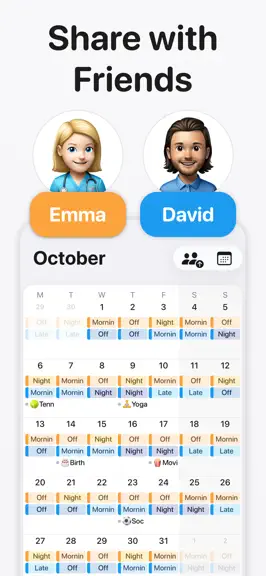
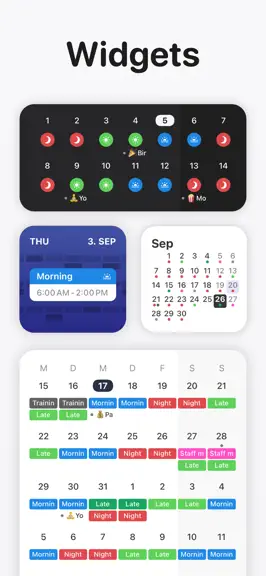
• Widgets, your way! Choose which calendar each widget shows — just long-press the widget and tap Edit Widget. Perfect if you use shared calendars. Give each person its own widget and keep track of everyone at a glance. • We've improved how widgets look when your home screen is set to Clear or Tinted mode. • Rebuilt the Apple Watch app with Apple's latest technologies to improve maintainability and reliability. • If Supershift is on your Apple Watch face, you may need to remove and add it again after updating. • Bug fixes and improvements
- v2026.2918d ago
• Widgets, your way! Choose which calendar each widget shows — just long-press the widget and tap Edit Widget. Perfect if you use shared calendars. Give each person its own widget and keep track of everyone at a glance. • We've improved how widgets look when your home screen is set to Clear or Tinted mode. • Rebuilt the Apple Watch app with Apple's latest technologies to improve maintainability and reliability. • If Supershift is on your Apple Watch face, you may need to remove and add it again after updating. • Bug fixes and improvements
- v2026.2820d ago
•Bug fixes and improvements
- v2026.2725d ago
• Widgets, your way! Choose which calendar each widget shows — just long-press the widget and tap Edit Widget. Perfect if you use shared calendars. Give each person its own widget and keep track of everyone at a glance. • We've improved how widgets look when your home screen is set to Clear or Tinted mode. • Rebuilt the Apple Watch app with Apple's latest technologies to improve maintainability and reliability. • If Supershift is on your Apple Watch face, you may need to remove and add it again after updating.
- v2026.261mo ago
Big update - Supershift just got a lot more flexible! • Multiple jobs: Work shifts at more than one place? You can now add multiple jobs as you need and keep them all together in one app. No more juggling or switching back and forth. • Multiple event calendars: Set up separate calendars for everything in your life: one for work events, one for private stuff, one for birthdays… whatever works for you. Keep it all sorted your way. • Pick your colors: Give each event calendar its own color so you can tell them apart at a glance. • Bug fixes and improvements.
Supershift Work Shift Calendar — FAQ
How much money does Supershift Work Shift Calendar make?
According to AppCurrents estimates, Supershift Work Shift Calendar generates approximately $19k–$130k per month (low confidence), modeled from its the App Store chart performance, rating velocity, and monetization signals.
How many downloads does Supershift Work Shift Calendar get?
Supershift Work Shift Calendar sees an estimated 4k–16k downloads per month on the App Store, per AppCurrents modeling.
Is Supershift Work Shift Calendar free?
Supershift Work Shift Calendar is free to download on the App Store, monetizing through in-app purchases.
What is Supershift Work Shift Calendar's rating?
Supershift Work Shift Calendar holds a 4.86-star average from 5,186 ratings on the App Store.
When was Supershift Work Shift Calendar released?
Supershift Work Shift Calendar launched on the App Store on 21.04.2016. Its latest version shipped 27.07.2026.


