StreamTouch
StreamTouch generates an estimated $0/month in revenue from 0 downloads/month on the App Store, according to AppCurrents estimates (updated 2026-08-02).
| Est. revenue / month | $0 |
|---|---|
| Est. downloads / month | 0 |
| Estimate confidence | low |
| Pricing | Paid $1.99 |
| Rating | 0.00 ★ (0 ratings) |
| Category | Music |
| Released | 17.05.2026 |
| App last updated | 04.07.2026 |
| Platform | iOS |
Modeled monthly estimate · rating velocity · low confidence
About
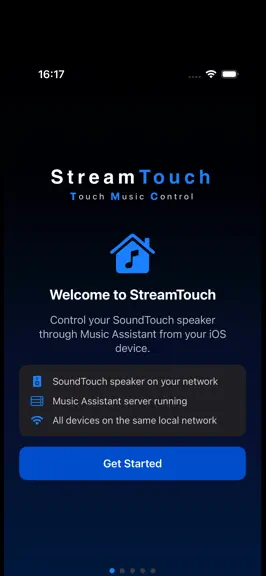
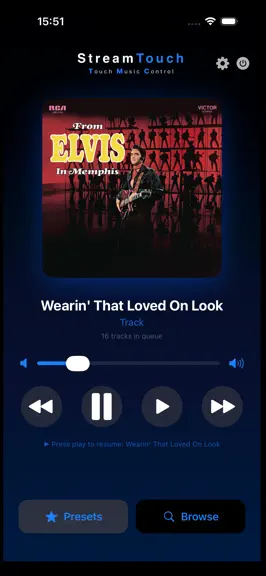
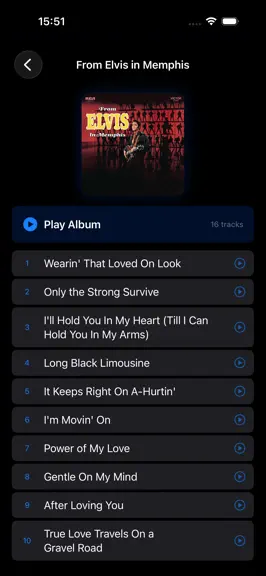
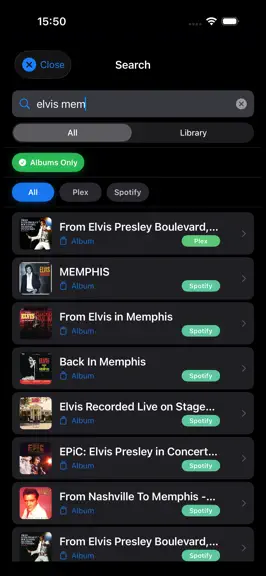
Version 2.1.2 StreamTouch is a sleek, modern controller for Bose SoundTouch systems powered by Music Assistant. Enjoy unified music control across all your streaming services from one beautiful, touch-optimized interface. REQUIREMENTS • SoundTouch speaker on your local network • Music Assistant server (running on your home network) • iOS device on the same Wi-Fi network as your speaker and serve…
Trends & analysis
Chart rank trend
US · overallWhy it's surfacing
Scout 36Ratings & velocity
★ 0 in windowGeographic reach
best rank · 5 storefrontsRevenue & downloads trend
monthly estimateUpdate history
4 updates tracked- v2.1.21mo ago
Volume/Balance control enhancements
- v2.1.01mo ago
Stereo pairs using SoundTouch 10 speakers and StreamTouch SLC • Additional radio sources for direct conversion to HW presets • Enhanced volume controls
- v2.0.11mo ago
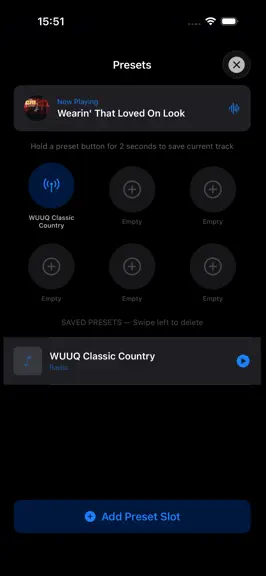
Version 2.0.1 — WiFi Setup, Local Cloud & Hardware Presets SPEAKER SETUP & RECONNECTION • New WiFi reconnection wizard — reconnect or add speakers to your network directly from StreamTouch • Full support for Wave SoundTouch (lisa/sm2 variant) — correctly configures setup state during WiFi provisioning • Automatic speaker discovery after reconnect — StreamTouch finds your speakers on the home network automatically STREAMTOUCH LOCAL CLOUD (SLC) • Stream Music Assistant radio stations and save as hardware-presets on your SoundTouch speaker • Convert Music Assistant radio streams to Local Internet Radio • SLC runs as a container on your home network HARDWARE PRESETS * (with SLC) • View and manage all 6 hardware preset slots per speaker • Save currently playing radio to a preset with one tap • Clear individual preset slots SPEAKER GROUPING • Play All Speakers — one-tap button streams current content to every speaker in your home simultaneously • Individual volume control per speaker when grouped • Group volume slider adjusts all speakers together while preserving relative levels IMPROVEMENTS • Queue management improvements • Source switching — switch between AUX and Bluetooth inputs directly from the app • Music Assistant server auto-discovery
- v1.2.02mo ago
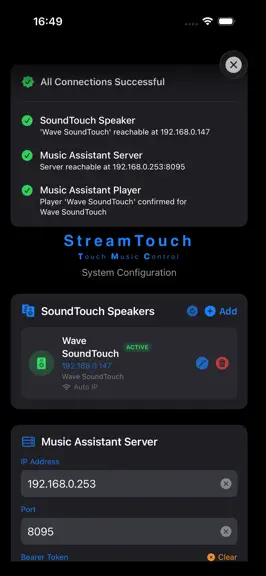
Version 1.2.0 — Speaker Management & Discovery • Automatic speaker discovery — StreamTouch now scans your local network to find SoundTouch speakers automatically using Bonjour discovery • Multiple speaker support — add and manage multiple SoundTouch speakers within the app • Speaker switching — quickly switch between speakers directly from the main dashboard • Auto player ID — Music Assistant player ID is now automatically detected and configured for each speaker • Auto IP refresh — speakers configured with dynamic IP addresses are automatically updated on app launch • Improved connection testing — three stage connection test now validates speaker, server and player ID independently with clear error messages • Improved setup wizard — new speaker step with automatic discovery and manual entry options
StreamTouch — FAQ
How many downloads does StreamTouch get?
StreamTouch sees an estimated 0 downloads per month on the App Store, per AppCurrents modeling.
Is StreamTouch free?
StreamTouch is a paid app priced at $1.99 on the App Store.
When was StreamTouch released?
StreamTouch launched on the App Store on 17.05.2026. Its latest version shipped 04.07.2026.


