
Storm Radar: Weather Tracker
Storm Radar: Weather Tracker generates an estimated $57k–$360k/month in revenue from 200k–830k downloads/month on the App Store, according to AppCurrents estimates (updated 2026-09-08).
| Est. revenue / month | $57k–$360k |
|---|---|
| Est. downloads / month | 200k–830k |
| Estimate confidence | low |
| Pricing | Free + IAP |
| Rating | 4.48 ★ (129,818 ratings) |
| Category | Weather |
| Best chart rank | #8 Weather Grossing |
| Released | 15.06.2017 |
| App last updated | 30.08.2026 |
| Platform | iOS |
Modeled monthly estimate · rating velocity · low confidence
About
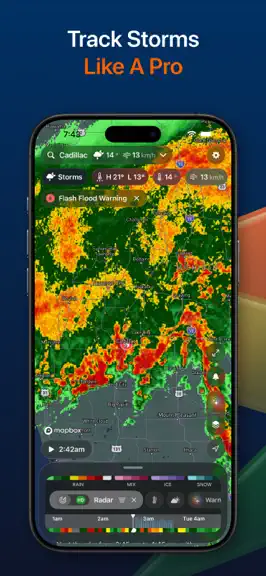
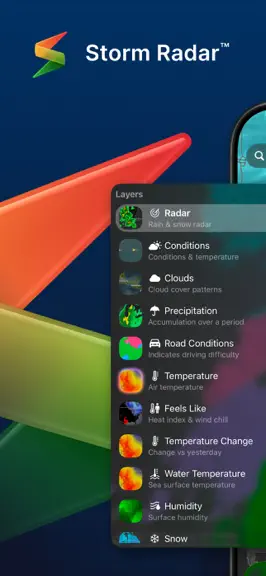
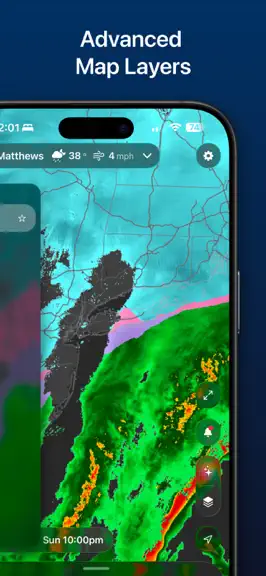
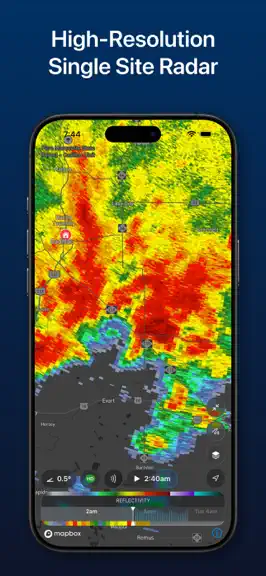
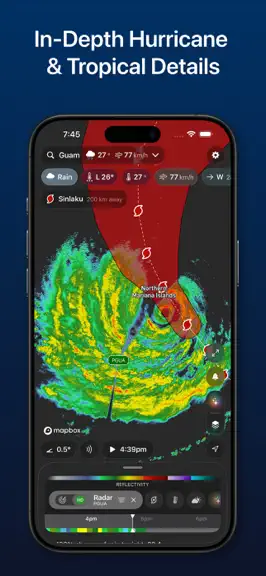
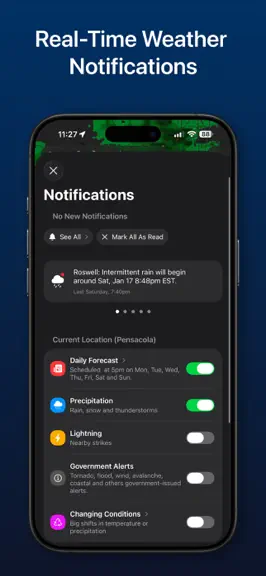
Welcome to the NEW Storm Radar, the next generation of weather radar and storm tracking. We’ve re-imagined the app with smarter insights, powerful tools, and a fresh design built on the trusted accuracy of The Weather Channel. Track incoming rain with future radar, watch storm movement and timing on a live map, and follow every storm with accurate live radar. POWERFUL WEATHER & RADAR FEATURES • E…
Trends & analysis
Chart rank trend
US · categoryWhy it's surfacing
Scout 39Ratings & velocity
★ +0.04 in windowRating distribution
87% positive · 117k ratingsGeographic reach
best rank · 11 storefrontsRevenue & downloads trend
ARPU $0In-app purchases
6 tiersUpdate history
5 updates tracked- v4.0.199d ago
CarPlay - Added CarPlay support, including a preview of weather en route, and turn-by-turn navigation with automatic rerouting and weather alerts along your route that refresh as you drive. Home Screen Widgets - Added lock screen widgets, including current conditions, a gauge with your choice of metric, a 12-hour forecast chart, next hour rain, and lightning. iPhone / iPad / Mac - Added 72-hour global radar. - Added smoke to the Wildfire layer. - Added the ability to choose which condition Personal Weather Stations display on the map, including directly from a station's detail view. - Added a filter to show only your selected Personal Weather Station on the map. - Added a 6-hour option for how recent Local Storm Reports need to be to show on the map. - Added a button to snap the map timeline back to now after scrubbing away from it. - Improved accuracy of Air Quality layer. - More precise "next rain" and "next snow" times, and new record temperature insights. - Smarter widget suggestions based on the activities you select. - Fixed duplicate saved locations. - Fixed weather alerts not showing on the map for some Canadian locations. - Fixed the radar animation playing faster on iPad than iPhone at the same speed setting. - Fixed times not following your device's 12- or 24-hour clock setting in some places, including the map timeline, widgets, and Aviation/Wind Sports charts. - Fixed the distance shown for a Personal Weather Station tapped on the map always reading zero. - Fixed tracker cards sometimes showing the wrong weather when two trackers point at the same location. - Fixed weather sometimes failing to refresh after the app had been offline for a while. - Fixed a misleading online/offline indicator for Personal Weather Stations that aren't visible on the map. - Fixed minute-by-minute rain sometimes presenting rain that had already passed as still to come. - Fixed onboarding and permission pages being cramped and cut off on iPad. Watch - Redesigned the Watch app with a cleaner look and simpler navigation. - Added a full-screen map with Radar, Temperature, Clouds, and Precipitation layers — turn the Digital Crown to zoom in and out. - Added a play/pause button that animates the Watch map through the next 2 hours in 15-minute steps. - New circular complications. - Improved complication refresh reliability so your Watch face keeps showing current weather without needing to reopen the app. - Fixed the Precipitation Chance overlay not showing correctly in Watch chart complications. - Fixed the Digital Crown losing control of the forecast chart after closing the overlays or locations sheet. - Added a UV index pill and Digital Crown scrolling to the forecast scrub conditions row.
- v4.0.181mo ago
iPhone / iPad / Mac - New text size setting: scale the app's text from Extra Small to Extra Large, independent of your iOS Dynamic Type setting. - New "Wind Only" option for the Wind layer — view wind speed without the animated particles. - Updated default color palettes for Reflectivity, Velocity, and other radar layers. - Fixed lightning strikes not showing up in some areas, including the Last Strike tile and Watch complication. - Fixed duplicate "Current Location" entries appearing in your saved locations. - Fixed a dropped first tap when opening layer settings. - Fixed the resize handle on iPad's Classic mode panel not responding to drags. - Improved stability and performance on older and low-memory devices. Watch - Your current location now updates on the watch itself as you move, without waiting for your iPhone.
- v4.0.172mo ago
iPhone / iPad / Mac - Cleaner UI: the side controls now tuck behind a single button — tap it to reveal layers, tools and more, and they stay open until you close them. - Customise your widgets based on your interests: tap on the "3 lines" button and choose what activities matter to you and we'll set up the matching widgets automatically — then add, remove, and reorder them however you like. - Redesigned location details page. - New timeline Loop setting: added to layer settings (3-lines button in layer) and in Classic mode. - New Wind Speed option in Settings: pick knots, meters per second, or your default, and it applies everywhere — forecasts, radar, and widgets. - New Layout choice on iPhone: switch between Map & Widgets and a Widgets Only view from Settings or your interests setup. - New temperature trend line across the top of the Hourly conditions, so you can read the day's rise and fall at a glance. - New Tides widget: see the rise and fall of the tide across several days with every high and low marked, plus a moon overlay so you can read the tides against the lunar cycle. - New Live Precipitation alerts: follow incoming rain from your Lock Screen and Dynamic Island, and tap to jump straight to your current location's forecast. - New Nearby Lightning tile in Current Conditions widget, showing distance and time since the nearest strike. Watch - New Nearby Lightning complication, showing distance and time since the nearest strike.
- v4.0.163mo ago
iPhone / iPad / Mac - Font sizes now adapt to your system Text Size setting across the entire app, including Home Screen widgets. - Current Conditions can now collapse to show the first six tiles. - Added a new Add button to the layers bar. - Added the ability to dismiss recommended layers. - Added a new Forecast Home Screen widget, with temperature, feels like, dew point, humidity, pressure, wind, cloud cover, and overlay toggles, just like in the app and on Apple Watch. - Fixed incorrect day labels in the Daily widget. - Fixed an issue where the map could needlessly recenter on your location after pan and zoom gestures. - Fixed long location names being truncated in the summary section in Pro mode. - Updated the FAQ section. Apple Watch - Added a new Next-Hour Precipitation complication, so you can see the next hour of rainfall right on your watch face. - Fixed refresh issues. - Added support for hybrid units.
- v4.0.153mo ago
- Introducing the Storm Radar Apple Watch app — pick any of your locations, scrub through the hourly forecast, and glance at conditions right from your wrist. Includes chart, three-step, and nowcast complications so the next few hours are always in view on your watch face. - Classic mode improvements: timeline scrubber with weekday-aware hour labels and a clearer premium boundary, and a new daily/hourly selector in the chart header. - Fixed a glitch where the map's location pulse could shine through the far side of the globe. - Bug fixes and polish.
Storm Radar: Weather Tracker — FAQ
How much money does Storm Radar: Weather Tracker make?
According to AppCurrents estimates, Storm Radar: Weather Tracker generates approximately $57k–$360k per month (low confidence), modeled from its the App Store chart performance, rating velocity, and monetization signals.
How many downloads does Storm Radar: Weather Tracker get?
Storm Radar: Weather Tracker sees an estimated 200k–830k downloads per month on the App Store, per AppCurrents modeling.
Is Storm Radar: Weather Tracker free?
Storm Radar: Weather Tracker is free to download on the App Store, monetizing through in-app purchases.
What is Storm Radar: Weather Tracker's rating?
Storm Radar: Weather Tracker holds a 4.48-star average from 129,818 ratings on the App Store. It currently ranks #8 on the Weather grossing chart.
When was Storm Radar: Weather Tracker released?
Storm Radar: Weather Tracker launched on the App Store on 15.06.2017. Its latest version shipped 30.08.2026.


