STL to STEP Assistant
STL to STEP Assistant generates an estimated $0/month in revenue from 0 downloads/month on the App Store, according to AppCurrents estimates (updated 2026-08-02).
| Est. revenue / month | $0 |
|---|---|
| Est. downloads / month | 0 |
| Estimate confidence | low |
| Pricing | Free + IAP |
| Rating | 0.00 ★ (0 ratings) |
| Category | Developer Tools |
| Best chart rank | #96 Developer Tools Grossing |
| Released | 17.05.2026 |
| App last updated | 28.07.2026 |
| Platform | iOS |
Modeled monthly estimate · rating velocity · low confidence

About
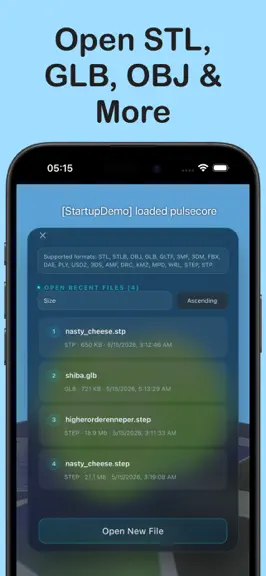
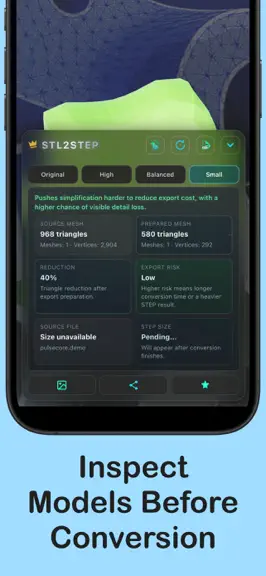
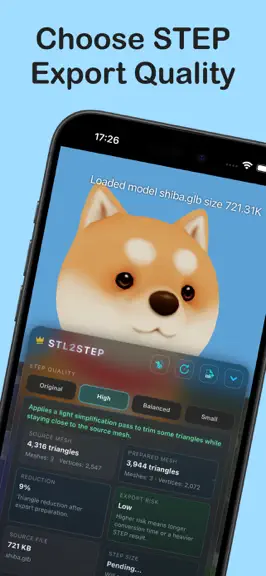
STL to STEP Assistant is a focused local 3D model tool for converting mesh-based models into STEP files for CAD workflows. Open STL, STLB, GLB, 3MF, USDZ, OBJ, 3DM, FBX, DAE, PLY, 3DS, AMF, DRC, KMZ, MPD, WRL, and other model files, preview them in a clean 3D scene, choose a conversion quality mode, then export and save the current main model as a STEP file. You can also load and view STEP and ST…
Trends & analysis
Chart rank trend
US · categoryWhy it's surfacing
Scout 29Ratings & velocity
★ 0 in windowGeographic reach
best rank · 3 storefrontsRevenue & downloads trend
monthly estimateIn-app purchases
2 tiersUpdate history
3 updates tracked- v1.0.57d ago
- Improved the layout of the Recent Files list - Improved the quality and stability of automatic BRep conversion, with better results for common planes, cylinders, cones, spheres, and fillets in mechanical models - Improved BRep previews with clear, high-contrast colors for converted regions and regions retained as triangles, making conversion results easier to inspect - Improved the STEP export workflow by reusing preview results for faster exports, and fixed extra surfaces appearing in some exported models
- v1.0.41mo ago
- Added Faceted STEP preview: review Original, High, Balanced, and Small Size quality modes before export, with source file details and an in-scene preview of the converted model; you can also hide the original model to inspect the result alone - Improved conversion preview access: Faceted and BRep conversion previews remain free to use, and the daily free BRep export quota has been removed - Improved BRep surface reconstruction: better recognition of chamfers, fillets, cylinders, cones, frustums, and regular transition bands, reducing unnecessary faceted fallback areas in mechanical models - Improved BRep preview and export consistency: preview results can be reused during export, reopening preview no longer recomputes unnecessarily, and several preview display and region toggle issues have been fixed
- v1.0.31mo ago
- Added BRep conversion preview: review analytic regions, coverage, fallback regions, and region details before export, with a visual preview of the conversion result in the scene - Improved Mesh-to-BRep results: enhanced recognition for planes, cylinders, cones, and spheres, making converted mechanical parts more structured and easier to edit - Improved scene controls: added a floor show/hide button and kept the scene still by default for more stable viewing and interaction - Improved recent file management: recent files now support per-item deletion and clear all, including cleanup of matching imported files stored by the app
STL to STEP Assistant — FAQ
How many downloads does STL to STEP Assistant get?
STL to STEP Assistant sees an estimated 0 downloads per month on the App Store, per AppCurrents modeling.
Is STL to STEP Assistant free?
STL to STEP Assistant is free to download on the App Store, monetizing through in-app purchases.
When was STL to STEP Assistant released?
STL to STEP Assistant launched on the App Store on 17.05.2026. Its latest version shipped 28.07.2026.


