
Stargazing Hub - Sky Live
Stargazing Hub - Sky Live generates an estimated $1k–$9k/month in revenue from 200–1k downloads/month on the App Store, according to AppCurrents estimates (updated 2026-08-02).
| Est. revenue / month | $1k–$9k |
|---|---|
| Est. downloads / month | 200–1k |
| Estimate confidence | low |
| Pricing | Free + IAP |
| Rating | 4.74 ★ (35 ratings) |
| Category | Weather |
| Released | 05.09.2019 |
| App last updated | 29.07.2026 |
| Platform | iOS |
Modeled monthly estimate · rating velocity · low confidence
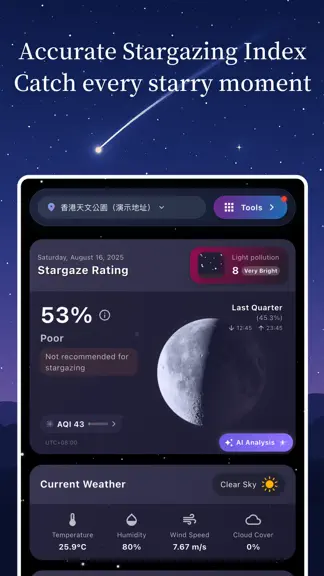
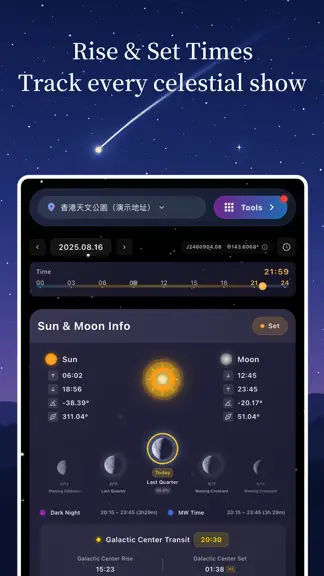
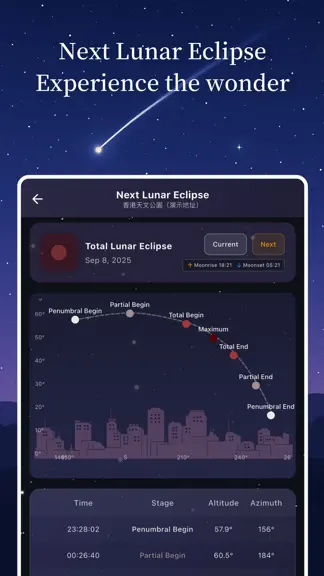

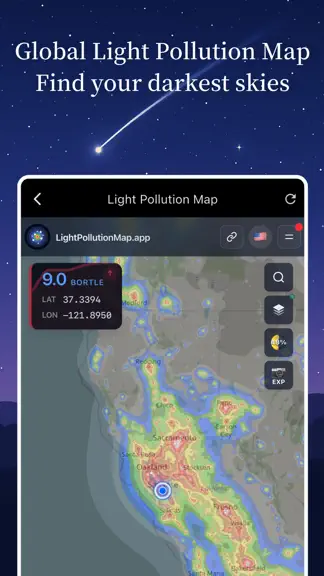

About
Celestial events happening? Use Stargazing Hub! Stargazing Hub is a complete observing toolkit for astronomy enthusiasts, astrophotographers, and anyone starting to explore the night sky. It brings together a real-time star map, sky image recognition, observing forecasts, light pollution maps, satellite passes, and practical imaging tools so you can decide when to go out, where to observe, what t…
Trends & analysis
Chart rank trend
US · overallWhy it's surfacing
Scout 9Ratings & velocity
★ +0.05 in windowRating distribution
94% positive · 32 ratingsGeographic reach
best rank · 10 storefrontsRevenue & downloads trend
ARPU $7In-app purchases
3 tiersUpdate history
6 updates tracked- v3.3.36d ago
This update brings new features and experience improvements: • Arabic and Brazilian Portuguese support • Moon phase and sunrise details in the 15-day forecast • Red-light night vision and navigation style options • Redesigned location page and astrophotography calculators • Improved RTL layouts, satellite orbit compatibility, and sky recognition Plus stability, privacy, and performance improvements.
- v3.3.215d ago
Plan your next observing night with a new 15-day nighttime weather forecast and clear-night-rate map, plus more capable tools for navigating and recognizing the sky. New • 15-day nighttime weather forecasts to help you plan future observing sessions • A clear-night-rate map for comparing long-term observing conditions across locations • International Space Station orbital altitude changes, so you can follow its altitude trend Improved • Star Chart AR now shows the center-pointing direction for more intuitive aiming • Higher success rates for star-field recognition • A smoother and more intuitive overall Star Chart experience
- v3.3.128d ago
This update brings several new features: • Year-round stargazing climate — enter any place to see its yearly observing conditions and best months • Shareable design posters — for stargazing climate, meteor showers, celestial events and moon phases • More realistic Moon — 3D craters and shading on the home and 3D globe, with lunar place names • Adjustable text size — new Small / Standard / Large / Extra Large options • Auto-updating widgets — dark windows, moon phase and meteor showers refresh by date without opening the app Plus various stability and performance improvements and bug fixes.
- v3.2.21mo ago
This update brings several new features: • Home-screen widgets — key sky info at a glance, without opening the app • Quick Actions — long-press the app icon to jump to what you use most • Satellite transits — a brand-new feature • Refreshed menu — redesigned for easier navigation • Improved star chart search • Redesigned moon-phase calendar, plus more supported camera models Plus various stability and performance improvements and bug fixes.
- v3.2.11mo ago
Version 3.2.1 What's New - Star Chart: Added high-precision terrain simulation, combining real horizon and terrain relief to preview observing conditions, target visibility, and composition before you go out - Star Chart: Improved viewfinder and AR interactions, making framing, alignment, and switching smoother, with field rotation estimates to help you judge image rotation before shooting - Star Chart: Improved the timeline and constellation drawing, with more compact time controls and steadier constellation lines, labels, and artwork - Sky: Added custom celestial objects so you can add your own observing targets to planning; deep-sky object recommendations and display are clearer - Home and Sky: Added custom layouts so you can arrange common modules around your observing habits and reduce unnecessary information - New User Guide: Added first-use guidance to help new users set location, understand core features, and start using the star map, Sky, and observing planning tools Recent Updates - Map, Sky, and Home: Rebuilt planning views for the Sun, Moon, Milky Way, direction, time, and observing location, with improved glow forecasts, solar visibility, and moon phase display - Star Chart: Improved real observing environment simulation, DSS layers, mosaic planning, AR comparison, constellation artwork, background restore, and viewfinder display - Sky Recognition: Improved success rate for low-star-count, wide-angle, and complex sky photos, with results that link more consistently with the star chart - Observation Planning: Improved Milky Way, moonless windows, satellite passes, deep-sky targets, and light pollution information, helping you decide when to go, what to observe, and how to shoot
Stargazing Hub - Sky Live — FAQ
How much money does Stargazing Hub - Sky Live make?
According to AppCurrents estimates, Stargazing Hub - Sky Live generates approximately $1k–$9k per month (low confidence), modeled from its the App Store chart performance, rating velocity, and monetization signals.
How many downloads does Stargazing Hub - Sky Live get?
Stargazing Hub - Sky Live sees an estimated 200–1k downloads per month on the App Store, per AppCurrents modeling.
Is Stargazing Hub - Sky Live free?
Stargazing Hub - Sky Live is free to download on the App Store, monetizing through in-app purchases.
What is Stargazing Hub - Sky Live's rating?
Stargazing Hub - Sky Live holds a 4.74-star average from 35 ratings on the App Store.
When was Stargazing Hub - Sky Live released?
Stargazing Hub - Sky Live launched on the App Store on 05.09.2019. Its latest version shipped 29.07.2026.


