
Shot Tracer
Shot Tracer generates an estimated $400–$7k/month in revenue from 200–900 downloads/month on the App Store, according to AppCurrents estimates (updated 2026-10-02).
| Est. revenue / month | $400–$7k |
|---|---|
| Est. downloads / month | 200–900 |
| Estimate confidence | medium |
| Pricing | Paid $5.99 |
| Rating | 2.33 ★ (6 ratings) |
| Category | Sports |
| Best chart rank | #1 Sports Paid |
| Released | 11.09.2016 |
| App last updated | 26.09.2026 |
| Platform | iOS |
Modeled monthly estimate · rating velocity · medium confidence
About
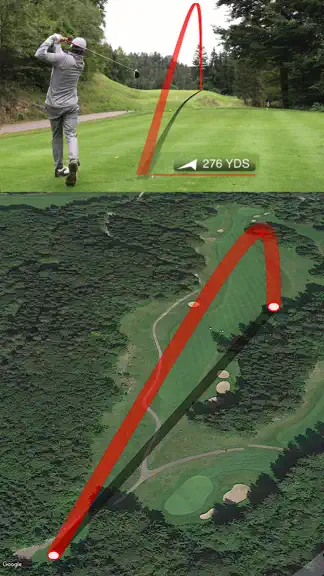
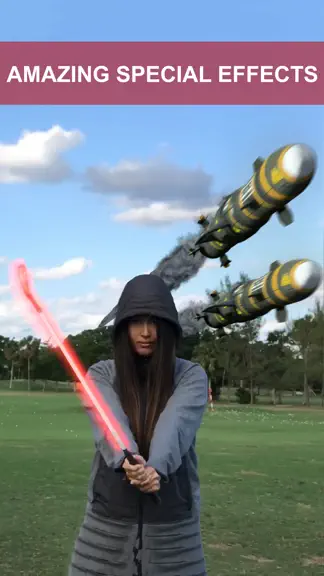
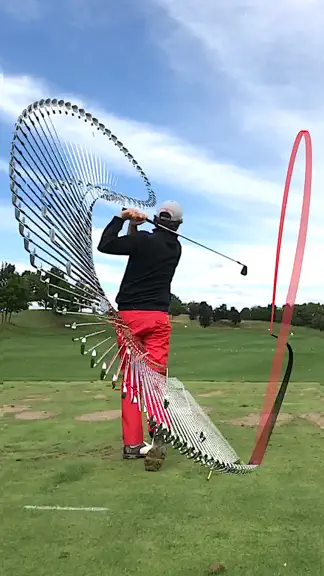
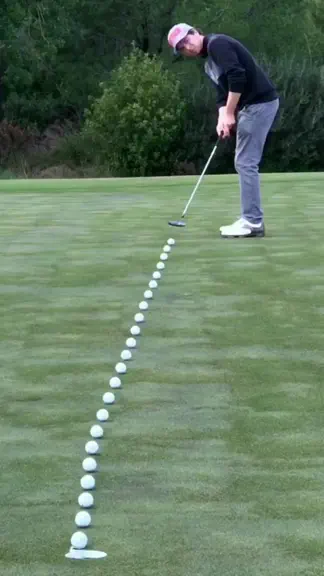
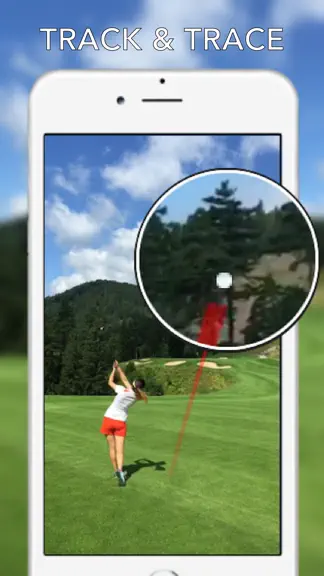
Shot Tracer® • Live Tracer • 3D Map Tracer • Putt Reader • Golf Video Editor • Live Scores Turn Every Shot Into Broadcast-Quality Content. Shot Tracer® is the world's leading golf ball tracer, golf video editor, and golf content creation platform, trusted by golfers worldwide and recognized by Golf Digest and Golf Magazine. Create stunning TV-style golf videos, relive your best shots, improve y…
Trends & analysis
Chart rank trend
US · overallWhy it's surfacing
Scout 16Ratings & velocity
★ -2.67 in windowRating distribution
33% positive · 6 ratingsGeographic reach
best rank · 1 storefrontRevenue & downloads trend
ARPU $4In-app purchases
4 tiersUpdate history
12+ updates tracked- v9.0.1336d ago
This is one of the biggest Shot Tracer updates yet. We’ve brought our award-winning live TV broadcast ball-flight tracking technology into the Shot Tracer post-production workflow, delivering dramatically improved tracking quality across the app. SHOT TRACER • Up to 10× better ball-flight tracking • New professional-grade camera tracking • Up to 4× faster camera and ball-flight tracking processing • Improved accuracy across post-production tracking workflows STUDIO EDITOR A massive Studio Editor upgrade with new automation, 3D graphics, shot analytics and editing tools. Highlights include: • Up to 10× better ball-flight tracking • Professional-grade camera tracking • Up to 4× faster processing • Batch ball-flight tracking, track multiple clips without adding tracking one by one • Automatic 3D golf-hole flyovers • Advanced 3D Map Tracer editing • Ball rollout visualization • Distance arcs and distance markers • Real-world wind direction visualization • Waypoint editing for 3D flyovers • Multiple 3D camera-path presets • Create and save your own camera-path presets • Improved custom scorecard editor • New 18-hole double-decker scorecard layout • Manually add golf-course data when a course is not yet in our database • Take a photo of a scorecard and automatically import hole information • Automatically match your shot location to the correct golf hole • Improved caption positioning • Switch between graphic presets without deleting and recreating the graphic • New Hole Info Board animations • New radar-data overlay animations • Shot-by-shot course maps • Detailed shot statistics • Neutralized shot values adjusted for wind and elevation • End-of-round statistics graphics with extensive customization • Improved club-gapping and launch-monitor data • And much more IMPORTANT: ENABLE GPS For the best Studio Editor experience, please make sure Location Services/GPS are enabled when recording your videos. If you record using the iPhone Camera app, GPS data should be enabled for your recordings. If you use Live Tracer, please allow Shot Tracer access to your location. GPS data allows Shot Tracer to automatically determine your position on the course and helps power features including: • Shot distance • Ball speed • Spin and launch-monitor data • Shot statistics • Club gapping • Automatic Map Tracer creation • Automatic hole detection • Hole distance and par information • Automatic shot counting LIVE TRACER Live Tracer receives a major upgrade as well: • Massively improved real-time ball-flight tracking • New Range Session mode for continuous shot tracking • Automatic shot detection and clip trimming • Google Drive syncing for automatic shot uploads • HDMI output mode • Custom RTMP live streaming • Automatic trimmed-video export • Tracer Editor for fine-tuning the flight path and landing point when needed PUTT READER • Faster putt reading • Improved camera tracking • New AR overlays This update represents a major upgrade across Shot Tracer, Studio Editor, Live Tracer and Putt Reader with faster workflows, significantly improved tracking and an entirely new generation of automated golf-video and graphics production tools.
- v9.0.1101mo ago
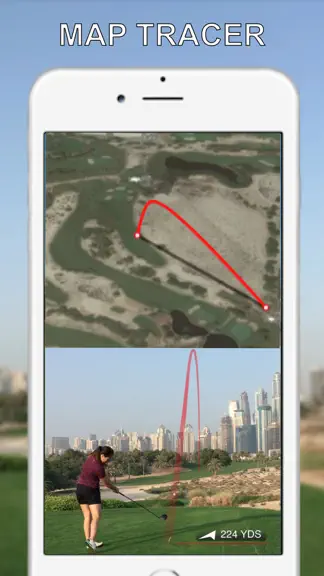
Introducing 3D Hole Flyovers in the Studio Editor one of our biggest Studio Editor updates yet! For the first time, Shot Tracer users can automatically create stunning 3D flyovers of the golf holes they play. Simply add your shot to the Studio Editor and Shot Tracer can generate a dynamic full screen 3D flyover of the golf hole, complete with distance markers, landing points, wind direction, and pin location. The best part: it’s automatically created for you, while still giving you complete creative control. Our powerful new 3D Flyover Editor lets you customize virtually every aspect of the animation, adjust the camera movement, distances, map elements, wind information, timing, and more. Whether you want an incredible-looking highlight in seconds or a fully customized broadcast-style golf visualization, the new 3D Hole Flyover brings an entirely new dimension to Shot Tracer’s Studio Editor.
- v9.0.1061mo ago
Introducing Map Tracer inside Studio Editor a massive new upgrade to Shot Tracer. You can now add stunning 3D course maps directly to your videos and pinpoint exactly where each shot was played. Even better, if your video was recorded with GPS enabled including videos captured using Live Tracer, Studio Editor can use that location data to place your shots directly on the 3D map.
- v9.0.1051mo ago
Introducing Map Tracer inside Studio Editor a massive new upgrade to Shot Tracer. You can now add stunning 3D course maps directly to your videos and pinpoint exactly where each shot was played. Even better, if your video was recorded with GPS enabled including videos captured using Live Tracer, Studio Editor can use that location data to place your shots directly on the 3D map.
- v9.0.1041mo ago
Introducing Map Tracer inside Studio Editor a massive new upgrade to Shot Tracer. You can now add stunning 3D course maps directly to your videos and pinpoint exactly where each shot was played. Even better, if your video was recorded with GPS enabled including videos captured using Live Tracer, Studio Editor can use that location data to place your shots directly on the 3D map.
Shot Tracer — FAQ
How much money does Shot Tracer make?
According to AppCurrents estimates, Shot Tracer generates approximately $400–$7k per month (medium confidence), modeled from its the App Store chart performance, rating velocity, and monetization signals.
How many downloads does Shot Tracer get?
Shot Tracer sees an estimated 200–900 downloads per month on the App Store, per AppCurrents modeling.
Is Shot Tracer free?
Shot Tracer is a paid app priced at $5.99 on the App Store.
What is Shot Tracer's rating?
Shot Tracer holds a 2.33-star average from 6 ratings on the App Store. It currently ranks #1 on the Sports paid chart.
When was Shot Tracer released?
Shot Tracer launched on the App Store on 11.09.2016. Its latest version shipped 26.09.2026.


