
ShiftProCalendar
ShiftProCalendar generates an estimated $0/month in revenue from 0 downloads/month on the App Store, according to AppCurrents estimates (updated 2026-08-02).
| Est. revenue / month | $0 |
|---|---|
| Est. downloads / month | 0 |
| Estimate confidence | low |
| Pricing | Free + IAP |
| Rating | 0.00 ★ (0 ratings) |
| Category | Productivity |
| Released | 02.05.2026 |
| App last updated | 25.07.2026 |
| Platform | iOS |
Modeled monthly estimate · rating velocity · low confidence
About
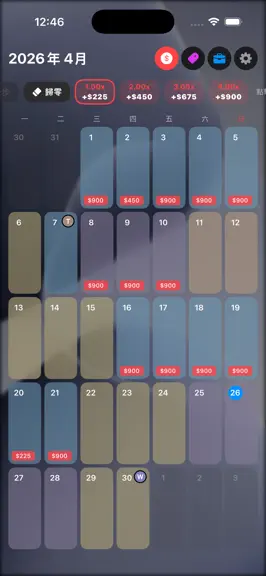
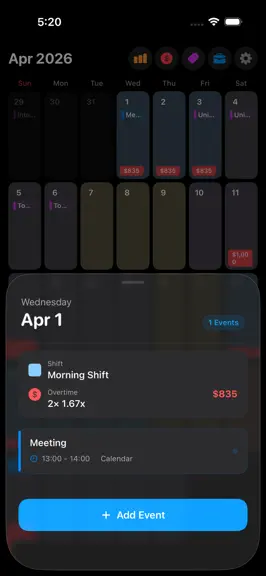
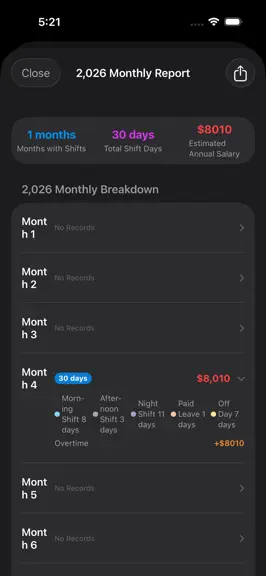
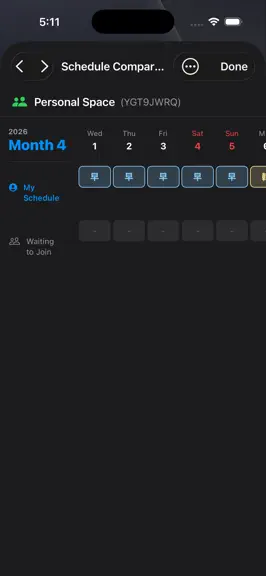
ShiftPro: All-in-One Schedule Management – Scheduling, Payroll Calculation, and Group Collaboration 【Free Features】 Seamless integration of monthly calendar and iOS built-in calendar Personal scheduling and schedule management Automatic calculation of overtime pay, base salary, and allowances Customizable monthly calendar background images Local data backup and restore 【Pro Paid Advanced Feat…
Trends & analysis
Chart rank trend
US · overallWhy it's surfacing
Scout 21Ratings & velocity
★ 0 in windowGeographic reach
best rank · 0 storefrontsRevenue & downloads trend
monthly estimateIn-app purchases
2 tiersUpdate history
2 updates tracked- v1.210d ago
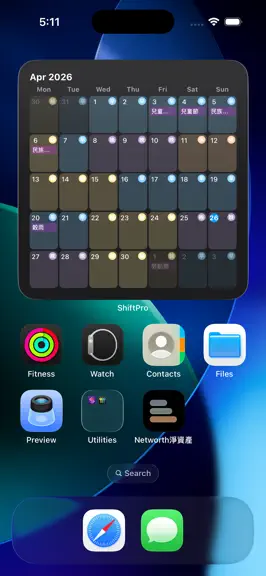
Version 1.2 is here — smarter overtime, a whole new way to see your month, and a fresh coat of paint. Overtime, the easy way — Just log your hours and we'll do the math. Fine-tune by the half-hour, see your total overtime at a glance, and don't worry — all your past records stay exactly as they were. Lock Screen Calendar (Beta) — Lay your month over any photo and make it your wallpaper in a tap. Live preview, a one-time Shortcut setup, and you're set. One palette, everywhere — 20 handpicked colors plus your own. Now even built-in notes and shifts are yours to recolor. A cleaner look — Full-width color bars, crisp square corners, and a tighter grid. Your widgets now show daily notes at every size.
- v1.0.12mo ago
What’s New in MyCalendar 1.0.1 This update introduces a new allowance shortcut feature and optimizes the overall visual and backup experience: Allowance Shortcuts for Daily Entries: The system now automatically remembers your recently entered allowance names and amounts. Simply tap a shortcut card to add it to your day instantly—no more repetitive typing for frequent items. You can also swipe left to remove items from the shortcut list, and your most recent entries will automatically float to the top. Visual Update for Shifts & Notes: The shift settings and note management pages now feature a light, card-based background design. This offers better readability and a softer, more cohesive look. Optimized Button Colors: Daily action buttons have been updated with lower-saturation tones, providing a more comfortable, eye-friendly experience during extended use. Comprehensive Backup & Restore: Your backup files now include "Annual Paid Leave Limit" and "Background Blur Settings." Your personalized preferences will seamlessly carry over when switching to a new device or reinstalling the app. Thank you for using MyCalendar! If you have any questions or suggestions, feel free to reach out to us via the feedback link in the Settings page.
ShiftProCalendar — FAQ
How many downloads does ShiftProCalendar get?
ShiftProCalendar sees an estimated 0 downloads per month on the App Store, per AppCurrents modeling.
Is ShiftProCalendar free?
ShiftProCalendar is free to download on the App Store, monetizing through in-app purchases.
When was ShiftProCalendar released?
ShiftProCalendar launched on the App Store on 02.05.2026. Its latest version shipped 25.07.2026.


