
ShellFish for Business
ShellFish for Business generates an estimated $0/month in revenue from 0 downloads/month on the App Store, according to AppCurrents estimates (updated 2026-10-02).
| Est. revenue / month | $0 |
|---|---|
| Est. downloads / month | 0 |
| Estimate confidence | low |
| Pricing | Paid $39.99 |
| Rating | 0.00 ★ (0 ratings) |
| Category | Developer Tools |
| Released | 30.11.2022 |
| App last updated | 11.09.2026 |
| Platform | iOS |
Modeled monthly estimate · rating velocity · low confidence
About
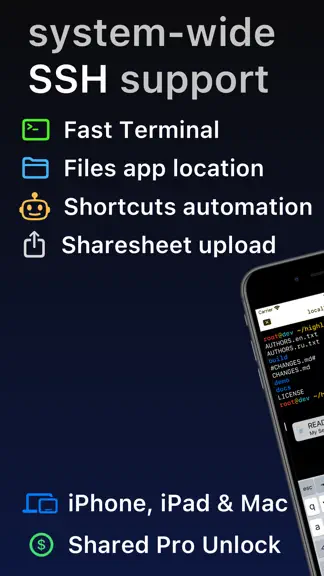
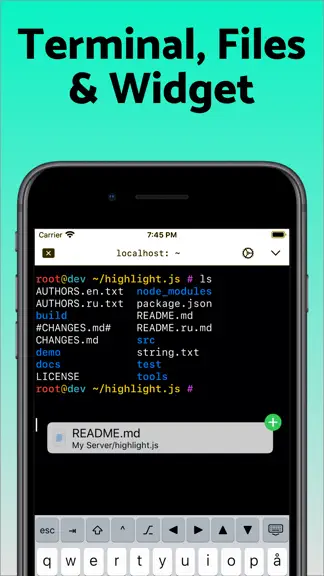
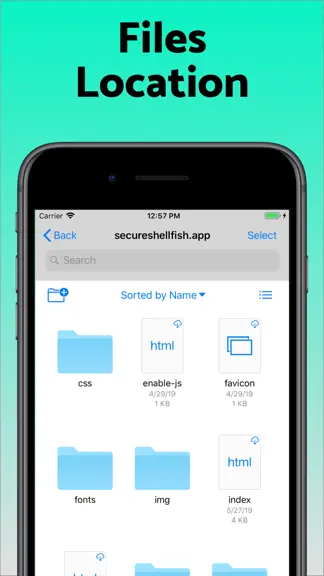
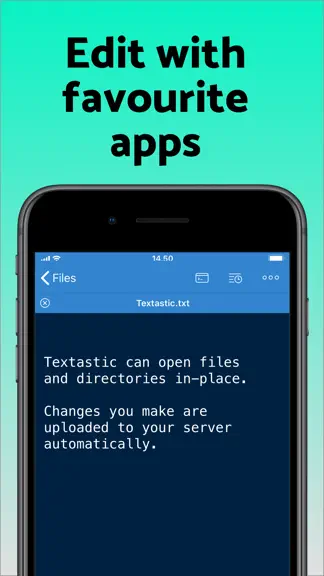
Lightning fast SSH terminal with remote file access. No other app fuses your SSH servers and iOS devices as well as Secure ShellFish. Tap Get and see for yourself. Terminal supports standard text editing gestures for selection, scrolling and copy/paste as well as custom gestures to send arrow keys and tabulator making shell entry and full screen editing with vim or emacs delightful. Bar above the…
Trends & analysis
Chart rank trend
US · overallWhy it's surfacing
Scout 11Ratings & velocity
★ 0 in windowGeographic reach
best rank · 0 storefrontsRevenue & downloads trend
monthly estimateUpdate history
5 updates tracked- v2026.3121d ago
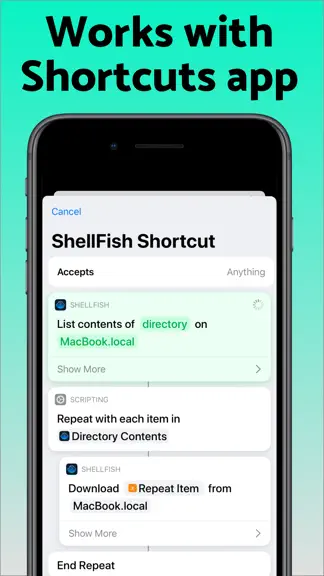
Suggest Command turns a plain-language description such as "make a compressed archive of src without the log files" into a shell command, using Apple's Private Cloud Compute model. Long-press the paste button on the keyboard bar or press Cmd-I. The model reads the manual pages on the server you are connected to, so it suggests options that exist there, and the command is only inserted at the prompt when you choose Insert. Requires the latest version of iOS with Apple Intelligence enabled. Shortcuts actions no longer have to finish within a few seconds. On the latest version of iOS an upload, a download or the listing of a large folder keeps running in the background for as long as it needs, showing how far it has come and offering a stop button if you want to end it early. A new Control Cloud Server action creates, starts, stops, checks and destroys cloud servers. You pick the region, the plan and the system image the same way you do in the app, and a server that takes minutes to come up reports what it is doing while you wait. The server it gives you back drops straight into the next action, even before you have saved it as a server of your own. A new Run Command action then runs a command on that server, or on any saved server, without opening the app. Output appears line by line while the command works and the full output is handed back to the rest of your shortcut, so a single shortcut can bring up a server, run a build or a backup on it that takes minutes, and shut it down again. Inside tmux, lines that had been cleared could stay on screen, so a prompt appeared twice or clear left the old screen in place. The flicker reduction behind this has been undone until it is sorted out.
- v2026.242mo ago
The keyboard bar now has a three-way visibility setting: Never, Automatically, or Always, remembered separately for the on-screen and external keyboards. The Always setting keeps the bar on screen for the whole session, even when the terminal is not focused. Export servers as a CSV file from the (...) button above the server list. Fixed a bug from a recent update where an already-authenticated connection would wait for re-authentication, causing delays with tmux. New 'settitle' shell command sets the terminal, tab, and window title and works in bash, zsh, and fish. An empty argument restores the default title. This requires updating the Shell Integration. Fixed a crash when a port forward was configured with a port number above 65535.
- v2026.233mo ago
New 'download' shell command that saves a file from the server to anywhere in Files app. This requires updating the Shell Integration. On iPad, the manual page viewer can be docked to the left or right of the terminal instead of floating, so a man page stays open beside a live session. A button in its navigation bar switches between Floating, Left Side and Right Side, and your choice is remembered. Browser re-authentication works with any server that withholds login behind a browser link, not just Tailscale. When a login banner carries an informational link it is surfaced in the connection status and stays tappable. Images pasted into the terminal upload with a generated name like pasted-from-shellfish-20260701-143012.png Fix for pinyin and other multistage input methods where picking a candidate could delete the typed letters instead of sending the composed text.
- v2026.213mo ago
New manual page viewer. Select a command in the terminal and choose Manual to read its man page without leaving the app, or browse all of a server's manual pages from the View menu. Pages are downloaded and rendered on device, so they are searchable and selectable, with a section navigator and tappable cross references like fork(2) that jump to the referenced page. Fixed the paste button in the keyboard bar sometimes appearing blank. As a result, iOS may now prompt you when pasting from other apps. You can turn these prompts off under Settings → ShellFish → Paste from Other Apps → Allow. Type Sentence mode no longer ends when you press enter. You can still toggle from the paste button's context menu. Open Terminal action now works correctly on iPhone. When creating Digital Ocean droplets, plans are now correctly sorted by price. Improved importing of iTerm2 terminal themes.
- v2026.184mo ago
Tap "Scan clipboard" when configuring a new server to pull connection details out of a screenshot or text. Processing happens entirely on device making it exclusive to newer iPads, iPhones & Macs.
ShellFish for Business — FAQ
How many downloads does ShellFish for Business get?
ShellFish for Business sees an estimated 0 downloads per month on the App Store, per AppCurrents modeling.
Is ShellFish for Business free?
ShellFish for Business is a paid app priced at $39.99 on the App Store.
When was ShellFish for Business released?
ShellFish for Business launched on the App Store on 30.11.2022. Its latest version shipped 11.09.2026.


