ShadowTerm ssh & mosh Terminal
ShadowTerm ssh & mosh Terminal generates an estimated $10–$60/month in revenue from 30–200 downloads/month on the App Store, according to AppCurrents estimates (updated 2026-08-02).
| Est. revenue / month | $10–$60 |
|---|---|
| Est. downloads / month | 30–200 |
| Estimate confidence | low |
| Pricing | Free + IAP |
| Rating | 4.29 ★ (17 ratings) |
| Category | Developer Tools |
| Best chart rank | #89 Developer Tools Grossing |
| Released | 19.07.2025 |
| App last updated | 03.08.2026 |
| Platform | iOS |
Modeled monthly estimate · rating velocity · low confidence
About
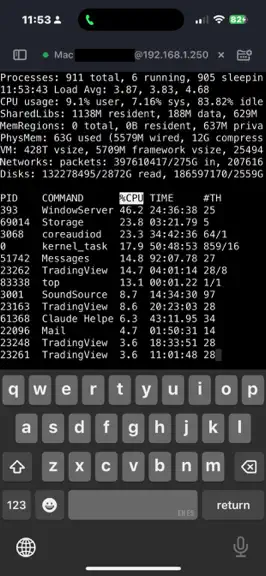
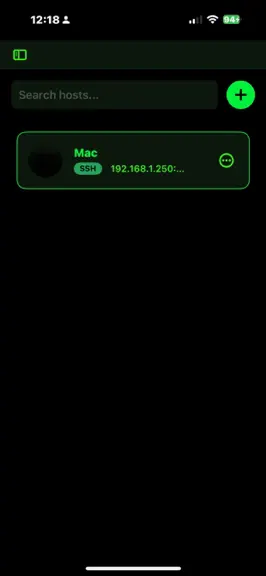
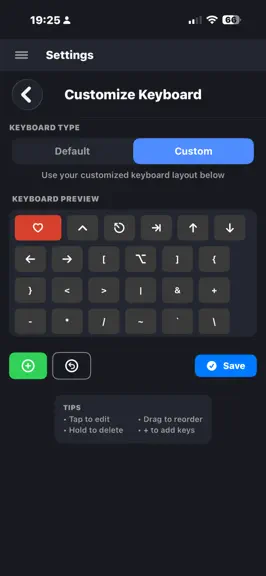
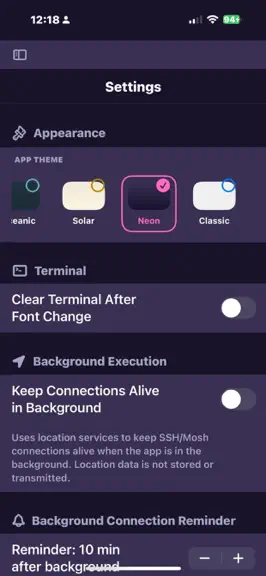
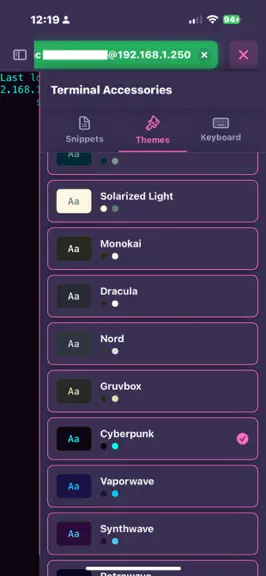
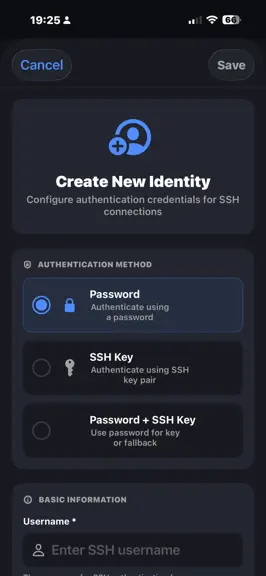
ShadowTerm is a full-featured SSH and Mosh terminal built natively for iPhone and iPad. Manage servers, debug code, and keep tmux & herdr sessions alive across networks with a desktop-quality terminal and a keyboard built for the work. KEY FEATURES Connections that survive - SSH with passwords, SSH keys, and certificate authentication - Mosh for roaming connections that survive network drops, ap…
Trends & analysis
Chart rank trend
US · categoryWhy it's surfacing
Scout 10Ratings & velocity
★ -0.13 in windowRating distribution
80% positive · 15 ratingsGeographic reach
best rank · 11 storefrontsRevenue & downloads trend
ARPU $0In-app purchases
3 tiersUpdate history
12+ updates tracked- v3.9.11d ago
v3.9.1 Smarter keyboard lock (single-tap keeps extra keys) Long-press to rearrange floating controls herdr App Mode + recommended presets for herdr/tmux/screen Scroll at last tap; cleaner Settings & keyboard preview v3.8.9 Added more Network tools v3.8.8 Browse server files in the iOS Files app Snippet placeholders ask you for values when you run them v3.8.7 Fix floating control an iphone v3.8.6 Network Tools: continuous ping, DNS, port scan, TLS/HTTP, Wake-on-LAN, LAN discover and more Sci-fi theme Privacy Mode for demos (hides host names, etc) Remote network tools on your saved SSH hosts Mermaid diagrams in markdown preview AI agent (MCP): more network tools, SFTP, Claude Code templates, host diagnostics v3.8.3 fixed touch and click accuracy in herdr and others v3.8.2 Improved MCP v3.8.1 add MCP Lan support (no more local only) and 2 finger scroll on herdr and tmux v3.8.0 Herdr support (left clicks and right clicks),new builtin mcp server lets the agents control shadowterm and check statuses of things v3.7.4 auto-shrink terminal key labels v3.7.3 OTP/2FA login support v3.7.2 Added Free Trial v3.6.23 Two finger swipe mode: tabs,tmux,screen,herdr v3.6.22 Added per-machine "startup snippet delay" setting v3.6.20 Answer Claude's questions from your phone, not just permissions. v3.6.18 Floating keyboard-lock button: double-tap toggles extras-only mode (system keyboard hidden, accessory bar visible). Tap-tap-double-tap state machine with red/blue colors. iPhone edge-swipe-back finally works v3.6.16 -Custom OpenAI-compatible AI endpoints (llama.cpp, vLLM, SGLang, LM Studio, hosted gateways) for both command helper and editor chat -Visual Bell with theme-aware flash on ^G -Sidebar count badges + size-lock button now have show/hide toggles -Terminal gestures on iPad: left-edge swipe back to menu, two-finger horizontal swipe to cycle open tabs v3.6.14 Long-press key preview bubble in the extra-keys row with slide-to-neighbor v3.6.11 Snappier keyboard: haptic on every modifier tap, no "wait" between fast double-taps v3.6.10 Mosh: connection-timeout slider, log noise filtered, tmux attach + bar taps fixed Adjustable modifier double-tap window with test pad in Settings New "Screen" built-in keyboard layout v3.6.9 Mosh + Tmux works great now: full-screen on attach, status-bar taps, scroll buttons, swipes, and live keyboard resize all behave AI assistant in the new text editor (chat, undo/redo, syntax highlighting) SFTP browser: multi-select with bulk copy / move / delete, sticky toolbar, file modified dates Paste from clipboard, upload straight to the server,via the input bar mic, the new "Paste" keyboard key, or any file paste Redesigned SFTP transfer HUD with tap-to-copy destination path A shield badge on mosh tabs so you can tell sessions apart at a glance v3.6.8 Fix scroll & swipes gestures in tmux v3.6.7 OpenCode built-in keyboard layout with all leader-key combos Scroll-to-mouse-wheel for TUI apps (trackpad + finger gestures work in OpenCode, Bubble Tea, etc.) v3.6.6 New iCloudsync rules no more settings lost between devices Fix haptic feedback - feels great! ;) v3.6.5 New Files keyboard layout. (Upload, Browse, and a syslog Download) Haptic tick on arrow auto-repeat (iPhone only) Settings → Support: "What's New" link to reddit community v3.6.4 New SFTP key on the keyboard ... pick a file, upload in a tap, with a live progress card you can tap to copy the path or expand errors. Smoother keyboard: better auto-repeat, sticky modifiers clear correctly Updated terminal engine with VoiceOver (dictation) New Settings > Diagnostics page to toggle individual terminal customizations. v3.6.2 Swipe and hold to auto-repeat arrow keys Tap the terminal to restore the keyboard Double-tap Ctrl or Alt to lock them on (orange = stuck, blue = one-shot) Choose what the app opens to: Hosts, Recent, or Welcome Pick one or more hosts to auto-connect on launch (new settings section:launch) Tap to dismiss a text selection
- v3.8.95d ago
v3.8.9 Added more Network tools v3.8.8 Browse server files in the iOS Files app Snippet placeholders ask you for values when you run them v3.8.7 Fix floating control an iphone v3.8.6 Network Tools: continuous ping, DNS, port scan, TLS/HTTP, Wake-on-LAN, LAN discover and more Sci-fi theme Privacy Mode for demos (hides host names, etc) Remote network tools on your saved SSH hosts Mermaid diagrams in markdown preview AI agent (MCP): more network tools, SFTP, Claude Code templates, host diagnostics v3.8.3 fixed touch and click accuracy in herdr and others v3.8.2 Improved MCP v3.8.1 add MCP Lan support (no more local only) and 2 finger scroll on herdr and tmux v3.8.0 Herdr support (left clicks and right clicks),new builtin mcp server lets the agents control shadowterm and check statuses of things v3.7.4 auto-shrink terminal key labels v3.7.3 OTP/2FA login support v3.7.2 Added Free Trial v3.6.23 Two finger swipe mode: tabs,tmux,screen,herdr v3.6.22 Added per-machine "startup snippet delay" setting v3.6.20 Answer Claude's questions from your phone, not just permissions. v3.6.18 Floating keyboard-lock button: double-tap toggles extras-only mode (system keyboard hidden, accessory bar visible). Tap-tap-double-tap state machine with red/blue colors. iPhone edge-swipe-back finally works v3.6.16 -Custom OpenAI-compatible AI endpoints (llama.cpp, vLLM, SGLang, LM Studio, hosted gateways) for both command helper and editor chat -Visual Bell with theme-aware flash on ^G -Sidebar count badges + size-lock button now have show/hide toggles -Terminal gestures on iPad: left-edge swipe back to menu, two-finger horizontal swipe to cycle open tabs v3.6.14 Long-press key preview bubble in the extra-keys row with slide-to-neighbor v3.6.11 Snappier keyboard: haptic on every modifier tap, no "wait" between fast double-taps v3.6.10 Mosh: connection-timeout slider, log noise filtered, tmux attach + bar taps fixed Adjustable modifier double-tap window with test pad in Settings New "Screen" built-in keyboard layout v3.6.9 Mosh + Tmux works great now: full-screen on attach, status-bar taps, scroll buttons, swipes, and live keyboard resize all behave AI assistant in the new text editor (chat, undo/redo, syntax highlighting) SFTP browser: multi-select with bulk copy / move / delete, sticky toolbar, file modified dates Paste from clipboard, upload straight to the server,via the input bar mic, the new "Paste" keyboard key, or any file paste Redesigned SFTP transfer HUD with tap-to-copy destination path A shield badge on mosh tabs so you can tell sessions apart at a glance v3.6.8 Fix scroll & swipes gestures in tmux v3.6.7 OpenCode built-in keyboard layout with all leader-key combos Scroll-to-mouse-wheel for TUI apps (trackpad + finger gestures work in OpenCode, Bubble Tea, etc.) v3.6.6 New iCloudsync rules no more settings lost between devices Fix haptic feedback - feels great! ;) v3.6.5 New Files keyboard layout. (Upload, Browse, and a syslog Download) Haptic tick on arrow auto-repeat (iPhone only) Settings → Support: "What's New" link to reddit community v3.6.4 New SFTP key on the keyboard ... pick a file, upload in a tap, with a live progress card you can tap to copy the path or expand errors. Smoother keyboard: better auto-repeat, sticky modifiers clear correctly Updated terminal engine with VoiceOver (dictation) New Settings > Diagnostics page to toggle individual terminal customizations. v3.6.2 Swipe and hold to auto-repeat arrow keys Tap the terminal to restore the keyboard Double-tap Ctrl or Alt to lock them on (orange = stuck, blue = one-shot) Choose what the app opens to: Hosts, Recent, or Welcome Pick one or more hosts to auto-connect on launch (new settings section:launch) Tap to dismiss a text selection
- v3.8.812d ago
v3.8.8 Browse server files in the iOS Files app Snippet placeholders ask you for values when you run them v3.8.7 Fix floating control an iphone v3.8.6 Network Tools: continuous ping, DNS, port scan, TLS/HTTP, Wake-on-LAN, LAN discover and more Sci-fi theme Privacy Mode for demos (hides host names, etc) Remote network tools on your saved SSH hosts Mermaid diagrams in markdown preview AI agent (MCP): more network tools, SFTP, Claude Code templates, host diagnostics v3.8.3 fixed touch and click accuracy in herdr and others v3.8.2 Improved MCP v3.8.1 add MCP Lan support (no more local only) and 2 finger scroll on herdr and tmux v3.8.0 Herdr support (left clicks and right clicks),new builtin mcp server lets the agents control shadowterm and check statuses of things v3.7.4 auto-shrink terminal key labels v3.7.3 OTP/2FA login support v3.7.2 Added Free Trial v3.6.23 Two finger swipe mode: tabs,tmux,screen v3.6.22 Added per-machine "startup snippet delay" setting v3.6.20 Answer Claude's questions from your phone, not just permissions. Tap the bell pill in the terminal to jump to anything waiting on you. iPad: active session tabs counter, plus the windowed terminal buttons no longer block the scroll and keyboard controls. New Settings: hide the connected-hosts badge, auto-close tabs on disconnect. v3.6.18 Floating keyboard-lock button: double-tap toggles extras-only mode (system keyboard hidden, accessory bar visible). Tap-tap-double-tap state machine with red/blue colors. iPhone edge-swipe-back finally works v3.6.16 -Custom OpenAI-compatible AI endpoints (llama.cpp, vLLM, SGLang, LM Studio, hosted gateways) for both command helper and editor chat -Visual Bell with theme-aware flash on ^G -Sidebar count badges + size-lock button now have show/hide toggles -Terminal gestures on iPad: left-edge swipe back to menu, two-finger horizontal swipe to cycle open tabs v3.6.14 Long-press key preview bubble in the extra-keys row with slide-to-neighbor v3.6.11 Snappier keyboard: haptic on every modifier tap, no "wait" between fast double-taps v3.6.10 Mosh: connection-timeout slider, log noise filtered, tmux attach + bar taps fixed Adjustable modifier double-tap window with test pad in Settings New "Screen" built-in keyboard layout v3.6.9 Mosh + Tmux works great now: full-screen on attach, status-bar taps, scroll buttons, swipes, and live keyboard resize all behave AI assistant in the new text editor (chat, undo/redo, syntax highlighting) SFTP browser: multi-select with bulk copy / move / delete, sticky toolbar, file modified dates Paste from clipboard, upload straight to the server,via the input bar mic, the new "Paste" keyboard key, or any file paste Redesigned SFTP transfer HUD with tap-to-copy destination path A shield badge on mosh tabs so you can tell sessions apart at a glance v3.6.8 Fix scroll & swipes gestures in tmux v3.6.7 OpenCode built-in keyboard layout with all leader-key combos Scroll-to-mouse-wheel for TUI apps (trackpad + finger gestures work in OpenCode, Bubble Tea, etc.) v3.6.6 New iCloudsync rules no more settings lost between devices Fix haptic feedback - feels great! ;) v3.6.5 New Files keyboard layout. (Upload, Browse, and a syslog Download) Haptic tick on arrow auto-repeat (iPhone only) Settings → Support: "What's New" link to reddit community v3.6.4 New SFTP key on the keyboard ... pick a file, upload in a tap, with a live progress card you can tap to copy the path or expand errors. Smoother keyboard: better auto-repeat, sticky modifiers clear correctly Updated terminal engine with VoiceOver (dictation) New Settings > Diagnostics page to toggle individual terminal customizations. v3.6.2 Swipe and hold to auto-repeat arrow keys Tap the terminal to restore the keyboard Double-tap Ctrl or Alt to lock them on (orange = stuck, blue = one-shot) Choose what the app opens to: Hosts, Recent, or Welcome Pick one or more hosts to auto-connect on launch (new settings section:launch) Tap to dismiss a text selection
- v3.8.716d ago
v3.8.7 Fix floating control an iphone v3.8.6 Network Tools: continuous ping, DNS, port scan, TLS/HTTP, Wake-on-LAN, LAN discover and more Sci-fi theme Privacy Mode for demos (hides host names, etc) Remote network tools on your saved SSH hosts Mermaid diagrams in markdown preview AI agent (MCP): more network tools, SFTP, Claude Code templates, host diagnostics v3.8.3 fixed touch and click accuracy in herdr and others v3.8.2 Improved MCP v3.8.1 add MCP Lan support (no more local only) and 2 finger scroll on herdr and tmux v3.8.0 Herdr support (left clicks and right clicks),new builtin mcp server lets the agents control shadowterm and check statuses of things v3.7.4 auto-shrink terminal key labels v3.7.3 OTP/2FA login support v3.7.2 Added Free Trial v3.6.23 Two finger swipe mode: tabs,tmux,screen v3.6.22 Added per-machine "startup snippet delay" setting v3.6.20 Answer Claude's questions from your phone, not just permissions. Tap the bell pill in the terminal to jump to anything waiting on you. iPad: active session tabs counter, plus the windowed terminal buttons no longer block the scroll and keyboard controls. New Settings: hide the connected-hosts badge, auto-close tabs on disconnect. v3.6.18 Floating keyboard-lock button: double-tap toggles extras-only mode (system keyboard hidden, accessory bar visible). Tap-tap-double-tap state machine with red/blue colors. iPhone edge-swipe-back finally works v3.6.16 -Custom OpenAI-compatible AI endpoints (llama.cpp, vLLM, SGLang, LM Studio, hosted gateways) for both command helper and editor chat -Visual Bell with theme-aware flash on ^G -Sidebar count badges + size-lock button now have show/hide toggles -Terminal gestures on iPad: left-edge swipe back to menu, two-finger horizontal swipe to cycle open tabs v3.6.14 Long-press key preview bubble in the extra-keys row with slide-to-neighbor v3.6.11 Snappier keyboard: haptic on every modifier tap, no "wait" between fast double-taps v3.6.10 Mosh: connection-timeout slider, log noise filtered, tmux attach + bar taps fixed Adjustable modifier double-tap window with test pad in Settings New "Screen" built-in keyboard layout v3.6.9 Mosh + Tmux works great now: full-screen on attach, status-bar taps, scroll buttons, swipes, and live keyboard resize all behave AI assistant in the new text editor (chat, undo/redo, syntax highlighting) SFTP browser: multi-select with bulk copy / move / delete, sticky toolbar, file modified dates Paste from clipboard, upload straight to the server,via the input bar mic, the new "Paste" keyboard key, or any file paste Redesigned SFTP transfer HUD with tap-to-copy destination path A shield badge on mosh tabs so you can tell sessions apart at a glance v3.6.8 Fix scroll & swipes gestures in tmux v3.6.7 OpenCode built-in keyboard layout with all leader-key combos Scroll-to-mouse-wheel for TUI apps (trackpad + finger gestures work in OpenCode, Bubble Tea, etc.) v3.6.6 New iCloudsync rules no more settings lost between devices Fix haptic feedback - feels great! ;) v3.6.5 New Files keyboard layout. (Upload, Browse, and a syslog Download) Haptic tick on arrow auto-repeat (iPhone only) Settings → Support: "What's New" link to reddit community v3.6.4 New SFTP key on the keyboard ... pick a file, upload in a tap, with a live progress card you can tap to copy the path or expand errors. Smoother keyboard: better auto-repeat, sticky modifiers clear correctly Updated terminal engine with VoiceOver (dictation) New Settings > Diagnostics page to toggle individual terminal customizations. v3.6.2 Swipe and hold to auto-repeat arrow keys Tap the terminal to restore the keyboard Double-tap Ctrl or Alt to lock them on (orange = stuck, blue = one-shot) Choose what the app opens to: Hosts, Recent, or Welcome Pick one or more hosts to auto-connect on launch (new settings section:launch) Tap to dismiss a text selection
- v3.8.617d ago
v3.8.6 Network Tools: continuous ping, DNS, port scan, TLS/HTTP, Wake-on-LAN, LAN discover and more Sci-fi theme Privacy Mode for demos (hides host names, etc) Remote network tools on your saved SSH hosts Mermaid diagrams in markdown preview AI agent (MCP): more network tools, SFTP, Claude Code templates, host diagnostics v3.8.3 fixed touch and click accuracy in herdr and others v3.8.2 Improved MCP v3.8.1 add MCP Lan support (no more local only) and 2 finger scroll on herdr and tmux v3.8.0 Herdr support (left clicks and right clicks),new builtin mcp server lets the agents control shadowterm and check statuses of things v3.7.4 auto-shrink terminal key labels v3.7.3 OTP/2FA login support v3.7.2 Added Free Trial v3.6.23 Two finger swipe mode: tabs,tmux,screen v3.6.22 Added per-machine "startup snippet delay" setting v3.6.20 Answer Claude's questions from your phone, not just permissions. Tap the bell pill in the terminal to jump to anything waiting on you. iPad: active session tabs counter, plus the windowed terminal buttons no longer block the scroll and keyboard controls. New Settings: hide the connected-hosts badge, auto-close tabs on disconnect. v3.6.18 Floating keyboard-lock button: double-tap toggles extras-only mode (system keyboard hidden, accessory bar visible). Tap-tap-double-tap state machine with red/blue colors. iPhone edge-swipe-back finally works v3.6.16 -Custom OpenAI-compatible AI endpoints (llama.cpp, vLLM, SGLang, LM Studio, hosted gateways) for both command helper and editor chat -Visual Bell with theme-aware flash on ^G -Sidebar count badges + size-lock button now have show/hide toggles -Terminal gestures on iPad: left-edge swipe back to menu, two-finger horizontal swipe to cycle open tabs v3.6.14 Long-press key preview bubble in the extra-keys row with slide-to-neighbor v3.6.11 Snappier keyboard: haptic on every modifier tap, no "wait" between fast double-taps v3.6.10 Mosh: connection-timeout slider, log noise filtered, tmux attach + bar taps fixed Adjustable modifier double-tap window with test pad in Settings New "Screen" built-in keyboard layout v3.6.9 Mosh + Tmux works great now: full-screen on attach, status-bar taps, scroll buttons, swipes, and live keyboard resize all behave AI assistant in the new text editor (chat, undo/redo, syntax highlighting) SFTP browser: multi-select with bulk copy / move / delete, sticky toolbar, file modified dates Paste from clipboard, upload straight to the server,via the input bar mic, the new "Paste" keyboard key, or any file paste Redesigned SFTP transfer HUD with tap-to-copy destination path A shield badge on mosh tabs so you can tell sessions apart at a glance v3.6.8 Fix scroll & swipes gestures in tmux v3.6.7 OpenCode built-in keyboard layout with all leader-key combos Scroll-to-mouse-wheel for TUI apps (trackpad + finger gestures work in OpenCode, Bubble Tea, etc.) v3.6.6 New iCloudsync rules no more settings lost between devices Fix haptic feedback - feels great! ;) v3.6.5 New Files keyboard layout. (Upload, Browse, and a syslog Download) Haptic tick on arrow auto-repeat (iPhone only) Settings → Support: "What's New" link to reddit community v3.6.4 New SFTP key on the keyboard ... pick a file, upload in a tap, with a live progress card you can tap to copy the path or expand errors. Smoother keyboard: better auto-repeat, sticky modifiers clear correctly Updated terminal engine with VoiceOver (dictation) New Settings > Diagnostics page to toggle individual terminal customizations. v3.6.2 Swipe and hold to auto-repeat arrow keys Tap the terminal to restore the keyboard Double-tap Ctrl or Alt to lock them on (orange = stuck, blue = one-shot) Choose what the app opens to: Hosts, Recent, or Welcome Pick one or more hosts to auto-connect on launch (new settings section:launch) Tap to dismiss a text selection
ShadowTerm ssh & mosh Terminal — FAQ
How much money does ShadowTerm ssh & mosh Terminal make?
According to AppCurrents estimates, ShadowTerm ssh & mosh Terminal generates approximately $10–$60 per month (low confidence), modeled from its the App Store chart performance, rating velocity, and monetization signals.
How many downloads does ShadowTerm ssh & mosh Terminal get?
ShadowTerm ssh & mosh Terminal sees an estimated 30–200 downloads per month on the App Store, per AppCurrents modeling.
Is ShadowTerm ssh & mosh Terminal free?
ShadowTerm ssh & mosh Terminal is free to download on the App Store, monetizing through in-app purchases.
What is ShadowTerm ssh & mosh Terminal's rating?
ShadowTerm ssh & mosh Terminal holds a 4.29-star average from 17 ratings on the App Store. It currently ranks #89 on the Developer Tools grossing chart.
When was ShadowTerm ssh & mosh Terminal released?
ShadowTerm ssh & mosh Terminal launched on the App Store on 19.07.2025. Its latest version shipped 03.08.2026.


