
School Assistant – Planner
School Assistant – Planner generates an estimated $7k–$36k/month in revenue from 10k–40k downloads/month on the App Store, according to AppCurrents estimates (updated 2026-09-08).
| Est. revenue / month | $7k–$36k |
|---|---|
| Est. downloads / month | 10k–40k |
| Estimate confidence | low |
| Pricing | Free + IAP |
| Rating | 4.77 ★ (4,575 ratings) |
| Category | Education |
| Released | 25.11.2019 |
| App last updated | 24.07.2026 |
| Platform | iOS |
Modeled monthly estimate · rating velocity · low confidence
About
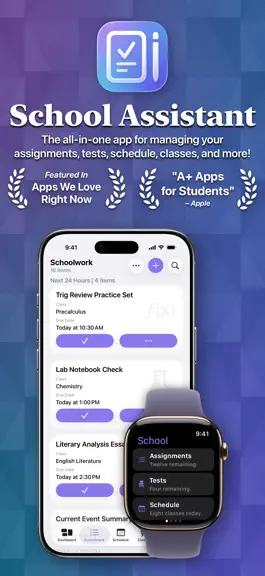
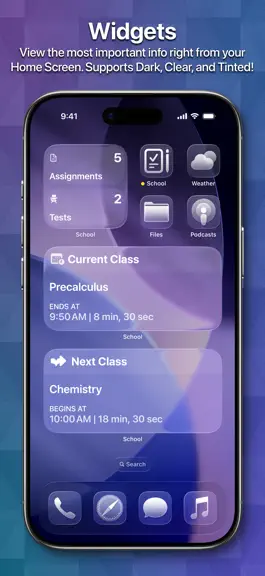
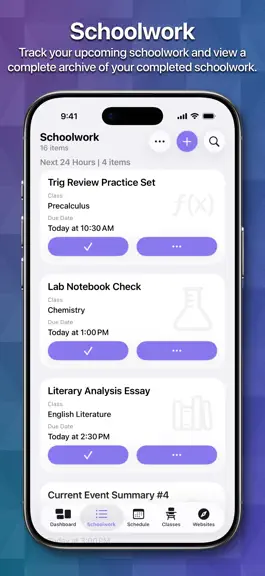
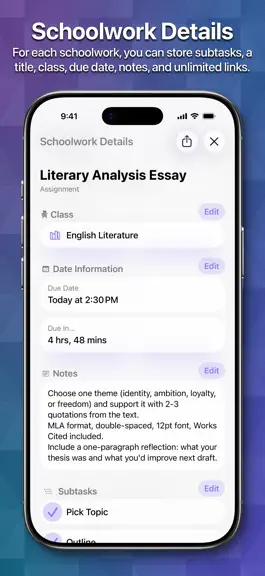
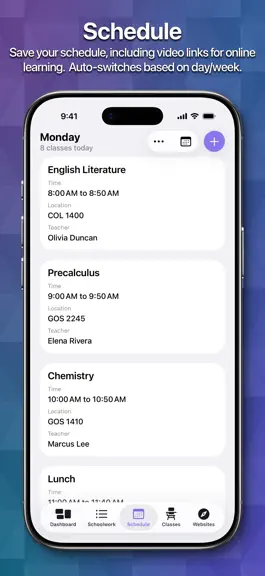
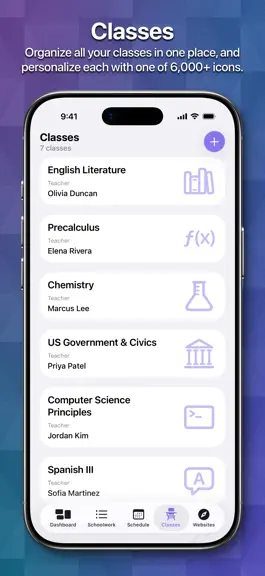
School Assistant by Sun Apps is a simple but powerful school planner app. It allows you to quickly and easily keep track of your homework and tests, manage your schedule, save all your class info, quickly access saved websites, and more. First, as a student myself, I know how hard it can be to pay for these types of apps. So, School Assistant is 100% free: no subscriptions, no paywalls, no premiu…
Trends & analysis
Chart rank trend
US · overallWhy it's surfacing
Scout 14Ratings & velocity
★ 0 in windowRating distribution
95% positive · 4k ratingsGeographic reach
best rank · 0 storefrontsRevenue & downloads trend
ARPU $1In-app purchases
5 tiersUpdate history
2 updates tracked- v4.2.11mo ago
Important Note: this will be the FINAL RELEASE to support iOS 15, iOS 16, macOS 12, and macOS 13. Only 2% of users are still running these versions, but it takes considerable time and effort for me to continue supporting them. Starting with the next release, iOS 17 / macOS 14 will be the minimum version. I apologize for any inconvenience. Please know, if you are still running those versions and are unable to update, the app will continue to work as it currently does! New Features and Improvements - You can now use the app in landscape mode on all iPhone models, regardless of screen size, in accordance with Apple’s new guidance - Improved iCloud syncing - Tip Jar prices now show in your local currency - New “Developer” app icon choice Bug Fixes - Fixed an issue where playing a sound effect could cause the app to hang - Fixed some visual issues in the Setup experience - Fixed some issues with switching between Light and Dark Mode
- v4.23mo ago
Hi everyone! I’ve got another big update for you! The big news with this update is an all-new Saved Websites feature! Now you can save as many websites as you’d like, and assign them each a title and an icon. Also, Schoolwork now has Subtasks! This has been a top user request, so I am excited to finally add this. Right now it’s pretty simple, but I am open to expanding it! Let me know what you might like to see! Here’s what else is new: - All-new, rewritten, and redesigned setup flow - Rewrote the tab bar / sidebar: the entire navigation system of the app has been completely rewritten from the ground up. This should lead to a more reliable and consistent experience! - New icon selector for Classes and Saved Websites featuring ALL of Apple’s SF Symbols, the ability to search, and icon categories! - Added the ability to choose which app to use when sending an email from Classes or Settings, so you are no longer forced to use Apple Mail - You can also choose a default setting for Classes to avoid being asked every time, if you’d like - Rewrote all remaining legacy Settings views - Rewrote numerous other legacy views - Mac: the underlying system for Mac Accent Color has been rewritten to automatically support any new devices/colors, such as the new MacBook Neo - Redesigned the Google Classroom classwork details screen to match that of Schoolwork - Improved the website view in Saved Websites Bug Fixes: - Fixed a potential crash when leaving the app after using Saved Websites - Fixed grid view spacing on iOS 15 / 16 and macOS Monterey / Ventura - Fixed an issue where scrolling may not work intermittently on Mac - Fixed an issue where Class Details would use incorrect colors when opened as a separate window on iPad - Fixed a bug where if you selected Completed Schoolwork before regular Schoolwork, switching to regular would not show the due date headers - Fixed a bug where rotating into landscape on a Plus / Max iPhone while on the Dashboard screen would cause a crash - Fixed the ⌘ , shortcut for opening Settings - Fixed some design and navigation issues on older macOS versions, especially macOS Monterey - A few fixes and improvements to the visionOS interface - Many other general improvements and fixes Note: the minimum visionOS version for School Assistant is now visionOS 2.0. I can’t imagine this will affect even one person but I figured it’d include it anyways.
School Assistant – Planner — FAQ
How much money does School Assistant – Planner make?
According to AppCurrents estimates, School Assistant – Planner generates approximately $7k–$36k per month (low confidence), modeled from its the App Store chart performance, rating velocity, and monetization signals.
How many downloads does School Assistant – Planner get?
School Assistant – Planner sees an estimated 10k–40k downloads per month on the App Store, per AppCurrents modeling.
Is School Assistant – Planner free?
School Assistant – Planner is free to download on the App Store, monetizing through in-app purchases.
What is School Assistant – Planner's rating?
School Assistant – Planner holds a 4.77-star average from 4,575 ratings on the App Store.
When was School Assistant – Planner released?
School Assistant – Planner launched on the App Store on 25.11.2019. Its latest version shipped 24.07.2026.
Apps like School Assistant – Planner
See all alternatives → Duolingo: Language LessonsEducation · $8.5M–$28M/mo
 PlantSnap Pro: Identify PlantsEducation · $1.6M–$27M/mo
 ClassDojoEducation · $2.3M–$13M/mo
 Learna: Speak & Learn EnglishEducation · $1.2M–$6.7M/mo
 Gauth: AI Study CompanionEducation · $1.1M–$6.2M/mo
 Thinkrolls 2: Puzzles For KidsEducation · $670k–$11M/mo